
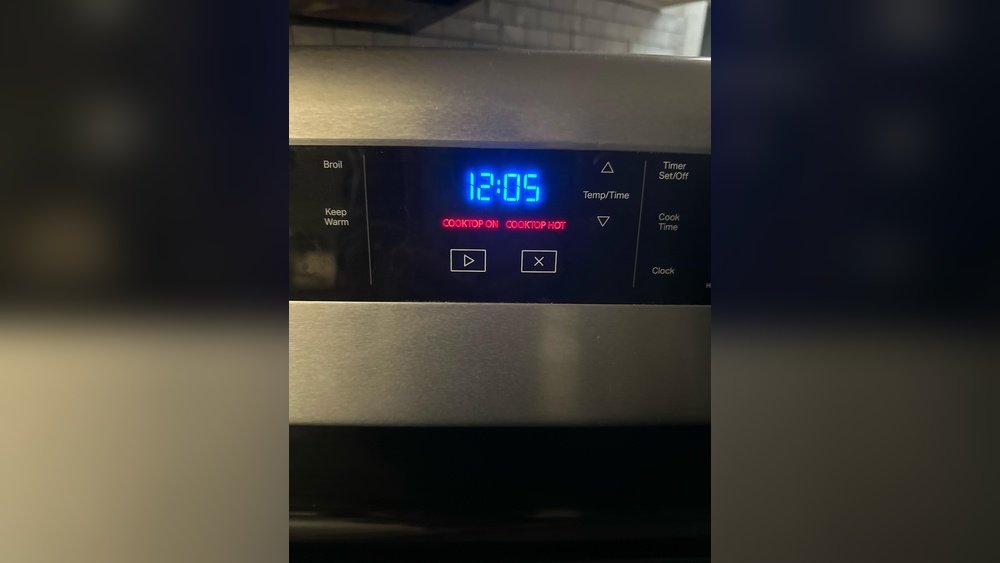
Every kitchen has its own rhythm. For some, the oven is the heart of home cooking—a place for roasts, cakes, and pizzas. But even the best ovens can cause small annoyances. One common issue is the oven light that stays on, even when you want it off. You may wonder: Is it wasting energy? Will it burn out quickly? Why won’t it just turn off? Knowing how to turn off your oven light is a simple skill, but it saves electricity, extends bulb life, and reduces heat. This guide will help you, step by step, for nearly every oven model and situation. Whether your oven is new, old, digital, or manual, you’ll find clear answers here.
Why Turn Off Your Oven Light?
At first, the oven light might seem harmless. But it has real effects on your cooking and your wallet.
- Energy savings: While oven lights use little power (typically 15-40 watts), leaving them on for hours adds up over a year.
- Bulb lifespan: Oven bulbs are built for heat, but constant use shortens their life.
- Temperature control: Extra heat from the bulb can very slightly affect baking consistency, especially in small ovens.
- Avoiding distractions: Some people find the glow bothersome, especially in open kitchens at night.
If you bake often, learning to control your oven light is a small but smart habit.
How Oven Lights Work
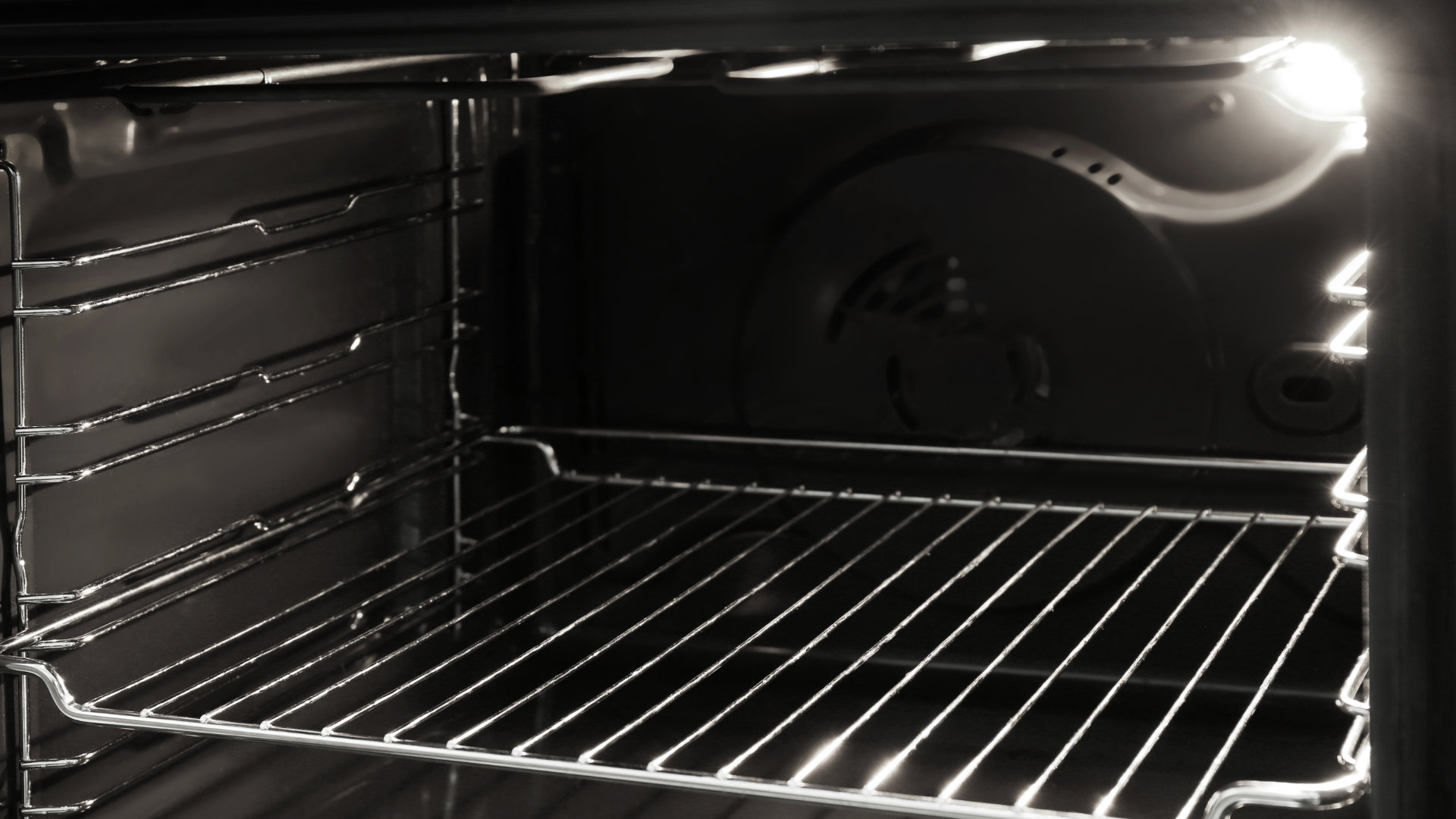
Understanding how your oven light works makes it easier to control. Most ovens have a small, heat-resistant bulb inside the cooking chamber. The light is usually behind a glass cover and is wired to a switch. Depending on your oven, the light can be:
- Manual: A physical switch on the oven or wall.
- Automatic: Turns on when the door opens, off when closed.
- Digital/Programmable: Controlled by a digital button or touchpad.
Some ovens combine these methods. For example, the light may come on with the door, but also have a manual override.
General Steps To Turn Off Oven Light
Most ovens fit into a few categories. Here’s how to turn off the oven light for each:
1. Manual Switch Ovens
These are the most straightforward models.
- Locate the light switch: It’s usually near the oven controls, marked with a bulb icon or labeled “Oven Light.”
- Press or flip the switch: This should turn the light off immediately.
- Check the light: Open and close the door to see if the switch overrides automatic controls.
2. Automatic Door-activated Lights
Some ovens turn the light on when you open the door, and off when you close it.
- Close the oven door fully: If the light stays on, check for obstructions.
- Check the door switch: The small button or lever around the door frame must be pressed in by the door. If dirty or stuck, clean gently.
3. Digital Control Ovens
Modern ovens may use a button, touchscreen, or menu.
- Find the oven light button: It may be labeled “Light,” “Oven Light,” or show a bulb icon.
- Press the button: Hold for 1-2 seconds if a single press doesn’t work.
- Look for menu settings: Some ovens require navigating a menu. Check the user manual for specific steps.
4. Ovens With Timer Or Programmed Light
Certain ovens let you program when the light turns on or off.
- Check the timer function: Some models allow you to set the oven light to turn off after a set period.
- Cancel the timer: If active, cancel to turn the light off.
5. Ovens With No Visible Switch
If there’s no switch, the oven light may only operate with the door.
- Ensure the door is closed tightly.
- Test the door switch: Press it manually (with the oven off and cool) to see if the light responds.
- If not, see troubleshooting below.
Turning Off Oven Light: Brand-specific Instructions
Different oven brands use unique methods for light control. Here are instructions for popular models:
Samsung Ovens
Most Samsung ovens have a dedicated “Oven Light” button on the control panel.
- Press the “Oven Light” button once to turn the light on or off.
- If the light does not turn off, ensure the door is closed completely.
- For models with SmartThings app: Control the oven light remotely through the app.
Ge Ovens
GE ovens often use a push-button or knob.
- Look for a button labeled “Oven Light” or a light bulb icon.
- If you turn the oven off and the light stays on, hold the button for 3 seconds.
- On older GE models, the light may only turn off when the oven is powered down.
Whirlpool Ovens
Whirlpool designs often include a touchpad light button.
- Touch the “Oven Light” pad once to turn off.
- For double ovens, select the upper or lower oven, then press “Oven Light.”
- If the light stays on, check the oven door latch.
Frigidaire Ovens
Frigidaire ovens typically have a manual switch.
- Flip the switch or press the button marked “Oven Light.”
- If the light is automatic, close the door firmly.
- If the light stays on, inspect the door switch for grime or damage.
Lg Ovens
LG’s digital ovens use a touch control.
- Press “Oven Light” on the touch panel.
- On Wi-Fi-enabled models, the LG ThinQ app allows remote control.
Bosch Ovens
Bosch ovens often have automatic lights.
- The light turns off when the oven door is closed.
- Some models allow you to turn the light off manually via the settings menu.
Older Or Less Common Brands
For ovens without clear controls, consult the user manual or look for a small, unlabeled button near the door frame. If all else fails, see troubleshooting steps below.
Troubleshooting: Oven Light Won’t Turn Off
Sometimes, the oven light stays on no matter what you try. Here’s how to fix it:
1. Door Switch Problems
The most common reason is a faulty or dirty door switch.
- Inspect the switch: It’s a small button or lever in the door frame.
- Clean gently: Use a cloth to remove food or grease.
- Test the switch: Press it by hand (with the oven off). If the light flickers, the switch is working.
2. Stuck Or Damaged Switch
A stuck switch won’t register the door closing.
- Try pressing and releasing the switch several times.
- If loose or broken: Replacement may be needed. This is usually a simple repair.
3. Control Board Issues
Digital ovens may have a software or control board problem.
- Reset the oven: Unplug for 1-2 minutes, then plug back in.
- Check settings: Make sure no timer or cleaning cycle is active.
4. Faulty Bulb Socket
Less common, but possible.
- Turn off power: Before touching the bulb.
- Remove and reinsert bulb: Sometimes this resets the connection.
- Replace if needed: Use only the recommended oven bulb type.
5. Wiring Problems
If the above steps fail, there may be a wiring issue.
- Call a technician: Do not open the oven’s main panels yourself unless you have electrical experience.
Comparing Oven Light Controls
Here’s a comparison of common oven light control methods:
| Control Type | How It Works | Pros | Cons |
|---|---|---|---|
| Manual Switch | Physical button or knob | Simple, reliable | No auto-off feature |
| Automatic (Door) | Light turns on/off with door | No need to remember switch | Switch can get stuck |
| Digital/Touchpad | Button or menu control | Programmable, remote control | Can malfunction, more complex |
When Should The Oven Light Stay On?
There are times when it’s helpful to leave the oven light on:
- Monitoring baking: Check cakes, bread, or pizza without opening the door (which loses heat).
- Cleaning cycle: Some ovens keep the light on during self-clean.
- Oven in use: For safety, some models default the light to “on” during cooking.
But when you’re not using these features, it’s best to turn the light off.
Common Mistakes When Turning Off Oven Light
Many people run into the same problems. Here are mistakes to avoid:
- Not closing the oven door completely: Even a slight gap can keep the light on.
- Ignoring grime on the door switch: Small bits of food block the switch.
- Confusing oven and range lights: The stovetop light is separate.
- Forgetting about child lock: Some ovens won’t allow light control if locked.
- Not checking for active timers: Timed oven lights need to be canceled.
Credit: fleetappliance.com
Energy Use: How Much Does Oven Light Waste?
You might wonder if turning off the oven light really saves money. Let’s look at the numbers.
- Typical oven bulb: 15-40 watts.
- Average use: If left on 2 hours per day, that’s 30 kWh per year.
- Cost: At $0.15 per kWh, that’s $4.50–$18 per year.
Not a fortune, but why waste it? Plus, bulbs cost $3–$10 to replace. Saving energy and bulb life is worth the small effort.
Oven Bulb Types And Replacement
Knowing your oven’s bulb type helps when it burns out.
Common Bulb Types
- 15-watt appliance bulb: Most common.
- 25-watt or 40-watt: For larger ovens.
- Halogen: Brighter, longer life.
- LED: Rare, but efficient and long-lasting.
Replacement Tips
- Turn off power first.
- Let the oven cool.
- Use a towel to unscrew the bulb.
- Replace only with oven-rated bulbs.
Oven Light Features In Newer Models
Modern ovens have advanced features for light control:
- Remote light control: Through Wi-Fi apps.
- Auto-off timers: Light turns off after a set time.
- Multiple lights: In double or triple ovens.
- Dimming options: Adjust brightness for different tasks.
Check your model’s manual or app for these options.
Safety Tips For Oven Light Use
It’s easy to forget safety when dealing with something as simple as a light bulb, but ovens get hot.
- Always turn off power before touching the bulb.
- Wait for the oven to cool completely.
- Use a towel or glove to avoid burns.
- Use only heat-rated bulbs.
- Never use regular household bulbs—they can explode in heat.
What If The Oven Light Is Stuck On During Self-clean?
Many ovens lock the light “on” during self-cleaning. This is normal and cannot be turned off for safety reasons. The light will go off automatically when the cycle ends.
How To Find Your Oven’s Manual
If you’re unsure how your oven’s light works, the manual is your best friend. Most manufacturers post manuals online. Search for your brand and model number plus “manual.” For example: “Whirlpool WFE320M0JS manual.” You’ll often find a PDF with clear instructions.
Diy Repairs: Should You Try To Fix It Yourself?
Simple tasks, like cleaning the door switch or replacing a bulb, are safe for most people. But if you suspect a wiring or control board issue:
- Do not open the back panel unless you have electrical experience.
- Warranty: Opening the oven may void your warranty.
- Call a licensed technician for complex repairs.
Cost Comparison: Diy Vs. Professional Oven Light Repair
Let’s compare the costs involved with fixing an oven light that won’t turn off.
| Repair Type | DIY Cost | Professional Cost |
|---|---|---|
| Bulb Replacement | $5–$15 | $60–$120 |
| Door Switch Cleaning | Free | $60–$100 |
| Door Switch Replacement | $10–$30 | $100–$200 |
| Control Board Repair | $75–$150 (parts only) | $200–$400 |
DIY can save money, but only for simple fixes.
How To Turn Off Oven Light Remotely
Some high-end ovens connect to smart home systems. If your oven supports Wi-Fi:
- Download the manufacturer’s app (like SmartThings for Samsung or ThinQ for LG).
- Connect your oven according to app instructions.
- Find the oven light control in the app.
- Toggle the light off.
This is handy if you forget to turn off the light after cooking.
How To Turn Off The Oven Light During Baking
Many people want to check their food without losing heat. Here’s what to do:
- Use the light to check food, then turn it off: Most ovens let you toggle the light without opening the door.
- For ovens with auto light: You may need to close the door firmly after checking.
- If light is distracting: Turn off as soon as you’re done monitoring.
How To Turn Off Oven Light In Double Ovens
Double ovens may have one light switch for both chambers, or separate controls.
- Look for separate “Upper” and “Lower” light buttons.
- If only one button: Press multiple times to cycle through options.
- Manual switch: Controls both at once.
Always check the manual for specifics.
Why Does My Oven Light Turn Off By Itself?
Some ovens have safety timers. If your oven light turns off automatically after a few minutes, this is normal. It’s designed to save energy and extend bulb life.
When To Replace The Oven Light Bulb
Even with careful use, bulbs burn out. Replace your oven bulb if:
- It flickers or is dim.
- It won’t turn on at all.
- There is blackening inside the bulb.
Always use the correct wattage and type.
Common Oven Light Symbols
Manufacturers use different icons. The most common is a light bulb image, usually on a button or knob. Some models use the word “Light” or “Oven Light.” If unsure, check your oven’s manual.
Real-world Example: Fixing A Stuck Oven Light
Sara had a GE oven where the light stayed on after cleaning. She checked the door—fully closed. Next, she found the small door switch, which was sticky from spilled sauce. After cleaning it with a damp cloth, the switch moved freely, and the light finally went off.
Sometimes, the fix is as simple as a good cleaning.
Advanced Tip: Disabling The Oven Light Temporarily
In rare cases, if you can’t turn off the oven light and need a quick fix, you can temporarily remove the bulb (with the oven off and cool). This is not recommended for long-term use, but can help if you wait for a repair part.
Environmental Impact Of Leaving The Oven Light On
While the energy use is small, every bit counts. According to the US Department of Energy, reducing small energy wastes helps lower your carbon footprint. Turning off your oven light is a tiny step that adds up over millions of kitchens.
For more information on energy-efficient appliances, check the US Department of Energy.
How To Turn Off Oven Light: Quick Reference Guide
Here’s a fast summary for the most common situations:
| Oven Type | How to Turn Off Light | Special Notes |
|---|---|---|
| Manual Switch | Flip or press the “Oven Light” switch | Usually labeled or near controls |
| Automatic (Door) | Close oven door fully | Check door switch if light stays on |
| Digital/Touchpad | Press “Oven Light” button or use menu | May require holding button |
| Smart Oven | Use app or voice control | Follow manufacturer instructions |

Credit: www.youtube.com
Non-obvious Insights Beginners Miss
- Child Lock Can Block Light Controls: If your oven is in child lock mode, you might not be able to turn the light off. Always check for a lock icon on the display.
- Bulb Type Matters for Automatic Controls: Some smart ovens require a special oven-rated bulb for the automatic light feature to work properly. Using a generic bulb can cause the light to malfunction or stay on.
- Cleaning the Door Gasket Affects the Switch: If the gasket (rubber seal) is dirty or loose, the door may not press the switch fully. Clean and adjust the gasket for better results.
- Light Timers May Override Manual Control: In certain models, if you set a timer for the oven light, it won’t turn off until the timer ends—even if you press the button.
Frequently Asked Questions
Why Won’t My Oven Light Turn Off Even When The Door Is Closed?
The most likely reason is a dirty, stuck, or broken door switch. Clean the switch area, press the button by hand, and check for movement. If it’s still stuck, the switch may need replacement.
Can I Use A Regular Light Bulb In My Oven?
No. Always use a heat-rated appliance bulb for ovens. Regular bulbs can shatter or fail quickly in high heat. Check your manual for the correct type and wattage.
Does Leaving The Oven Light On Affect Baking Results?
Not significantly, but the extra heat from the bulb can very slightly change temperature in smaller ovens or with sensitive recipes. For best results, turn off the light unless you need it.
How Do I Reset My Oven’s Digital Controls If The Light Won’t Turn Off?
Try unplugging the oven for 1–2 minutes, then plugging it back in. This often resets the control board. If the light still won’t turn off, check for active timers or child lock.
Is It Dangerous To Remove The Oven Light Bulb While The Oven Is Hot?
Yes. The bulb and socket can be extremely hot. Always wait until the oven is completely cool and power is off before touching the bulb.
Turning off your oven light is a simple skill that saves energy, extends bulb life, and makes your kitchen more comfortable. With the right steps—and a little troubleshooting—you’ll have full control of your oven’s features and avoid common frustrations.

Credit: www.youtube.com