
Locking your Maytag oven door might sound simple, but it’s a common point of confusion for many users. Whether you want to keep children safe, need to run the self-clean cycle, or just want to secure your oven for a move, understanding exactly how to lock the door is important.
Maytag ovens come in different models, and not every locking method is the same. This guide breaks down everything you need to know, from finding your model’s locking feature to troubleshooting problems and avoiding mistakes. By the end, you’ll have complete confidence in managing your oven’s door lock.
Why Would You Lock A Maytag Oven Door?
Most people use the oven door lock for two main reasons: safety and cleaning. If you have children in the house, locking the door prevents them from opening a hot oven or accessing dangerous parts. During the self-cleaning cycle, the oven heats to very high temperatures, making it unsafe to open. The lock is there to protect you and your family.
Some users also lock the oven when moving, to stop the door from swinging open and causing damage. It’s also helpful during deep cleaning of the kitchen, to stop pets or kids from playing with the appliance. Understanding these purposes helps you use the lock correctly and avoid problems.
Understanding Your Maytag Oven Model
Maytag has released many oven models over the years, and not all of them use the same locking system. The first step is to identify your oven’s model number. Usually, you’ll find this on a label inside the oven door, on the frame, or sometimes at the back of the unit.
Here’s why this matters: Some Maytag ovens have a manual lock lever, while others use an electronic lock that’s controlled from the oven’s control panel. Knowing your model helps you follow the right instructions.
Types Of Oven Door Locks
| Lock Type | How It Works | Common in Models |
|---|---|---|
| Manual Lever | Physical handle you slide to lock/unlock | Older Maytag ovens |
| Electronic Control | Lock activated by button or keypad | Modern digital ovens |
| Automatic Lock | Lock engages during self-cleaning | Most self-cleaning models |
If you’re not sure which you have, check your user manual or look up your model number on the Maytag website.
How To Lock A Maytag Oven Door: Step-by-step Instructions
Let’s break down the process for both manual and electronic locking systems. Follow the steps that match your oven type.
1. Locking With A Manual Lever
Older Maytag ovens often use a small metal lever, usually located just above or below the oven door.
- Make sure the oven is cool. Never lock the door when the oven is hot—this could damage the locking mechanism.
- Locate the metal lever (often labeled “Lock” or “Clean”).
- Slide the lever to the “Lock” position. You may need to use a bit of force, but it should not be difficult. You’ll hear or feel a click.
- Try gently opening the door. It should not open.
- To unlock, wait until the oven is cool, then slide the lever back.
Non-obvious insight: Some users force the lever when it feels stuck. If this happens, it usually means the oven is too hot or the lever is jammed. Forcing it can break the mechanism. Always wait until the oven is fully cool.
2. Locking With Electronic Controls
Most newer Maytag ovens use a control panel button to lock the door.
- Power on the oven by pressing any button if it’s asleep.
- Look for a button labeled “Lock”, “Control Lock”, or sometimes “Oven Lock”.
- Press and hold the button for 3 seconds (sometimes it’s 5 seconds—check your manual if unsure).
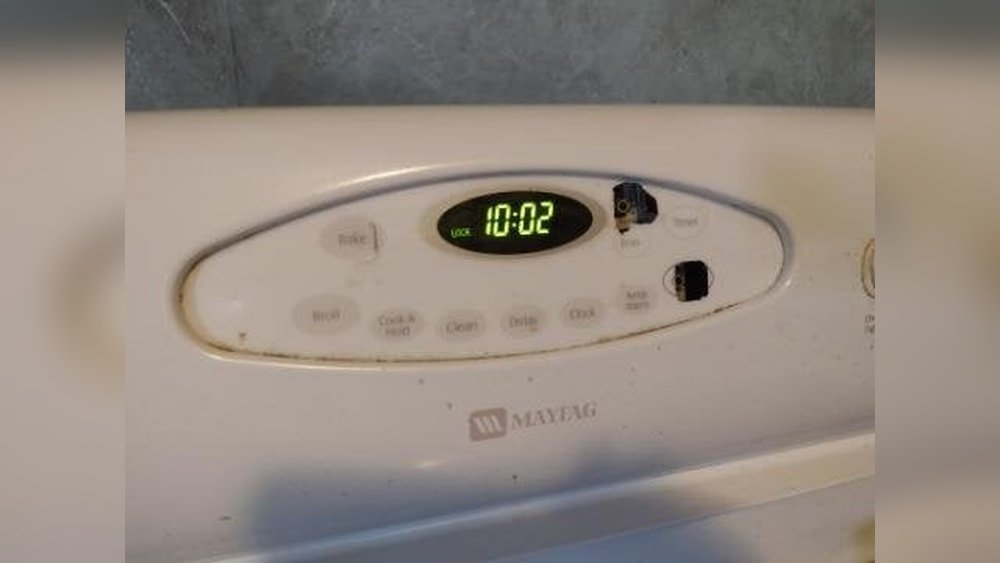
- The display will usually show a “Lock” symbol, or it may say “Door Locked.”
- Test the door. It should not open.
- To unlock, repeat the process—press and hold the same button until the symbol disappears.
Example: On many Maytag models, the button is labeled “Cancel/Off” and must be held together with another button, like “Start”, to engage the lock. If your oven doesn’t lock, try combinations listed in your manual.
3. Locking During Self-cleaning
Maytag ovens with a self-cleaning feature usually lock automatically when you start the cycle.
- Remove all oven racks and utensils.
- Close the oven door completely.
- Select the “Self Clean” option on your control panel.
- Press “Start.” You’ll hear a whirring noise—the lock is engaging.
- The oven door will stay locked until the cleaning cycle is finished and the oven has cooled down.
Non-obvious insight: If the door doesn’t lock, check if it’s fully closed. Even a small gap will stop the mechanism. Press the door gently but firmly until you hear a click.
Comparing Manual Vs. Electronic Door Locks
Understanding the differences helps prevent mistakes and damage.
| Feature | Manual Lock | Electronic Lock |
|---|---|---|
| How to Use | Slide lever | Press/hold button |
| When Engaged | Any time (oven cool) | Any time (oven cool) |
| Common Issues | Lever jams if oven hot | Control panel errors |
| Reset Method | Wait until cool, slide back | Power cycle oven, repeat button press |
Electronic locks are generally easier and safer, but they rely on the oven’s electronics, so power outages or glitches can cause problems.

Credit: www.youtube.com
Common Problems When Locking The Maytag Oven Door
Even when you follow the directions, things can go wrong. Here are some common issues and what they mean:
Door Won’t Lock
- Oven is too hot: Most locks won’t engage if the oven temperature is above 200°F. Wait until it cools.
- Door not fully closed: Push the door until it’s shut tight.
- Electronic fault: Sometimes the control panel malfunctions. Try resetting the oven by unplugging it for 1 minute.
Door Stuck In Locked Position
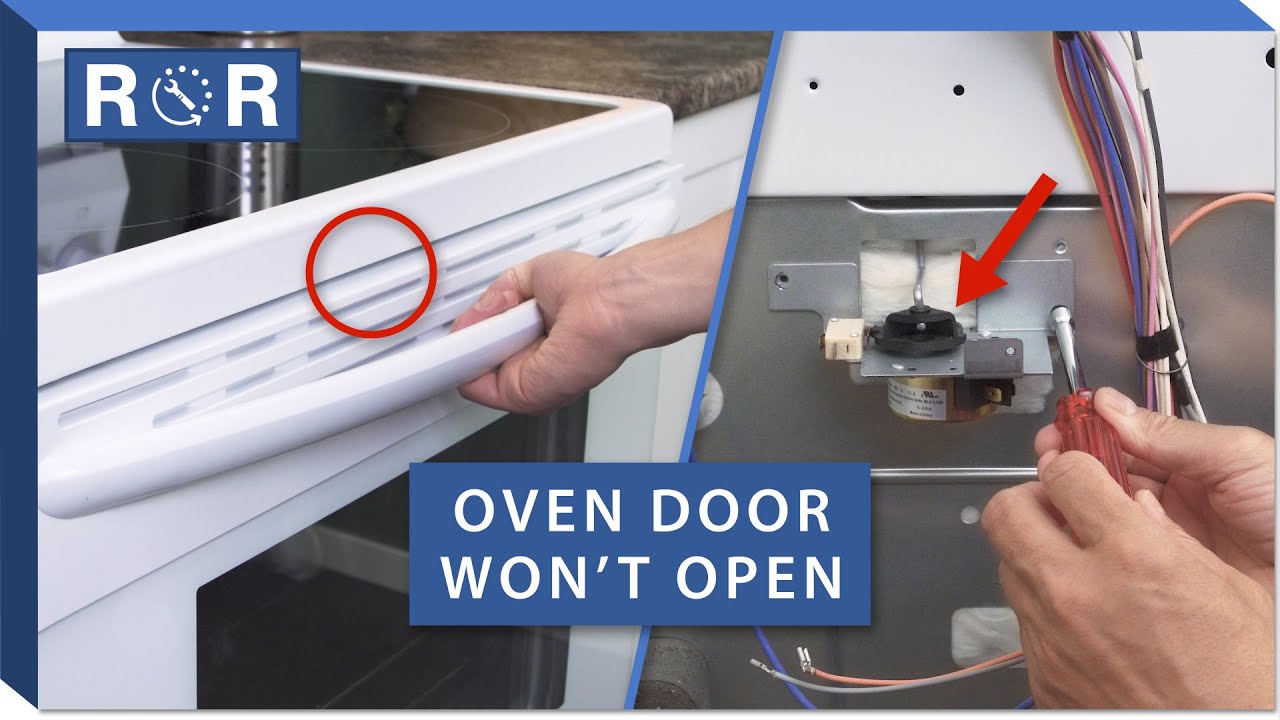
- Power outage during self-clean: If you lose power, the oven may stay locked after it comes back. Wait for the oven to cool, then try the unlock procedure again.
- Failed locking motor: The small motor that operates the lock can fail, especially in older ovens. You’ll need a technician if you hear clicking but nothing happens.
- Error code on display: Codes like “F9” or “Locked” can appear. Check your manual for code meanings.
Lock Lever Feels Loose Or Broken
If the lever feels floppy or moves without resistance, the internal connection may be broken. Do not force it; call for repair.
Safety Tips When Locking And Unlocking
Your Maytag oven is a powerful tool. Here’s how to use the door lock safely:
- Never force the lock: If something feels wrong, stop and check for obstructions or heat.
- Keep children away: Teach kids not to play with the oven or control panel.
- Wait for cooling: The lock protects you from burns, so always make sure the oven is cool before unlocking after self-clean.
- Test after locking: Gently try the door to make sure it’s secure.
- Read your manual: If your oven behaves differently, check the user guide for your exact model.
Credit: www.youtube.com
When To Lock Your Maytag Oven Door
Knowing when to use the lock is just as important as knowing how.
- During self-cleaning: Always let the oven lock itself.
- For child safety: Lock the door if you need to leave the kitchen.
- While moving the oven: Secure the door so it doesn’t swing open.
- During deep cleaning of the kitchen: Prevent accidental opening.
Pro tip: If you’re baking or roasting, do not lock the door. Some users think this helps with heat retention, but it actually risks damaging the lock if you forget to unlock before the oven cools.
Unlocking Your Maytag Oven Door
The unlocking process is just as important as locking.
Manual Unlock
- Wait until the oven is completely cool.
- Slide the lever back to the “Unlock” or “Open” position.
- Test the door gently.
Electronic Unlock
- Press and hold the “Lock” or “Control Lock” button (usually 3-5 seconds).
- Wait for the display to confirm unlocking.
- Gently open the door.
After Self-cleaning
- Wait for the oven to finish cooling. The door will unlock automatically.
- If it stays locked, try powering the oven off and on. If it still won’t unlock, consult your manual or call for service.
Dealing With Error Codes
Maytag ovens sometimes show error codes related to the door lock. Common codes include:
- F9: Locking mechanism problem
- F5: Door not closed or not locking
- Locked: Indicates the door is currently locked
What to do: Turn the oven off, wait for it to cool, then try the lock/unlock process again. If the error stays, unplug the oven for one minute to reset the electronics. If problems continue, contact Maytag service.
How To Reset A Stuck Lock
If your oven door won’t unlock, try this:
- Turn off power to the oven at the circuit breaker.
- Wait 1-2 minutes.
- Restore power.
- Try the unlock process (button or lever) again.
In most cases, this resets the lock motor. If not, you may need professional help.
Cleaning And Maintenance Tips For The Door Lock
Keeping the locking mechanism in good shape helps avoid problems.
- Wipe the lock area with a damp cloth regularly. Grease and crumbs can jam the mechanism.
- Don’t use harsh chemicals near the lock lever or control panel.
- Check for obstructions if the lock is slow or noisy.
- Schedule regular service if your oven is more than 5 years old.
Maytag Oven Door Lock Features: A Closer Look
Maytag designs its locks for safety and convenience. Here’s what makes their systems unique:
- Auto-lock during self-clean: Prevents accidental burns.
- Child lock feature: Some models let you lock the controls and the door, doubling safety.
- Visual indicators: Lights or display messages tell you when the door is locked.
- Manual override: In emergencies, most models let you open the door from inside (after unplugging).
Not every oven brand offers all these features. Maytag’s focus on safety is a big plus for families.

Credit: www.ebay.com
Troubleshooting: What To Do If The Door Won’t Lock Or Unlock
Sometimes, even with careful use, the lock won’t work as expected.
If The Door Won’t Lock
- Double-check the oven is off and cool.
- Look for crumbs or grease near the door or lock.
- Reset the oven by unplugging for 1 minute.
If The Door Won’t Unlock
- Wait for the oven to cool after cleaning.
- Try the unlock button again.
- Reset power at the circuit breaker.
When To Call A Technician
If you hear grinding noises, see error codes that won’t clear, or the lock is physically broken, don’t try to force it. Internal repairs can be complex and dangerous.
The Importance Of The Oven Door Lock In Modern Kitchens
The oven door lock is not just a safety feature. It’s part of how modern kitchens prevent accidents, especially as more homes include smart appliances and children are present. Statistics show that burns from ovens are one of the most common kitchen injuries in US households, especially for children under 10. Using the lock correctly makes a real difference.
For more details on child safety and oven injuries, check resources like the Consumer Product Safety Commission.
Real-world Examples: How Users Solve Lock Issues
Many users share stories about learning the hard way. For example, a homeowner in Texas forced the manual lever during a self-clean cycle and broke the lock, leaving the oven unusable for weeks. Another family found that their lock wouldn’t engage because the control panel was sticky from spills—a quick cleaning fixed it.
Lesson: Always check for heat, dirt, and read your manual before using force.
Key Differences Between Maytag And Other Brands
Maytag’s manual lever system is rare today, but it’s reliable if used correctly. Their electronic locks are on par with Whirlpool and GE, but Maytag’s self-clean feature is especially robust. Some brands let you lock the door at any time; Maytag often restricts locking to cool ovens, which protects the mechanism.
| Feature | Maytag | Whirlpool | GE |
|---|---|---|---|
| Manual Lever | Yes (older) | Rare | Rare |
| Electronic Lock | Yes | Yes | Yes |
| Self-Clean Lock | Automatic | Automatic | Automatic |
| Child Lock Feature | Some models | Some models | Some models |
Frequently Asked Questions
How Do I Know If My Maytag Oven Door Is Locked?
Look for a lock symbol or message on the control panel display. On manual models, check if the lever is fully in the “Lock” position. Gently try opening the door—it should not move if locked.
Why Won’t My Oven Door Lock During Self-clean?
The most common reason is the door isn’t fully closed. Make sure nothing is blocking the door seal. Also, check that the oven is cool enough to allow the lock to engage. If not, wait and try again.
Can I Lock My Oven Door While It’s Hot?
You should not lock the door manually when the oven is hot. The lock mechanism can warp or break. Only allow the oven to lock itself during the self-clean cycle, when designed to do so.
What Should I Do If The Lock Button Doesn’t Work?
First, make sure the oven has power and the control panel is clean. If the button still doesn’t work, try unplugging the oven for a minute and then plugging it back in. If problems continue, your control panel or lock motor may need repair.
Is It Safe To Leave The Oven Locked When Not In Use?
Yes, it’s safe to leave the oven locked for short periods, especially for child safety. However, don’t leave it locked for weeks or months, as the mechanism can become stiff or jammed over time.
Understanding how to lock your Maytag oven door gives you control, safety, and peace of mind. Whether you’re running a self-clean cycle or protecting your family, a few simple steps ensure your oven stays reliable for years. When in doubt, always check your manual or reach out to Maytag support—they’re there to help you keep your kitchen safe and efficient.