
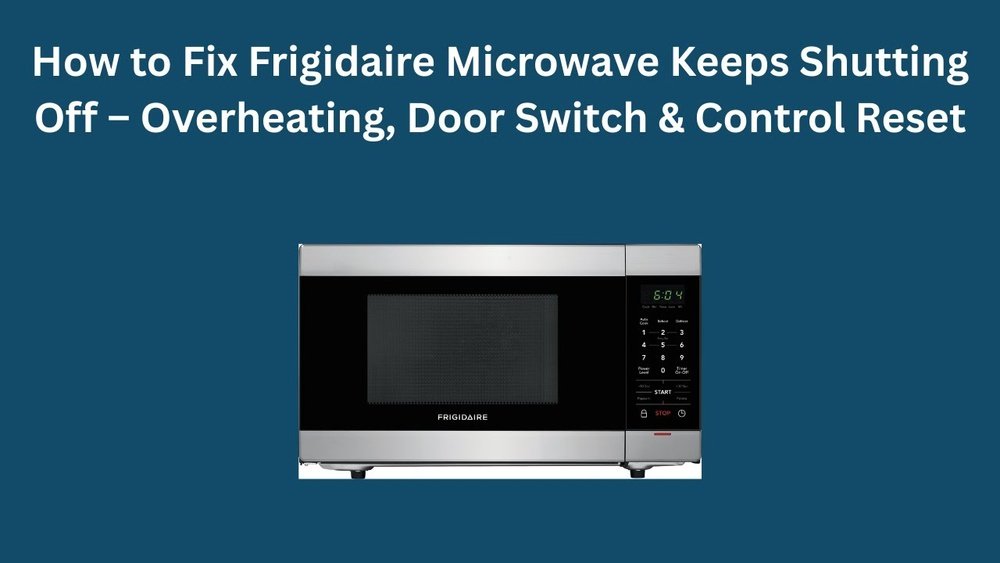
A microwave is one of those kitchen heroes that quietly does its job—until suddenly, it stops working right. One common problem is when a microwave overheats. You might notice strange smells, a burning sound, or the unit shutting off in the middle of cooking.
If you’ve ever faced this issue, you know how frustrating it can be. The good news is that, with the right guidance, you can often fix an overheated microwave safely at home. This article will walk you through everything you need to know, from spotting the warning signs to detailed steps for solving the problem—and even preventing it in the future.
Why Do Microwaves Overheat?
Microwaves, like any electrical appliance, generate heat as they work. Normally, the built-in cooling system keeps things under control. But when something goes wrong, the internal temperature can rise too much. Overheating is often the result of one or more issues:
- Blocked vents: If the air can’t flow out, heat builds up inside.
- Faulty fan: The cooling fan helps move hot air away. If it fails, the microwave gets too hot.
- Dirty interior: Food splatters or grease can trap heat.
- Long cooking times: Running the microwave for too long can strain the system.
- Component failure: Parts like the magnetron or thermal fuse may not work as they should.
A microwave that frequently overheats isn’t just annoying—it can be a safety risk. If left unchecked, it can cause burns, fires, or permanent damage to the appliance.
Signs Your Microwave Is Overheating
Before you try to fix the problem, it’s important to recognize the warning signs. Here are some clear indicators:
- Sudden shutdown: The microwave turns off in the middle of use.
- Burning smell: You notice a sharp, acrid odor.
- Unusual noise: The fan gets louder or you hear popping sounds.
- Hot exterior: The outside is much warmer than usual.
- Error codes: Some microwaves display a code related to overheating.
- Food not heating properly: Power may drop if the microwave is too hot.
If you see any of these, unplug your microwave right away. This protects you from electrical shock and lets the appliance cool down before you inspect it.
Credit: microwavefactory.com.au
Initial Safety Steps
Whenever you work with electrical appliances, safety comes first. Here are key steps to keep you and your home safe:
- Unplug the microwave from the wall outlet. Never work on a plugged-in appliance.
- Let it cool down for at least 30 minutes. Some parts stay hot longer.
- Read the owner’s manual for safety tips specific to your model.
- Avoid water near the microwave’s electronics.
- Wear gloves if you need to touch internal parts.
If you smell burning plastic, see smoke, or notice visible fire, do not try to fix the unit yourself. Call emergency services and a professional technician.
Step-by-step Guide: How To Fix An Overheated Microwave
Fixing an overheated microwave doesn’t always mean taking it apart. Sometimes, a simple cleaning or resetting does the job. Here’s a complete method to diagnose and fix the issue.
1. Let The Microwave Rest
After unplugging, give your microwave time to cool. This can reset internal sensors. Many microwaves have a thermal fuse that automatically resets after cooling down. Wait at least 30 minutes before testing it again.
2. Clean The Microwave Thoroughly
Food particles and grease can block vents and fans. Cleaning helps your microwave run cooler.
- Remove the turntable and wash it with soap and water.
- Wipe the interior walls, ceiling, and door seals with a damp cloth.
- Use a mild cleaner to remove stubborn stains.
- Don’t forget the vent area—usually at the top or side.
A clean microwave not only works better but also smells fresher.
3. Check And Clear The Air Vents
Blocked vents are a common cause of overheating. Find the vent holes (usually at the side or back) and make sure nothing is blocking them.
- Use a vacuum or brush to clear dust and debris.
- Move the microwave so nothing blocks the vents on the countertop or shelf.
Pro tip: Leave at least 3 inches of space around the microwave for proper airflow.
4. Inspect The Cooling Fan
A microwave’s fan pulls hot air away from sensitive parts. If it’s not working, overheating is almost guaranteed.
- Listen for the fan when you run the microwave (it should hum softly).
- If the fan is silent or rattling, it may need repair or replacement.
You can access the fan by removing the microwave’s outer cover, but only do this if you are comfortable with electrical repairs. Always unplug the microwave first.
5. Examine The Door Seals And Latches
A poor seal lets heat escape into the kitchen and can make the microwave work harder.
- Check for cracks or gaps in the rubber gasket around the door.
- Close the door and see if it sits flush with the body.
- If you find damage, you may need to replace the seal.
6. Test The Magnetron
The magnetron is the part that generates microwave energy. If it’s failing, it can overheat or shut down the unit.
- Signs of a bad magnetron: Loud humming, burning smell, food not heating.
- Replacing a magnetron is complex—if you suspect it’s faulty, consider calling a professional.
7. Check The Thermal Fuse And Thermostat
These parts shut off the microwave if it gets too hot. If they fail, the unit might keep shutting off or not start at all.
- Use a multimeter to test for continuity.
- If the fuse or thermostat is blown, replace it with a part specific to your microwave model.
8. Reset The Microwave
Some microwaves have an internal reset or require a simple power cycle.
- Unplug the unit for 10 minutes.
- Plug it back in and see if the overheating issue is gone.
- Some models have a reset button—consult your manual.
9. Reduce Cooking Times And Power
If you use your microwave for long periods or at maximum power, it may overheat.
- Try cooking in shorter bursts with breaks in between.
- Use 70–80% power for most tasks, unless full power is needed.
10. Avoid Overloading
Microwaving large or dense food can stress the system.
- Heat food in smaller batches.
- Don’t use oversized containers that block airflow.
11. Replace Old Or Faulty Parts
If you’ve identified a failing part (fan, fuse, magnetron), buy a replacement that matches your model.
- Always follow the manufacturer’s instructions.
- Only attempt repairs if you feel confident—microwaves can store dangerous electricity even when unplugged.
12. Get Professional Help When Needed
Some microwave repairs are tricky and risky. If you’re unsure, call a certified appliance technician. They have tools and knowledge to fix advanced issues safely.
Common Causes Of Repeated Overheating
If your microwave keeps overheating after simple fixes, it’s important to dig deeper. Here are the most common root causes:
- Aging components: Old microwaves (over 7–10 years) often develop worn-out fans, fuses, or magnetrons.
- Poor placement: Microwaves crammed into small cabinets or corners overheat easily.
- Bad wiring: Power surges or faulty outlets can cause overheating.
- Incorrect use: Using the wrong containers or cooking non-food items can damage the internal parts.
- Manufacturing defect: Sometimes, the problem is due to a design flaw.
Interesting insight: Many people don’t realize that even small cracks in the microwave’s case or door can affect cooling and heat distribution. Regularly check for damage, especially after moving the appliance.
Preventing Microwave Overheating
Prevention is always easier than repair. Here’s how to keep your microwave cool and safe:
- Clean it weekly, especially after food spills.
- Always keep vents clear (inside and outside the microwave).
- Place the microwave on a flat, open surface—not in an enclosed cabinet unless it’s a built-in model.
- Use only microwave-safe containers.
- Don’t run the microwave empty—it can overheat quickly.
- Avoid running the microwave for longer than the recommended time.
- Schedule professional maintenance every few years for older units.
Practical Tips For Everyday Use
- Rotate food: Stir or turn food halfway through cooking to prevent hot spots.
- Let it rest: After heavy use, let the microwave cool for 10 minutes before the next round.
- Monitor for odors: A burning smell means something is wrong—stop use immediately.
- Watch for noise: Unusual sounds often mean a fan or magnetron problem.
Non-obvious tip: Many people don’t realize that using metal racks or foil can cause overheating and sparks. Only use accessories that came with your microwave or are labeled as microwave-safe.
When To Repair Vs Replace
Not every microwave is worth fixing. Here’s a quick guide to help you decide:
| Situation | Repair | Replace |
|---|---|---|
| Under warranty | ✔️ | |
| Cost to repair < 50% of new price | ✔️ | |
| Over 7 years old | ✔️ | |
| Multiple parts failing | ✔️ | |
| Significant body or door damage | ✔️ | |
| Rare or discontinued model | ✔️ |
If your microwave is old and keeps overheating even after repairs, it’s usually safer and more cost-effective to buy a new one.
Common Microwave Models And Their Overheating Risks
Some microwaves are more prone to overheating due to design or age. Here’s how a few popular brands stack up:
| Brand/Model | Typical Overheating Cause | Repair Difficulty |
|---|---|---|
| Panasonic NN-SN966S | Fan blockage, dirty vents | Moderate |
| Samsung MS14K6000AS | Thermal fuse failure | Easy |
| GE JVM3160RFSS | Door seal wear | Moderate |
| Sharp R-21LCFS | Magnetron aging | Hard |
| LG LMC0975ST | Vent obstruction | Easy |
Note: Always check your model’s manual or support site for troubleshooting guides. Some brands offer specific advice for overheating.
Real-world Example: Fixing An Overheated Microwave
Imagine you have a Samsung MS14K6000AS that suddenly shuts off and smells hot. Here’s how you could approach it:
- Unplug the unit and let it cool for 30 minutes.
- Remove the turntable and clean the inside.
- Check the vents—find dust blocking the side vent.
- Use a vacuum to clean the vent holes.
- Plug the microwave back in and test with a cup of water.
- If the problem comes back, check the fan and thermal fuse.
- Replace the thermal fuse if it fails the multimeter test.
- After repair, the microwave works normally and no longer overheats.
This step-by-step process shows that most overheating issues are preventable and fixable with basic tools.
Tools And Materials You May Need
If you plan to do hands-on repairs, gather these items first:
- Screwdriver set (Phillips and flathead)
- Multimeter for electrical testing
- Vacuum cleaner or small brush
- Cleaning cloths and mild cleaner
- Replacement parts (fan, fuse, seal, etc.)
- Insulated gloves
- Microwave-safe container for testing
Non-obvious tip: Always take a photo of the wiring or assembly before removing parts. It makes reassembly much easier.
:max_bytes(150000):strip_icc()/how-to-fix-overheated-or-burnt-chocolate-521579-FINAL-5bc4f8e646e0fb0058c62d69.png)
Credit: www.thespruceeats.com
How Microwave Cooling Systems Work
Understanding how your microwave cools itself can help you spot and fix problems faster.
Microwaves use a combination of:
- Internal fan: Draws cool air in and pushes hot air out.
- Vents: Allow airflow around the magnetron and electronics.
- Thermal sensors: Detect when the temperature is too high and cut power if needed.
Here’s a simple comparison of cooling methods:
| Cooling Method | Found In | Main Weakness |
|---|---|---|
| Single fan with open vents | Most countertop models | Prone to dust blockage |
| Dual fan system | Commercial/large units | Harder to clean |
| Passive venting only | Some small/compact units | Less efficient cooling |
Microwaves with clogged or blocked cooling systems are much more likely to overheat.
Mistakes To Avoid When Fixing An Overheated Microwave
Some errors can make things worse or even cause injury. Be aware of these common mistakes:
- Skipping the unplug step: Always disconnect from power first.
- Touching the capacitor: Even unplugged, the high-voltage capacitor can store electricity. Don’t touch internal components unless you know how to discharge it safely.
- Forgetting to check vents: Many people clean only the inside and forget the exterior vents.
- Using water on electronics: Never spray cleaner directly on controls or wiring.
- Replacing with wrong parts: Use only parts designed for your microwave’s make and model.
Interesting insight: Some users try to “fix” overheating by propping the door open or removing panels—this is dangerous and can create fire or radiation hazards.
Credit: microwavefactory.com.au
When To Call A Professional
While many overheating problems are simple, some require a pro’s touch. Call a technician if:
- You notice visible damage to the magnetron or wiring.
- The microwave has a burning smell even after cleaning.
- It shuts down instantly after starting.
- There’s a loud buzzing or sparking sound.
- You’re not comfortable working with electrical appliances.
Professional repair may cost $50–$150, depending on the problem and location. For newer or high-end models, this is often worth it.
For more detailed safety advice, you can check the Consumer Product Safety Commission.
Keeping Your Microwave Running Safely
To sum up, an overheated microwave is usually fixable if you act quickly and follow safe steps. Most problems come down to blocked vents, dirty interiors, or worn-out parts. Regular cleaning and smart use can prevent nearly all overheating issues.
When in doubt, or if repairs seem risky, always call a professional.
A well-maintained microwave can serve your kitchen for years. With these tips, you’ll not only solve overheating problems but also extend the life of your appliance—and cook with confidence.
Frequently Asked Questions
Why Does My Microwave Keep Shutting Off During Use?
A microwave that shuts off is often overheating. Common causes include blocked vents, dirty fans, or a faulty thermal fuse. Clean the vents, check the fan, and allow the unit to cool before using it again.
Can I Fix An Overheated Microwave Myself?
You can fix simple causes like blocked vents or dirty interiors yourself. For electrical parts like the magnetron or fuse, you need basic tools and safety knowledge. If you’re unsure, call a professional.
How Long Should I Let My Microwave Cool After Overheating?
Let your microwave cool for at least 30 minutes before inspecting or using it again. Some models need more time, especially if the thermal fuse has tripped.
Is It Dangerous To Use An Overheated Microwave?
Yes, using an overheated microwave can cause fires, burns, or further damage to the appliance. Always fix the root problem before using it again.
What Is The Average Lifespan Of A Microwave?
Most microwaves last 7–10 years with proper care. Overheating, poor maintenance, or frequent use can shorten their lifespan. Regular cleaning and safe use help your microwave last longer.