
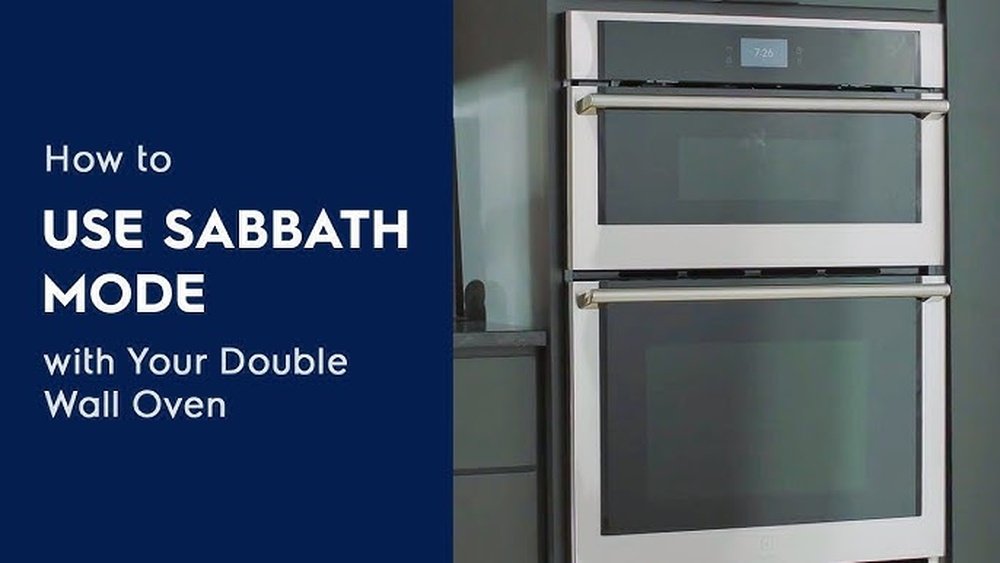
Turning on Shabbos Mode on a GE oven can feel confusing, especially if you are new to using modern ovens for Jewish observance. Many people worry about using their appliances correctly on Shabbat and holidays, and want to respect traditions without making mistakes. If you have a GE oven with Shabbos Mode and need step-by-step help, this guide is for you. Here, you will learn not only how to activate this special setting, but also why it matters, what features it changes, and how to avoid common errors. We’ll also cover extra tips that most manuals skip, so you can use your oven with confidence and peace of mind.
What Is Shabbos Mode?
Shabbos Mode is a special function in some ovens and appliances designed for observant Jews. It helps make sure that using the oven does not violate Jewish laws about electricity, heat, and work during Shabbat and holidays. When this mode is on, the oven will change how it works—like disabling beeps, lights, and automatic shut-off features—so you can use it more easily within Jewish law.
For example, opening the oven door won’t trigger a light or sound. The oven will keep heating as programmed, and won’t turn off by itself after 12 hours. This mode does not mean you can cook normally on Shabbat, but it allows you to keep food warm or use the oven in ways permitted by Halacha (Jewish law).
Why Shabbos Mode Matters
Understanding Shabbos Mode is important for anyone who keeps Shabbat or Jewish holidays. On these days, there are many rules about what you can and cannot do with electricity and machines. Modern ovens have safety features and electronics that, if left alone, could break these rules.
Here’s why Shabbos Mode is needed:
- Automatic shut-off: Most ovens turn off after 12 hours for safety. On Yom Tov (Jewish festivals), this can ruin meals started before the holiday.
- Lights and sounds: Opening the oven door can trigger a light or beep, which is not allowed.
- Temperature changes: Pressing buttons to adjust the heat is not allowed on Shabbat, but some ovens let you pre-set changes before the day starts.
Shabbos Mode disables or changes these features so you don’t break the rules by accident.
How To Identify If Your Ge Oven Has Shabbos Mode
Not all GE ovens have Shabbos Mode, and the method to turn it on can change by model. First, check your oven’s control panel for a button labeled “Shabbos Mode” or “Sabbath.” Sometimes, the function is hidden in the oven’s menu.
You can also look for these signs:
- An icon or label on the oven’s control panel
- Mention of Shabbos or Sabbath in the user manual
- Buttons for “Bake Time” and “Delay Start,” which often connect to Shabbos Mode
If you cannot find any of these, check your model number. Then, search the GE Appliances website or manual for your specific oven. Newer models almost always have this function, but older ones may not.
Step-by-step: How To Turn On Shabbos Mode On A Ge Oven
Activating Shabbos Mode on a GE oven is simple if you follow the right steps. The process varies between models, especially between touch screen and button models, but the main idea is similar.
For Ge Ovens With A Dedicated Shabbos Button
- Press and hold the Shabbos button: Usually, you need to press and hold for three seconds.
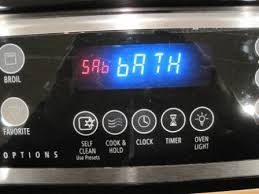
- Wait for confirmation: The oven display will often say “SABBATH” or “SHABBOS” to show it is activated.
- Set your bake temperature: Do this before Shabbat or Yom Tov starts. Enter the temperature as you normally would.
- Start the oven: Press “Start” so the oven begins heating.
- Check the display: Make sure the oven says “SABBATH” mode is on.
For Ge Ovens Without A Dedicated Button
Older or basic models use button combinations:
- Press “Bake” and “Broil” together: Hold both buttons for about three seconds.
- Listen for a beep or watch for a message: The screen may say “SABBATH.”
- Set your temperature: Adjust as needed before Shabbat.
- Press “Start” to begin baking.
- Confirm Shabbos Mode is active: Look for an indicator light or message.
For Touch Screen Or Smart Models
- Go to the oven’s settings menu: Use the touchscreen to find “Settings.”
- Select “Shabbos Mode” or “Sabbath Mode”: This may be under “Special Modes.”
- Turn on the function: There is usually a toggle or on/off option.
- Set your temperature and cooking time: Do this before Shabbat.
- Start the oven: Wait for the confirmation screen.
Important: Always set the oven and turn on Shabbos Mode *before* Shabbat or Yom Tov starts. Turning it on during the holiday is not allowed by Jewish law.
What Changes When Shabbos Mode Is On?
When you activate Shabbos Mode, your GE oven changes how it works in several ways. Here are the main differences:
- No oven lights: The light inside the oven will not turn on when you open the door.
- No beeps or sounds: All alerts are turned off.
- Display changes: The oven may show “SABBATH” or “SHABBOS” on the screen, or the screen may go blank.
- No automatic shut-off: The oven will stay on as long as you programmed it, even past 12 hours.
- Keypads may not work: Some models lock the controls, so you cannot change the temperature or turn the oven off during Shabbat.
Here is a comparison of normal mode and Shabbos Mode features:
| Feature | Normal Mode | Shabbos Mode |
|---|---|---|
| Oven Light | Turns on/off when door opens | Stays off or stays on (no change when door opens) |
| Beeps/Sounds | Active (alerts, timers, errors) | Disabled |
| Auto Shut-Off | After 12 hours | Disabled (oven stays on) |
| Display | Shows settings and time | May show “SABBATH” or go blank |
| Temperature Change | Allowed anytime | Disabled or preset only |
These changes help users avoid breaking rules about electricity, fire, and work during Shabbat.
How To Use Your Ge Oven Safely On Shabbat
Even with Shabbos Mode, you must follow Halacha (Jewish law) when using your oven. Here are key tips for safe and proper use:
- Set everything before Shabbat: Choose your temperature, time, and settings before the holiday begins.
- Do not adjust settings during Shabbat: Never change the temperature or turn the oven on or off.
- Avoid opening the oven door often: Each time you open the door, heat escapes and the oven works harder. If your oven cycles the heating element, this could cause problems.
- Double-check oven light settings: Make sure the oven light is set to always off or always on before Shabbat.
- Use foil or a blech: Some people cover food or use a metal sheet to avoid direct cooking, following Halachic advice.
- Keep kids safe: Ovens get hot! Remind family members not to touch the oven during Shabbat.
Expert insight: Some modern ovens have sensors or “smart” features that turn the heating element on when you open the door. On some models, Shabbos Mode disables this, but not all. Always check your manual or ask a rabbi if you’re not sure.
Different Shabbos Mode Features By Ge Model
Not every GE oven has the same Shabbos Mode options. Here’s a quick look at how features compare across common GE oven types:
| Model Type | Activation Method | Special Features |
|---|---|---|
| Older Button Models | Bake + Broil buttons | Basic: disables auto-off, beeps, lights |
| Touch Screen Models | Settings Menu | More control, preset temperature changes |
| Wi-Fi/Smart Models | App or screen | Remote activation, app lockout, updates |
Non-obvious tip: Even ovens with Wi-Fi can be used for Shabbat, but you must never use the app or any remote features during the holiday.
Common Mistakes And How To Avoid Them
Many people make small errors with Shabbos Mode their first time. Here are some of the most common mistakes, plus how to avoid them:
- Forgetting to activate Shabbos Mode before Shabbat: Once Shabbat starts, you can’t turn it on. Set a reminder on your phone before every holiday.
- Leaving the oven light on “auto”: Then, opening the door will trigger the light. Always set it to “off” or “on” only.
- Changing the temperature during Shabbat: This is not allowed, even if Shabbos Mode is on.
- Not checking if your model resets after a power outage: Some ovens switch out of Shabbos Mode if the power blinks. Test your oven or ask a GE technician.
- Assuming all ovens work the same: Each GE model has its own quirks. Always check your manual or the GE website for your exact model.
Practical insight: Write down your oven’s Shabbos Mode steps and keep them on the fridge. This way, you or your family won’t forget the process.
Advanced Tips For Experienced Users
If you have used Shabbos Mode for years, you might want more control or better results. Here are some advanced tips:
- Preset cooking stages: Some GE ovens let you program stages, like starting hot and dropping to “warm.” Set these before Shabbat.
- Use a Shabbos-certified food probe: Some models let you insert a probe, but you must put it in before Shabbat and never remove it during the holiday.
- Plan for long Yom Tov meals: On two-day holidays, program your oven for more than 24 hours so food stays warm.
- Ask a rabbi for complex needs: If you want to reheat liquids, use the “keep warm” function, or have unusual needs, get advice from an expert in Jewish law.
Uncommon insight: Some ovens with “eco” or energy-saving features may turn off even in Shabbos Mode if not set correctly. Always check for these settings and disable them before Shabbat.
Shabbos Mode And Yom Tov: Special Considerations
Yom Tov (Jewish festivals) has different rules than Shabbat. For example, you can adjust the oven temperature up or down on Yom Tov, but only if Shabbos Mode allows it and you follow Halacha. Most GE ovens let you do this, but you must check your manual.
- On Yom Tov only: Some models allow you to press buttons during the holiday. On Shabbat, this is not allowed.
- Always set timers beforehand: For cooking that starts on Yom Tov, use the timer so the oven turns on at the right time.
- Be careful with self-clean mode: Never use self-cleaning on Shabbat or Yom Tov; it can cause the oven to lock.
Troubleshooting: When Shabbos Mode Won’t Turn On
Sometimes, Shabbos Mode does not work as expected. Here’s what to do if you have problems:
- Check the manual: Every oven is different. The manual usually has a “Shabbos Mode” section.
- Power cycle the oven: Turn off the breaker for one minute, then try again.
- Check for child lock: Some ovens won’t allow Shabbos Mode if the controls are locked.
- Look for error codes: If the display flashes an error, note the code and call GE support.
- Contact GE Appliances: If all else fails, call their customer support or visit the official GE Appliances help page.
Expert advice: Test your oven before every holiday. Don’t wait until the last minute to see if the function works.
How Shabbos Mode Is Certified
Not all “Sabbath” or “Holiday” modes are the same. The Orthodox Union (OU) or other Jewish organizations sometimes certify oven models for Shabbos use. Certified models are tested to make sure they meet Halacha.
- Look for a certification sticker or mention in the manual.
- If your oven is not certified, you can still use Shabbos Mode, but double-check with a rabbi for special cases.
Some newer GE ovens even show the OU symbol on the screen when Shabbos Mode is on.

Credit: www.reddit.com
Real-life Example: A Family’s Holiday Meal
Let’s see how a family uses their GE oven’s Shabbos Mode for a big Yom Tov meal.
Friday afternoon, they set up their oven:
- Chulent and kugel are placed inside.
- The oven is set to 200°F, enough to keep food warm but not cook further.
- Shabbos Mode is activated before sunset.
- The oven light is set to always off.
- During the meal, family members open the oven to serve food. No sounds or lights go on, and the oven keeps the right temperature all night.
After Shabbat, the oven is turned off as normal. The family enjoys both a hot meal and peace of mind, knowing they followed Halacha.
Cleaning And Maintenance Tips For Ge Ovens With Shabbos Mode
Taking care of your oven keeps it safe and ready for every Shabbat.
- Clean spills before Shabbat: Wipe the oven so food doesn’t burn during long use.
- Check the door seal: Make sure the oven door closes tightly so heat does not escape.
- Don’t use self-clean during Shabbos: This cycle locks the oven and is not allowed.
- Check for updates: Smart ovens sometimes get software updates. Check with GE to see if updates change Shabbos Mode features.
If you have a smart oven, make sure it is connected to Wi-Fi only when allowed, and that Shabbos Mode works even if there’s no internet.
Credit: www.star-k.org
When To Call A Professional
If your oven’s Shabbos Mode does not work, or you are unsure about features, do not try to fix it yourself. Instead:
- Call GE customer service: They know about Shabbos Mode and can help.
- Ask a certified technician: For electrical or technical problems.
- Contact your rabbi: For questions about Halacha or Jewish law.
Never open the oven’s control panel or change wiring. This can be dangerous and may void your warranty.
How To Find Your Ge Oven’s User Manual
If you lost your manual, you can find it online. Search for your model number, usually on a sticker inside the oven door. Then, visit the GE Appliances website and download your manual. Look for the section about Shabbos or Sabbath Mode.
If you cannot find your model, contact GE support or ask your local appliance store.

Credit: www.youtube.com
The Future Of Shabbos Mode And Smart Appliances
As ovens get smarter, Shabbos Mode is also improving. Some new features include:
- Remote lockout: So you can make sure no one changes settings during Shabbat.
- Voice assistant integration: Disabled automatically when Shabbos Mode is on.
- Better temperature control: For long holidays and complex meals.
Jewish organizations are working with appliance companies to make sure new ovens stay Halachically safe. If you are buying a new oven, ask about Shabbos Mode features and certification.
Frequently Asked Questions
How Do I Know If My Ge Oven Has Shabbos Mode?
Check your oven’s control panel for a “Shabbos” or “Sabbath” button. If you can’t find one, look in your user manual for a “Sabbath Mode” section. You can also search the GE Appliances website with your oven’s model number for details.
Can I Turn On Shabbos Mode After Shabbat Starts?
No, you must activate Shabbos Mode before Shabbat or Yom Tov begins. Turning it on during the holiday is not allowed by Halacha and can break the rules about using electronics.
Does Shabbos Mode Let Me Cook On Shabbat?
No, you cannot cook on Shabbat, even with Shabbos Mode. This setting lets you keep food warm or use the oven in permitted ways, but it does not allow new cooking.
What Should I Do If My Oven Leaves Shabbos Mode During A Power Outage?
If the power goes out and your oven leaves Shabbos Mode, you cannot turn it back on during Shabbat. Plan ahead by testing your oven, and consider using a backup system for important holidays.
Where Can I Find More Information On Shabbos Mode And Jewish Law?
For detailed Halachic advice and technical support, check your oven’s manual, speak to your rabbi, or visit resources like the Orthodox Union’s appliance guide for trusted information.
Using Shabbos Mode on your GE oven does not need to be stressful. With good planning and these clear steps, you can enjoy hot meals and keep your traditions, knowing you are using your oven safely and correctly.