
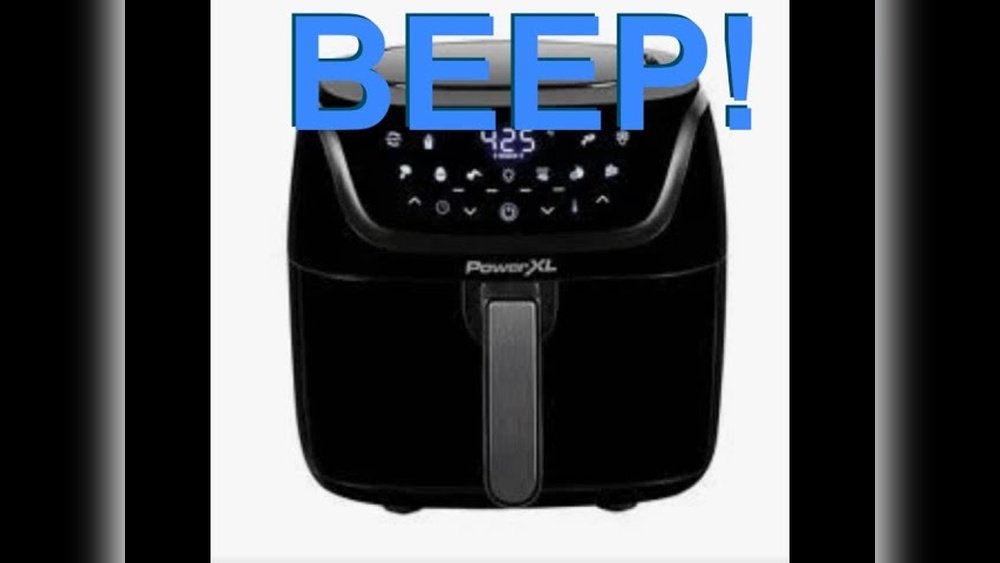
Many people enjoy using their PowerXL Air Fryer for quick, delicious meals. The crisp texture of fries or chicken wings is hard to beat, and the convenience is a big plus. However, some users find the beeping sounds annoying, especially when cooking early in the morning, late at night, or in a quiet home. If you want to know how to turn off the sound on your PowerXL Air Fryer, you are not alone. This guide explains every method, option, and workaround to help you control or silence those sounds with confidence.
Let’s explore what causes the sound, why it exists, and, more importantly, how you can manage or mute it—even if your PowerXL model does not have an obvious mute button. Along the way, you’ll learn practical tips, troubleshooting advice, and answers to common questions.
By the end, you’ll have full control over your air fryer’s beeps, so cooking stays simple and peaceful.
Understanding Powerxl Air Fryer Sounds
Most PowerXL Air Fryers make sounds for a reason. These beeps are designed to alert you when the air fryer is finished cooking, when you press a button, or if there’s an error. The sounds are usually loud enough to hear from another room. But sometimes, they can be too loud, sudden, or frequent for your comfort.
Why Does My Powerxl Air Fryer Beep?
There are three main reasons why your air fryer beeps:
- Button Press Feedback – Each time you press a button, the fryer makes a sound to confirm your action.
- Timer Alerts – When the cooking cycle ends, you hear a beep to let you know your food is ready.
- Error Warnings – If something goes wrong, like the basket not being inserted properly, the air fryer will beep repeatedly.
Is It Possible To Turn Off All Sounds?
The answer depends on your specific PowerXL Air Fryer model. Some newer models offer a mute feature, while others do not. In many cases, there are workarounds or less obvious ways to control the sound, even if the manual does not mention them.
Identifying Your Powerxl Air Fryer Model
Before you try to change any settings, it’s important to know which PowerXL Air Fryer model you own. Features and sound controls can be very different from one model to the next.
How To Find Your Model Number
- Check the sticker or label on the bottom or back of your air fryer.
- Look for a number that starts with “HF-”, “CM-”, or “AF-”.
- The user manual or original box should also show the model number.
Common Powerxl Models And Sound Features
Here is a quick comparison of popular PowerXL models and their sound control options.
| Model | Mute/Volume Control | Common Beep Type |
|---|---|---|
| PowerXL Air Fryer Pro (HF-509DT) | No | Button, Timer, Error |
| PowerXL Vortex Air Fryer (CM-005) | Yes (Some Models) | Button, Timer |
| PowerXL Air Fryer Grill (AF-500) | No | Timer, Error |
| PowerXL Duo (HF-5096TS) | Partial (Button sound only) | Button, Timer, Error |
| PowerXL 7-Qt Maxx Classic | No | Timer |
If you don’t see your exact model here, check your manual or the manufacturer’s website for details.

Credit: www.reddit.com
Reasons To Mute Or Lower Air Fryer Sounds
Not everyone wants to turn off their air fryer’s beeps. But there are good reasons you might want to:
- Cooking at Night or Early Morning: Loud beeps can wake up family members or roommates.
- Small Children or Babies: Sudden noises can disturb sleeping children.
- Shared Living Spaces: In apartments or dorms, sounds can bother neighbors.
- Noise Sensitivity: Some people find repeated beeps stressful or distracting.
Understanding your motivation helps you choose the best solution. For some, muting all sounds is the goal. For others, just reducing the volume or silencing only certain alerts is enough.
Built-in Methods: How To Turn Off Sound On Powerxl Air Fryer
Let’s look at the built-in options first. Some PowerXL air fryers allow you to mute sounds with a simple button press or menu setting.
1. Using The Mute Button (if Available)
On some recent PowerXL models, you can mute sounds directly:
- Turn on your air fryer.
- Look for a Mute or Speaker icon on the control panel.
- Press and hold the icon for about 3 seconds.
- The air fryer should beep once (ironically) and then stay silent for future operations.
If you see this icon, you’re in luck—this is the easiest way.
2. Accessing The Sound Setting In The Menu
Some digital PowerXL air fryers offer a sound setting in the menu:
- Power on your unit.
- Press the Menu or Settings button.
- Use the arrows to scroll to “Sound” or “Beep.”
- Select Off or Mute.
- Confirm your choice.
Not all digital models have this feature. If you don’t see a sound option, your model likely does not support menu-based muting.
3. Volume Control (rare)
A few PowerXL air fryers let you adjust the beep volume but not mute it entirely. If you have this option:
- Go to the Settings menu.
- Choose Volume.
- Select “Low”, “Medium”, or “High” as preferred.
Lowering the volume may be enough if you only want softer sounds.
Which Models Support Built-in Muting?
Here is a quick overview:
| Model | Mute Button | Menu Sound Option | Volume Control |
|---|---|---|---|
| PowerXL Vortex Pro | Yes | No | No |
| PowerXL Air Fryer Oven Elite | No | Yes | No |
| PowerXL 10-qt Dual Basket | No | No | Yes |
If your model does not appear here, check the manual or contact customer support.
Workarounds For Models Without A Mute Function
Many PowerXL Air Fryers do not have a mute button or sound setting. If that’s your situation, don’t worry—there are still options.
1. Use A Physical Barrier
Placing a soft cloth or small silicone pad over the air fryer’s speaker (usually a small hole or grill on the back or underside) can reduce the volume.
- Do not block vents or fans—find the tiny speaker hole, not the hot air outlet.
- Use only non-flammable, heat-resistant material.
- Check sound reduction before cooking.
2. Move The Air Fryer
If the sound is a problem in one room, try using the air fryer in a different area. For example, move it to the garage, laundry room, or a closed kitchen during use.
3. Use During Noisy Times
Time your air fryer usage for when the house is already noisy, like during TV time or when people are awake.
4. Wear Earplugs Or Use White Noise
This is not ideal, but for some, wearing earplugs or turning on a white noise machine in the kitchen can help.
5. Contact Powerxl Support
Sometimes, the manufacturer can give guidance on sound control or recommend a newer, quieter model. Visit the official PowerXL support page or call their help line.
Diy Modifications: Advanced (but Risky) Options
Some users on forums and YouTube have shared creative methods for silencing the beeper inside the air fryer. These methods void your warranty and may be unsafe. Only consider this if you are comfortable with electronics and understand the risks.
1. Disconnecting The Beeper
- Unplug your air fryer completely.
- Remove screws from the base.
- Locate the small round beeper on the circuit board.
- Gently disconnect or cut the wire to the beeper.
- Reassemble and test.
Warning: Opening your air fryer exposes you to electric parts and may cause fire risk if done incorrectly.
2. Adding Sound-dampening Material
Some people glue a small pad of high-heat silicone over the beeper to reduce its sound. This is less risky than disconnecting, but still not recommended for most users.
If you choose any DIY method, make sure to unplug the unit, avoid damaging any other components, and understand you are taking full responsibility.

Credit: youtu.be
Understanding Beep Types And Their Functions
Not every beep is the same. Here’s what the common air fryer beeps mean:
- Single Short Beep: Button press registered.
- Multiple Beeps: Cooking cycle finished.
- Long Repeated Beeps: Error or problem (basket not inserted, door open, overheating).
Knowing the difference helps you decide if you want to silence all beeps or only some. For safety, it’s smart to keep error warnings if possible.
Safety Considerations When Muting Your Air Fryer
Before you silence your PowerXL, think about the possible risks:
- Missed Error Alerts: If you mute everything, you might not notice overheating or a basket problem.
- Food Overcooking: Without a timer beep, you could forget your food.
- Warranty Issues: Any DIY change can void your warranty and may make the unit unsafe.
If possible, mute only the button or timer sounds but keep error beeps active.
User Experiences: Real Stories From Powerxl Owners
Hearing from other users can help you decide what works best.
- Jennifer (Texas): “The beeps drove my husband crazy in the mornings. We put a small silicone pad over the speaker, and now it’s much quieter. We still hear the timer, but it doesn’t wake the whole house.”
- David (California): “My Vortex model has a mute button. I use it every time I air fry chicken wings late at night. So glad I checked the manual!”
- Sofia (Florida): “I tried opening my PowerXL to disconnect the speaker, but it was too risky. I just use it during the day now.”
These stories show there’s no one-size-fits-all solution. Choose what fits your comfort and technical skill.
Comparing Powerxl Air Fryer To Other Brands
You might wonder how PowerXL compares to other air fryer brands when it comes to sound control. Here’s a quick look:
| Brand | Mute Button Available | Average Sound Level (dB) |
|---|---|---|
| PowerXL | Some models | 65-75 |
| Ninja | No | 70-80 |
| Instant Vortex | Yes (most) | 60-70 |
| Cosori | Partial (app only) | 65-75 |
As you can see, PowerXL is competitive, but not all models have a mute function. If you value silence, check before you buy.
:strip_icc()/bhg-powerxl-vortex-pro-air-fryer-laura-miller-012-6554b9786b414e0e97e5083d8db953c5.jpeg)
Credit: www.bhg.com
Troubleshooting: When Muting Doesn’t Work
If you follow the steps to mute your air fryer and it still beeps, try these solutions:
- Reset the Air Fryer: Unplug for 10 minutes, then try again.
- Double-Check the Manual: Some mute functions require a long press or combination of buttons.
- Firmware Update: Rare, but some digital models can update firmware. Contact support.
- Confirm Speaker Location: If using a pad or barrier, make sure you’re covering the right spot.
- Inspect for Damage: If the beeper is stuck on or sounds strange, there could be a defect.
If nothing works, you may need to accept the beeps or consider a new model with sound control.
Buying A Quieter Air Fryer: What To Look For
If you’re in the market for a new air fryer and want it to be quiet, here’s what matters:
- Mute Button or Sound Menu: Confirm this feature in the specs or manual before buying.
- Low dB Rating: Look for models with a lower decibel (dB) rating for beeps.
- App Control: Some smart air fryers let you mute alerts through a phone app.
- Customer Reviews: Search for “quiet” or “mute” in reviews to see real user feedback.
Common mistake: Many buyers assume “digital” air fryers are quieter, but that is not always true.
Powerxl Air Fryer Sound: Myths Vs Facts
Let’s clear up some common misunderstandings:
- Myth: All PowerXL air fryers can be muted.
Fact: Only certain models have this feature.
- Myth: Covering the speaker is dangerous.
Fact: If you use the right material and don’t block vents, this is usually safe.
- Myth: The beeper is needed for safety.
Fact: It helps, but you can cook safely if you pay attention to the timer.
Knowing the facts helps you make a smart decision.
Expert Tips For Peaceful Air Frying
To wrap up, here are practical tips for controlling sound and enjoying your air fryer:
- Test Before You Buy: Ask to test the air fryer in the store if possible.
- Read the Manual: Many features are hidden in the manual’s fine print.
- Use Timers on Your Phone: If you mute the fryer, set a backup timer.
- Cook When It’s Noisy: Plan air frying during busy times to mask beeps.
- Check for Updates: Sometimes, firmware or app updates add sound controls.
Two insights many beginners miss:
- Not all models within the same line (like PowerXL Vortex) have the mute feature. Always check your exact model number.
- The speaker location may not be obvious—sometimes it’s underneath or behind a side panel, not always visible.
Frequently Asked Questions
How Do I Know If My Powerxl Air Fryer Can Be Muted?
Check your air fryer’s manual for a Mute or Sound section. If you see a speaker icon or a mute option in the menu, you can mute sounds. If you don’t have the manual, search for your model number online or contact PowerXL support.
Will Muting My Air Fryer Affect Its Performance?
No, muting the sound does not affect cooking performance. It only controls audio feedback. Your air fryer will still cook food the same way, but you won’t hear beeps for buttons or timers.
Is It Safe To Cover The Air Fryer’s Speaker?
It is safe if you use a non-flammable, heat-resistant material and do not block any air vents or fans. Never use paper, cloth, or anything that could catch fire. Silicone pads are a good option.
Can I Reconnect The Beeper If I Change My Mind?
If you did a DIY disconnection by unplugging the beeper, you can reconnect it by opening the unit again and attaching the wire. However, this is not recommended for most users due to safety risks and warranty issues.
Where Can I Get More Help With Powerxl Air Fryer Sound Issues?
You can visit the official PowerXL support page, check their FAQ, or call their customer service line for help. For more general air fryer advice, Consumer Reports offers detailed guides and comparisons.
PowerXL air fryers make cooking fast and easy, but the sounds don’t have to be a problem. By using the tips and methods above, you can enjoy quiet, stress-free meals whenever you want.