
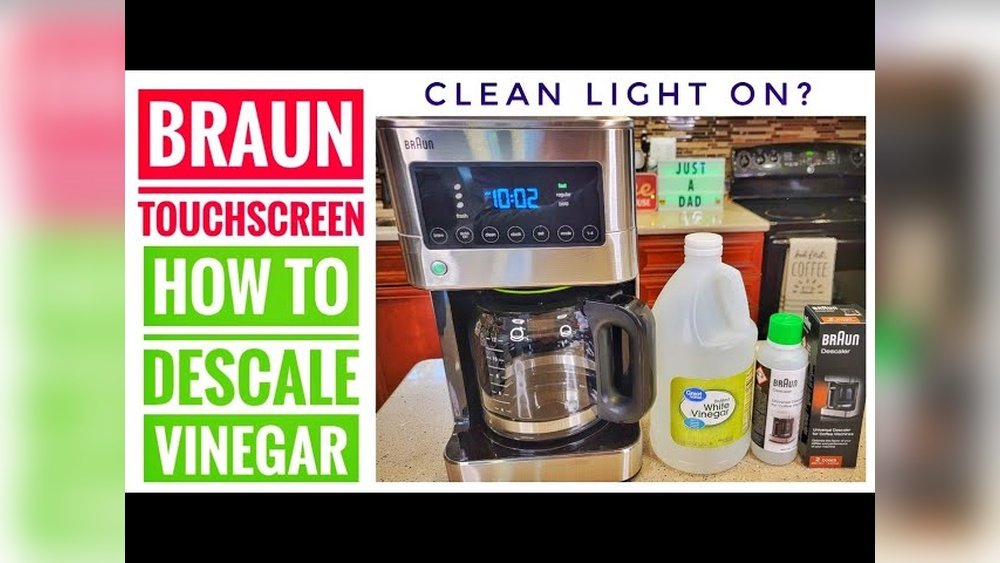
If you own a Braun coffee maker, you probably enjoy the convenience of fresh coffee at the touch of a button. But sometimes, that small clean light on your machine can turn from helpful to frustrating—especially when it stays on and you’re not sure what to do next. Understanding how to turn off the clean light is important for keeping your coffee maker working well and your coffee tasting great. Many users struggle with this issue, but with the right steps and knowledge, you can solve the problem easily. This guide explains everything you need to know about the clean light, how to turn it off, why it appears, and how to prevent it from coming on too often.
Why Does The Clean Light Turn On?
The clean light is not just a random signal. It’s a built-in reminder from Braun to help you keep your coffee maker in good condition. When the machine detects mineral buildup or senses that it’s time for maintenance, the light comes on. Water, especially hard water, contains minerals like calcium and magnesium. Over time, these minerals build up inside the coffee maker, affecting the machine’s performance and the taste of your coffee.
Ignoring the clean light can lead to several problems:
- Slower brewing times
- Weaker coffee flavor
- Machine damage over time
So, the clean light is your coffee maker’s way of saying, “It’s time for a cleaning. ”
You might notice the clean light comes on more quickly if you use your machine daily or if your water is very hard. Sometimes, if you move to a new area or switch your water source, the timing of the clean light can change.
For many people, this is confusing. They expect the cleaning schedule to stay the same. But water quality makes a big difference. Even if you can’t see the mineral buildup, your coffee maker’s sensors can “feel” it in the way water flows or heats inside.
How The Clean Light Works
Braun coffee makers use a simple sensor or a built-in timer to estimate when cleaning is needed. Some newer models use smart sensors that actually detect how much mineral buildup is inside. Others simply count the number of brewing cycles.
When the threshold is reached, the clean light turns on.
Example: Braun Brewsense Line
For instance, the Braun BrewSense series tracks both brewing cycles and water hardness. If you use your coffee maker daily with hard water, the clean light may turn on every 2-3 months. With softer water and less use, it might only appear every 4-6 months.
Some users don’t realize that using the programming features (like setting a timer for morning coffee) still counts as a brew cycle. If you have family members or coworkers using the machine, the number of cycles can add up faster than you expect.
That’s why the clean light might surprise you and seem to come on “too soon. ” It’s actually just keeping track quietly in the background—even if you forget.
Another detail: Some Braun models allow you to set the water hardness level during setup. If you select “hard water,” the clean light will come on sooner, because the machine expects more minerals to build up.
Credit: www.thekitchn.com
What Happens If You Ignore The Clean Light?
It might be tempting to ignore the clean light, especially if your coffee maker still works. However, this can lead to problems like:
- Clogged water lines: Mineral deposits can block the pipes inside.
- Bitter taste: Old minerals and residue affect coffee flavor.
- Shorter machine life: The motor or heating element has to work harder, which can cause damage.
Regular cleaning keeps your coffee maker working longer and ensures every cup tastes fresh.
Over time, you might also notice your coffee isn’t as hot as before. This can happen because mineral deposits act like insulation, making it harder for the heating element to warm the water. If left untreated, this can lead to even bigger issues, like leaks or water not flowing at all.
In some cases, the clean light might be the only warning before your machine stops working. That’s why it’s not just about taste—it’s about protecting your investment.
The Right Way To Turn Off The Clean Light
Turning off the clean light is not as simple as pressing a button. You must clean your coffee maker using the right process. Only then will the light reset.
Step-by-step Cleaning Process
- Prepare the Machine: Make sure the coffee maker is cool and unplugged. Remove any leftover coffee or coffee grounds. Clean out the filter basket and carafe so no old coffee is present.
- Add Cleaning Solution: You can use a commercial descaling solution or a homemade mix (like white vinegar and water in equal parts). For most machines, you’ll need about 1-2 cups of vinegar and 1-2 cups of water.
- Fill the Water Reservoir: Pour the cleaning solution into the water reservoir to the “max” line. Make sure not to overfill.
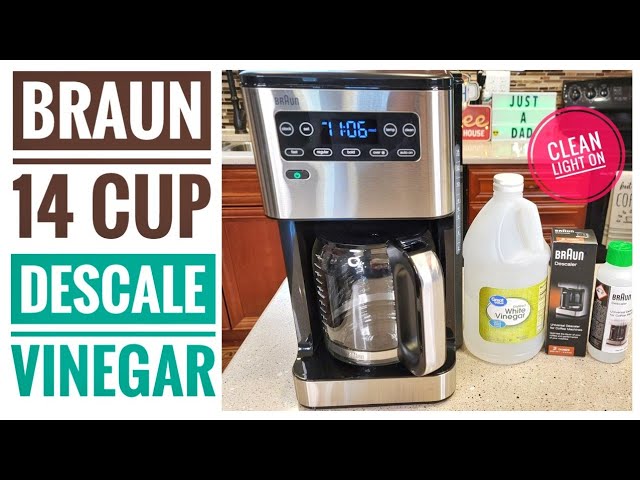
- Start the Cleaning Cycle: Most Braun models have a “Clean” button. Press and hold it for 3 seconds. The clean light should start blinking, which means the cleaning cycle is beginning.
- Wait for the Cycle to Finish: The machine will run a special cleaning program. This usually takes 30-45 minutes. During this time, the solution flows through all the inner pipes and the heating element, breaking down mineral deposits.
- Rinse the Machine: After the clean cycle, fill the reservoir with fresh water and run 2-3 brewing cycles (without coffee) to remove any leftover solution or vinegar taste. Some users prefer to rinse three or even four times, especially if they are sensitive to taste or smell.
- Check the Clean Light: The light should turn off automatically once the cleaning is complete.
If you want to be extra sure, smell the first cup of plain water after rinsing. If there’s any vinegar or chemical smell left, run another rinse cycle. This extra step is worth it for a better-tasting cup of coffee.
Common Mistake: Skipping The Rinse
Many users forget to rinse the machine after cleaning. If you skip this, the clean light may stay on or come back quickly. Always rinse at least twice to make sure all cleaning solution is gone.
Another mistake is stopping the cycle halfway. If you interrupt the cleaning process (by unplugging or turning off the machine), the clean light may not reset, and you’ll have to start over. Let the cycle run all the way through to avoid confusion.
Braun Coffee Maker Models And Clean Light Differences
Not all Braun coffee makers work exactly the same way. Some have special features or different buttons. Here’s a quick comparison of popular Braun models and their clean light functions:
| Model | Clean Button Location | Cleaning Cycle Length | Notes |
|---|---|---|---|
| BrewSense KF7000 | Front panel | 45 minutes | Press and hold Clean button |
| Multiserve KF9150 | Touchscreen menu | 35 minutes | Select “Clean” from menu |
| PureFlavor KF6050 | Side panel | 40 minutes | Manual reset after cleaning |
| BrewSense KF7150 | Front panel | 45 minutes | Automatic reset |
Notice that some models reset the clean light automatically, while others require a manual reset after cleaning.
Some advanced models also let you track your cleaning history through a digital display. If you’re using a more basic model, you may need to remember to reset the light yourself. Always check your manual if you’re unsure—some models have a hidden combination of buttons for resetting, which many people overlook.
Manual Reset For Stubborn Clean Lights
Sometimes, even after you finish the cleaning cycle, the clean light may stay on. This is common if the cleaning cycle was interrupted or not completed. Here’s how to manually reset the clean light:
- Unplug the Coffee Maker: Wait 60 seconds, then plug it back in. This helps the electronics reset.
- Press and Hold the Clean Button: Hold for 10 seconds, then release. On some models, this must be done twice.
- Run a Water-Only Cycle: Fill the reservoir with water and run a regular brew (no coffee). This helps clear any leftover solution from the pipes and signals the machine that it’s ready for use.
- Check the Clean Light: If it’s still on, repeat the steps.
Note: Always check the user manual for your model. Some machines have a unique reset process.
Some users find that holding both the Brew and Clean buttons together works as a reset. It’s rare, but for older models or if the electronics are “stuck,” this trick can help. Still, never force buttons or open the machine if you’re not sure what you’re doing.
Using Descaling Solution Vs. Vinegar
You have two main options for cleaning your Braun coffee maker: descaling solution or white vinegar. Each has pros and cons.
| Cleaning Agent | Effectiveness | Odor | Cost | Recommended? |
|---|---|---|---|---|
| Descaling Solution | Very high | Low | More expensive | Best for regular use |
| White Vinegar | High | Strong vinegar smell | Very cheap | Good for occasional use |
Descaling solution is made to remove minerals without damaging machine parts. Vinegar works well but may leave an odor. Always rinse extra cycles after using vinegar.
Some descaling solutions are also biodegradable and safer for the environment. If you clean your coffee maker often, a commercial solution may be less harsh on seals and internal parts than vinegar. But if you’re on a budget, vinegar is still very effective.
Just be patient with rinsing—the smell goes away after a couple of cycles.
If you notice your machine still smells after cleaning, try leaving the lid open to air out overnight. This can help remove any leftover vinegar scent.
How Often Should You Clean?
Regular cleaning keeps your coffee maker working well and prevents the clean light from coming on too often. The cleaning schedule depends on your water type and how often you use the machine.
- Hard water: Clean every 2 months
- Soft water: Clean every 3-4 months
- Daily use: Clean every 40-60 brew cycles
A good tip: Mark your calendar or set a reminder so you don’t forget.
If you brew multiple pots a day (for example, in a busy office), you may need to clean even more often. Some people put a sticker on the machine with the date of the last cleaning to help remember. Others keep a small notebook nearby to track cleaning cycles.
The main point is consistency—don’t wait until the machine slows down or coffee tastes bad.
How To Tell If The Clean Cycle Worked
After running a cleaning cycle, you should notice:
- The clean light is off or not blinking
- The machine runs more quietly
- Coffee tastes fresher and hotter
If the light stays on, try running a second cleaning cycle or check for any error codes.
You may also see fewer bubbles or gurgling noises during brewing. This means water is flowing easily through the pipes. If your coffee tastes sour or has a strange aftertaste, that’s a sign more rinsing is needed. It’s always better to rinse one extra time rather than risk leftover cleaner in your next cup.
Troubleshooting: Clean Light Won’t Turn Off
Sometimes, the clean light stays on even after you follow all the steps. This can be caused by:
- Incomplete cleaning cycle
- Too much mineral buildup
- Sensor malfunction
What To Do
- Run a Second Cleaning Cycle: Sometimes one cleaning isn’t enough, especially if you haven’t cleaned in a long time.
- Check the Water Reservoir: Make sure it’s filled to the max line with cleaning solution.
- Inspect the Machine: Look for any visible mineral deposits or blockages.
- Contact Support: If the light still won’t turn off, contact Braun customer service or check their official support page at Braun Household Support.
If you see an error code or a blinking light that doesn’t match what’s in the manual, unplug the machine and wait five minutes before trying again. Sometimes, electronics need a complete reset, especially after power surges.
Preventing The Clean Light From Coming On Too Often
You can reduce how often the clean light appears with a few simple habits.
Use Filtered Or Bottled Water
Tap water, especially in areas with hard water, causes more mineral buildup. Using filtered or bottled water can help keep your machine cleaner, so the clean light comes on less often.
Filtered water also makes coffee taste better, since it has fewer impurities. If you use a water filter pitcher or an under-sink filter, your machine will stay cleaner for longer. This is a small investment that saves time and effort in the long run.
Clean Removable Parts Weekly
Remove and wash the carafe, filter basket, and water reservoir regularly. Even if you don’t run a full cleaning cycle, this helps keep the inside of your machine clean.
Soap and warm water are enough for these parts. Pay special attention to the filter basket, as leftover coffee oils can build up and affect taste.
Don’t Leave Water Sitting
Empty the water reservoir if you won’t use the coffee maker for a few days. Stagnant water can lead to faster mineral buildup.
Also, standing water can cause mold or bacteria growth, especially in warm kitchens. Some users don’t realize that even filtered water can cause problems if left too long, so always empty and dry the reservoir if you’re leaving town or won’t use the machine for a week.
Understanding Error Codes And Indicator Lights
Some Braun coffee makers have more than just a clean light. You might see error codes or other lights. Here are common indicators:
- Clean light (steady): Cleaning is needed
- Clean light (blinking): Cleaning is in progress
- Descale icon: More serious mineral buildup
- Error codes (E01, E02, etc. ): Check the manual for details
If you see an error code, stop using the machine and follow the instructions in your manual.
Some users ignore blinking lights or error codes, thinking they are just “glitches. ” But these are real warnings. Ignoring them can lead to expensive repairs or a broken machine. Always check the meaning of any new code or light before continuing to use your coffee maker.
User Experiences: Real Problems And Solutions
Many Braun coffee maker owners share the same frustrations online. Here are a few real-world examples and how they fixed the problem:
- Light stayed on after cleaning: User ran a second cycle with more solution, then did three rinse cycles. Light turned off.
- Clean button not responding: User found the button needed to be pressed and held longer (10+ seconds) than the manual said.
- Vinegar smell after cleaning: User ran four rinse cycles instead of two to remove all odor.
Tip: Always be patient. Sometimes, the machine needs a few minutes after cleaning to reset the light.
Another example: One user found that their machine needed to be unplugged overnight after a cleaning cycle before the clean light would reset. This is rare, but sometimes electronics need extra time to fully reset their internal memory.
Cleaning Schedule Comparison: Braun Vs. Other Brands
How does Braun compare to other popular coffee maker brands when it comes to cleaning and the clean light?
| Brand | Clean Light Feature | Average Cleaning Interval | Reset Process |
|---|---|---|---|
| Braun | Yes | 2-4 months | Automatic or manual |
| Keurig | Yes | 2-3 months | Automatic |
| Cuisinart | Yes | 2-4 months | Manual |
| Hamilton Beach | No | 3-4 months | Manual |
Braun’s clean light system is similar to other top brands, but always check your model’s manual for the exact process.
Some brands like Keurig and Cuisinart also have smartphone apps that can remind you when it’s time to clean. Braun focuses more on simple indicator lights, so it’s up to you to track cleaning dates if you want to stay ahead of the clean light.
Credit: www.youtube.com
Tips For Keeping Your Braun Coffee Maker In Top Shape
Beyond just turning off the clean light, there are some extra steps you can take to keep your coffee maker working well.
Use The Right Filters
Braun recommends gold-tone permanent filters or paper filters. Make sure you use the correct size and type for your model.
Using the wrong filter can cause overflow, clogging, or bad-tasting coffee. If you use reusable metal filters, clean them with soap and water every week to prevent oil buildup.
Don’t Overfill
Adding too much water can overflow the reservoir and cause minerals to settle faster.
Always fill to the marked “max” line, not beyond. Overfilling can also stress the pump and heating element.
Store The Machine Properly
If you won’t use your coffee maker for a while, empty all water, clean all parts, and store it in a dry place.
Moisture left inside the machine can lead to mold or strange smells. Store the machine with the lid open, if possible, to let it air out.
Avoid Harsh Chemicals
Never use bleach, ammonia, or abrasive cleaners inside the machine. Stick to descaling solution or vinegar.
Harsh chemicals can damage internal parts and leave dangerous residues. If you’re not sure about a cleaner, always check the Braun manual or support page first.
Advanced: Cleaning The Internal Parts
Sometimes, basic cleaning is not enough. If you have hard water or haven’t cleaned in a long time, you may need to clean internal parts.
- Water lines: Use a thin brush or pipe cleaner to gently scrub. This is helpful if you notice slow water flow after several cleaning cycles.
- Heating element: Usually not accessible, but regular descaling keeps it clean.
Do not open the machine unless you know what you’re doing. This can void the warranty or cause damage.
For persistent issues, a technician or appliance repair shop can safely clean inside without causing harm. Opening the machine yourself risks damaging delicate parts.
When To Replace Your Coffee Maker
If the clean light stays on no matter what you do, or the machine doesn’t work even after cleaning, it may be time for a replacement. Most Braun coffee makers last 5-7 years with proper care. Signs you need a new one:
- Coffee tastes bad even after cleaning
- Machine leaks or makes strange noises
- Buttons or lights stop working
Sometimes, repairs cost more than a new machine. If your model is very old, newer machines often have better features, are easier to clean, and use less energy.
Environmental Impact Of Cleaning
Using vinegar or eco-friendly descaling solutions is better for the environment. Always dispose of used cleaning solution safely—do not pour it on plants or into storm drains.
Some commercial solutions are non-toxic and biodegradable, making them safer for your home and the environment. If you use vinegar, dilute it before pouring down the drain. Avoid using harsh chemicals that can harm wildlife or pollute water sources.
Additional Resources
For more tips and troubleshooting, visit the official Braun Household Support page. You’ll find user manuals, FAQs, and video guides for all Braun coffee maker models.
Frequently Asked Questions
How Long Does The Braun Clean Cycle Take?
The clean cycle on most Braun coffee makers takes about 30 to 45 minutes. The exact time depends on your model. Do not interrupt the cycle, or the clean light may stay on.
Can I Use Lemon Juice Instead Of Vinegar To Descale?
Lemon juice is less effective than vinegar or a commercial descaler. It might remove some minerals, but it’s not recommended for Braun machines. Stick to white vinegar or Braun-approved descaling solutions.
What If The Clean Light Is Blinking But Nothing Happens?
If the clean light blinks but the cycle does not start, make sure the water reservoir is full and the machine is plugged in. Try unplugging the coffee maker for one minute, then restarting the process.
Is It Safe To Use The Coffee Maker If The Clean Light Is On?
You can use the coffee maker, but the quality of your coffee and the lifespan of your machine may decrease. It’s best to run a cleaning cycle as soon as the light appears.
Why Does The Clean Light Come On More Often In Some Areas?
Hard water contains more minerals, causing buildup faster. If you live in an area with hard water, expect to see the clean light more often. Using filtered water can help reduce this.
With the right steps and regular care, you can keep your Braun coffee maker running smoothly and enjoy great coffee every day—without that annoying clean light getting in your way.
Credit: manuals.plus