
Keeping your kitchen clean is not just about the dishes or the countertops. Your oven, especially a Samsung oven, is one of the most hardworking appliances in your home. Over time, grease, spills, and burnt food can build up inside, making your oven less efficient and even affecting the taste of your food. Fortunately, Samsung ovens come with a self-clean feature that makes deep cleaning much simpler. If you have never used this function before, or you feel nervous about doing it right, you are not alone. Many owners hesitate, worried about safety or damaging their appliance. This guide will walk you through the entire process of self-cleaning a Samsung oven, step-by-step, and help you avoid common mistakes.
You will discover how to prepare your oven, understand the different cleaning modes, handle potential problems, and maintain your appliance for years of reliable service. Along the way, you will also learn some insider tips that even seasoned users often miss.
If you want your Samsung oven to stay in top shape and your kitchen to smell fresh, keep reading.
Understanding Self Clean: How Samsung Ovens Make Life Easier
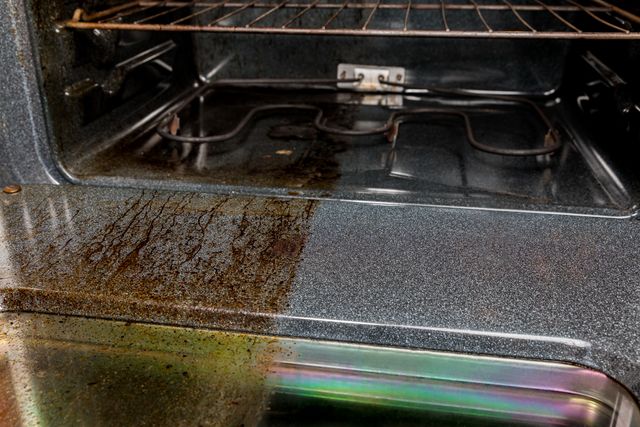
Samsung ovens use a self-clean cycle that heats the oven to a very high temperature, usually around 900°F (482°C). This intense heat turns baked-on food and grease into ash, which you can easily wipe away with a damp cloth. The process can take anywhere from two to five hours, depending on the model and the level of dirt inside.
Most modern Samsung ovens offer at least two cleaning modes:
- Self Clean (Pyrolytic Cleaning): Uses very high heat to burn off residue.
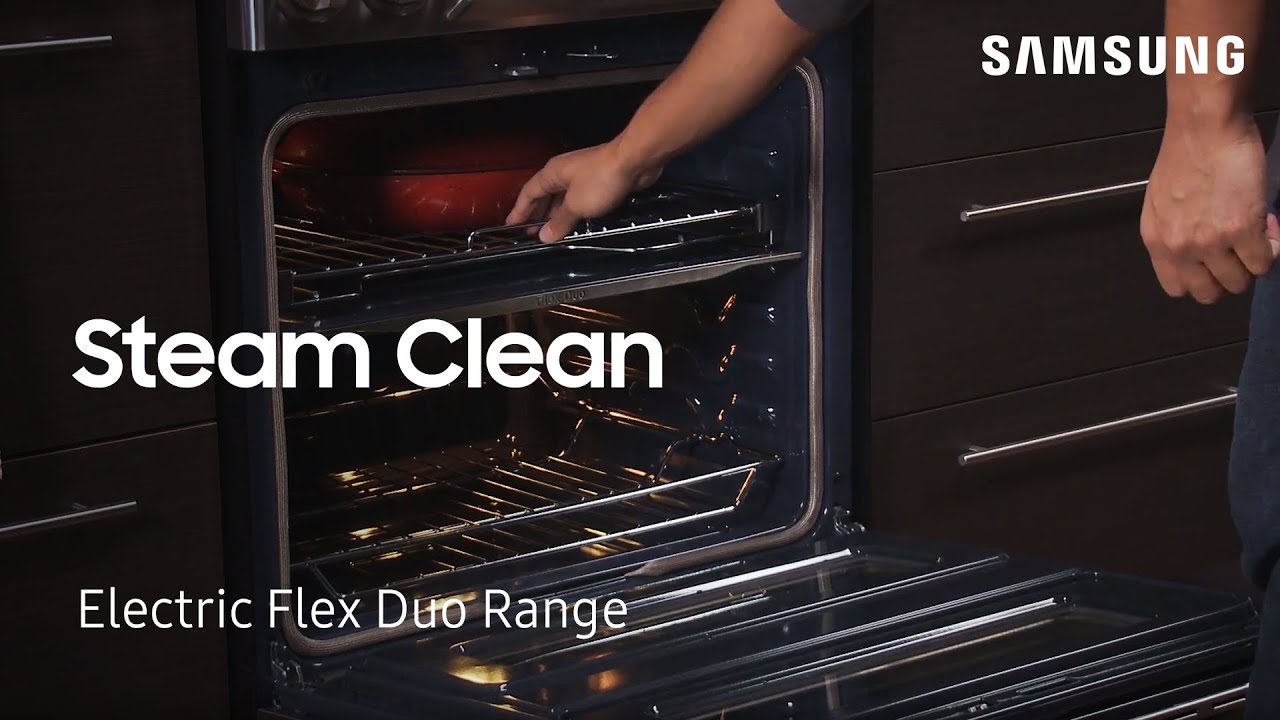
- Steam Clean: Uses steam and lower temperatures for lighter cleaning.
Knowing which cleaning mode to use will save you time and energy. For example, if you just have a few small spills, the Steam Clean mode might be enough. For deep, stubborn stains, the high-heat Self Clean cycle works best.
Preparing Your Samsung Oven For Self Cleaning
Before you start the self-clean cycle, it is important to get the oven ready. Skipping these steps can lead to smoke, bad smells, or even damage to your oven.
Remove Oven Racks And Accessories
Take out all oven racks, trays, and any other accessories. The extreme heat can discolor or warp these items if left inside. Some Samsung models have racks that are designed to stay in during self-clean, but most do not. Always check your user manual if you are not sure.
Wipe Away Loose Debris
Use a damp cloth or paper towel to wipe out loose crumbs and large pieces of food. This helps the self-clean cycle work better and reduces smoke.
Clean The Door Gasket
The rubber seal around the oven door is important for keeping heat inside. Gently wipe it with a damp cloth. Do not use harsh cleaners or scrub too hard, as this can damage the gasket.
Open Windows And Ventilate
Self-cleaning cycles can sometimes produce smoke or strong smells. Open your kitchen windows and turn on the exhaust fan if you have one. This will help keep your home comfortable during the process.
Check For Pets And Children
The oven gets extremely hot during self-cleaning. Make sure pets and children stay away from the kitchen for safety.
How To Start The Self Clean Cycle On Samsung Ovens
The exact steps may change a little depending on your oven model, but the general process is the same.
- Ensure the oven is empty except for parts that can stay inside (check your manual).
- Close the oven door securely.
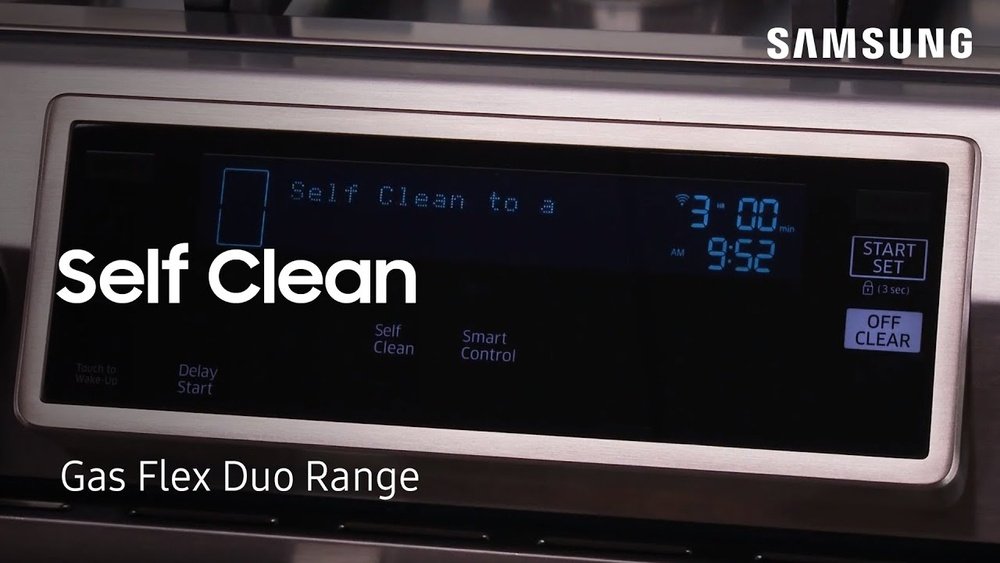
- Press the Self Clean button on the oven’s control panel.
- Select the cleaning time (usually 2, 3, or 5 hours). The more soiled your oven, the longer you should choose.
- Press Start to begin the cycle.
The oven door will lock automatically for safety. You will not be able to open it until the cycle is finished and the oven has cooled down.
Self Clean Time Options
Most Samsung ovens let you choose from three cleaning durations:
| Self Clean Time | Recommended For |
|---|---|
| 2 Hours | Light cleaning, mild stains |
| 3 Hours | Regular cleaning, moderate spills |
| 5 Hours | Heavy cleaning, lots of baked-on residue |
If you are not sure, start with a shorter cycle. You can always run another cycle later if needed.
For Steam Clean
If your Samsung oven has a Steam Clean option, follow these extra steps:
- Pour about 10 oz (300 mL) of water onto the bottom of the oven.
- Close the door and press the Steam Clean button.
- After the short cycle (usually 20-30 minutes), wipe out the loosened residue with a soft cloth.
Steam Clean is ideal for quick cleanups and light messes. It cannot handle thick, baked-on grime.
What Happens During The Self Clean Cycle
When you start the self-clean cycle, your oven will lock the door automatically. The inside temperature will rise very high, turning any food or grease into ash. The process usually lasts between two to five hours, depending on your setting.
You may hear clicking noises as the door locks or the heating elements turn on and off. This is normal. Some smoke or smell is also common, especially if there is a lot of grease inside. It is not dangerous, but good ventilation is important.
Never try to force the oven door open during self-cleaning. The lock is a safety feature. Wait until the oven has cooled and the door unlocks on its own.
After The Self Clean Cycle: What To Do
Once the cycle is over, the oven will cool down and unlock the door. Here is what you should do next:
- Open the door carefully. The oven might still be very warm.
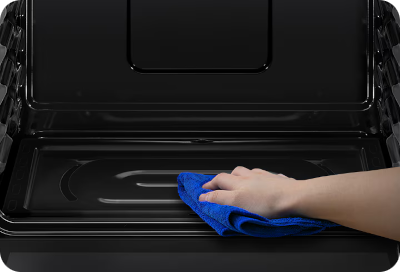
- Wipe out the ash with a damp cloth or sponge. This is what is left after the food and grease are burned away.
- Clean around the edges and the glass window. Sometimes ash can collect in the corners or on the door.
- Dry the inside with a clean towel if needed.
- Replace the oven racks and any accessories you removed earlier.
If you see white spots or gray ash that does not wipe away easily, try using a little vinegar and water. Never use harsh or abrasive cleaners inside your oven after self-cleaning.
Common Problems And How To Solve Them
Even with the self-clean feature, you might face some problems. Here are the most common issues and how to fix them.
Smoke During Self Clean
If you see a lot of smoke, it usually means there was too much grease or food left inside. Next time, wipe out as much as you can before starting the cycle. Opening a window or running an exhaust fan helps reduce smoke.
Door Stays Locked
The oven door will stay locked until the inside cools down. This can take up to an hour. If the door does not unlock after that, unplug the oven for a few minutes, then plug it back in. If the problem continues, call Samsung support.
Bad Smells
Self-cleaning can make strong smells, especially if food has spilled and burned. Good ventilation is key. If the smell lingers, clean the oven with vinegar and water once it cools.
White Or Cloudy Glass
Sometimes the oven window gets a cloudy look after self-cleaning. This is usually ash residue. Use a soft, damp cloth to clean it. For stubborn stains, a little baking soda paste (mix baking soda with water) can help.
Error Codes
If your oven shows an error code during or after self-cleaning, check the manual for what it means. Common codes are about door lock problems or overheating. Most can be fixed by turning the oven off and on again.
How Often Should You Use Self Clean On A Samsung Oven?
How often you run the self-clean cycle depends on how much you use your oven and what you cook. A good rule is:
- Heavy use (baking/roasting daily): Every 2-3 months
- Average use: Every 4-6 months
- Light use: Once or twice a year
Running self-clean too often can wear out parts like the door gasket. If you wipe up spills as they happen, you will not need deep cleaning as much.
Comparing Self Clean Vs. Steam Clean
Samsung ovens sometimes offer both modes. Which should you use? Here is a simple comparison:
| Feature | Self Clean | Steam Clean |
|---|---|---|
| Temperature | Very high (up to 900°F) | Low (steam only) |
| Cycle Time | 2-5 hours | 20-30 minutes |
| Best For | Heavy, baked-on messes | Light, fresh spills |
| Racks In Oven | Remove most racks | Can leave racks in |
| Odors/Smoke | More likely | Very little |
If you want a quick clean and do not have heavy messes, Steam Clean is a good option. For deep cleaning, use Self Clean.
Credit: www.appliancesolutionstulsa.com
Advanced Tips For The Best Results
Most people just hit the self-clean button and hope for the best. But a little extra effort can make a big difference. Here are some expert tips:
1. Clean Up Spills Quickly
If you spill cheese, sauce, or sugar, clean it up as soon as the oven cools (but not cold). Sugary spills can bake onto surfaces and become very hard to remove, even with self-cleaning.
2. Use The Right Cleaning Products
Never use oven cleaners, abrasive pads, or harsh chemicals inside a self-cleaning oven. These can damage the surface and release toxic fumes during high heat.
3. Protect The Door Gasket
The gasket is delicate. Always wipe gently and avoid pulling or stretching it. If it gets damaged, heat can escape and make future cleanings less effective.
4. Check For Service Bulletins
Samsung sometimes updates its advice for specific oven models. Check the official website for your model’s service bulletins or updates. This can help you avoid known issues.
5. Run Self Clean Before Holidays
If you are planning to cook for a big event, run a self-clean cycle a week before. This way, your oven is fresh and ready, and you have time to fix any problems if they come up.
Safety Tips For Using Self Clean
High heat cleaning is safe if you follow a few simple rules:
- Never leave the house while self-clean is running.
- Keep pets and kids away from the kitchen.
- Do not use foil or liners inside the oven during self-clean.
- Make sure your smoke detectors are working, just in case.
- Let the oven cool completely before wiping out the ash.
What To Do If The Oven Smokes Or Smells Bad
Even when you follow all the steps, self-cleaning can produce smoke or a burnt smell. This is normal, but there are ways to reduce it:
- Ventilate well: Open windows and use fans.
- Remove as much food as possible: Wipe before starting the cycle.
- Clean up after: Ash left behind can keep making smells if not wiped away.
If you have allergies or are sensitive to smells, consider running self-clean when you can leave windows open for a few hours.
Samsung Oven Self Clean: Models And Features
Samsung offers many oven models, and features can differ. Here is a quick comparison of popular models and their cleaning features:
| Model | Self Clean | Steam Clean | Removable Racks | Self Clean Duration |
|---|---|---|---|---|
| NE59M4320SS | Yes | No | Yes | 2/3/5 hrs |
| NE63T8111SS | Yes | Yes | Yes | 2/3/5 hrs |
| NV51K6650SS | Yes | Yes | Yes | 2/3/5 hrs |
| NE58K9560WS | Yes | Yes | Yes | 2/3/5 hrs |
Always check your own model’s manual for details, as features can change from year to year.
What Beginners Miss When Using Self Clean
Even careful users sometimes make mistakes. Here are some insights that are not obvious at first:
- Heating Elements Can Hide Messes: Food can get stuck around the heating elements at the bottom or top of the oven. Wipe around these areas before starting self-clean to reduce smoke and smells.
- Door Gasket Wear: Over time, the door seal can get brittle from repeated self-clean cycles. Check it regularly, and replace it if you see cracks. A worn gasket lets heat escape and reduces cleaning power.
- Racks Get Discolored: Even if your racks say “self-clean safe,” the finish can darken or become rough. If you want shiny racks, always remove them before starting.
- Ash Residue Is Normal: After a cycle, white or gray ash is normal. Wipe it out, but do not worry if a small amount remains in hard-to-reach spots.
- Power Outages Can Interrupt Cycles: If your home loses power during self-clean, the oven may stay locked until power returns. Be patient and follow your manual’s instructions to reset.
Maintaining Your Samsung Oven Between Self Cleans
To keep your oven in great shape, do small cleanups regularly:
- Wipe spills after the oven cools but before they bake on.
- Clean the oven window with a vinegar and water solution for a clear view.
- Check the door gasket for crumbs or buildup monthly.
- Run the Steam Clean feature every few weeks for freshening up.
This routine makes each self-clean cycle easier and extends the life of your oven.
When Not To Use Self Clean
There are times when you should avoid running the self-clean cycle:
- If your oven is damaged or the door gasket is worn out.
- Right before a big cooking event (in case of problems).
- During very hot weather, as the cycle heats up your kitchen a lot.
- If you have pets or family members sensitive to smoke or smells.
If your oven is very dirty but you cannot use self-clean, use warm water, baking soda, and patience. Scrub gently and rinse well.
When To Call A Professional
Most problems can be solved at home, but you should call for help if:
- The oven door will not unlock after cooling.
- You see sparks, flames, or electrical issues.
- The oven shows repeated error codes.
- The gasket or other parts are damaged.
A professional can fix serious problems and check for hidden issues.
Credit: www.youtube.com
Additional Resources
To get the most out of your Samsung oven, always keep the user manual handy. You can also visit the official Samsung support site for tips and troubleshooting. For more about how self-cleaning ovens work, check this detailed guide from Wikipedia.
Frequently Asked Questions
How Long Does It Take To Self Clean A Samsung Oven?
Most Samsung ovens offer cycles that last 2, 3, or 5 hours. The time depends on how dirty your oven is. Lighter messes need less time, while heavy, baked-on residue requires the longest setting.
Is It Safe To Leave Racks In During Self-clean?
For most Samsung ovens, remove all racks and accessories before starting self-clean. Some models have special racks that can stay in, but regular racks may discolor or warp. Always check your manual.
Why Does My Oven Smell Bad After Self-cleaning?
Bad smells come from burning off grease and food. This is normal during self-clean. Good ventilation helps. If the smell lingers, wipe out all ash and clean with a vinegar-water solution.
Can I Use Oven Cleaner On A Samsung Self-cleaning Oven?
Do not use oven cleaners inside a self-cleaning oven. These chemicals can damage the coating and create dangerous fumes during high heat. Use only water, vinegar, or mild soap for spot cleaning.
My Oven Door Won’t Unlock After Self-cleaning. What Should I Do?
Wait until the oven cools completely. If the door is still locked after one hour, unplug the oven for a few minutes, then plug it back in. If it remains locked, call Samsung support for help.
A clean oven makes cooking easier, safer, and more enjoyable. By following these steps and tips, your Samsung oven will stay in top condition with minimal effort. Self-clean is a powerful feature—use it wisely, and you will enjoy years of delicious meals and a sparkling kitchen.
Credit: www.samsung.com