
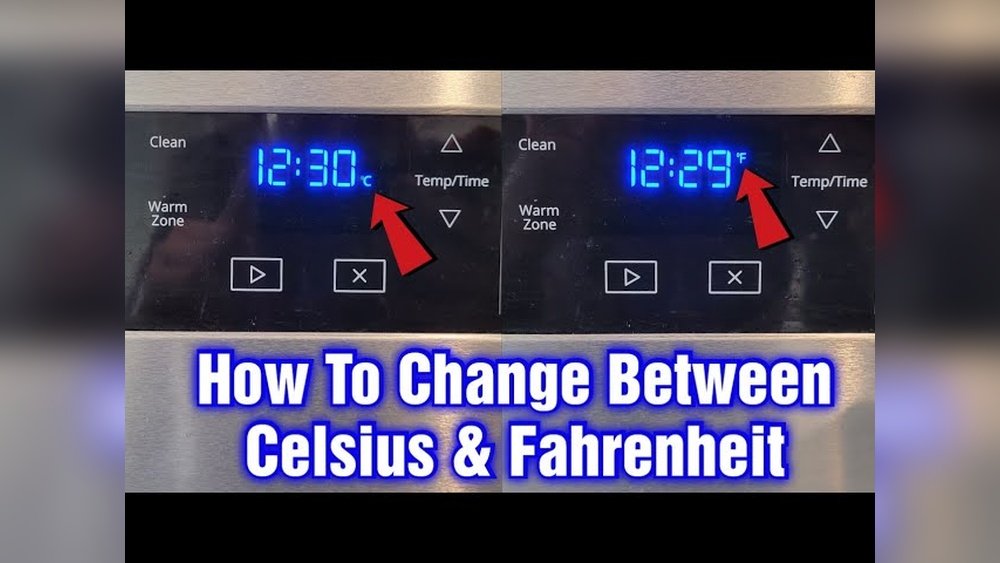
Changing the temperature setting on your Whirlpool oven from Celsius to Fahrenheit can feel confusing if you’ve never done it before. Many Whirlpool ovens, especially newer models, come preset in Celsius, which can make following recipes from the US or other countries tricky. You might wonder if you need to call a technician or if you can do it yourself. The good news: switching your oven’s temperature display is usually a simple process that takes just a few minutes and no special tools.
This guide explains, step by step, how to change your Whirlpool oven to Fahrenheit. It covers different Whirlpool oven models, including wall ovens and ranges, so you’ll find instructions that match your appliance. You’ll learn how to identify your oven’s controls, what to do if you get stuck, and how to troubleshoot common problems. Even if you’re not “tech-savvy,” you’ll feel confident making the switch. Along the way, you’ll get tips to avoid mistakes and learn why this change matters for accurate cooking. By the end, your oven will be ready to cook with the temperature settings you know best.
Understanding Temperature Settings On Whirlpool Ovens
Many people don’t realize that Whirlpool ovens are sold worldwide, and default temperature units can differ by region. Some ovens come preset to Celsius (°C), especially if manufactured for non-US markets or after a power outage or reset. Others are set to Fahrenheit (°F) in the US, but can be accidentally changed during cleaning or programming.
Why Temperature Units Matter
A recipe might say “Bake at 350°F,” but if your oven shows Celsius, you could set the wrong temperature by mistake. 350°F is about 177°C, so a mix-up can ruin a meal. Switching to Fahrenheit helps you follow recipes more accurately, especially if you use US cookbooks or online recipes.
Different Whirlpool Oven Types
Whirlpool offers various oven models:
- Freestanding ranges (oven and stove together)
- Wall ovens (built into cabinetry)
- Double ovens
- Smart ovens with touchscreens
The basic process for changing temperature units is similar, but the buttons and menus can vary. Always check your model number, usually inside the oven door or on the frame.
Preparing To Change The Oven Temperature Unit
Before you start, take these simple steps to make the process easy and safe.
1. Locate Your Model Number
Find the model number on a sticker or plate:
- Open the oven door and look on the frame or edge.
- If you have a range, check inside the drawer or behind the bottom panel.
Knowing your model number helps you look up specific instructions if your oven is different from the examples here.
2. Gather The User Manual (if Available)
The user manual includes diagrams and instructions. If you lost it, you can usually download a copy from the Whirlpool website by searching your model number.
3. Make Sure The Oven Is Off
Never change settings while the oven is hot or in use. Wait for the oven to cool completely.
4. Check The Control Panel
Look at your oven’s control panel. Is it a touchscreen, digital display, or simple buttons and knobs? This will affect the steps you follow.
How To Change Whirlpool Oven To Fahrenheit: Step-by-step Instructions
The following sections cover the three main types of Whirlpool oven controls: touchscreen, digital display with buttons, and mechanical knob models. Find the one that matches your oven.
Touchscreen Control Models (most Newer Ovens)
Many new Whirlpool ovens feature a full touchscreen or a display with “Settings” or “Options.” Here’s how to change to Fahrenheit:
- Wake up the display by tapping the screen or pressing the “Home” button.
- Find and press the Settings or Tools icon.
- Scroll or look for Temperature Unit or Degrees.
- Tap to select Fahrenheit (°F).
- Confirm the change if asked.
- Exit back to the main screen.
Your oven will now display temperatures in Fahrenheit. If you don’t see these options, check your manual or try the next method.
Digital Display With Buttons (popular On Mid-range Models)
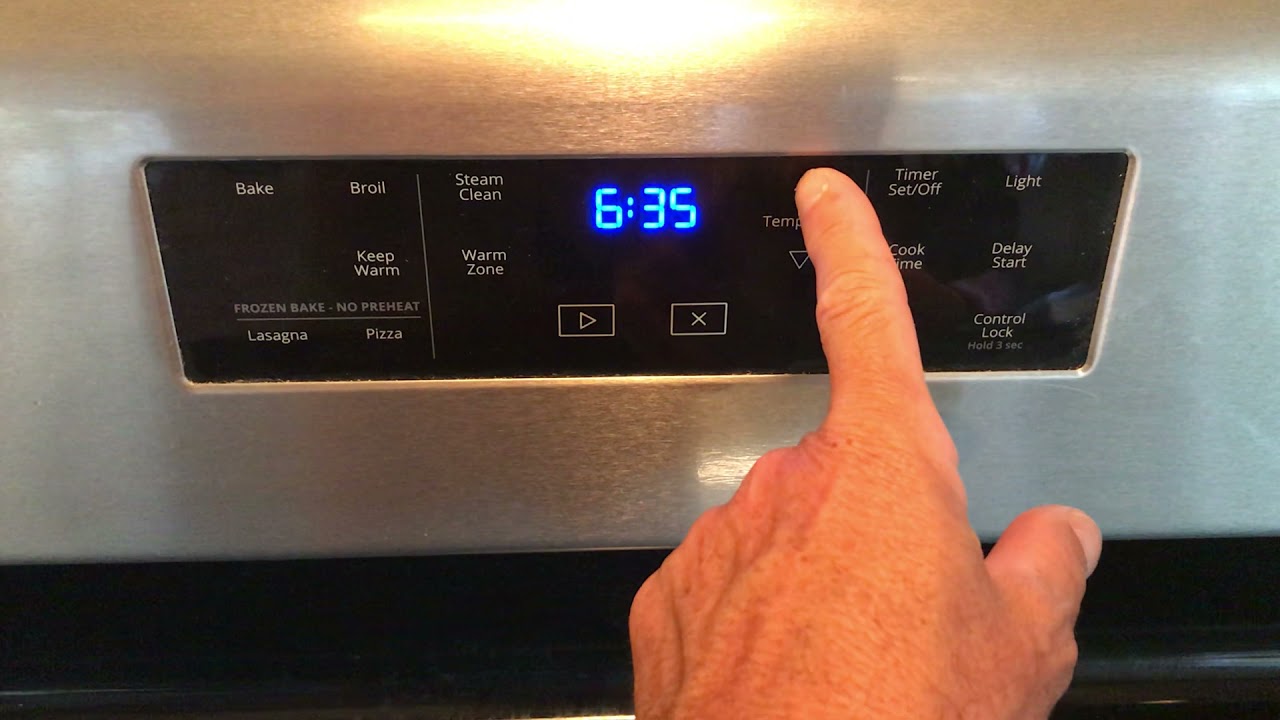
For ovens with a small digital display and physical buttons, the process may use the “Bake,” “Broil,” or “Clock” buttons to enter settings mode.
- Press and hold the “Broil” or “Bake” button for 3-5 seconds.
- The display may show “C” or “F” or “Unit.”
- Use the “Up/Down” arrows or “+/-” to select Fahrenheit (F).
- Press “Start” or “Enter” to save.
If your oven uses a combination of buttons, try pressing “Bake” and “Broil” together for 3 seconds.
Mechanical Knob Models (older Ovens)
Most older Whirlpool ovens with only knobs do not let you change between Celsius and Fahrenheit—they are permanently set at the factory. If yours has a small digital clock or display, check for a “Setup” or “Options” button.
If you can’t find any way to change the unit, it’s likely fixed. In this case, consider using a physical oven thermometer or converting recipes.
Step-by-step Example For A Popular Whirlpool Model
Let’s look at a specific example: the Whirlpool WFE515S0JS electric range.
- Press the Settings button.
- Use the arrow keys to scroll to “Fahrenheit or Celsius.”
- Press Start or Enter.
- The display will switch to Fahrenheit.
If you have a different model, the steps are usually similar, but button names can change.
What To Do If You Can’t Change The Setting
Some Whirlpool ovens, especially very old or basic models, do not allow users to change the temperature unit. If you cannot find any menu or setting after trying the above steps, check these options:
- Check the manual: Look for a section about “Changing Temperature Units.”
- Visit the Whirlpool website: Use your model number to find FAQs or troubleshooting guides.
- Call Whirlpool support: Their customer service can confirm if your oven allows changing units.
If it’s not possible, use a conversion chart or a smartphone app to convert temperatures.
Comparing Different Whirlpool Oven Models And Controls
Understanding your oven’s controls helps you change the temperature unit more easily. Here’s a comparison of common Whirlpool oven control types:
| Oven Type | Control Panel | Temperature Unit Change Possible? | How to Change |
|---|---|---|---|
| Smart/Touchscreen | Full digital screen | Yes | Settings menu |
| Digital Display & Buttons | Small screen, buttons | Yes (most models) | Press/hold specific buttons |
| Mechanical Knob | No screen, only knobs | No | Fixed at factory |
If you’re shopping for a new oven and want easy access to temperature units, choose a model with a touchscreen or digital display.
Common Problems When Changing Whirlpool Oven To Fahrenheit
Sometimes, changing the temperature unit doesn’t work as expected. Here are common issues and how to fix them.
1. Setting Doesn’t Save
After you select Fahrenheit, the oven goes back to Celsius. This can happen if you don’t press “Enter” or “Start” to confirm. Repeat the process and make sure to finish with the correct button.
2. Power Outage Resets The Unit
Some ovens reset to Celsius after a power outage. If this happens often, you may need to change the setting each time, or check if a software update is available.
3. Display Shows Error Codes
If you see an error code, look it up in your manual. Sometimes, the control panel needs to be reset by unplugging the oven for one minute, then plugging it back in.
4. Buttons Don’t Respond
If the buttons on your control panel don’t work, make sure the oven is not in a “lock” mode. Some ovens have a “Control Lock” feature; check your manual for how to unlock it.
5. No Option To Change
As mentioned, some models simply do not allow changing between Celsius and Fahrenheit. In this case, use a conversion chart for your recipes.
Credit: www.youtube.com
Tips To Avoid Mistakes When Changing The Temperature Unit
Switching temperature units is easy, but these extra tips will help you avoid frustration:
- Double-check the display after you change the setting. Make sure it now shows “°F” when you set a temperature.
- Test with a known recipe (like cookies at 350°F) to confirm the oven is working as expected.
- Write down the steps for your model and keep them in a kitchen drawer. You may need them after a power outage.
- Ask family members to learn the steps, so they don’t accidentally switch back to Celsius.
- Use the oven’s timer or clock to avoid confusion with start/stop buttons.
Beginners often overlook the importance of confirming the setting actually changed before baking. Some ovens need you to wait until the display returns to the home screen before using.
How Accurate Are Whirlpool Oven Temperature Readings?
Even after you switch to Fahrenheit, your oven may not always heat to the exact temperature you set. Most ovens have a small temperature swing (±10–15°F). For precise baking, use an oven thermometer placed in the center of the oven.
If you notice foods burning or undercooking, you may need to calibrate your oven. Many Whirlpool ovens let you adjust the temperature up or down by a few degrees in the settings menu.
Here’s a quick comparison of oven temperature accuracy:
| Oven Type | Typical Accuracy | Calibration Option |
|---|---|---|
| New digital models | ±5–10°F | Yes, in settings |
| Older analog models | ±15–25°F | No, or manual only |
Why Whirlpool Ovens May Default To Celsius
Some users are surprised when their oven suddenly displays Celsius. This can happen for several reasons:
- The oven was set up in a country where Celsius is standard.
- A software update or power outage reset the settings.
- The unit was accidentally changed during cleaning or by children pressing buttons.
Manufacturers often ship ovens with the ability to switch units, but some regions get a fixed setting.
Converting Between Celsius And Fahrenheit
If your oven cannot switch to Fahrenheit, or if you cook from international recipes, you’ll need to convert temperatures. Here’s a simple formula:
- From Celsius to Fahrenheit: Multiply by 1.8, then add 32.
- Example: 180°C × 1.8 + 32 = 356°F
- From Fahrenheit to Celsius: Subtract 32, then divide by 1.8.
- Example: (350°F – 32) ÷ 1.8 ≈ 177°C
Here are a few common conversions for everyday baking:
| Celsius (°C) | Fahrenheit (°F) | Typical Foods |
|---|---|---|
| 160°C | 320°F | Cakes, pastries |
| 180°C | 356°F | Breads, cookies |
| 200°C | 392°F | Pizza, roasting |
When To Call For Professional Help
If you try all steps and your oven still won’t change to Fahrenheit, or if the display is not working, you may need help from a technician. Here are signs you should call:
- The control panel is frozen or shows random numbers.
- Buttons are stuck or physically broken.
- The oven doesn’t heat after changing settings.
- The display is completely blank.
For newer ovens, sometimes a firmware update from Whirlpool can fix software problems. Contact Whirlpool customer support or a certified repair professional.
Practical Examples And Real-world Scenarios
Let’s look at a few everyday situations that show why changing to Fahrenheit makes life easier.
Baking With Us Recipes
You want to bake chocolate chip cookies using a recipe that says “Bake at 350°F. ” If your oven is set to Celsius and you enter “350,” you’ll actually get a much hotter oven—662°F! Switching to Fahrenheit means you simply follow the recipe with no math.
Cooking Holiday Meals
During holidays, many families cook turkeys, hams, and pies that require precise temperatures. Most US recipes use Fahrenheit, so switching ensures your food cooks safely and correctly.
Avoiding Confusion For Guests
If friends or family visit and use your oven, they’ll expect Fahrenheit. Leaving it on Celsius can lead to mistakes, especially for younger cooks or visitors.
Appliance Resale Value
If you plan to sell your home or oven, US buyers will expect an oven set to Fahrenheit. Having it set correctly can make your appliance more appealing.
Credit: www.cuisinart.com
Safety Tips When Changing Whirlpool Oven Settings
Changing settings is safe, but remember these tips:
- Never change settings while the oven is hot or in use.
- Avoid using wet fingers on touchscreens to prevent damage.
- If the display doesn’t respond, unplug the oven for a minute, then try again.
- Keep children away from the control panel during changes.
Extra Insights For Beginners
- Many people don’t realize that changing the temperature unit does not affect the cooking power—it only changes the display. If your oven seems to cook too fast or slow after switching, check for calibration instead.
- Some ovens have a “demo mode” or “sales mode” that disables heating. If you can’t change the temperature unit, make sure the oven is not in this mode. Demo mode is used in stores to show how the display works without heating.
Additional Resources
If you need more help, Whirlpool offers resources online. Visit the official Whirlpool support page, or check this Whirlpool Contact Page for further guidance.
Frequently Asked Questions
How Do I Know If My Whirlpool Oven Is Set To Celsius Or Fahrenheit?
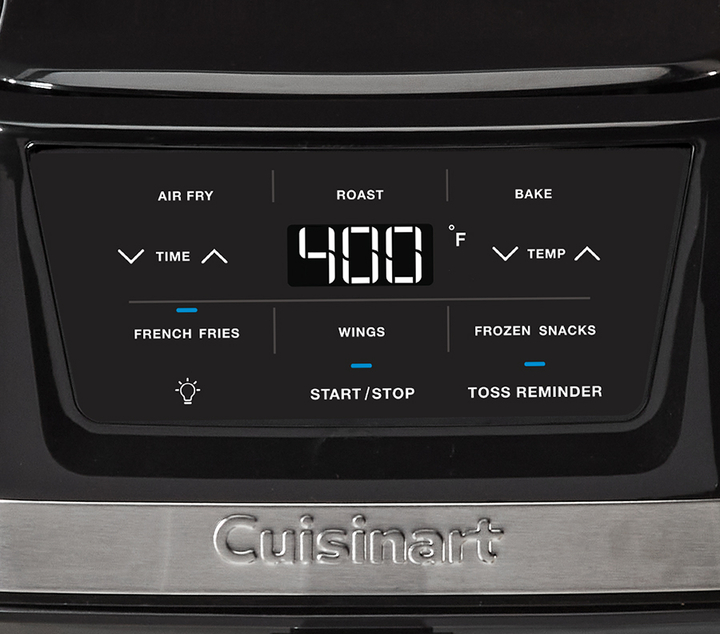
Look at the temperature display when you set the oven. If you see a “C” or temperatures like “180,” it’s Celsius. If you see “F” or numbers like “350,” it’s Fahrenheit.
Can All Whirlpool Ovens Switch Between Celsius And Fahrenheit?
Most modern Whirlpool ovens can switch, but some basic or older models cannot. Check your user manual or control panel for a “Settings” or “Options” menu.
Will Changing To Fahrenheit Affect My Oven’s Performance?
No, it only changes how the temperature is displayed. Cooking times and heating power do not change.
What Should I Do If My Oven Resets To Celsius After A Power Outage?
Some ovens reset to default after a power cut. Change the setting again, and keep instructions handy. If it happens often, check for a software update or contact support.
Is There A Way To Lock The Temperature Unit So It Can’t Be Changed Accidentally?
Some models have a “Control Lock” feature to prevent changes. Check your manual for details. Otherwise, keep the instructions in a safe place in case the unit is switched by mistake.
Switching your Whirlpool oven to Fahrenheit is a small change that makes a big difference in your cooking experience. With these steps and tips, you’ll have a kitchen that’s ready for any recipe. If you ever need more help, your oven’s manual and Whirlpool’s support resources are there for you.
Enjoy stress-free cooking and baking with the temperature units you trust!

Credit: manuals.plus