
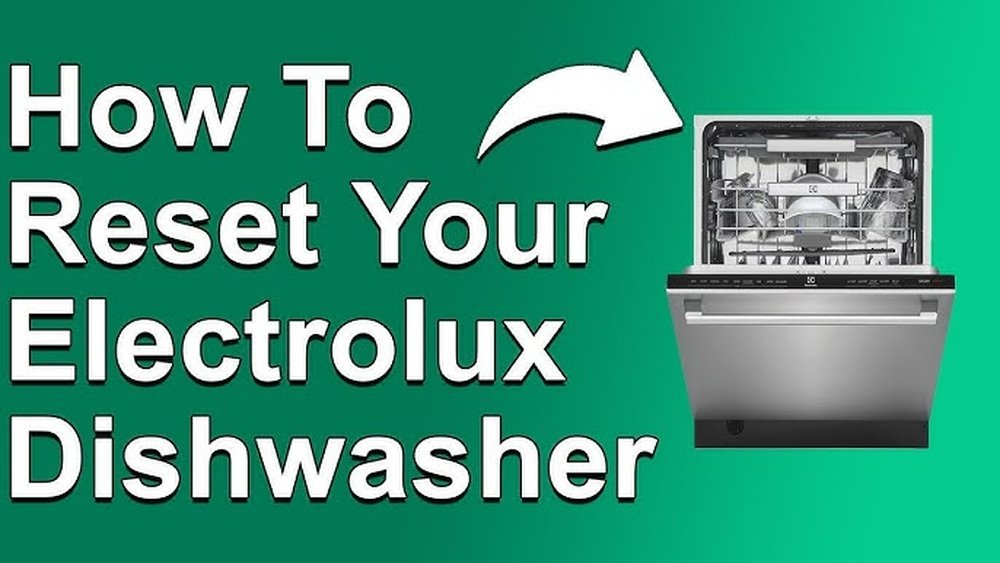
If your Electrolux dishwasher isn’t working as expected, a reset can often solve the problem. Dishwashers are complex, but resetting them is not as complicated as it sounds. Knowing how to reset your Electrolux dishwasher can save you time, money, and frustration. Many users are surprised that a simple reset can fix error codes, stuck cycles, or unresponsive controls.
This guide explains everything you need to know about resetting Electrolux dishwashers. You’ll learn why resets are needed, the types of resets, step-by-step instructions, and what to do if a reset doesn’t solve the issue. You’ll also find tables comparing different models, practical tips, and answers to common questions.
By the end, you’ll feel confident to handle resets on your own and avoid common mistakes that beginners make.
Understanding The Need To Reset An Electrolux Dishwasher
Modern dishwashers have electronic controls that sometimes get confused or stuck. A reset helps the system start fresh, clearing minor errors. But when exactly do you need to reset your Electrolux dishwasher?
Some common situations include:
- The dishwasher is not starting or responding.
- Error codes appear on the display.
- The cycle won’t finish or is stuck.
- Buttons don’t work or flash unexpectedly.
- The display shows strange numbers or lights.
If you see these problems, a reset is a logical first step. It is similar to rebooting a computer—many small software glitches disappear after a reset.
Types Of Resets For Electrolux Dishwashers
Not all resets are the same. There are three main types of resets you can perform:
- Soft Reset: This is the easiest and quickest method. It usually fixes minor issues without cutting power.
- Hard Reset (Power Cycle): This involves turning off the power to the dishwasher for a few minutes. It clears out more serious glitches.
- Factory Reset: Some Electrolux models allow a factory reset through hidden button sequences. This returns the dishwasher to its original settings.
Understanding the right reset for your situation can save time and prevent unnecessary repairs. The next sections explain these methods in detail.
How To Perform A Soft Reset
A soft reset is safe and can be done in less than a minute. It’s the best first step when your dishwasher acts up.
Steps For A Soft Reset
- Open the dishwasher door slightly. Make sure the machine pauses.
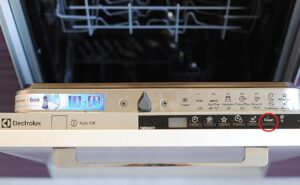
- Press and hold the Start/Pause button for about 3-5 seconds. You might hear a beep.
- Wait for the control panel lights to turn off or reset.
- Close the door and try to start a new cycle.
Most recent Electrolux dishwashers support this simple reset. If the controls become responsive, you’re done.
Example Situations
- If your dishwasher is not starting, a soft reset often helps.
- If you see a flashing light but no error code, try this method first.
What If Soft Reset Doesn’t Work?
If the dishwasher is still frozen, move to a hard reset. Sometimes, the control board needs a full power cycle.
How To Perform A Hard Reset (power Cycle)
A hard reset is more powerful because it cuts power to the entire unit. It’s effective for deeper electronic glitches.
Steps For A Hard Reset
- Turn off the dishwasher using the control panel.
- Disconnect the dishwasher from the power source:
- If your dishwasher is plugged into an outlet, unplug it.
- If it’s hardwired, switch off the dedicated circuit breaker.
- Wait at least 5 minutes. This gives the electronic parts time to reset.
- Reconnect the power (plug in or turn on the breaker).
- Turn the dishwasher on and select a wash cycle.
Important Tips
- Waiting less than 5 minutes can result in an incomplete reset.
- Always make sure hands are dry when handling plugs or the breaker.
- If you’re unsure which breaker controls the dishwasher, label it for next time.
When To Use Hard Reset
- After a power outage that causes the dishwasher to act strangely.
- When error codes won’t clear after a soft reset.
- If the dishwasher is completely unresponsive.
Factory Reset: Restoring Default Settings
Some newer Electrolux dishwashers allow a factory reset. This returns all settings to their original state. It’s useful if you’ve changed options or if software errors continue after other resets.
How To Do A Factory Reset
- Open the dishwasher door.
- Press and hold both the High-Temp Wash and Heated Dry buttons at the same time for 5-10 seconds.
- The control panel should beep or flash, indicating that the reset is complete.
- Release the buttons and close the door.
Note: Not all models support factory reset by buttons. Check your user manual for your specific model.
When To Use Factory Reset
- After multiple failed reset attempts.
- If you suspect a programming or setting error.
- Before selling or giving away your dishwasher.
Caution
A factory reset will erase all custom settings. Write down your favorite options before you reset.
Common Error Codes And What A Reset Can Fix
Electrolux dishwashers display error codes for problems like water supply, drainage, or sensor issues. Many errors can be cleared with a reset, but some require further action.
Below, you’ll see a comparison of common errors and what type of reset helps most:
| Error Code | Meaning | Reset Solution |
|---|---|---|
| i10 | Water supply problem | Hard reset, check tap |
| i20 | Drainage issue | Hard reset, clean filter |
| i30 | Leak detected | Hard reset, inspect base |
| i50 | Wash pump error | Factory reset, service if repeats |
| i60 | Water heating problem | Hard reset, call support |
A reset helps with temporary glitches. If the error comes back after a reset, further troubleshooting or service is needed.

Credit: support.electrolux.co.uk
Troubleshooting When Reset Does Not Work
Sometimes, a reset doesn’t solve the problem. This can be frustrating, but it’s important to stay calm and follow a logical approach.
Check Power And Connections
- Make sure the dishwasher is getting power. Try another appliance in the same outlet if possible.
- Inspect the power cord for damage.
- For hardwired models, check the circuit breaker.
Inspect Door Latch
- The dishwasher will not start or reset if the door isn’t closed properly.
- Look for broken latches or food debris blocking the lock.
Examine Water Supply
- Check that the water tap is open and the hose is not kinked.
- Low water pressure can cause error codes that won’t clear with a reset.
Clean Filters And Spray Arms
- Dirty filters or spray arms can cause cycles to get stuck.
- Remove and rinse the filter under running water.
Isolate The Issue
- Try running a rinse cycle instead of a full wash. If it works, the problem may be with a specific program.
Contact Support
If all else fails, contact Electrolux customer support or a certified technician. Continuing to reset without solving the underlying issue can make problems worse.
Step-by-step Reset Guides For Popular Electrolux Models
Different Electrolux dishwasher models have minor differences in their reset methods. Here’s a quick reference for some of the most popular types:
| Model Series | Control Panel Type | Recommended Reset |
|---|---|---|
| ESF 6500 | Button | Soft reset, then hard reset if needed |
| ESL 7800 | Touch | Soft reset, factory reset via manual |
| EEA 9000 | Digital display | Soft reset, error code lookup |
| RealLife XXL | Button + Digital | Hard reset, clean filter |
Always check your specific user manual for model-specific instructions. Some features, like child lock, can also mimic a locked or unresponsive dishwasher.
Practical Tips And Mistakes To Avoid
Resetting a dishwasher seems simple, but there are hidden details that new users often miss. Here are some insights to help you avoid common mistakes:
Don’t Rush The Power Cycle
Many people plug the dishwasher back in too quickly during a hard reset. Electronics need a few minutes to discharge and reset memory. Waiting less than 5 minutes is a frequent error.
Don’t Ignore The Door Latch
If the door isn’t fully closed, the dishwasher won’t reset or start. Listen for a *click* when shutting the door. Sometimes, the latch sensor gets dirty or misaligned.
Watch For Water On The Floor
If the i30 error (leak detected) appears, don’t just keep resetting. There could be water in the base pan. Dry the area and check for leaks before restarting the cycle.
Record Error Codes
Before resetting, note any error codes. If you call for support later, this information helps technicians diagnose the problem faster.
Avoid Overusing Reset
If you need to reset your dishwasher every few days, there’s a deeper issue. Repeated resets can sometimes mask a failing control board or sensor.
Use The Right Buttons
Some models have hidden reset button combinations. Pressing random buttons can activate other modes, such as child lock or delay start. Always check your user manual or the official Electrolux website for details.
How To Find Your Electrolux Dishwasher Model Number
Knowing your model number is essential for finding the correct reset instructions. Here’s how to locate it:
- Open the dishwasher door.
- Look for a sticker or plate on the inner edge of the door or the frame.
- The number usually starts with ESF, ESL, or a similar code.
Write this number down before searching for manuals or support.
Comparing Electrolux Dishwasher Models: Reset Features
Some Electrolux dishwashers have more advanced reset features than others. Here’s a quick look at how different models compare:
| Model | Soft Reset | Hard Reset | Factory Reset | Child Lock |
|---|---|---|---|---|
| ESF 6500 | Yes | Yes | No | No |
| ESL 7800 | Yes | Yes | Yes | Yes |
| EEA 9000 | Yes | Yes | No | Yes |
| RealLife XXL | Yes | Yes | No | No |
Child lock can prevent resets from working, so always check if it’s activated.
When To Call A Professional
While resets solve many problems, not every issue should be handled at home. Call a technician if you experience:
- Burning smells or visible sparks.
- Water leaking from under the dishwasher.
- Persistent error codes after multiple resets.
- No power even after checking the breaker and plug.
Attempting repairs beyond a reset can void your warranty or cause injury. Professional help is best for electrical or plumbing faults.
Real-world Example: Fixing A Stuck Cycle
Let’s look at a practical case. Suppose your Electrolux dishwasher runs for hours without stopping, or the cycle is stuck. Here’s how you can approach the problem:
- Try a soft reset by holding the Start/Pause button.
- If the dishwasher does not respond, perform a hard reset by unplugging it for 5 minutes.
- After restarting, try a rinse cycle first.
- If the cycle starts but won’t finish, clean the filter and check for blocked spray arms.
- If the problem repeats, note any error codes and call customer support.
This method often solves stuck cycles. Many users overlook step 4—cleaning the filter—thinking only a reset is needed. In reality, mechanical blockages often cause cycle problems.
Keeping Your Dishwasher Healthy After A Reset
A reset can get your dishwasher working again, but prevention is better than cure. Here’s how to keep your Electrolux dishwasher in good shape:
- Clean the filter and spray arms monthly.
- Wipe the door seals to remove food and soap buildup.
- Run the hottest cycle with a cup of white vinegar every few months to remove odors.
- Check the water inlet hose for kinks or leaks.
- Don’t overload the dishwasher; leave space between dishes for water to circulate.
These habits reduce the chance of errors and the need for resets.
Credit: guide.washerhouse.com
Where To Find Official Help And Documentation
If you need more information, visit the official Electrolux website or read your model’s user manual. Electrolux provides downloadable manuals and troubleshooting guides. For in-depth technical details, you can check the Electrolux Support page.
Professional forums and appliance repair sites also offer advice from experienced technicians. But always trust official sources for safety and warranty information.
Frequently Asked Questions
How Often Should I Reset My Electrolux Dishwasher?
You should only reset your Electrolux dishwasher when you notice problems like error codes, stuck cycles, or unresponsive controls. There is no need to reset it after every use. If you find yourself resetting often, there may be a bigger issue that needs a technician’s attention.
Will Resetting The Dishwasher Erase My Settings?
A soft reset or hard reset usually will not erase your custom settings. However, a factory reset will restore the dishwasher to its original settings and erase any custom programs or preferences you have set.
Why Does My Dishwasher Show The Same Error After Resetting?
If an error comes back after a reset, it means the problem is not just a small glitch. There may be a real issue like a clogged filter, blocked drain, or a faulty sensor that needs to be fixed before the error will clear.
Is It Safe To Reset My Electrolux Dishwasher Myself?
Yes, it is safe to do a soft or hard reset if you follow the instructions carefully. Always make sure the dishwasher is unplugged or switched off at the breaker before handling any electrical parts. If you’re unsure or see water leaks or burning smells, call a professional.
What Is The Difference Between Soft Reset And Hard Reset?
A soft reset uses the dishwasher’s buttons to restart the controls, while a hard reset means cutting off the power completely. A hard reset clears deeper glitches and is more effective if the dishwasher is totally unresponsive.
Resetting your Electrolux dishwasher can solve many everyday problems. With the right approach, you can avoid service calls and keep your appliance running smoothly. Remember, if resets don’t work or issues keep coming back, it’s time to look deeper or call for help. By following this guide, you’ll be ready for any dishwasher reset situation.

Credit: www.youtube.com