
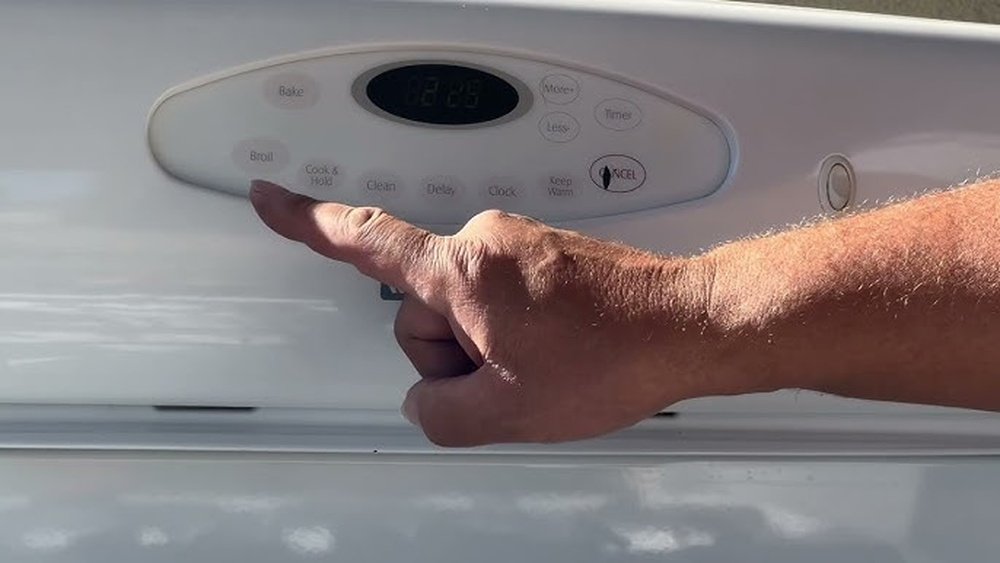
When you use a Maytag oven, you expect it to work smoothly and safely. But sometimes, turning off your oven is not as simple as pressing a button. Maybe you’re unsure which button to push, or the oven doesn’t respond right away.
Maybe you’re dealing with a power outage or a technical glitch. These moments can feel stressful, especially if you’re new to using a Maytag oven or if English is not your first language.
This guide is here to help you. You will learn every method to turn off a Maytag oven, step by step. We’ll cover common models, special cases like self-cleaning or error codes, and what to do if the oven won’t turn off.
You’ll find clear explanations, real examples, and answers to questions many people ask. By the end, you’ll feel confident about safely turning off your Maytag oven, no matter the situation.
Understanding Your Maytag Oven Controls
Before you turn off your oven, it helps to know the control panel. Most Maytag ovens use either touchpads or knobs. Some have digital displays, while older models use manual dials.
Main Types Of Controls
- Touchpad Controls: Most newer Maytag ovens have a glass or plastic panel with buttons like “Bake,” “Broil,” “Start,” and “Cancel.”
- Knob Controls: Older or basic models use round knobs. You turn them to set the temperature or cooking mode.
- Digital Display: Shows the time, temperature, and sometimes error messages.
- Oven Light/Timer: Separate buttons for the light or kitchen timer.
Why Learn The Controls?
Knowing your oven’s controls prevents mistakes. For example, pressing the wrong button might put your oven into another mode instead of turning it off. Also, understanding the display helps you see if the oven is really off or just in standby.
Example
Imagine you finish baking cookies. You see the temperature is still high on the display. If you don’t use the right button, the oven may stay warm or even keep running.
Non-obvious tip: Always check the display after you think you’ve turned off the oven. If it shows a temperature or active mode, the oven is not off.
Step-by-step: How To Turn Off A Maytag Oven (standard Bake Or Broil)
Turning off your Maytag oven should be quick and easy. Here’s how to do it for most models.
For Ovens With Touchpad Controls
- Locate the Cancel or Off button. It is usually labeled “Cancel,” “Off,” or has a small square icon.
- Press and hold the Cancel/Off button for 1-2 seconds. You may hear a beep.
- Wait for the oven to power down. The display should return to the clock or blank, and you should not feel heat from the oven vent after a few minutes.
For Ovens With Knob Controls
- Turn the temperature knob to the “Off” position. This is usually marked with a symbol or the word “Off.”
- Wait for the oven to cool. The heating element will stop glowing, and the oven light may turn off.
For Double Ovens
- Select the oven you want to turn off (Upper or Lower) using the “Oven Select” button.
- Press the Cancel/Off button for the chosen oven.
Quick Reference Table
Here is a comparison of how to turn off different types of Maytag ovens:
| Oven Type | How to Turn Off | Extra Steps |
|---|---|---|
| Touchpad (Single) | Press “Cancel/Off” | Wait for display to clear |
| Knob (Single) | Turn knob to “Off” | Check heating element is off |
| Double Oven | Select oven, then press “Cancel/Off” | Repeat for both ovens if needed |
Practical tip: If your oven does not beep or the display stays on, try pressing “Cancel/Off” again, or check your user manual for model-specific instructions.
Turning Off The Maytag Oven After Self-cleaning
The self-cleaning feature heats the oven to a very high temperature to burn away food spills. But you can’t always turn off the oven instantly during or after this cycle.
What Happens During Self-clean
- The oven door locks for safety.
- The cycle takes 2-4 hours, depending on the model.
- The oven stays hot for a long time after the cycle ends.
How To Turn Off During Self-clean
- Press the Cancel/Off button. This ends the cleaning process.
- Wait for the oven to cool. The door will stay locked until the temperature drops to a safe level.
- Check the display. If it shows “LOCKED” or “COOLING,” wait patiently.
Common Mistake
Trying to force the door open after self-clean can damage the lock. Always wait for the display to say it’s safe.
Non-obvious insight: Some Maytag ovens will not let you end the self-clean early for safety. If the oven does not respond, unplug it and wait for it to cool.
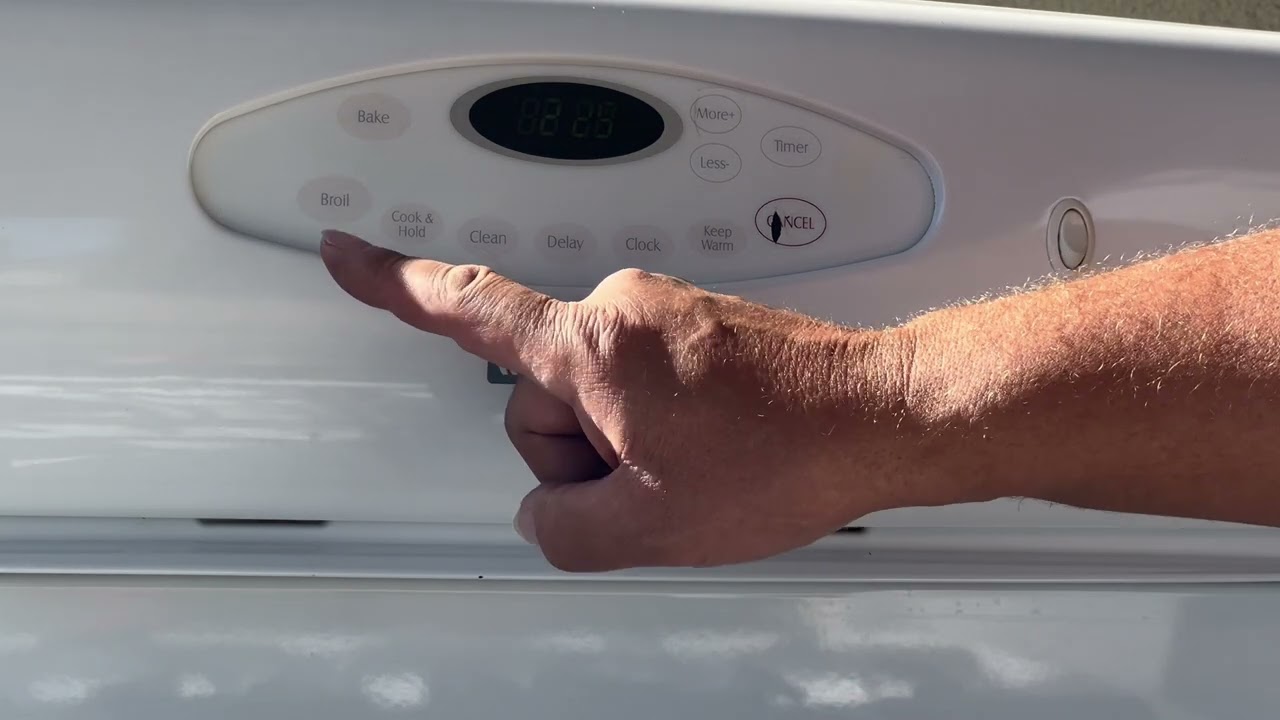
How To Turn Off The Oven Timer Or Kitchen Timer
Sometimes, the oven timer beeps or flashes, even if the oven is already off. Here’s how to stop it.
- Find the Timer Off or Timer Cancel button. This is not the same as the oven Cancel/Off.
- Press Timer Off/Cancel. The beeping will stop, and the display may show the clock again.
- If the oven is running, pressing Timer Off will not turn off the oven. You must still press the main Cancel/Off button.
Example: You set a timer for 45 minutes but finish early. Press Timer Off to stop the beeping, then Cancel/Off to turn off the oven.
Credit: www.youtube.com
Turning Off Maytag Oven When It’s Not Responding
Sometimes, the oven won’t turn off with the usual buttons. This can be scary, but there are safe ways to handle it.
If The Display Is Frozen
- Try pressing and holding the Cancel/Off button for 5-10 seconds.
- Unplug the oven from the wall outlet, or turn off the circuit breaker if you can’t reach the plug.
- Wait 1 minute before plugging in or turning the breaker back on.
If The Oven Keeps Heating
- Immediately unplug or switch off the power at the main electrical panel.
- Do not use water or try to force any parts.
Key Table: Emergency Shut-off Methods
| Problem | What to Do | When to Call a Technician |
|---|---|---|
| Frozen controls | Unplug or use circuit breaker | If problem returns after reset |
| Oven won’t stop heating | Shut off power immediately | Always call for repair |
| Error codes (e.g., F9, F1) | Follow display instructions, unplug if needed | If error stays after reset |
Safety tip: If you smell burning or see smoke, leave the kitchen and call emergency services.
Turning Off Maytag Oven With Error Codes
Maytag ovens sometimes show error codes like F1, F9, or “ERR.” These often stop normal functions.
What To Do
- Note the error code. Write it down or take a picture.
- Press Cancel/Off. See if the error disappears.
- Unplug or reset the oven if the display is stuck.
- Check the manual or Maytag’s website for error code meanings.
Non-obvious insight: Some errors mean a sensor or circuit board has failed. The oven may not turn off normally, so always use the main power disconnect.
For more on error codes, see this Maytag Oven Error Code Guide.
How To Turn Off A Maytag Gas Oven
Gas ovens work a bit differently from electric ovens. The main difference is the ignition and gas flow.
How To Turn Off
- Turn the temperature knob to “Off.” This stops the gas flow and heating.
- Listen for the click. Most gas ovens make a click when the gas shuts off.
- Wait for the oven to cool. Never leave the door open to speed cooling, as this can release heat into your kitchen.
Safety Check
If you smell gas after turning off the oven, open windows and leave the area. Contact your gas supplier immediately.
Extra tip: Gas ovens usually have a separate pilot light or electronic ignitor. These do not turn off with the main knob but are safe to leave on.
Turning Off Special Features: Convection, Delay Start, And More
Modern Maytag ovens have extra modes. Here’s how to turn off some popular features.
Convection Mode
- Press Cancel/Off to end both convection and regular baking.
Delay Start
- Press Cancel/Off to clear a scheduled bake. If the oven has not started, this will prevent future heating.
- If the oven is running, Cancel/Off stops both the timer and heating.
Keep Warm
- Press Cancel/Off or the dedicated Keep Warm button.
Non-obvious insight: Features like “Proof,” “Dehydrate,” or “Sabbath Mode” may require holding Cancel/Off for 3+ seconds.
Power Outages And Power Surges
Electrical problems can affect how your oven turns off.
After A Power Outage
- Most ovens reset to “Off” when power returns.
- Some models flash “PF” (Power Failure) on the display. Press Cancel/Off to clear.
During A Power Surge
- If the oven starts acting strange, unplug it or flip the breaker.
- Check the clock and settings after power returns.
Practical tip: Use a surge protector for your oven if possible, especially in areas with frequent outages.
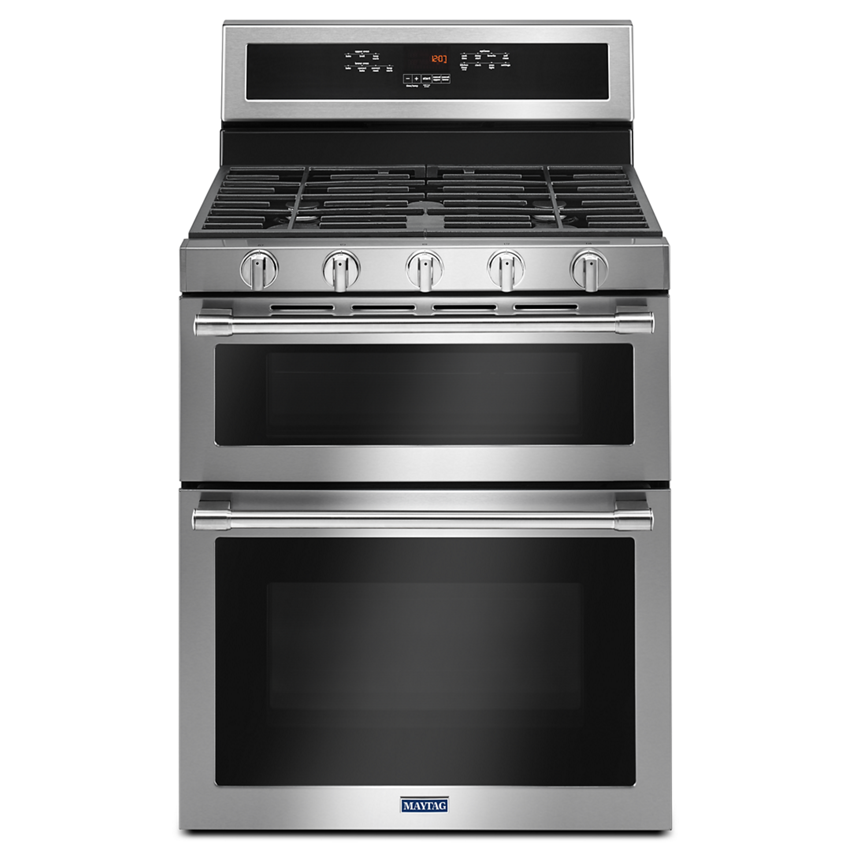
Oven Door Problems: Locked Or Stuck After Turning Off
Sometimes, the oven door stays locked after you turn it off, especially after self-cleaning.
What To Do
- Wait for the oven to cool. The lock releases automatically when safe.
- Press Cancel/Off. Some models require this to unlock.
- Unplug the oven for 1 minute if the lock will not release.
Example: You finish self-cleaning, but “LOCKED” stays on the display. Wait 30-60 minutes, then try unplugging.
Non-obvious tip: Do not force the door open. This can break the lock and cause expensive repairs.
Credit: www.maytag.com
When To Call A Technician
If you have tried all steps and the oven will not turn off, it may have a faulty control board, relay, or sensor. It’s important to get professional help in these cases.
Warning Signs
- Oven keeps heating after turning off
- Error codes that don’t clear
- Burning smells or electrical sparks
- Door stuck locked for hours
What to do: Shut off power at the breaker and call a certified Maytag repair service.
Preventing Future Problems
Simple habits can help your oven work better and safer.
Regular Checks
- Clean the control panel with a damp cloth, not harsh chemicals.
- Test the Cancel/Off button monthly to be sure it works.
- Check for software updates if your oven has Wi-Fi features.
What To Avoid
- Do not press multiple buttons at once.
- Do not spray water or cleaner inside the oven.
- Avoid slamming the oven door, which can damage sensors.
Practical example: A sticky Cancel/Off button might not work in an emergency. Clean and test it often.
How To Reset Your Maytag Oven
Resetting the oven can fix many small problems, including unresponsive controls.
How To Reset
- Unplug the oven from the wall. If you can’t reach the plug, switch off the oven’s circuit breaker.
- Wait 1-5 minutes. This clears the oven’s memory.
- Plug in or turn the breaker on. The oven should beep or show the clock.
When To Reset
- Display is frozen or stuck on a number
- Buttons do not respond
- After a power surge
Example: You press Cancel/Off, but nothing happens. A quick reset can solve the issue.
Maytag Oven Model Differences
Maytag makes many oven models, and the controls can be a little different.
Popular Maytag Models
- MGR Series: Gas ovens with knobs and touchpads.
- MER Series: Electric ovens with touchpads.
- MMW Series: Microwave-oven combos.
- Wall Ovens: Built into cabinets with advanced displays.
Key Differences Table
Here’s how some popular models compare for turning off:
| Model Series | Main Controls | Cancel/Off Button? | Knob? |
|---|---|---|---|
| MGR | Touchpad + Knob | Yes | Yes |
| MER | Touchpad | Yes | No |
| MMW | Touchpad | Yes | No |
| Wall Oven | Digital Panel | Yes | No |
Tip: Always check your model number (on the oven frame, usually behind the door) and look up the user manual for the most accurate instructions.

Credit: allmygoodthings.com
Common Mistakes To Avoid When Turning Off Your Oven
Many users make simple mistakes that can lead to confusion or even danger.
- Pressing the wrong button. “Bake” or “Broil” does not turn off the oven—always use “Cancel/Off.”
- Forcing the door open after self-clean. This can break the lock.
- Ignoring error codes. These may signal a bigger problem.
- Not waiting for the oven to cool. The oven may feel warm for 30+ minutes after turning off.
- Leaving the oven plugged in during electrical work. Always disconnect power before repairs.
Non-obvious tip: If you use oven mitts, be careful not to hit multiple buttons accidentally.
Real-world Example: Turning Off The Oven In An Emergency
Imagine your oven does not turn off after baking. You press Cancel/Off, but nothing happens. The display is frozen, and the oven is still heating. Here’s what you should do:
- Stay calm and do not touch any metal parts inside the oven.
- Go to your home’s electrical panel. Locate the breaker labeled “Oven” or “Range.”
- Flip the breaker to the “Off” position.
- Wait for the oven to cool before touching or inspecting further.
- Contact Maytag service to check for control board problems.
Safety reminder: Electrical issues can be serious. Never try to repair wiring yourself.
Frequently Asked Questions
How Do I Know If My Maytag Oven Is Really Off?
Check the display panel. It should show only the clock or go blank. If you hear no fan, feel no heat, and see no lights inside, your oven is off. For gas ovens, listen for the click and check that the heating element is cool.
Why Does My Oven Stay Hot After I Turn It Off?
Ovens keep heat for a while after use. The heating element or gas flame stops, but the metal and air inside stay hot. This is normal and can last 30-60 minutes. Wait before cleaning or touching the inside.
What Should I Do If The Cancel/off Button Doesn’t Work?
Try pressing and holding it for up to 10 seconds. If it still doesn’t work, unplug the oven or shut off the breaker. This resets the controls. If the problem returns, call a technician.
Is It Safe To Unplug My Oven To Turn It Off?
Yes, in an emergency, unplugging or switching off the circuit breaker is safe. Make sure your hands are dry and the area is clear. This is better than letting the oven overheat or run uncontrolled.
How Can I Prevent Oven Problems In The Future?
Clean the control panel gently, do not use too much force on buttons, and check for software updates if your oven is smart-enabled. Schedule yearly checks with a technician, especially if you use the oven often.
Turning off a Maytag oven is usually simple, but being ready for special situations keeps your home safe. By following these steps and tips, you can cook with more confidence and less worry every day. If you want extra help, the official Maytag support page is always a good resource: Maytag Official Support.