
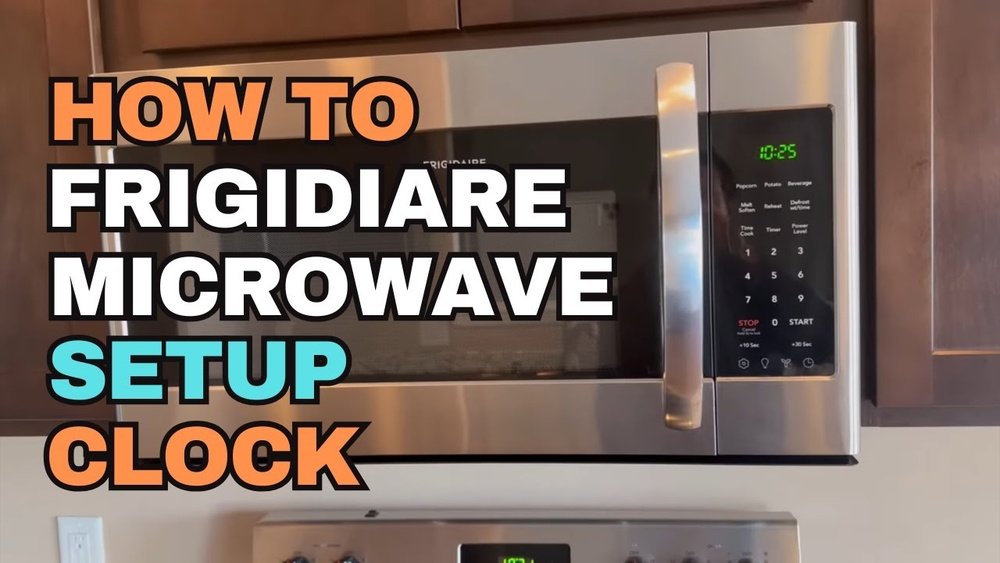
Changing the clock on your Frigidaire microwave might seem like a small task, but for many people, it can be confusing—especially if you have lost the manual or just bought a new model. A microwave’s clock is more than just a display; it helps with cooking presets and keeps your kitchen routine running smoothly.
In this guide, you’ll learn exactly how to change the clock on different Frigidaire microwaves, understand the reasons why your clock might not set correctly, and avoid common mistakes that can make this simple job frustrating.
Many people overlook the importance of having the correct time on their appliances. Maybe you just moved into a new apartment, or the power went out and now your microwave clock is blinking. Setting the time is one of the first things you do after plugging in a new microwave.
But not all microwaves work the same way, and even Frigidaire has several clock-setting methods depending on the model. This article will walk you through every method you might need, give you troubleshooting tips, and even show you how to fix common issues—so you’ll never have to guess or search for the manual again.
Let’s get started with everything you need to know about setting your Frigidaire microwave’s clock.
Why Set The Clock On Your Frigidaire Microwave?
Setting the clock on your microwave is more important than many people realize. The clock isn’t just for telling time; it’s connected to other functions in your microwave.
First, many cooking presets depend on the clock being set correctly. For example, some models won’t let you use “delayed start” or “auto-cook” features unless the clock is already set. Second, a blinking or incorrect clock can be annoying and confusing, especially for families with different schedules. Third, having the correct time can help you keep track of cooking durations, especially if you use your microwave for meal prep, snacks, or heating up leftovers.
There’s another reason that’s easy to miss: some Frigidaire microwaves reset the clock after power interruptions. If your area has frequent outages, you might need to set the clock more often than you think.
Types Of Frigidaire Microwaves And Clock Setting Methods
Not every Frigidaire microwave uses the same method to set the clock. Here’s how different types can affect your approach:
- Countertop Microwaves: These are the most common home models. Their clock can usually be set with a “Clock” button or by holding down a specific key.
- Over-the-Range Microwaves: These models are mounted above the stove. Their control panel often has extra features, but the clock setup is similar.
- Built-In Microwaves: These are installed into cabinets. Their controls might be hidden or have a different layout.
- Touchpad vs. Dial Controls: Most Frigidaire microwaves have a touchpad, but a few older or premium models use a dial.
Let’s see how these differences matter in practice.
| Microwave Type | Common Clock Setup Method | Control Panel Style |
|---|---|---|
| Countertop | Press “Clock” or “Timer” | Touchpad |
| Over-the-Range | Press and hold “Clock” | Touchpad with extra options |
| Built-In | Access via Settings menu | Touchpad or dial |
| Older Models | Use “Timer On/Off” | Dial or basic buttons |

Credit: www.youtube.com
Basic Steps To Change The Clock On Most Frigidaire Microwaves
If you want a quick answer, here’s a standard method that works for most newer Frigidaire models:
- Find the Clock Button: Look for a button labeled “Clock,” “Clock Set,” or an icon of a clock.
- Press the Clock Button: Press it once (or hold for 3 seconds on some models). The display will start blinking or show “00:00.”
- Enter the Time: Use the number pad to enter the current time. For example, for 2:30 PM, press 2, 3, 0.
- Select AM/PM if Needed: Some models require you to press “1” for AM or “2” for PM. Many microwaves use a 24-hour format, so this step may not apply.
- Confirm: Press the “Clock” button again or “Start” to save the setting.
This method works on about 70% of Frigidaire microwaves sold in the last 10 years. But some models do things differently. Let’s break down the main variations.
How To Change The Clock On Different Frigidaire Models
For Microwaves With A “clock” Button
Most modern Frigidaire microwaves include a dedicated Clock button. Here’s a step-by-step process:
- Press “Clock”: The display will flash or clear.
- Enter Time: Use the number pad to type the time.
- Select AM or PM: If your model supports it, pick AM/PM. If not, just enter the numbers.
- Press “Clock” Again: This confirms and sets the time.
Example: Setting 7:45 AM. Press “Clock,” then “7,” “4,” “5,” and finally “Clock” again.
Insider Tip: If you make a mistake, you can often press “Stop/Cancel” and start over.
For Models Without A “clock” Button
Some microwaves use the Timer or Settings button instead. The method is similar, but with small changes:
- Press “Timer” or “Settings”: Hold for three seconds if nothing happens at first.
- Enter Time: Type the current time.
- Press “Start” or “Timer” Again: This locks in your new time.
Example: For 6:30 PM, press “Timer,” enter “6,” “3,” “0,” then “Timer” or “Start.”
Common Mistake: People sometimes press “Timer” and enter the time, but forget to confirm. The clock won’t change unless you finish with “Start” or “Timer” again.
Using A Dial Instead Of A Touchpad
A few premium or older Frigidaire microwaves use a dial to set the clock:
- Press and Hold “Clock” or “Settings” until the display flashes.
- Turn the Dial to set the hour, then press the dial to confirm.
- Turn the Dial to set the minutes, then press the dial to confirm again.
This method is less common, but it’s important if you have a dial model.
Setting A 24-hour Clock Vs. 12-hour Clock
Not all microwaves use a 12-hour (AM/PM) format. Some use 24-hour time. Here’s how to check:
- If you see “13: 00” or “00:00,” your microwave uses 24-hour time.
- Enter the time accordingly (e.g., 15: 45 for 3:45 PM).
Some Frigidaire microwaves allow you to change between formats:
- Press “Settings” or “Options” until you see “12Hr” or “24Hr.”
- Select your preferred format and confirm.
Practical Insight: If your microwave switches back to 24-hour time after a power cut, check the settings menu. Not all models remember your choice.
Common Problems When Setting The Clock (and How To Fix Them)
Setting the clock is usually simple, but things can go wrong. Here are the most common issues and how to solve them:
The Clock Button Doesn’t Respond
- What’s Happening: You press “Clock,” but nothing happens.
- Solution: Check if the microwave is in “Child Lock” mode. Many Frigidaire models won’t let you set the clock if the panel is locked. Look for a small lock icon on the display. To unlock, press and hold “Stop/Cancel” for 3 seconds.
Display Flashes Or Won’t Save The Time
- What’s Happening: You enter the time, but the display keeps flashing or resets.
- Solution: Make sure you confirm the time by pressing “Clock” or “Start” at the end. If the problem continues, unplug the microwave for 30 seconds and try again.
Power Outage Reset
- What’s Happening: The clock resets to “00:00” after a power cut.
- Solution: Unfortunately, most Frigidaire microwaves don’t have battery backup for the clock. You’ll need to set it again after every outage.
Am/pm Not Working
- What’s Happening: You want to set AM/PM, but the option doesn’t appear.
- Solution: Your model uses a 24-hour format. Enter “13:00” for 1:00 PM, and so on.
Buttons Are Worn Out
- What’s Happening: Older microwaves may have worn touchpads.
- Solution: Try pressing a little harder, or use a cotton swab to clean the buttons gently. If the problem persists, you may need a replacement panel.
How To Change The Clock After A Power Outage
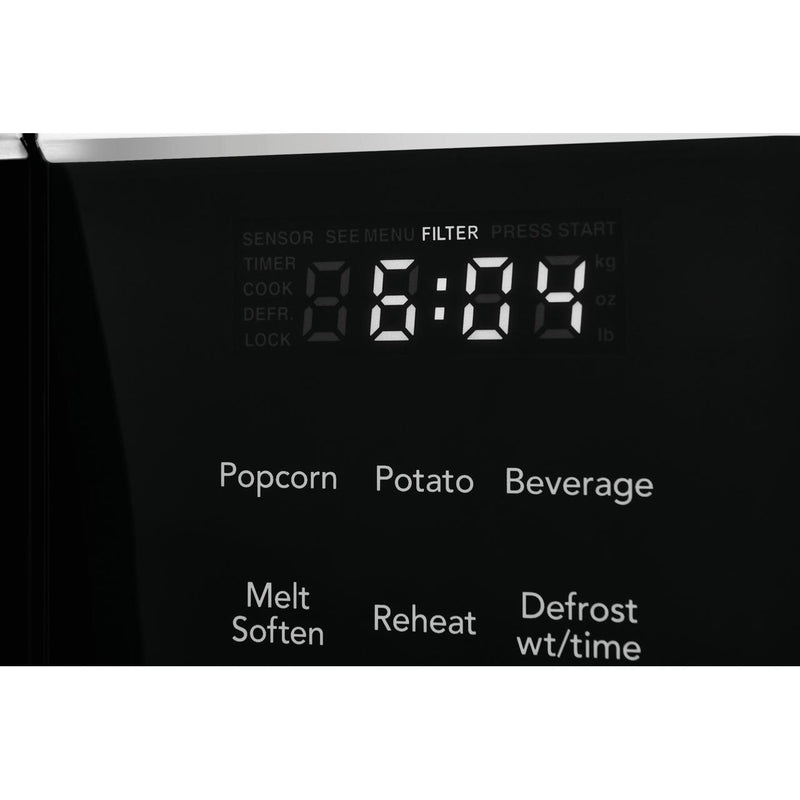
Power outages are common in many areas. Every time the power goes out, your microwave may flash “00:00” or “12:00.” Here’s what to do:
- Wait for Power to Return: Make sure the microwave is plugged in and powered.
- Look for a Blinking Clock: This tells you the microwave is ready for clock setup.
- Follow Your Model’s Clock-Setting Steps: As explained above, use the “Clock” or “Timer” button.
- Double-Check Time: Enter the correct time, including AM/PM or 24-hour format.
Expert Tip: Some people set the clock a minute ahead after outages, since many microwaves lose a few seconds during the restart process.
Credit: www.liquidationelectromenagers.com
What To Do If You Lost The Manual
Many users lose their Frigidaire microwave manual after moving or years of use. Don’t worry; you can still set the clock with a little detective work.
- Check the Model Number: Look inside the microwave door or on the back for a sticker.
- Search Online: Type “Frigidaire [Model Number] manual” into a search engine.
- Visit the Official Frigidaire Website: You can download manuals for almost all models. Try Frigidaire’s Official Manuals Page.
- Use Standard Methods: If you can’t find your exact model, try the “Clock” button, then the “Timer” or “Settings” button, as described earlier. These work for most Frigidaire microwaves.
Non-Obvious Insight: Even if your manual is missing, most Frigidaire microwaves follow one of three clock-setting methods—so you’re rarely stuck for long.
Advanced Features Connected To The Clock
Some Frigidaire microwaves use the clock for more than just telling the time. Here’s what else your clock might control:
- Delayed Start: Lets you set a time for the microwave to begin cooking automatically.
- Cooking Presets: Some auto-cook features require the correct time to calculate durations.
- Child Lock: The clock must be set to enable or disable child safety features.
- Kitchen Timer: Some microwaves use the main clock for countdown timer functions.
If your clock isn’t set, you might lose access to these extras.
| Feature | Needs Clock Set? | Benefit |
|---|---|---|
| Delayed Start | Yes | Automated meal timing |
| Auto-Cook Presets | Sometimes | Consistent cooking results |
| Child Lock | Yes | Safety for children |
| Kitchen Timer | No | Basic timing function |
Step-by-step Example: Setting The Clock On A Popular Model
Let’s walk through a real example using the Frigidaire FFMV1846VS over-the-range microwave:
- Press the “Clock” Button: The display will blink.
- Enter the Time: Let’s say it’s 8:15 PM. Enter “8,” “1,” “5.”
- Select AM/PM: Press “2” for PM (if your model supports this).
- Press “Clock” Again: The display will stop blinking.
Troubleshooting: If the time doesn’t save, make sure you pressed “Clock” at the end. If the microwave is unresponsive, check for “Child Lock” by holding “Cancel” for 3 seconds.
When The Clock Won’t Set: Troubleshooting Steps
If you’ve tried everything but your clock still won’t set, try these extra steps:
- Reset the Microwave: Unplug for 1 minute, then plug back in.
- Check the Power Source: Plug into a different outlet to rule out electrical issues.
- Inspect the Control Panel: Look for cracks, stuck buttons, or display problems.
- Try a Hard Reset: Some models have a small reset button inside the door or on the side (use a toothpick to press it).
- Contact Support: If all else fails, contact Frigidaire support or a local appliance repair technician.
Insider Insight: Many users don’t realize a stuck button (like “Start” or “Timer”) can prevent the clock from being set. Make sure no buttons are jammed before you call for help.

Credit: www.townappliance.com
Tips For Keeping Your Microwave Clock Accurate
Microwave clocks can drift over time or after power outages. Here are ways to keep your time accurate:
- Check the Time Monthly: Compare with your phone or wall clock.
- Set After Outages: Power cuts will reset most microwave clocks.
- Avoid Frequent Unplugging: If you clean behind your microwave, try not to unplug it often.
- Use a Surge Protector: Power surges can cause clock resets or display errors.
Non-Obvious Insight: If your clock drifts by several minutes each month, it’s not a defect—it’s a limitation of basic microwave electronics. For critical timing, use a phone or digital timer instead.
Why Is My Frigidaire Microwave Clock Always Flashing?
A constantly flashing clock means the microwave is waiting for you to set the time, usually after a power interruption. On some models, the clock will keep flashing until you enter the time and confirm it. This is a reminder, not a malfunction.
What to Do: Press the “Clock” or “Timer” button, enter the time, and confirm. If the clock keeps flashing, check for “Child Lock” or try unplugging the microwave for a minute.
How To Change Clock Format (12-hour/24-hour)
Some Frigidaire microwaves let you choose between 12-hour and 24-hour formats:
- Press “Settings” or “Options” until you see “12Hr” or “24Hr” on the display.
- Use the Arrow or Number Pad to select your format.
- Press “Start” or “Clock” to confirm.
If your microwave doesn’t offer this, it’s locked to one format.
Practical Tip: 24-hour time (military time) helps avoid AM/PM confusion, especially in shared kitchens.
Differences Between Frigidaire And Other Brands
Frigidaire microwaves are similar to brands like GE, Whirlpool, and Samsung, but their clock-setting steps have unique features:
- Most Frigidaire models use the “Clock” button, while some other brands use “Settings” or “Kitchen Timer.”
- Frigidaire often requires a double press (press to start, press to confirm), which can be confusing if you’re used to single-step brands.
- Some Frigidaire models support AM/PM selection, which is rare in other brands.
| Brand | Clock Setting Method | AM/PM Option |
|---|---|---|
| Frigidaire | “Clock” button, number pad, confirm | Yes (some models) |
| GE | “Settings” menu | No (24-hour only) |
| Whirlpool | “Clock” or “Options” | No |
| Samsung | “Clock” button, number pad | No |
Safety Tips When Setting The Clock
Setting the microwave clock is safe, but here are a few reminders:
- Never open the microwave when it’s cooking, just to set the clock. This can interrupt cooking cycles.
- Avoid pressing buttons with wet hands, which could cause a short if moisture gets into the panel.
- Unplug if cleaning the panel before setting the clock, to avoid accidental button presses.
The Value Of Setting The Clock Correctly
It’s easy to ignore a blinking clock, but setting it right has real benefits:
- Better Cooking Results: Presets and delayed functions work as intended.
- Less Stress: No more confusion over cooking times or missed meals.
- Safer for Kids and Seniors: A clear clock display helps everyone in the house.
Frequently Asked Questions
Why Does My Frigidaire Microwave Clock Reset After Every Power Outage?
Most Frigidaire microwaves don’t have a battery backup. When the power goes out, the clock memory is cleared. You’ll need to reset the clock every time power is lost. This is normal for most home microwaves.
Can I Set The Clock If The Control Panel Is Locked?
No. If the Child Lock or control lock is active, you won’t be able to set the clock. Look for a lock icon on the display. To unlock, press and hold the “Stop/Cancel” button for 3 seconds.
What If My Microwave Has No “clock” Button?
If your model does not have a “Clock” button, try using the “Timer,” “Settings,” or “Options” button. Hold it for three seconds, then enter the time using the number pad. Confirm with “Start” or the same button again.
Is There A Way To Set The Clock Using A Remote Or Phone App?
Currently, most Frigidaire microwaves do not support remote clock setting. Only a few smart microwaves (not common in Frigidaire’s line) allow smartphone control. For most models, you must set the clock directly on the microwave panel.
Where Can I Find The Official Manual For My Microwave?
You can download the manual for your specific Frigidaire microwave model from the official website: Frigidaire Owner Center. Enter your model number to find setup guides, troubleshooting, and clock-setting instructions.
—
A properly set microwave clock makes your kitchen run smoother, keeps your meals on time, and unlocks useful features. Whether you’ve just bought a new Frigidaire microwave or need to reset it after a blackout, these steps will help you set the clock with confidence. If you ever get stuck, remember: the manual and official support are only a click away. With a little practice, setting the clock will feel simple, and your kitchen routine will be back on track.