
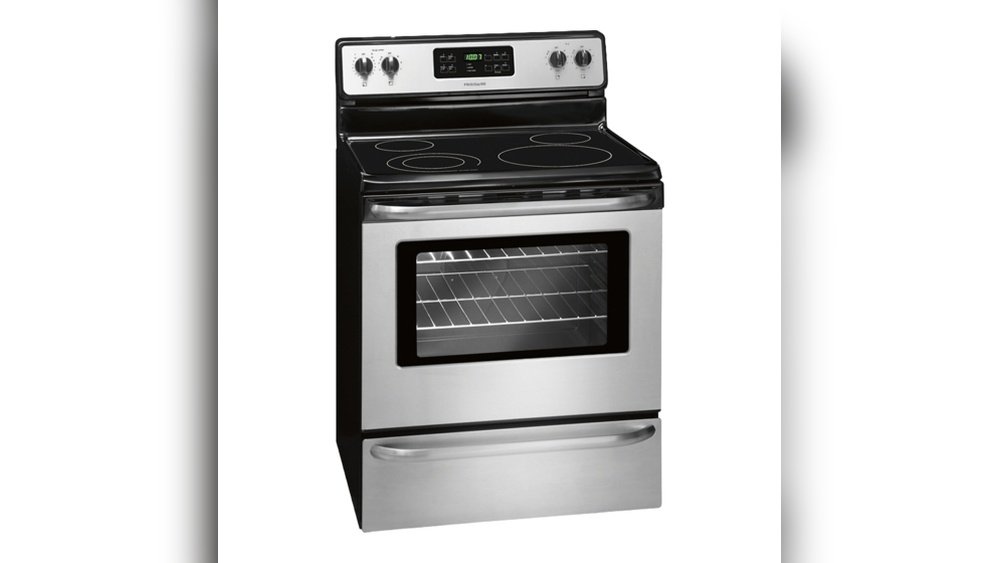
Using your Frigidaire oven can make home cooking easy, but sometimes the many buttons and digital displays feel confusing. The Bake Time feature is one of the most useful functions for anyone who wants consistent, delicious results—especially if you want to avoid burning your food or spending extra time in the kitchen. Whether you’re baking bread, roasting chicken, or making cookies, knowing how to use Bake Time properly can improve your results and reduce stress. In this guide, you’ll find everything you need to confidently use Bake Time on your Frigidaire oven, with real-life tips, troubleshooting help, and expert advice.
Understanding The Bake Time Feature
The Bake Time feature on a Frigidaire oven lets you set exactly how long your oven will cook at a chosen temperature. When the time is up, the oven will turn off automatically or switch to a keep-warm mode, depending on your model. This is very useful if you want to avoid overcooking or if you sometimes forget to turn off the oven. For busy families and anyone who likes multitasking, Bake Time is a must-have.
Why is Bake Time helpful?
- Prevents overcooking and burning
- Allows you to step away from the kitchen without worry
- Great for recipes with specific timing needs
Many beginners don’t realize that Bake Time is not just for baking cakes or cookies. You can use it for roasting meats, cooking casseroles, and even reheating leftovers. With practice, you’ll find that it saves time and helps you get more consistent results.
Frigidaire Oven Controls: Basic Overview
Before using Bake Time, it’s important to know the main controls on your Frigidaire oven. Most models have a control panel with buttons like Bake, Broil, Timer, Bake Time, Start, and Off/Cancel. Some newer ovens have touchscreens, but the functions are similar.
Here’s a quick description of key controls:
- Bake: Sets the oven to bake mode at your chosen temperature.
- Bake Time: Lets you enter the cooking time.
- Start: Starts the cooking process.
- Timer: A separate kitchen timer—not the same as Bake Time.
- Off/Cancel: Stops all cooking and resets the oven.
It’s important not to confuse the Timer with Bake Time. The Timer is just a countdown and does not control the oven heat.
Step-by-step Guide: How To Use Bake Time On A Frigidaire Oven
Getting the best results from Bake Time is simple once you know the steps. Follow these instructions for a smooth baking experience:
1. Prepare Your Food And Place It In The Oven
Before starting, make sure your dish is oven-ready. Place the food on the correct rack. For most baking, the middle rack works best because it gives even heat.
2. Close The Oven Door
Always close the door completely before setting your oven. Heat loss can affect both cooking time and final results.
3. Press The “bake” Button
On the control panel, press Bake. You’ll usually see the default temperature (often 350°F) appear on the display.
4. Set Your Desired Temperature
Use the “+” or “-” buttons, or the number pad, to adjust the temperature for your recipe.
5. Press The “bake Time” Button
Now, press Bake Time. The display will usually show “0:00” or ask you to enter a time.
6. Enter The Cooking Time
Input the correct cooking time using the number pad or arrow buttons. For example, if your recipe calls for 45 minutes, enter “4-5-0-0”.
7. Press “start”
After entering the time, press Start to begin baking. The oven will preheat (if needed), then start counting down the time.
8. Wait For The Oven To Finish
When the set time is over, the oven will beep. It may turn off automatically or switch to a keep-warm mode, depending on your model.
9. Remove Your Food Safely
Always use oven mitts. Open the door carefully to avoid steam burns. Check that your food is fully cooked before serving.
Pro Tip: If you need to add more time, you can use Bake Time again or switch to manual bake.
Bake Time Vs. Timer: What’s The Difference?
This is a common area of confusion. Many users think the Timer and Bake Time do the same thing. In fact, they are different:
| Feature | Function | Controls Oven? | Best For |
|---|---|---|---|
| Bake Time | Turns oven on/off at set time | Yes | Baking, roasting, timed cooking |
| Timer | Counts down, beeps when done | No | Reminders, boiling eggs, timing other tasks |
Always use Bake Time when you want the oven to control the cooking cycle.
Setting Delayed Bake: Start Later, Finish On Time
Some Frigidaire ovens have a Delayed Bake function. This lets you set both the time to start and the length of baking. It’s perfect if you want dinner ready when you come home.
How to use Delayed Bake:
- Press Bake and set the temperature.
- Press Bake Time and set the cooking time.
- Press Start Time and enter the time you want baking to begin.
- Press Start.
The oven will wait until the set time, then start baking for the duration you chose.
Important: Never use Delayed Bake with foods that spoil easily, like meat or dairy, since they’ll sit in the oven at room temperature before cooking. This can lead to food poisoning.
Common Mistakes To Avoid When Using Bake Time
Even experienced cooks sometimes make errors. Here are mistakes to watch out for:
- Confusing Timer with Bake Time: As explained earlier, always use Bake Time for automated cooking.
- Not Setting Temperature First: Bake Time only works after you choose a temperature.
- Setting the Wrong Time: Double-check your entry. Accidentally adding an extra zero can result in burnt food.
- Not Pressing Start: The oven won’t begin until you press Start.
- Forgetting to Check Food: Some dishes may need more or less time than the recipe says, depending on oven calibration.
- Delaying Bake with Perishable Foods: Don’t let meat or dairy sit at room temperature for hours.
Practical Examples: Bake Time For Popular Dishes
Let’s look at how Bake Time works for common foods:
Baking Chocolate Chip Cookies
- Preheat oven to 350°F
- Place cookies on middle rack
- Set Bake Time for 10-12 minutes
- Oven turns off automatically—no burnt cookies
Roasting Chicken Breast
- Season chicken, place in baking dish
- Set oven to 400°F
- Use Bake Time for 25-30 minutes
- Check internal temperature with a food thermometer
Making Lasagna
- Assemble lasagna in a casserole dish
- Set oven to 375°F
- Set Bake Time for 45 minutes
- Let it rest before cutting
Insight: Bake Time is also great for reheating leftovers. It prevents over-drying, especially if you use a lower temperature and cover your food.
How Bake Time Helps Busy Households
People with busy schedules often struggle to juggle cooking with other tasks. Bake Time gives you more freedom. You can help your kids with homework, answer emails, or even take a short nap while the oven takes care of your meal. It’s especially useful for:
- Working parents
- Students
- Elderly users who worry about forgetting to turn off the oven
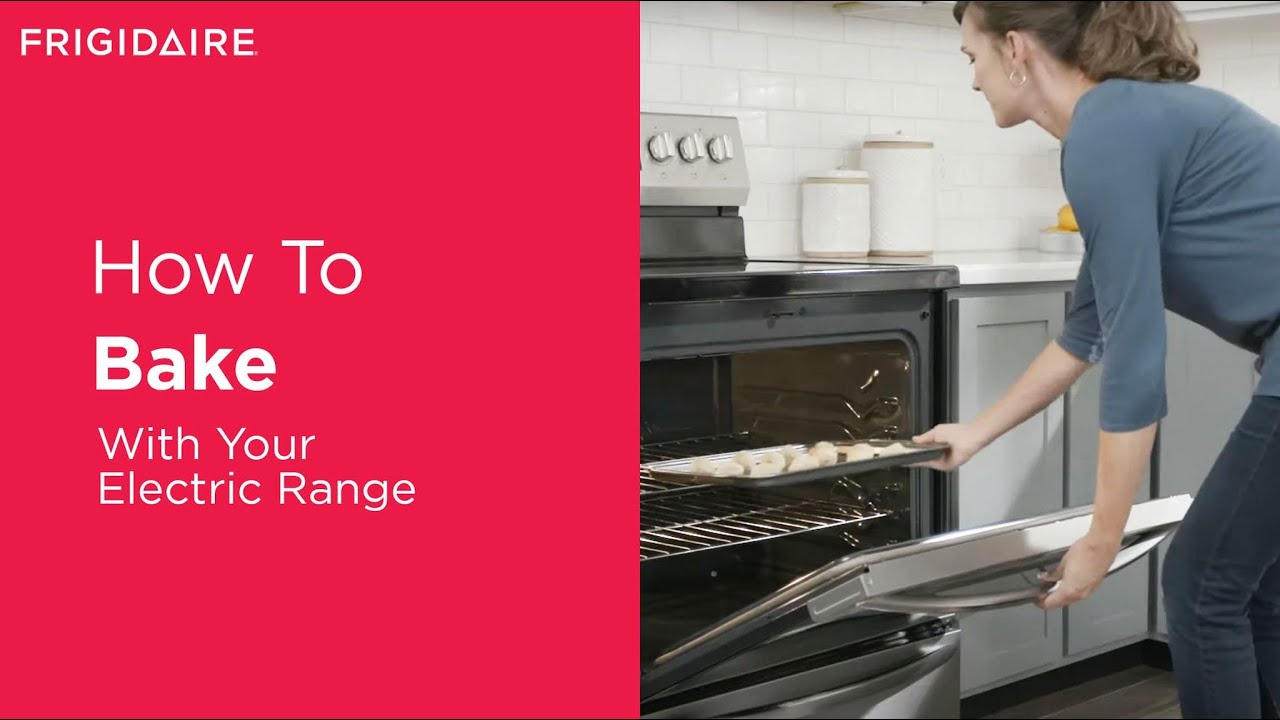
Credit: www.youtube.com
Understanding Frigidaire Oven Models And Bake Time
Frigidaire makes many oven models, from basic to high-end. Most use similar controls, but there are some differences.
| Model Type | Bake Time Available? | Display Type | Extra Features |
|---|---|---|---|
| Basic Digital | Yes | LED or LCD | Timer, Broil |
| Touchscreen | Yes | Touch display | Delayed Bake, Convection |
| Manual Dial | No | Analog | Manual controls only |
If your oven has only manual dials, you won’t have Bake Time. Check your model number and user manual for details.
Troubleshooting Bake Time Problems
Sometimes, Bake Time doesn’t work as expected. Here are solutions to common issues:
Oven Doesn’t Start When I Press Bake Time
- Make sure you set the temperature first.
- Confirm you pressed Start after setting time.
Oven Shuts Off Too Soon
- You may have entered the wrong time (e.g., 5 minutes instead of 50).
- Check that you didn’t accidentally press Timer instead of Bake Time.
Oven Doesn’t Turn Off After Time Is Up
- Some models switch to Keep Warm mode instead of turning off. Read your manual.
- If oven keeps heating, try resetting by pressing Off/Cancel.
Display Shows Error Code
- Power off the oven, then turn it back on. If the problem continues, consult your manual or call Frigidaire support.
Hidden Insight: If your oven loses power (e.g., during a storm), the Bake Time setting will reset. You’ll need to set it again after the power returns.
Tips For Accurate Baking With Bake Time
Getting the best results is about more than just setting the time. Here’s how you can bake like a pro:
- Preheat properly: Don’t rush. Wait until the oven beeps to say it’s hot enough.
- Use an oven thermometer: Ovens can be off by 10-20°F, which affects cooking.
- Rotate your pan: For even browning, turn your baking tray halfway through if possible.
- Check doneness early: Start checking a few minutes before Bake Time ends, especially with new recipes.
- Clean your oven: Grease and crumbs can affect heat and timing.
Advanced Bake Time Techniques
Once you’re comfortable with basic Bake Time use, try these advanced options:
Multi-stage Cooking
Some Frigidaire ovens let you program multiple steps. For example:
- Bake at 400°F for 10 minutes, then 350°F for 30 minutes.
- Great for bread or dishes that need an initial high heat.
Using Bake Time With Convection
If your oven has convection, reduce the temperature by 25°F for most recipes. Bake Time works the same way, but food may cook faster.
Combining Bake Time And Broil
For crispy toppings, you can set Bake Time, then switch to Broil for the last few minutes. Always watch closely—broiling can burn food fast.

Credit: www.youtube.com
Cleaning And Maintaining Your Frigidaire Oven
A clean oven works better and keeps Bake Time accurate. Here’s how to keep yours in top shape:
- Wipe spills after each use: Food residue can smoke or burn.
- Use self-cleaning mode if your oven has it, but follow safety instructions.
- Check door seals: Worn seals let heat escape, which can change cooking time.
- Don’t block vents: Make sure nothing covers the air vents inside the oven.
Pro Insight: If your oven is dirty or the door doesn’t close fully, Bake Time may not give the expected results. Heat loss can make your food undercooked.
Safety Tips When Using Bake Time
Safety is just as important as good food. Here’s how to stay safe:
- Never leave children unattended in the kitchen when the oven is on.
- Check oven racks: Make sure they are properly placed before turning on the oven.
- Use oven mitts: Burns happen quickly.
- Turn off the oven: Even though Bake Time should stop heating, always check before cleaning or touching inside.
- Test your smoke detector regularly.
Real-life User Stories: Bake Time Successes And Lessons
Many cooks have improved their kitchen confidence with Bake Time. Here are a few real examples:
- Sarah, a busy mom: “I set Bake Time for casseroles before picking up my kids. Dinner’s ready and never overcooked.”
- John, a college student: “I used to forget my pizza in the oven. Now, with Bake Time, I can study and know I won’t burn my food.”
- Linda, age 65: “I feel safer knowing the oven shuts off by itself. I don’t worry about forgetting.”
But sometimes mistakes teach the best lessons:
- “I set 400 minutes instead of 40. My kitchen was full of smoke! Always double-check your time entry.”
- “I didn’t know Bake Time and the Timer were different. My cookies kept burning until I learned the right button.”
Comparing Bake Time To Other Brands
How does Frigidaire’s Bake Time compare with other brands like GE, Whirlpool, and Samsung? Here’s a quick look:
| Brand | Bake Time Feature | Ease of Use | Extra Functions |
|---|---|---|---|
| Frigidaire | Yes | Simple buttons | Delayed Bake, Keep Warm |
| GE | Yes | Dial or touch | Multi-stage cooking |
| Whirlpool | Yes | Touchscreen | Smart features |
| Samsung | Yes | App control | WiFi, Air Fry |
Frigidaire is known for reliable, straightforward controls, making it great for beginners and those who prefer simplicity.
Maximizing Bake Time For Better Results
If you want to get the most from Bake Time, keep these extra tips in mind:
- Test with simple recipes first: Try cookies or baked potatoes to learn your oven.
- Record your results: Write down cooking times and results. This helps you adjust for your oven’s quirks.
- Ask family members to learn: If others use the oven, teach them Bake Time basics.
- Use Bake Time for meal prep: Batch cook meals and set Bake Time for each dish.
- Try new recipes: Once comfortable, try breads, cakes, and roasts.
Hidden Insight: Many people don’t know that using Bake Time can also save energy. The oven turns off on its own, so you’re less likely to waste electricity.
Where To Find More Help And Official Resources
If you want more information, check your oven’s user manual. Frigidaire’s official website has many guides and videos. You can also call their customer support for help.
For more technical details and model-specific advice, visit the official Frigidaire Support Center.
Credit: www.reddit.com
Frequently Asked Questions
How Do I Reset Bake Time If I Entered The Wrong Time?
Press the Off/Cancel button to stop the current process. Then, start over by pressing Bake, setting your temperature, pressing Bake Time, entering the correct time, and pressing Start.
Can I Use Bake Time With Both The Top And Bottom Ovens On A Double Oven?
Yes, on most Frigidaire double ovens, you can use Bake Time for each oven separately. Just make sure you select the right oven before setting the time and temperature.
What Should I Do If Bake Time Doesn’t Turn The Oven Off?
First, check your manual—some models switch to a keep-warm mode instead of turning off. If the oven stays hot, press Off/Cancel. If the issue continues, unplug the oven or shut off power at the breaker and contact Frigidaire support.
Is Bake Time Safe To Use When I’m Not At Home?
It’s not recommended to leave the house with the oven on, even with Bake Time. While the oven should turn off, unexpected problems (like power surges or software errors) can occur. Always stay nearby when using the oven.
Why Does My Oven Show An Error After Using Bake Time?
Error codes can mean several things, such as power issues, control panel problems, or sensor faults. Turn the oven off, wait a few minutes, and try again. If the error repeats, consult your user manual or contact Frigidaire support.
Using Bake Time on your Frigidaire oven can make cooking easier, safer, and more enjoyable. With the right steps and a little practice, you’ll soon feel confident using this feature for a wide range of recipes. Remember, always double-check your settings and enjoy the comfort of a well-cooked meal, every time.