
Unlocking a Thermador oven can feel confusing, especially if you have never done it before. Maybe you just finished a self-cleaning cycle and now the oven door will not open. Or perhaps you accidentally locked it and are unsure how to get it working again.
Modern Thermador ovens have safety features and electronic controls that sometimes make simple tasks seem complicated. But with the right guidance, you can unlock your Thermador oven safely and quickly.
Many people worry when their oven door will not open. They fear something is broken. In most cases, the solution is simple. Thermador ovens have built-in lock systems to protect users. These locks activate during certain operations, like self-cleaning or when the control panel is set to lock.
Understanding how these locks work can save you time and stress.
This article will guide you through every detail about unlocking Thermador ovens. You will learn how the lock works, why it activates, and step-by-step solutions for every situation. Whether your oven is locked after cleaning, due to an error, or by accident, you will find the answers here.
You will also find advanced tips, data tables for quick reference, common mistakes, and troubleshooting advice. By the end, you will feel confident handling your Thermador oven lock in any situation.
Understanding Thermador Oven Locks
Thermador ovens use electronic and mechanical locks. These locks serve two main purposes. First, they prevent opening during dangerous times, like self-cleaning cycles. Second, they help avoid accidental use by children or during cleaning.
How The Lock System Works
Inside the oven door is a motorized latch. When you start a self-cleaning cycle, the oven heats up to very high temperatures. For safety, the latch moves into place and locks the door so you cannot open it. This keeps you safe from burns and prevents heat from escaping.
On most Thermador models, the lock is controlled by the oven’s control panel. When the cycle is finished, the oven cools down. Once the temperature is safe, the lock releases. If you try to open the door before the oven cools, the lock will not open.
Types Of Locks On Thermador Ovens
Thermador uses two main lock types:
- Automatic Self-Clean Lock: Engages during self-clean cycles. Releases automatically when cool.
- Manual Control Panel Lock: Lets you lock controls and the door to prevent use. You activate this through the panel.
Some newer models have a “Control Lock” button, while older models use a combination of buttons. Understanding your model’s lock type is important for unlocking.
Why Ovens Stay Locked
Common reasons your Thermador oven stays locked:
- Oven is still too hot after self-cleaning.
- Power outage or interruption during self-clean cycle.
- Electronic glitch or software error.
- Control panel lock was activated accidentally.
- Door latch is jammed or broken.
Knowing the cause helps you pick the right solution.
How To Unlock A Thermador Oven After Self-cleaning
One of the most common questions is how to unlock your oven after a self-clean cycle. Here’s a step-by-step guide.
Step 1: Wait For Cooling
Most Thermador ovens will not unlock until the internal temperature is below a safe level (about 200°F or 93°C). If you just finished self-cleaning, wait at least 30–60 minutes.
- Tip: If your oven is still hot, the lock will not release even if the cycle is finished.
Step 2: Check The Display
The oven display will often show “Lock” or a padlock symbol. If the cycle is done and the oven is cool, but the display still shows “Lock,” there may be an electronic problem.
Step 3: Try A Soft Reset
If the door is still locked:
- Turn off the oven completely.
- Unplug the oven from the wall outlet or turn off the breaker for 1–2 minutes.
- Plug it back in or turn the breaker on.
- Wait 1–2 minutes for the oven to reboot.
- Try opening the door.
A soft reset often fixes electronic glitches after self-cleaning.
Step 4: Use The Control Panel To Unlock
Some Thermador ovens require you to unlock the door using the control panel.
- Press and hold the “Stop/Clear” button for 3–5 seconds.
- On some models, press and hold the “Lock” or “Control Lock” button.
Check your owner’s manual for the exact button combination. If you lost the manual, most are available on the Thermador website.
Step 5: Check For Error Codes
If the oven displays an error code (like “E05” or “E115”), look it up in your manual. Most codes relate to temperature sensors or door latch problems.
Step 6: If All Else Fails
If the door will not unlock after all steps and the oven is cool, call Thermador customer support or a professional appliance technician. Forcing the door open may damage the lock or oven.
How To Unlock Thermador Oven When Control Panel Is Locked
Sometimes, the oven itself works, but the control panel is locked. This feature stops children from changing settings or starting the oven accidentally.
Unlocking The Control Panel
- On most Thermador models, press and hold the “Control Lock” or “Panel Lock” button for 3–5 seconds. The lock symbol should disappear.
- For models without a dedicated lock button, press and hold “Stop/Clear” or “Start” and “Stop” together.
- The oven should beep and unlock.
What If The Panel Stays Locked?
If the control panel will not unlock:
- Turn off power to the oven for 1–2 minutes.
- Turn it back on and try the unlock steps again.
If this still does not work, your control board may have a fault and need professional service.
Quick Reference Table: Unlocking Methods
Here is a quick reference for unlocking different Thermador oven types.
| Oven Lock Type | How to Unlock | Common Issues |
|---|---|---|
| Self-Clean Lock | Wait until cool, then power cycle oven | Stuck latch, power failure |
| Control Panel Lock | Hold “Control Lock” for 3–5 seconds | Glitch, child lock enabled |
| Manual Latch (older models) | Slide latch to unlock position | Jammed latch |
Unlocking Thermador Oven Manually (mechanical Latch)
Some older Thermador ovens have a manual door latch. This is a physical lever or handle, usually above the oven door.
How To Unlock A Manual Latch
- Make sure the oven is off and cool.
- Locate the latch handle above the door.
- Slide the latch to the left or right (check the direction on your model).
- Pull the oven door open.
If the latch is stuck, do not force it. The metal can bend or break.
Troubleshooting A Jammed Manual Latch
- Sometimes, food debris or grease can jam the latch. Use a flashlight to inspect and clean gently.
- If the latch is bent, call a technician. Do not use oil or spray lubricants—they can damage oven parts.
What To Do If The Thermador Oven Door Is Still Locked
If you tried all basic steps and the door is still locked, it is time to troubleshoot deeper.
Possible Causes
- Faulty door latch motor: The motor that moves the latch may be stuck or burned out.
- Broken door switch: The oven thinks the door is still locked.
- Control board failure: Electronics are not sending the unlock signal.
Advanced Reset
- Turn off the circuit breaker for 5–10 minutes (not just 1–2).
- Turn power back on and wait for the oven to reboot fully (about 2 minutes).
- Try unlocking again.
When To Call For Service
If the oven is still locked after all resets:
- Forcing the door can break the glass or the latch assembly (costly to repair).
- A professional can open the panel and manually release the latch if needed.
Data Table: Common Lock Problems And Solutions
| Problem | Possible Cause | Solution |
|---|---|---|
| Door locked after self-clean | Oven too hot | Wait until cool, then reset |
| Control panel locked | Child lock enabled | Hold “Control Lock” button |
| Door will not unlock after power failure | Electronic glitch | Power cycle oven |
| Manual latch jammed | Debris or bent lever | Clean latch area, call technician if stuck |
Unlocking Thermador Oven After Power Outage
Power failures during self-cleaning can cause the oven to stay locked. The oven may not finish its cycle, leaving the latch engaged.
How To Unlock After Power Outage
- Restore power to the oven.
- If the oven is still hot, wait until it cools fully.
- Try a full reset: Turn off the breaker for 5–10 minutes, then back on.
- If the oven tries to restart self-clean, stop the cycle and wait.
- Try unlocking using the control panel.
Special Tip
If your oven is stuck mid-cycle after a power outage, do not unplug it and plug it back in quickly. Wait several minutes before restoring power, so the electronics fully reset.
Unlocking Thermador Oven Door With An Error Code
Seeing an error code on your Thermador oven display can be stressful. Common lock-related codes include E115, E05, or F34.
What To Do
- Write down the error code.
- Turn off the oven and unplug or turn off the breaker.
- Wait 1–2 minutes.
- Restore power, then check if the error code is gone.
- If the code returns, look it up in your owner’s manual or on the Thermador support website.
When Professional Help Is Needed
- If the error is for a door lock motor or temperature sensor, you may need a replacement part.
- Replacing a lock motor or control board is not a DIY job for most homeowners.
For more technical error code help, see the official Thermador Support page.
Preventing Oven Lock Problems
Unlocking is much easier if you prevent problems in the first place. Here are proven steps to avoid lock issues:
1. Always Let The Oven Cool
Never try to open the door right after a self-clean cycle. Wait until the display shows “Unlock” or the lock symbol disappears.
2. Avoid Power Interruptions
Do not unplug or turn off the oven during cleaning or lock operations. Power loss can trap the latch.
3. Clean The Door Latch
Wipe the latch area every few months. Food and grease can build up, causing jams.
4. Use The Control Lock Feature Correctly
If you have children, use the control lock feature to prevent accidental use. But remember how to unlock it—write it down if needed.
5. Keep The Owner’s Manual Handy
Every Thermador oven model is a bit different. The manual has model-specific steps for unlocking.

Credit: www.youtube.com
Common Mistakes People Make
Many first-time Thermador owners make simple errors that cause bigger problems. Here are mistakes to avoid:
- Trying to force the oven door open: This can break the glass or the latch.
- Not waiting long enough after self-clean: Impatience can lead to panic.
- Using the wrong unlock buttons: Different models use different combinations.
- Ignoring error codes: They tell you what’s wrong—do not ignore them.
- Unplugging and plugging in too quickly: A short power cycle may not reset the electronics.
Special Cases: Double Ovens And Wall Ovens
Thermador makes both single and double ovens, as well as wall models. Unlocking works the same way, but with some differences.
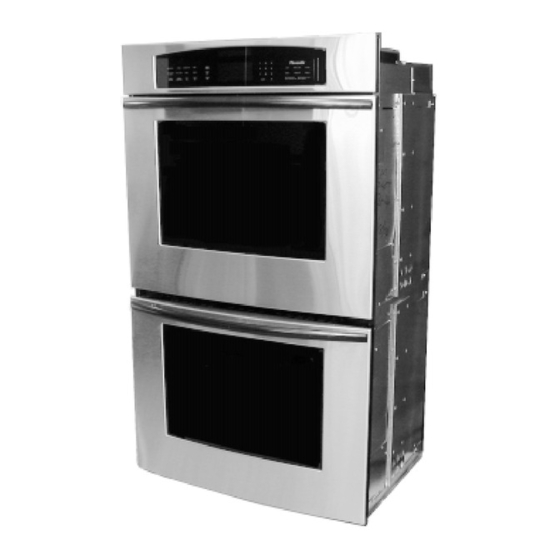
Double Ovens
- Each oven (top and bottom) may have its own lock.
- Make sure you are unlocking the correct oven.
- If both ovens are locked, reset the entire unit.
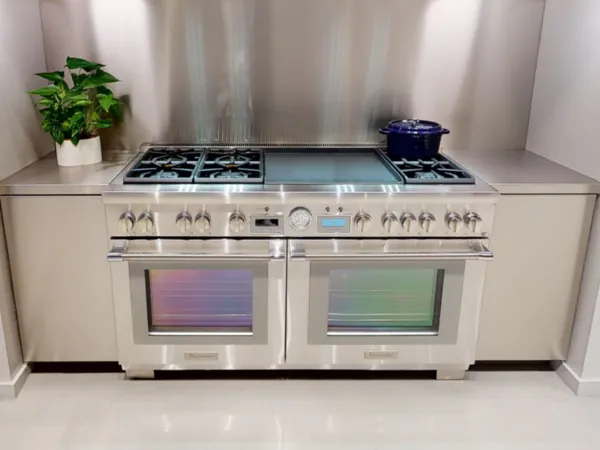
Wall Ovens
- Access to the power supply may be harder. You may need to turn off the kitchen breaker.
- Some wall ovens have hidden manual latches—check your manual.
Table: Key Differences By Oven Type
| Oven Type | Lock Location | Unlocking Method |
|---|---|---|
| Single Oven | Main door | Panel or manual latch |
| Double Oven | Top and bottom doors | Panel, may need to unlock each door separately |
| Wall Oven | Built-in, sometimes hidden latch | Panel or breaker reset |
Credit: www.thermador.com
Non-obvious Insights About Thermador Oven Locks
Most guides only cover basic steps. Here are two key insights many owners miss:
- Some Thermador ovens have a delay even after cooling. The lock might not release instantly once the oven is cool. The electronics sometimes need 2–5 extra minutes to process the unlock signal.
- If you hear a faint “click” but the door remains locked, the motorized latch may be moving but stuck. This is a sign of a failing latch motor or debris. Gently pressing on the door while trying to unlock can sometimes help, but do not use force.
When To Replace The Door Lock Assembly
If your Thermador oven lock keeps failing, it may be time for a new lock assembly. Signs that you need a replacement:
- The lock motor makes noise but does not move the latch.
- The control panel always shows “Locked” even after resets.
- You have repeated error codes related to the door latch.
Replacing a door lock assembly requires removing the oven from the wall or cabinet. This is usually a job for a professional technician.
How To Find Your Thermador Oven Model Number
Unlocking steps depend on your model. To find the model number:
- Open the oven door.
- Look for a label on the frame, side, or bottom edge.
- Write down the full model and serial number.
With this number, you can get the correct manual or service instructions from Thermador.
Professional Service Vs. Diy
Most unlocking problems can be solved at home, but know your limits. If you are not comfortable with electrical work or the lock mechanism, call a professional.
When To Call A Technician
- The door remains locked after all resets.
- There is a burning smell, electrical sparks, or error codes.
- The control panel does not respond.
A trained technician has the tools to open the oven safely without causing damage.
Credit: www.manualslib.com
Frequently Asked Questions
How Long Does It Take For A Thermador Oven To Unlock After Self-cleaning?
Most Thermador ovens unlock automatically within 30–60 minutes after the self-clean cycle ends. The door will only unlock once the oven cools to a safe temperature, usually below 200°F (93°C). If it does not unlock after one hour, try a power reset.
Why Does My Thermador Oven Stay Locked Even Though It Is Cool?
This can happen because of an electronic glitch, power interruption, or a problem with the door latch motor. Try turning off power to the oven for 1–2 minutes. If the problem continues, check for error codes or call a technician.
Can I Unlock My Thermador Oven Manually If The Control Panel Does Not Work?
On some older models with a manual latch, you can unlock the oven by sliding the latch handle. On most modern electronic models, manual unlocking is not possible without opening the oven’s control panel, which should only be done by a professional.
What Should I Do If The Control Panel Is Locked And I Forgot The Unlock Combination?
Most Thermador ovens use a “Control Lock” or “Panel Lock” feature. Hold the “Control Lock” button for 3–5 seconds. If you do not have a dedicated lock button, try holding “Stop/Clear” or “Start” and “Stop” together. Check your manual or the Thermador website for your model’s exact combination.
Is It Safe To Force Open A Locked Thermador Oven Door?
No, you should never force the oven door open. This can break the glass, damage the latch, or cause injury. Always try recommended unlocking steps first. If the door stays locked, call a professional technician to avoid costly repairs.
Unlocking a Thermador oven is usually simple if you know the right steps. Stay patient, follow the guidelines above, and you can safely unlock your oven without risk or stress.