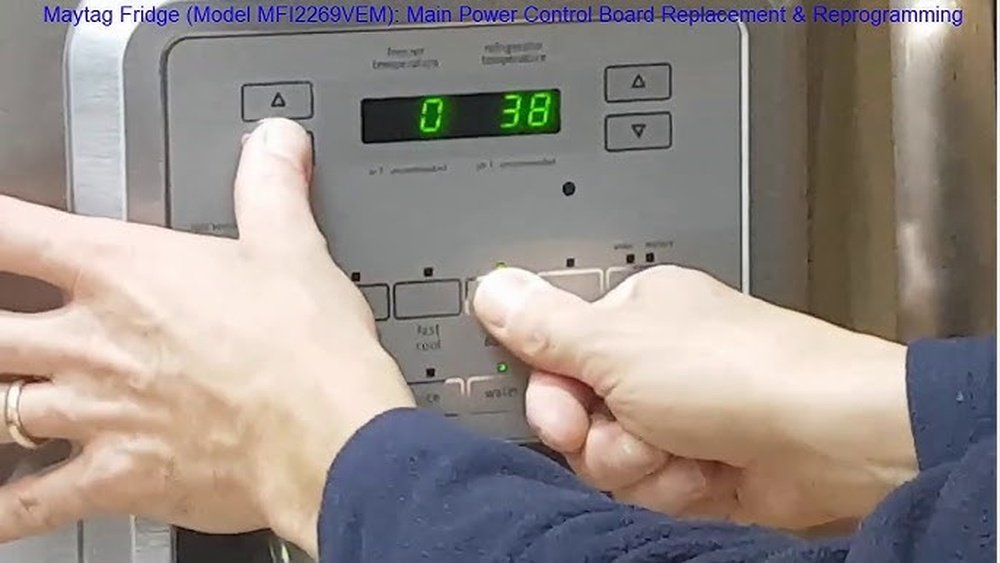
Resetting the control panel on a Maytag refrigerator might sound simple, but for many people, it can be confusing and frustrating. The control panel is the brain of your fridge. When it doesn’t work, your refrigerator might stop cooling, the lights could stay off, or error codes may appear. If you’re seeing strange numbers or the display just won’t respond, you’re in the right place. Learning how to reset the Maytag refrigerator control panel can save you time, money, and stress.
Many people try unplugging the fridge or pressing random buttons, but this doesn’t always solve the problem. Understanding the correct steps, what to look out for, and when to call for help will make things easier. In this guide, you’ll find everything you need: why you might need to reset, step-by-step instructions for different models, troubleshooting tips, and more. You’ll also see practical tables to compare error codes, common problems, and reset methods. By the end, you’ll be ready to handle almost any control panel issue with confidence.
Understanding The Maytag Refrigerator Control Panel
The control panel on a Maytag refrigerator controls important functions like temperature, ice maker, water dispenser, and warning systems. It’s usually located on the front of the refrigerator door or inside, above the top shelf. If the panel fails, the entire fridge might stop working properly.
Today’s Maytag refrigerators use digital control panels. These panels let you adjust temperatures, select cooling modes, and check alerts. Some models have a simple LED display, while newer ones have touchscreens with more options.
Key Functions Of The Control Panel
- Temperature adjustment: Set the fridge and freezer temperatures.
- Ice and water dispenser controls: Turn on/off the ice maker or water dispenser.
- Child lock: Prevents accidental changes by children.
- Error codes and alerts: Shows when something is wrong.
- Lighting control: Turns internal and external lights on or off.
Knowing what your control panel does helps you understand why a reset might solve many issues.
Why The Control Panel May Need Resetting
A control panel might need a reset for several reasons:
- Power outages or surges: Sudden loss or spike in power can confuse the electronics.
- Error codes: The panel shows error codes that don’t clear after fixing the problem.
- Unresponsive buttons or display: Nothing happens when you press buttons.
- Incorrect temperature readings: Fridge isn’t cooling to the right temperature.
- Malfunctioning dispenser: Ice or water dispenser not working even after checking filters.
- Software glitches: Like any electronics, bugs can cause problems until restarted.
Resetting the control panel clears the software and restores normal function, much like rebooting a computer.
Common Symptoms That Call For A Reset
You may wonder when a reset is really needed. Below are the most common signs:
- Blank display: No lights or numbers show up on the panel.
- Flashing error codes: Codes appear even after fixing the problem.
- Buttons not responding: Pressing buttons does nothing.
- Fridge not cooling: Temperature settings do not change.
- Lights stay off or flicker: Even after changing bulbs, lights don’t work.
- Dispenser issues: Ice maker or water dispenser stops working without reason.
- Beeping sounds: Repeated beeps or chimes from the panel.
If you see one or more of these symptoms, a reset is a good first step before calling for service.
Preparing To Reset Your Maytag Refrigerator Control Panel
Before you start, it’s important to get ready so you don’t create more problems. Here’s what you should do:
- Check your refrigerator model number. The steps can be different for each model. Look for a sticker inside the fridge or on the side.
- Read your user manual. If you have the booklet, check the troubleshooting section for model-specific instructions.
- Clear the area around the fridge. You may need to move the fridge to unplug it or reach the control panel.
- Have a flashlight ready. If the area is dark or the panel isn’t lighting up, you’ll need extra light.
- Protect your food. Some resets take several minutes. Try not to open the doors more than necessary to keep food cold.
Taking these steps helps you avoid mistakes and saves time during the process.
Step-by-step Guide: How To Reset Maytag Refrigerator Control Panel
Resetting your Maytag refrigerator control panel can be done in a few simple steps. Below are the most common methods, with clear instructions for each.
1. Basic Power Cycle Reset
This is the most common and effective method for many models.
- Unplug the refrigerator from the wall outlet. If you can’t reach the plug, turn off the circuit breaker that powers the fridge.
- Wait at least 5 minutes. This lets the control board fully power down.
- Plug the refrigerator back in or turn the breaker back on.
- Wait for the control panel to restart. This can take up to 2 minutes.
- Check the display and buttons. The panel should light up and respond to button presses.
This method resets most common glitches and is safe for almost all models.
2. Using The Control Panel Reset Buttons
Some Maytag models have special reset buttons or button combinations. The location and function can vary by model.
- Find the “Reset” or “Power” button on your control panel. If you don’t see it, check your manual for button combinations.
- Hold the button for 3-10 seconds. Usually, the display will beep or flash to confirm the reset.
- For some models, press and hold “Lock” and “Light” together for 10 seconds.
- For ice maker resets, press “Ice” and “Light” at the same time for 3 seconds.
Always check your manual for model-specific combinations.
3. Circuit Breaker Reset
If you cannot reach the plug, you can use your home’s breaker panel.
- Locate the breaker labeled for the kitchen or refrigerator.
- Switch it off for 5 minutes.
- Turn it back on.
- Wait for the refrigerator to restart.
This method works the same as unplugging, but is useful for built-in or hard-to-move fridges.
4. Factory Reset (for Advanced Models)
Some Maytag refrigerators allow a full factory reset to clear all settings.
- Press and hold the “Options” and “Measured Fill” buttons together for 3 seconds.
- Release when the display blinks or resets.
- You may need to set the time, date, and temperature again.
Warning: A factory reset will erase all personal settings, so use this only if other methods fail.
5. Resetting After A Power Outage
After a power outage, the fridge may show error codes or stop cooling. Try the following:
- Unplug and replug the fridge.
- If you see an error code, hold the “Alarm” or “Reset” button for 3 seconds.
- If the error stays, check your manual for specific instructions or call support.
A reset after a power outage can clear temporary faults.
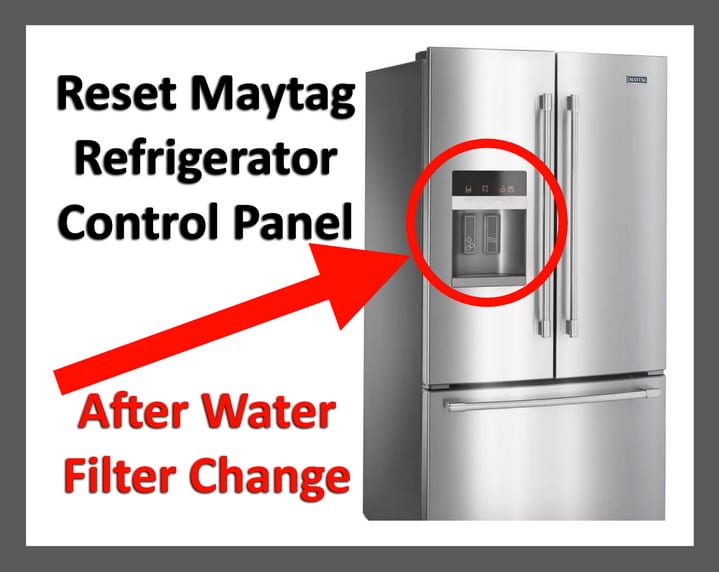
Credit: removeandreplace.com
Model-specific Reset Instructions
Maytag has produced many refrigerator models. Here are specific reset steps for some popular types:
Side-by-side Refrigerators
- Unplug for 5 minutes.
- Press and hold “Lock” and “Light” for 10 seconds after plugging back in.
- Check the display. If the panel does not reset, repeat the process.
French Door Refrigerators
- Press and hold “Options” and “Measured Fill” for 3 seconds.
- Reset the ice maker by lifting the arm inside the ice bin, then lowering it back down.
Bottom Freezer Models
- Unplug and wait 5 minutes.
- Plug in and press “Temperature” and “Alarm” together for 3 seconds.
Top Freezer Models
- Unplug, wait, and plug back in. There are usually no special button resets, but check your manual.
Built-in Models
- Reset using the circuit breaker if you cannot unplug.
- Hold “Light” and “Lock” for 10 seconds if available.
The table below compares reset methods by model type:
| Model Type | Reset Method | Special Notes |
|---|---|---|
| Side-by-Side | Unplug + Lock & Light | Check manual for button codes |
| French Door | Options & Measured Fill | Reset ice maker arm too |
| Bottom Freezer | Unplug + Temp & Alarm | Factory reset rare |
| Top Freezer | Power cycle only | No button reset usually |
| Built-In | Circuit breaker + Light & Lock | Hard to unplug directly |
Always double-check your user manual for details, as button combinations can change with different years and models.
Troubleshooting When The Control Panel Doesn’t Reset
Sometimes, the control panel won’t reset even after following all the steps. Here are common reasons and what you can do:
- Electrical supply problems: Make sure the outlet or breaker is working. Try plugging another device into the outlet.
- Loose wiring or connectors: If you recently moved the fridge, a wire may be loose. You may need a technician to check inside.
- Blown fuse or control board issue: Internal fuses can blow, or the control board may be faulty. This requires professional repair.
- Failed display panel: If the lights or display never come on, the panel itself may need replacement.
- Software errors: Some advanced models need a special code to reset deeper faults. Check your manual or contact support.
If all else fails, it’s best to call a qualified Maytag technician. Trying to open the control panel yourself can void the warranty or cause more damage.

Credit: www.youtube.com
Common Error Codes And What They Mean
If your control panel shows error codes, you may need to reset the panel after fixing the problem. Here are some common codes and their meanings:
| Error Code | Meaning | Action |
|---|---|---|
| E1 | Freezer sensor error | Check wiring, reset panel |
| E2 | Refrigerator sensor error | Check wiring, reset panel |
| SY EF | Evaporator fan failure | Check fan, reset or call tech |
| SY CE | Communication error | Reset panel, check connections |
| PO | Power outage | Reset panel, check power |
| CF | Control board failure | Call technician |
Resetting the control panel often clears these codes, but if they return, the underlying problem may still need fixing.
Preventing Future Control Panel Problems
Resetting the control panel solves many issues, but prevention is best. Follow these tips to keep your Maytag refrigerator running smoothly:
- Use a surge protector: Power surges are a top cause of control panel failure.
- Avoid overloading the outlet: Don’t plug too many appliances into the same outlet.
- Clean the control panel gently: Wipe with a soft, damp cloth. Avoid harsh cleaners or too much water.
- Keep vents clear: Blocked vents can cause overheating, which may affect the panel.
- Check for software updates: Some advanced models can receive firmware updates. Check the Maytag website or your manual.
- Open the fridge doors less often during outages: This helps keep things cold and prevents extra strain on the control board when power returns.
- Schedule regular maintenance: Have a technician check the fridge once a year.
These steps reduce the chances of needing a reset or facing bigger problems.
When To Call A Professional
Sometimes, a reset isn’t enough. You should call a Maytag service professional if:
- The control panel stays blank after several resets.
- Error codes return immediately after resetting.
- The refrigerator does not cool at all.
- You hear loud noises or smell burning.
- Buttons are physically stuck or broken.
- You see water leaks, which may damage electronics.
Attempting DIY repairs on the control board or wiring can void your warranty. Maytag’s support team is trained for these issues and can safely fix or replace parts.
For more technical information, you can also check the official Maytag guide.
Real-world Examples
Let’s look at a few real-life situations where resetting the control panel solved problems:
- Power outage in a storm: After a thunderstorm, the display showed “PO” and the fridge stopped cooling. Unplugging for 10 minutes and plugging back in cleared the code and restored cooling.
- Unresponsive ice maker: The ice dispenser stopped, but holding “Ice” and “Light” for 3 seconds restarted it.
- Display locked: A child accidentally activated the lock mode. Holding “Lock” for 3 seconds unlocked the panel.
- Flashing error code after cleaning: After cleaning, the display showed “E2.” Unplugging for 5 minutes, then plugging back in, cleared the error.
These examples show that a reset is often the fastest way to fix small electronic glitches.
Comparison: Control Panel Reset Vs. Other Fixes
How does a control panel reset compare to other common refrigerator fixes? Here’s a quick summary:
| Fix Type | Time Needed | Skill Level | When to Use |
|---|---|---|---|
| Control Panel Reset | 5-15 minutes | Easy | Unresponsive panel, error codes, after power outage |
| Check Power Supply | 5 minutes | Easy | No power, panel blank, fridge not running |
| Replace Control Board | 1-2 hours | Expert | Panel won’t reset, physical damage, repeated errors |
| Call Technician | 1 day or more | Professional | Serious or repeated electronic failures |
A reset is almost always the best first step for electronic issues.
Non-obvious Insights And Pro Tips
Here are some insights that many beginners overlook:
- Wait long enough after unplugging. Sometimes, people only unplug for a few seconds, which is not enough. Wait at least 5 minutes for a full reset.
- Check the display for hidden messages. Some panels show small icons or codes that are easy to miss. Look closely at the display after you reset.
- Button combinations may change with software updates. If your fridge was serviced or updated, the reset method could be different from what’s in an old manual.
- Keep a written record of codes and resets. Write down what you see and do each time. This helps if you need to call a technician later.
- Always plug your fridge into a dedicated outlet. Sharing outlets can cause electrical “noise” that confuses the control panel.
Taking these extra steps can save you a lot of time and prevent repeated problems.
Credit: www.maytag.com
Frequently Asked Questions
How Often Should I Reset My Maytag Refrigerator Control Panel?
You should only reset the control panel when you see problems like error codes, unresponsive buttons, or after a power outage. There’s no need to reset regularly if your fridge is working normally.
Will Resetting The Control Panel Erase My Temperature Settings?
In most cases, a standard reset will keep your current temperature settings. However, a full factory reset or some power outages may erase them. Always check the display and adjust settings if needed after a reset.
What If My Control Panel Is Still Blank After Resetting?
If the control panel stays blank, check your power supply first. Make sure the fridge is plugged in and the breaker is on. If the display still doesn’t work, the control panel or circuit board may be faulty. You’ll need a professional to repair or replace it.
Can I Reset The Control Panel Without Unplugging The Refrigerator?
Yes, some models allow you to use button combinations to reset the panel without unplugging. Check your manual for the exact method. However, unplugging is still the most universal and reliable reset method.
Are There Risks To Resetting The Control Panel Too Often?
No, resetting the panel occasionally is safe. However, if you need to reset it often, this means there’s a deeper problem that should be checked by a technician.
Taking the right steps to reset your Maytag refrigerator control panel can quickly solve many common issues. With this guide, you’ll know what to do next time your fridge display acts up. Remember, safety first—when in doubt, call a professional for help.