
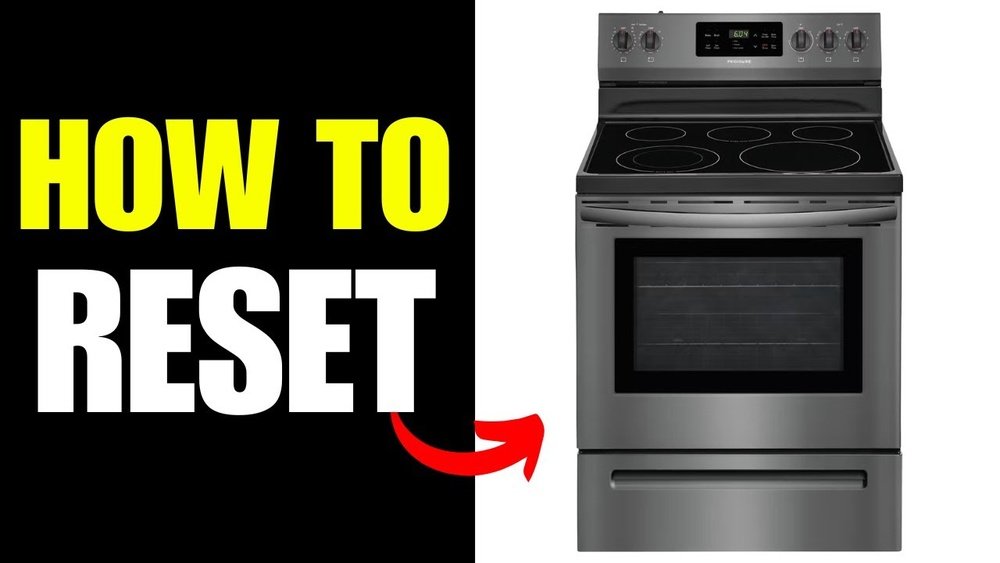
A Frigidaire stove is the heart of many kitchens. It helps you cook family meals, bake treats, and keep your household running. But like any appliance, your Frigidaire stove may sometimes run into problems—unresponsive controls, error codes, or odd behaviors.
When this happens, a reset can often solve the issue quickly and safely. If you’re unsure how to reset your Frigidaire stove, you’re not alone. Many people find the process confusing, especially with different models and features.
This guide explains everything you need to know about resetting a Frigidaire stove. You’ll learn why resets are important, when they’re useful, and exactly how to do it step-by-step. We’ll cover different reset methods, what to do if the reset doesn’t work, and how to avoid common mistakes.
You’ll also find answers to the most common questions people ask about Frigidaire stove resets.
Whether your stove shows an error code, the oven won’t heat, or the clock is stuck, this article will help you troubleshoot and solve the problem. By the end, you’ll feel confident handling reset issues and know when to call in a professional.
Let’s get started.
Why Resetting A Frigidaire Stove Matters
Resetting your Frigidaire stove is not just about turning it off and on. It’s a way to clear minor electronic glitches, fix unresponsive controls, and solve many common problems. Sometimes, the control board can freeze or show a wrong code after a power outage or surge.
Resetting helps the stove’s computer “start fresh. ”
Here are a few reasons why you might need to reset your Frigidaire stove:
- Error codes: The display shows codes like F1, F3, or others.
- Unresponsive buttons: Controls don’t respond when you press them.
- Clock or timer issues: The display is stuck or flashing.
- Oven not heating: The oven doesn’t start, or temperature settings don’t work.
- Strange noises or lights: The stove beeps or flashes without reason.
Most of these problems can be fixed with a simple reset, saving you time and the cost of a service call. However, not all problems can be solved this way. If you see sparks, smell burning, or have a gas leak, do not try to reset.
Turn off power and call a professional immediately.
Understanding Frigidaire Stove Models
Frigidaire makes many types of stoves and ranges. Each model may have slightly different controls and features. The most common types include:
- Electric ranges (with digital or manual controls)
- Gas ranges
- Induction stoves
- Slide-in and freestanding models
- Wall ovens
Most resetting steps are similar across models, but some newer stoves have advanced features like touch screens or Wi-Fi. Always check your user manual for instructions specific to your model.
Here’s a quick comparison of common Frigidaire stove types:
| Type | Main Features | Control Panel | Common Reset Method |
|---|---|---|---|
| Electric Range | Oven + stovetop, digital clock | Buttons/Knobs | Power cycle/reset button |
| Gas Range | Oven + stovetop, igniters | Knobs, sometimes digital | Power cycle/manual reset |
| Induction Stove | Fast heating, smooth top | Touch controls | Power cycle/touch reset |
| Wall Oven | Bake/broil, built-in | Digital panel | Power cycle/reset button |
Knowing your stove’s model number (usually found on a label inside the oven door or drawer) helps you find the right instructions and parts.
When Should You Reset Your Frigidaire Stove?
Resetting isn’t always the first thing you should try. But it’s a safe first step when you notice:
- Display errors that don’t go away after pressing “Clear”
- Stuck or unresponsive buttons (even after cleaning the panel)
- Oven won’t start or the temperature is not accurate
- Self-cleaning cycle won’t start or stop
- Timer or clock problems (can’t set or keeps resetting)
If the stove is completely dead, has no power, or you smell gas, a reset won’t fix it. These cases mean there’s a bigger issue—like a tripped breaker or gas leak.
A reset can save you hours of frustration, but it’s also important not to overuse it. If you have to reset your stove often (more than once a month), something may be wrong with the electronics or wiring.
Basic Reset Methods For Frigidaire Stoves
There are a few ways to reset a Frigidaire stove. The right method depends on your model and the problem you’re facing. Let’s look at the most common options.
1. Power Cycle (hard Reset)
This is the simplest and most common reset. It works for most electric and gas stoves.
Steps:
- Turn off the stove: Make sure all burners and the oven are off.
- Unplug the stove from the wall outlet. If you can’t reach the plug, go to your breaker box.
- Turn off the circuit breaker that powers the stove.
- Wait 2-5 minutes: This lets the internal computer fully reset.
- Plug the stove back in or turn the breaker on.
- Check the display: It should show “12:00” or a blinking clock.
- Set the clock and test the controls.
This method clears most minor glitches. If your stove has a digital control panel, you should see it restart.
Tip: Always wait at least 2 minutes before restoring power. Some control boards need a little time to fully drain electricity.
2. Reset Button (if Available)
Some Frigidaire stoves have a dedicated reset button. This is usually found behind the control panel or inside the oven drawer.
Steps:
- Turn off the stove.
- Locate the reset button (check your manual for the exact spot).
- Press and hold the button for 3-5 seconds.
- Release and wait for the display to blink or reset.
- Test the oven and controls.
Not all models have this button. If you don’t see one, use the power cycle method.
3. Touch Panel Reset (for Modern Models)
If your stove has a touch screen or digital controls, you may be able to reset it using the panel.
Steps:
- Press and hold “Cancel” or “Off” for 5-10 seconds.
- Look for a beep or display change.
- Release and wait for the control panel to restart.
- Set the clock if needed.
Some stoves require a combination of buttons (like “Bake” + “Broil” together). Check your manual for the right combo.
4. Factory Reset (advanced)
A factory reset will erase all custom settings and return your stove to its original state. Only use this if other resets don’t work.
Steps:
- Find the factory reset option in your user manual (usually in the “Settings” or “Options” menu).
- Follow the button sequence (for example, “Bake” + “Broil” + “Timer” together).
- Wait for the display to say “Factory Reset.”
- Confirm by pressing “Start.”
- Wait for the stove to restart.
This method is helpful if you have a Wi-Fi model or a stove that won’t respond to simple power cycles.
Step-by-step Guide: Resetting Different Frigidaire Stove Types
Not all stoves are built the same. Here’s how to reset the most common types:
Resetting A Frigidaire Electric Range
- Turn off all burners and oven.
- Unplug the power cord or switch off the breaker.
- Wait 2-5 minutes.
- Restore power.
- Set the clock and test.
If you see error codes after the reset, check the manual for what they mean.
Resetting A Frigidaire Gas Range
- Turn all knobs to “Off.”
- Unplug the range or turn off the kitchen breaker.
- Wait at least 2 minutes.
- Plug in or restore power.
- Check igniters and controls.
If the oven still won’t light, check your gas supply or call a technician.
Resetting A Frigidaire Induction Stove
- Turn off the cooktop.
- Unplug or switch off the breaker.
- Wait 2-5 minutes.
- Plug in or turn on the breaker.
- Test touch controls.
Induction models sometimes have a “Child Lock” feature. If the touch panel is still locked, check your manual.
Resetting A Frigidaire Wall Oven
- Turn off oven controls.
- Locate the breaker for the wall oven (often labeled in your fuse box).
- Switch off the breaker.
- Wait 2-5 minutes.
- Switch on and test the oven.
If the oven doesn’t respond, make sure the breaker is fully seated.
Common Error Codes And What They Mean
Sometimes your Frigidaire stove shows an error code on the display. A reset may clear the code, but it helps to know what each code means.
Here’s a summary of common Frigidaire error codes:
| Error Code | Meaning | Reset Solution |
|---|---|---|
| F1 | Electronic control problem | Try power cycle; call service if it returns |
| F3 | Oven sensor fault | Power cycle; check sensor if code stays |
| F5 | Watchdog circuit fault | Power cycle; service may be needed |
| F10 | Runaway temperature | Unplug and let cool; check sensor |
| PF | Power Failure | Set clock; reset usually clears |
If a code stays after a reset, it means a part may need repair or replacement.
How To Reset Other Frigidaire Stove Features
Frigidaire stoves have special settings that sometimes need to be reset separately. Here are a few:
Resetting The Clock
- Press “Clock” or “Set Clock.”
- Use arrows or numbers to enter the correct time.
- Press “Start” or “Enter.”
If the clock keeps resetting, check for power surges or weak connections.
Resetting The Timer
- Press “Timer.”
- Hold “Cancel” for 3 seconds.
- Timer should clear.
- Set new time if needed.
A stuck timer can sometimes freeze the oven. Resetting it usually solves the issue.
Resetting The Self-clean Feature
If your self-cleaning cycle won’t start or stop:
- Press “Cancel” and hold for 5 seconds.
- If door is locked, wait for it to cool.
- Try a power cycle if the door stays locked.
Never force the oven door open during or after self-cleaning, as this can damage the lock.
Resetting Child Lock Or Control Lock
Some models have a lock for safety.
- Press and hold “Lock” or “Control Lock” for 3-5 seconds.
- Display should show “Unlocked.”
- If not, do a power cycle.
Child Lock is a common reason why controls don’t respond.
What To Do If The Reset Doesn’t Work
Sometimes, a reset doesn’t solve your problem. This can mean a deeper issue with wiring, the control board, or other parts.
Here’s what to try next:
- Check the power source: Make sure the outlet or breaker is working. Test with another appliance if needed.
- Inspect the plug and cord: Look for damage, burns, or loose connections.
- Check for blown fuses: Some stoves have a fuse inside the back panel.
- Look for visible damage: Signs of burning, melted wires, or water damage mean you should stop and call for help.
- Read the manual: Some errors need specific solutions only listed in your model’s manual.
If you still can’t reset the stove, it’s time to call a Frigidaire service technician. Don’t try to repair wiring or electronics yourself unless you have experience.
Safety Tips When Resetting Your Stove
Resetting is usually safe, but you should follow some basic safety rules:
- Always turn off power before touching cords or plugs.
- Use dry hands when unplugging the stove or touching the breaker.
- Never force controls or doors.
- Don’t use water to clean inside the control panel.
- Keep children and pets away during resets.
- If you smell gas or see smoke, exit your home and call emergency services.
One thing many people miss: after a reset, always test each burner and oven function one by one. This helps you spot problems before you start cooking.
When To Call A Professional
A simple reset fixes most minor problems. But sometimes, you need expert help. Call a professional if:
- Error codes keep coming back.
- The stove won’t turn on at all.
- There’s a burning smell, sparks, or popping sounds.
- The display is blank after resetting.
- The oven overheats or won’t heat up at all.
Trying to fix complex electrical issues yourself can be dangerous and may void your warranty. Professionals have the right tools and training.
How To Prevent Future Stove Problems
Regular care can help you avoid the need for frequent resets. Here’s what you can do:
- Clean the control panel and knobs gently with a soft cloth (never use lots of water).
- Check the plug and cord every few months for damage.
- Keep the oven door seals clean to prevent heat loss.
- Avoid power surges by using a surge protector if possible.
- Don’t overload outlets with other appliances.
A non-obvious tip: If your area has frequent power outages, consider installing a whole-house surge protector. This helps protect your stove’s electronics from sudden voltage spikes.
Common Mistakes To Avoid When Resetting
Many people make simple mistakes when trying to reset their Frigidaire stove. These can lead to bigger problems:
- Not waiting long enough after unplugging: Give at least 2 minutes for full reset.
- Forcing the oven door open during self-clean or after a reset.
- Not setting the clock after a reset: Some functions need the clock set to work.
- Ignoring error codes: Don’t keep resetting if the same code returns.
- Trying to reset during a power outage: Wait until stable power returns.
Always take your time and follow the steps. Rushing can make things worse.
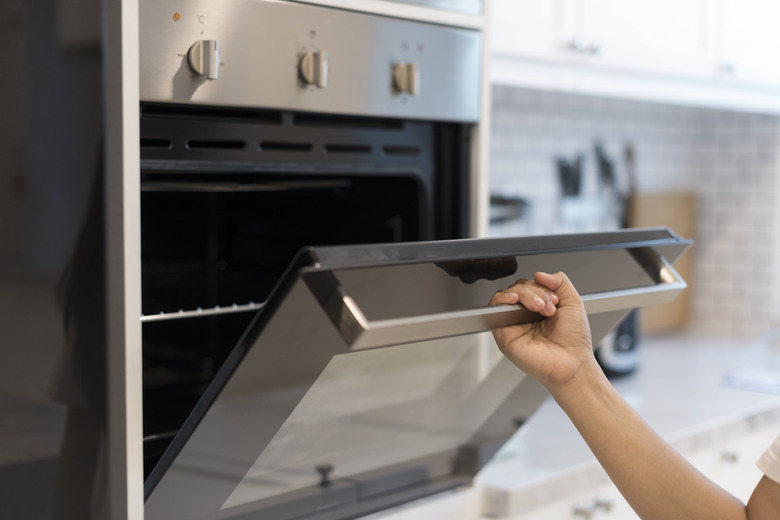
Credit: www.hunker.com
Frigidaire Stove Reset: Real-life Examples
Let’s look at some real situations to help you understand when and how to reset.
Example 1:
Maria’s Frigidaire electric stove showed “F10” and beeped loudly. She unplugged the stove, waited 5 minutes, and plugged it back in. The error cleared, and her oven worked again. This shows a power cycle can clear overheating errors.
Example 2:
James’s gas range would not light the oven, but the burners worked. He did a power cycle, but the oven still didn’t work. After checking the manual, he found out the oven igniter was faulty. He called a technician for repair.
Example 3:
A family’s induction stove controls were locked, and no buttons worked. They tried unplugging, but the panel stayed locked. Reading the manual, they learned to hold the “Lock” button for 5 seconds, which unlocked the controls.
These examples show that resets solve many—but not all—problems.
Comparing Frigidaire Reset With Other Brands
How does resetting a Frigidaire stove compare with other brands like GE, Whirlpool, or Samsung? Here’s a quick look:
| Brand | Power Cycle Reset | Reset Button | Touch Panel Reset | Factory Reset Option |
|---|---|---|---|---|
| Frigidaire | Yes | Some models | Yes (modern) | Some models |
| GE | Yes | Rare | Yes | Rare |
| Whirlpool | Yes | No | Yes | Yes |
| Samsung | Yes | No | Yes | Yes |
Most brands use similar power cycle resets. Frigidaire is known for having simple, user-friendly reset methods, but always check your manual.

Credit: www.youtube.com
Where To Find More Help
If you need more support, visit the official Frigidaire website, where you can find manuals, troubleshooting guides, and contact information for service. You can also look up your specific stove’s model number for tailored advice. For more on error codes and appliance troubleshooting, see the resource at Frigidaire Support.
Frequently Asked Questions
How Do I Know If My Frigidaire Stove Needs A Reset?
If your stove’s display freezes, shows errors, or buttons don’t work, a reset is a good first step. If the problem is serious (no power, smoke, gas smell), don’t try to reset—call a professional.
Will Resetting My Stove Erase My Cooking Settings Or Recipes?
A simple power cycle usually doesn’t erase saved settings. But a factory reset will clear all custom settings, timers, and Wi-Fi connections. Check your manual before doing a factory reset.
What If My Frigidaire Stove Keeps Needing To Be Reset?
If you have to reset your stove often (more than once a month), this may mean a deeper problem with the electronics, wiring, or control board. It’s best to have a technician check it.
Can I Reset My Frigidaire Stove During A Self-clean Cycle?
No, you should not reset your stove during a self-clean. Wait until the cycle finishes and the oven cools down. If the door stays locked, do a power cycle and consult your manual.
Is It Safe To Reset My Stove Myself?
Yes, resetting is safe if you follow the steps: turn off power, unplug carefully, and don’t force any parts. Never try to repair wires or electronics unless you are trained.
A Frigidaire stove reset is a simple but powerful way to fix many common problems. It can save you time, money, and frustration. Now, with these steps and tips, you can keep your kitchen running smoothly and know when to seek expert help.
Credit: www.hnkparts.com