
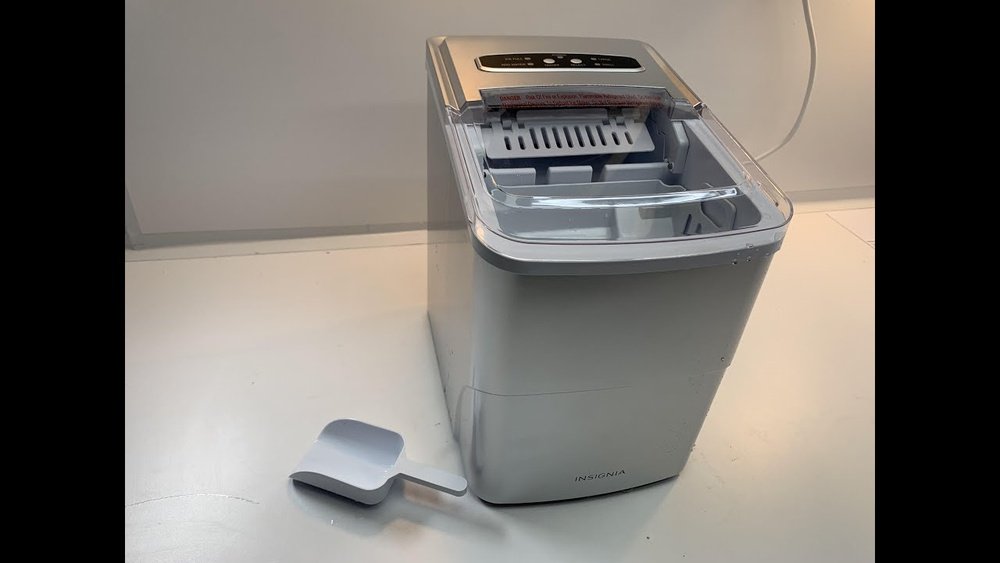
Cleaning your Insignia ice maker may sound like a simple task, but it’s often misunderstood or skipped until problems appear. Ice makers build up mineral deposits, mold, and bacteria over time, which can affect the taste and safety of your ice.
If you want clear, fresh ice and a long-lasting machine, learning how to clean your Insignia ice maker is essential. With the right steps, you can avoid common mistakes and keep your appliance running smoothly.
Many ice maker owners don’t realize that regular cleaning is not just about appearance. It prevents mechanical issues, keeps your ice safe to consume, and reduces energy use. The process is straightforward, but there are details that can make a big difference.
Whether you’re a first-time owner or you’ve had your machine for years, this guide will walk you through every step—so you can clean your Insignia ice maker like a pro.
Why Cleaning Your Insignia Ice Maker Matters
An ice maker is often out of sight, so it’s easy to forget about maintenance. But just like any kitchen appliance, it needs regular care.
Mineral buildup from tap water is one of the main causes of ice maker problems. Over time, these deposits can block water lines or coat the ice tray, leading to smaller or cloudy ice cubes. If you notice your ice tasting odd, it’s a sign that cleaning is overdue.
Bacteria and mold are also concerns. Ice makers create a moist environment, which is perfect for germs. Even if your ice looks clean, it could carry bacteria that you can’t see or taste. Regular cleaning keeps your ice safe for everyone.
Neglecting cleaning can also mean more repairs. Clogged lines, jammed trays, or reduced cooling efficiency are all more likely if you skip maintenance. On average, a well-cleaned ice maker can last years longer than a neglected one.
How Often Should You Clean Your Insignia Ice Maker?
Most manufacturers, including Insignia, recommend cleaning your ice maker at least every three to six months. However, the right frequency depends on:
- How often you use it: Daily use means more mineral buildup and faster mold growth.
- Water hardness: Hard water adds minerals faster, so you might need to clean every two months.
- Ice quality: If ice is cloudy, tastes strange, or melts quickly, clean your machine sooner.
If you use well water or live in an area with hard water, you may even need monthly cleaning. Setting a reminder in your calendar helps you stay on track.
Tools And Supplies You’ll Need
Cleaning your Insignia ice maker doesn’t require special tools, but having the right supplies makes the job easier and more effective.
- Soft cloths or microfiber towels for wiping surfaces
- Soft-bristle brush (like a toothbrush) for small corners and crevices
- Mild dish soap for basic cleaning
- White vinegar for descaling and disinfecting
- Baking soda (optional) for odor removal
- Measuring cup for mixing cleaning solutions
- Bucket or large bowl for draining water
- Sponge for wiping inside surfaces
- Clean water for rinsing
- Gloves (optional) if you have sensitive skin
Avoid using harsh chemicals or bleach, as they can damage the ice maker and leave harmful residues.
Preparing To Clean: Safety First
Before you start, safety is key. Always unplug your ice maker from the power outlet to avoid electrical shocks. If your machine is connected to a water line, turn off the water supply to prevent leaks.
Remove any ice left in the storage bin. You can discard it or use it for cleaning (for example, to scrub the inside of your sink). Make sure the appliance is cool before handling any parts.

Credit: www.ifixit.com
Step-by-step Cleaning Guide
Let’s walk through the cleaning process in detail. These steps apply to most countertop and portable Insignia ice maker models.
1. Remove And Clean The Ice Bin
First, take out the ice basket or bin. Most Insignia ice makers have a removable basket. Wash it in warm, soapy water, then rinse and dry thoroughly. This removes any old ice residue and prevents odors from returning.
If your bin has tough stains or mineral spots, soak it in a mixture of one part vinegar to three parts water for 10-15 minutes, then scrub gently.
2. Clean The Interior Surfaces
Mix a cleaning solution of one cup white vinegar and one cup water. Dip a soft cloth or sponge into the solution and wipe all interior surfaces, including the tray, water reservoir, and walls.
For stubborn spots, use a soft-bristle brush. Avoid using abrasive pads, as they can scratch the plastic or metal surfaces.
Pay extra attention to the ice-making tray, as minerals often build up here. If you see white or chalky deposits, let the vinegar solution sit for a few minutes before scrubbing.
3. Clean The Water Reservoir
The water reservoir is where most bacteria and mold can hide. Empty any leftover water, then fill the reservoir with a mixture of vinegar and water. Let it sit for about 10 minutes to break down mineral deposits.
After soaking, use a sponge or cloth to wipe the inside. Drain the solution completely, then rinse with clean water at least twice to remove any vinegar smell or taste.
4. Run A Cleaning Cycle
Some Insignia ice makers have a self-cleaning function. If yours does, follow these steps:
- Fill the water reservoir with a vinegar-water mix (usually one part vinegar to three parts water).
- Press the self-clean button, and let the machine run a cleaning cycle.
- Once complete, drain the solution and rinse the reservoir with clean water.
If your model doesn’t have a self-cleaning feature, you can run a manual cycle:
- Fill the reservoir with the vinegar solution.
- Run the ice maker as if making ice, but discard the first few batches.
- Rinse by running a cycle with fresh water and discard the ice.
5. Clean The Exterior
Wipe the outside of your Insignia ice maker with a damp cloth and mild soap. Pay attention to buttons, handles, and display panels where fingerprints and dust collect. Dry with a clean towel.
6. Dry And Reassemble
After cleaning, leave all parts to air dry completely. Moisture inside can promote mold growth if the machine is stored or unused for a while.
Once dry, reassemble the bin, water reservoir, and any removable pieces. Plug the ice maker back in and reconnect the water supply if needed.
Descaling Your Insignia Ice Maker
Descaling removes hard water minerals that build up over time. This is especially important if you notice white spots, chalky residue, or reduced ice output.
To descale:
- Mix equal parts white vinegar and water.
- Fill the water reservoir with the solution.
- Let it sit for 20-30 minutes to dissolve deposits.
- Use a soft brush to scrub the reservoir and ice tray.
- Drain the solution, then rinse twice with clean water.
If you live in a hard water area, descale every one to two months.
Signs Your Ice Maker Needs Descaling
- Ice is cloudy or white
- Ice cubes are smaller than usual
- The machine is noisy or slow
- There’s a chalky film on the ice tray
Cleaning The Water Filter (if Equipped)
Some Insignia ice makers come with a removable water filter. This filter traps minerals and improves ice taste. If your model has one, check the user manual for location and replacement schedule.
To clean or replace the filter:
- Remove the filter according to instructions.
- Rinse under cool water.
- If reusable, soak in a vinegar solution for 10 minutes, then rinse.
- Replace disposable filters every 3-6 months.
Never use the ice maker without a filter if your model requires one. This prevents debris from entering the machine.
Cleaning The Ice Scoop
A clean ice scoop is important for hygiene. Wash it in hot, soapy water after every use, and let it air dry. Never leave the scoop inside the ice bin, as it can transfer bacteria from hands to the ice.
How To Remove Odors From Your Ice Maker
If your ice smells or tastes bad, even after cleaning, there are a few extra steps you can take.
- Place a bowl of baking soda inside the empty ice bin for several hours to absorb odors.
- Run two cycles with fresh water to flush out lingering tastes.
- Store the ice maker with the lid open if not in use, to allow air circulation.
Avoid using air fresheners or scented cleaners. These can leave residues that affect ice flavor.
What To Avoid When Cleaning
Some common mistakes can damage your ice maker or reduce its efficiency.
- Don’t use bleach: It’s too harsh and can harm internal parts.
- Avoid metal brushes: These can scratch and weaken plastic or stainless steel.
- Never immerse the machine: Only remove and wash parts that are meant to be taken out.
- Don’t skip rinsing: Cleaning solutions left inside can change the taste of your ice.
Troubleshooting Common Issues
Even with regular cleaning, you might run into problems. Here’s how to handle the most common ones.
Ice Maker Not Making Ice
- Check if the water reservoir is full.
- Make sure the machine is plugged in and the power is on.
- Inspect for mineral buildup in the tray or lines—clean and descale if needed.
Ice Is Cloudy Or Tastes Bad
- Clean and descale the ice maker.
- Use filtered water to reduce minerals.
- Change or rinse the water filter if your model has one.
Machine Is Noisy
- Mineral deposits may be causing parts to stick—clean and descale.
- Check for loose parts and reassemble correctly.
Ice Maker Leaks Water
- Ensure the reservoir and bin are seated properly.
- Check for cracks or clogs in the water line.
- Make sure the drain plug is tightly closed.
Maintenance Schedule For Longevity
Keeping a simple schedule helps your Insignia ice maker last longer and perform better. Here’s an easy plan:
| Task | Frequency | Notes |
|---|---|---|
| Clean ice bin and scoop | Weekly | Prevents bacteria buildup |
| Clean interior and reservoir | Every 2-3 months | Use vinegar solution |
| Descale machine | Every 1-3 months | More often with hard water |
| Change water filter | Every 3-6 months | If equipped |
If the machine is unused for a long period, clean before storing and again before first use.
Comparing Cleaning Methods
There are a few ways to clean your Insignia ice maker. Here’s a quick look at the main options.
| Method | Effectiveness | Time Needed | Best For |
|---|---|---|---|
| Manual cleaning with vinegar | High | 30-45 minutes | All models |
| Self-cleaning function | Moderate to high | 20-30 minutes | Newer models |
| Commercial ice maker cleaner | Very high | 30-60 minutes | Heavy mineral buildup |
| Baking soda rinse | Low to moderate | 10-20 minutes | Odor removal |
Manual cleaning is the most thorough, while self-cleaning is convenient but may miss some areas. Commercial cleaners are strong but should be used only if you’re comfortable following all safety instructions.
Pro Tips For A Cleaner Ice Maker
- Use filtered water: This reduces mineral deposits, leading to less frequent cleaning.
- Don’t overfill the reservoir: Too much water can lead to leaks and mess.
- Leave the lid open after cleaning and during storage to prevent mold.
- Dry all parts before reassembling—moisture can breed bacteria.
- Mark your calendar for the next cleaning, so you don’t forget.
- Check the owner’s manual: Some models have specific requirements for cleaning or parts removal.
When To Call For Professional Service
Most cleaning tasks can be done at home, but some problems require an expert.
- If you see persistent leaks, broken parts, or electrical issues, stop using the ice maker and contact Insignia support.
- Unusual noises after cleaning may mean a motor or compressor problem.
- If mineral buildup is severe and you can’t remove it, a technician has the right tools to help.
Don’t void your warranty by taking apart parts not meant to be removed.
Real-world Example: Cleaning An Insignia Countertop Ice Maker
Let’s look at a real scenario. A user in Texas noticed her Insignia countertop ice maker was making less ice and the cubes looked cloudy. She followed these steps:
- Unplugged the machine and emptied the bin
- Cleaned the bin and scoop with soapy water
- Mixed one cup vinegar with one cup water and wiped inside surfaces
- Let the same solution sit in the reservoir for 15 minutes
- Scrubbed with a toothbrush to remove chalky spots
- Drained, then rinsed twice with clean water
- Let all parts air dry before plugging in again
After cleaning, the ice was clear and tasted fresh. This simple process restored the machine without professional help.

Credit: www.youtube.com
How To Store Your Insignia Ice Maker
If you won’t use your ice maker for a while:
- Clean and dry all parts as described above.
- Leave the lid open to let air circulate.
- Store in a dry, cool place away from sunlight.
- Cover with a cloth to keep dust out.
Before using again, rinse and run one cycle with water, then discard the ice.
Insignia Ice Maker Cleaning: Key Data
Here’s a summary of the most important cleaning facts and recommendations.
| Fact | Detail |
|---|---|
| Cleaning frequency | Every 2-3 months (minimum) |
| Descaling agent | White vinegar (1:1 with water) |
| Ice bin cleaning | Weekly with soap and water |
| Time needed | 30-60 minutes per cleaning |
| Safe cleaning tools | Soft cloth, sponge, soft brush |
| What to avoid | Bleach, abrasive pads, metal brushes |
Credit: www.reddit.com
Frequently Asked Questions
How Do I Know If My Insignia Ice Maker Needs Cleaning?
Signs include cloudy ice, strange tastes, reduced ice output, or visible mineral buildup. If the ice smells odd or the machine is noisier than usual, it’s also time to clean.
Can I Use Lemon Juice Instead Of Vinegar?
Yes, lemon juice can work as a mild descaler and deodorizer. Mix equal parts lemon juice and water. It’s less effective on heavy mineral deposits but leaves a fresh scent.
Is It Safe To Run Bleach Through My Ice Maker?
No, bleach is not recommended. It can damage parts and leave harmful residues. Use white vinegar or a commercial ice maker cleaner approved by the manufacturer.
What If My Model Doesn’t Have A Self-cleaning Function?
Manual cleaning is easy. Just fill the reservoir with a vinegar-water mix, wipe all surfaces, let it sit, scrub, drain, and rinse. Discard the first batch of ice after cleaning.
Where Can I Find More Information About My Specific Insignia Ice Maker Model?
Check your owner’s manual or visit the official Insignia support page. For broader tips on appliance cleaning, see this guide from Consumer Reports.
Keeping your Insignia ice maker clean is a simple habit that pays off with better-tasting ice, fewer repairs, and longer appliance life. With the right steps, you’ll enjoy clear, fresh ice every time—no hassle, no surprises.