
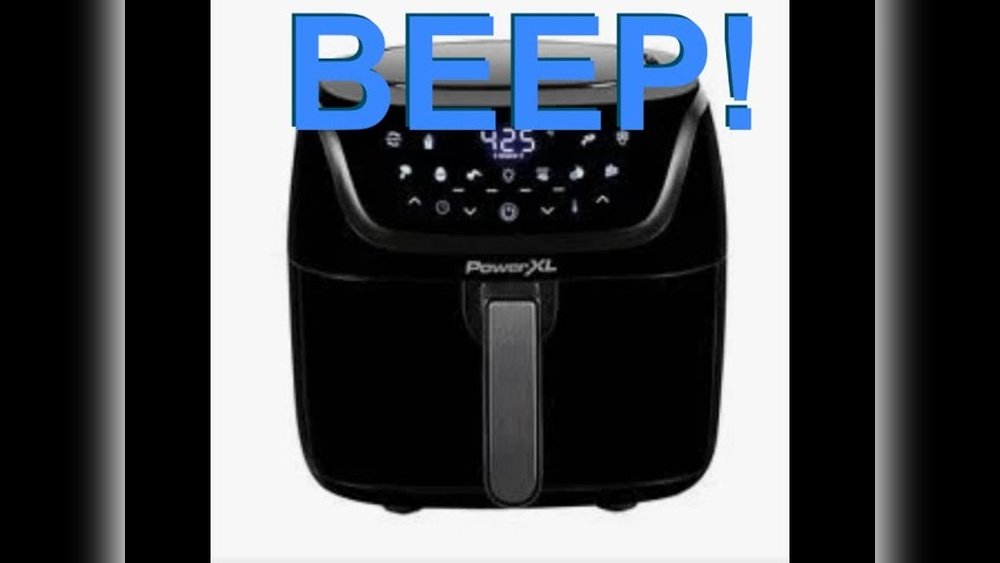
Many people love using the Power XL Air Fryer because it makes cooking faster, healthier, and easier. However, there is one common frustration: the loud beep every time you press a button or when the cooking cycle ends. For some, this beep is just a small inconvenience. For others—families with sleeping babies, early risers, or those who share homes—it can be a real annoyance. If you’re searching for a way to turn off or silence the beep on your Power XL Air Fryer, you’re not alone.
This guide will walk you through everything you need to know about the beep function: why it exists, whether you can turn it off, how to do it (if possible), and what to do if you can’t. You’ll discover practical steps, workarounds, real user experiences, and expert tips to make your air frying experience more peaceful. Even if you’re not a tech expert, you’ll find simple explanations and advice that work.
Why Does The Power Xl Air Fryer Beep?
Beeping sounds are common in modern kitchen appliances. The Power XL Air Fryer uses beeps for several reasons:
- Feedback: Every time you press a button, a beep confirms that your input was received. This is helpful if you’re not looking directly at the display.
- Alerts: The beep notifies you when your food is ready or if there’s an error. For example, if the basket isn’t inserted properly, you’ll hear a warning beep.
- Safety: Sounds remind you to check your food, preventing overcooking or burning.
While these beeps are useful, they can also be disruptive, especially in quiet homes or late at night.
Is It Possible To Turn Off The Beep?
Many users hope for a simple “mute” or “sound off” button. Unfortunately, most Power XL Air Fryer models do not have a built-in option to fully turn off or adjust the volume of the beep. This is a design choice by the manufacturer for safety and usability.
However, the situation is not hopeless. Some newer models have limited sound control, and there are several workarounds you can try. The exact solution depends on your model. To help you better, let’s compare the most popular Power XL Air Fryer models and their beep options.
| Model | Sound Control Option | Common Beep Scenarios |
|---|---|---|
| Power XL Vortex | No built-in mute | Button press, timer end, error alerts |
| Power XL Pro | No built-in mute | Button press, timer end |
| Power XL 7-Quart | Limited (some newer units have “sound” button) | Button press, timer end, reminders |
| Power XL Grill Air Fryer Combo | No built-in mute | Button press, timer end, lid open warning |
How To Check Your Air Fryer Model
Before trying to silence your air fryer, you need to know which model you own. This is important because different models may have different options.
Here’s how you can find your model:
- Check the product manual. The model name and number are usually on the cover or first pages.
- Look on the device. There’s often a sticker or printed label on the back, bottom, or side of the air fryer. It will say something like “Power XL Vortex” or “Model: PAF-7QT.”
- Visit the official Power XL website. You can compare your device’s appearance with pictures online to confirm the model.
Knowing your exact model will help you determine if your device has a sound control feature or if you need a workaround.
Step-by-step: How To Turn Off The Beep (if Your Model Supports It)
A few recent Power XL Air Fryer models have a way to silence or reduce the beep volume. Here’s how to check and use this feature:
1. Look For A “sound” Or “mute” Button
Some newer models have a small button labeled Sound, Mute, or with a speaker icon. This button may be on the control panel or under a settings menu.
- Press and hold the button for 3–5 seconds. If your model supports muting, you’ll see the display change or a muted icon will appear.
- Test by pressing other buttons. If the beep is gone, your air fryer is now silent.
2. Check The User Manual
If you don’t see a sound button, look in your user manual. Sometimes, the mute feature is hidden behind a button combination (for example, pressing the Power and Stop buttons together for a few seconds).
- Locate the “sound” or “audio” section in the index or table of contents.
- Follow any instructions for turning off sound or reducing volume.
3. Explore The Settings Menu
A small number of digital Power XL Air Fryers have a settings menu with advanced options.
- Press and hold the Menu or Settings button for 5–10 seconds.
- Look for “Sound,” “Volume,” or “Beep” options.
- Adjust as needed.
If you try all these methods and there’s no change, your model likely does not support muting.
What If Your Power Xl Air Fryer Can’t Be Muted?
For most users, there is no official way to fully turn off the beep. However, you still have options.
1. Reduce The Beep’s Impact
You can make the beep less noticeable with some creative solutions:
- Move the air fryer: Place it farther from bedrooms or quiet spaces. Even a few feet can reduce noise.
- Use a towel or mat: Put a folded kitchen towel or silicone mat under the air fryer (not blocking vents). This can absorb some vibration and reduce noise.
- Close kitchen doors: If possible, close doors while cooking to contain the sound.
2. Mute The Beeper Physically (advanced)
This method is for people comfortable opening small appliances. It may void your warranty and is not recommended for everyone. But if you’re determined, here’s what some advanced users do:
- Unplug the air fryer.
- Remove the screws from the bottom or back cover.
- Find the beeper (a small round or rectangular black component on the control board).
- Apply tape over the beeper’s hole. This can muffle the sound without damaging the device.
- Reassemble the air fryer.
Some users even disconnect or remove the beeper, but this is risky. You will lose all sound alerts, including safety warnings. Only try this if you are very confident and accept the risks.
3. Use Ear Protection For Sensitive Ears
If someone in your home is especially sensitive to beeps, consider using earplugs or noise-cancelling headphones during air fryer use. This is a simple, non-invasive solution.
4. Consider Upgrading
If the beep is a deal-breaker, you may want to buy a newer air fryer with mute or volume control. Some brands now offer this feature (see comparison below).
| Brand & Model | Mute Feature | Beep Volume |
|---|---|---|
| Power XL 7-Quart (2023+) | Yes (some units) | Medium/Low |
| Cosori Pro II | Yes | Adjustable |
| Instant Vortex Plus | No | High |
| Ninja Foodi | No | Medium |
Why Doesn’t Power Xl Make The Beep Optional?
Many users wonder why there’s no simple way to mute the beep. Here are the main reasons:
- Safety: The beep alerts you to errors (like a loose basket) or finished cooking. Without it, food could burn or cause a hazard.
- User feedback: Beeps confirm that a button press was registered, which is important for those with poor vision or when the screen isn’t visible.
- Compliance: Some regulations require sound alerts for kitchen appliances.
However, more brands are now offering volume control or mute options due to user demand.
Real User Experiences And Insights
To help you understand what works, here are some real stories from Power XL Air Fryer owners:
- Maria, New York: “The beep wakes up my baby every morning. I now put a thick towel under the fryer and close the kitchen door. It’s not perfect, but it helps.”
- James, Seattle: “I opened my fryer and taped over the speaker hole. The beep is much softer. I’m careful to listen for the timer, so I don’t forget my food.”
- Priya, Houston: “My model doesn’t mute. I tried calling customer support, but they said it’s a safety feature. If I upgrade, I’ll look for a mute button next time.”
Non-obvious insight: Many owners don’t realize that the beeper is a physical part on the main control board. It’s not just a software setting—so unless the design includes a mute circuit, you can’t disable it with a button press.
Another fact beginners miss: the beep volume can vary between two units of the same model due to small differences in parts. So, if you find the beep too loud, exchanging the device may give you a quieter one.
Troubleshooting: When The Beep Sounds Wrong
Sometimes the air fryer’s beep may change, sound distorted, or beep at strange times. This can indicate a problem.
Here’s what to check:
- Continuous beeping: If the beep keeps going, it may mean the basket isn’t closed, or there’s a system error. Unplug the fryer, wait 5 minutes, and try again.
- No beep at all: If you lose all sounds, check if the beeper is blocked by food or if the device was modified.
- Weak or distorted beep: This could mean dust or grease is blocking the speaker. Clean the unit as directed in the manual.
If problems persist, contact Power XL customer support for help. Don’t open the device unless you’re sure it’s out of warranty and you know what you’re doing.

Credit: youtu.be
Common Mistakes People Make
When trying to silence the beep, avoid these mistakes:
- Blocking vents with towels or covers: This can cause overheating. Only place sound-absorbing items under, not over, the fryer.
- Opening the device without unplugging: Always unplug before opening any appliance.
- Damaging the beeper: Removing or damaging the beeper may cause errors or void the warranty.
- Ignoring safety alerts: If you mute or cover the beep, check your food regularly so you don’t miss a finished timer or error.
Is It Worth Trying Diy Solutions?
If you’re thinking of modifying your air fryer, weigh the pros and cons:
Pros:
- Can make the beep much quieter or silent
- More peaceful cooking environment
- Helps with sensitive family members or pets
Cons:
- May void warranty
- Risk of damaging the air fryer
- Loss of safety alerts
For most people, non-invasive solutions (like sound absorption, kitchen door, or ear protection) are safer and sufficient.
How Power Xl Compares With Other Brands On Beep Control
If beep control is very important to you, it helps to know how Power XL compares to other popular brands:
| Feature | Power XL | Cosori | Instant Pot | Ninja |
|---|---|---|---|---|
| Mute Option | Rare (some new models) | Yes (Pro II & up) | No | No |
| Beep Volume | Medium/High | Low/Adjustable | High | Medium |
| Physical Beeper | Yes | Yes | Yes | Yes |
Key insight: If you plan to buy a new air fryer, check for “mute” or “sound control” in the product specs. Brands like Cosori are leading in this area.
What To Do If The Beep Bothers You
If you’ve tried everything and the beep is still annoying, here are your best options:
- Use the air fryer during the day when noise is less of a problem.
- Move it to a garage or back room for cooking.
- Save up for a model with sound control.
- Ask family or roommates if the beep is a big issue for them. You may find that only some people notice it.

Credit: www.reddit.com
Tips For Using Your Power Xl Air Fryer Quietly
You can enjoy quieter air frying with these practical tips:
- Batch cooking: Cook several meals at once so you use the air fryer less often.
- Set expectations: Tell others in your home when you’ll use the fryer, so the beep doesn’t surprise them.
- Use a timer app: If you cover or muffle the beeper, set a backup timer on your phone to remind you to check your food.
- Clean regularly: Dust and grease can make the beep sound sharper. Wipe the air fryer clean after each use.
When To Contact Customer Support
If you notice anything unusual about your air fryer’s beep—such as no sound, constant beeping, or error codes—contact Power XL support. They can tell you if your model is supposed to have a mute feature or if repairs are needed.
- Website: Visit the official Power XL site for manuals and contact details.
- Phone: Call the support number listed in your manual.
- Warranty: If your fryer is under warranty, avoid opening it yourself.
For more information on kitchen appliance safety, you can visit the official Consumer Product Safety Commission website.

Credit: www.reddit.com
Frequently Asked Questions
How Do I Know If My Power Xl Air Fryer Can Be Muted?
Check your user manual or control panel for a Sound, Mute, or speaker icon button. Some new models support this feature. If you don’t see it or can’t find instructions in the manual, your model likely doesn’t have a mute option.
Is It Safe To Open My Air Fryer And Cover The Beeper?
Opening your air fryer to cover or disconnect the beeper may void your warranty and can be risky if you’re not familiar with electronics. Always unplug the device first. If safety alerts are important to you, avoid disabling the beeper completely.
Will Moving My Air Fryer Reduce The Beep Noise?
Yes, placing your air fryer farther from bedrooms or using it in a closed kitchen can reduce the impact of the beep. Even small changes in location can make a big difference, especially at night.
Are There Air Fryer Models With A Silent Or Adjustable Beep?
Yes, a few newer air fryer models—mainly from Cosori and some 2023+ Power XL units—have mute or adjustable beep options. Always check the product specs or manual before buying if this feature is important for you.
Can I Use Sound-absorbing Mats To Reduce The Beep?
You can place a silicone mat or folded towel under your air fryer to absorb vibration and reduce noise. Never cover vents or block airflow, as this can cause overheating.
If you’re a Power XL Air Fryer owner, the beep can be an annoyance—but it’s not an unsolvable problem. Most models can’t be muted, but with creative solutions and a little planning, you can enjoy healthy air frying without disturbing your peace.
Whether you try a quiet kitchen setup or upgrade to a newer, more silent model, you have options to make your air fryer work for you.