
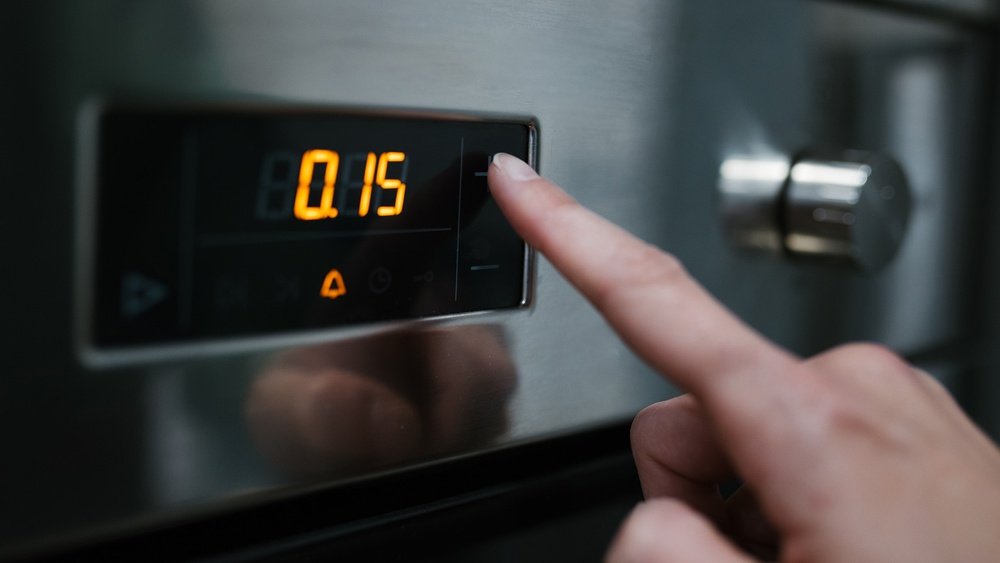
Turning off the beeping sound on your oven may seem simple, but for many people, it becomes a frustrating challenge. Every brand and model has its own process, and the user manual is not always easy to understand. Sometimes, the beeping is just a reminder that the timer is finished, but in other cases, it’s a continuous alert caused by a technical issue.
If you’re tired of the constant oven beeping, you are not alone. This guide will help you silence your oven efficiently, explain why ovens beep, and what you can do if the sound won’t stop.
Whether you own a modern smart oven, a basic electric model, or something in between, you’ll find solutions here. You will also learn about the risks of disabling the beep, and how to handle the issue safely. Many people don’t realize that the beeping sound can be a warning about a bigger problem, so acting without understanding could lead to trouble. Before you start pressing random buttons, let’s explore all you need to know about how to turn off oven beeping sound—clearly, step by step.
Why Do Ovens Beep?
Oven beeping isn’t just for annoyance. Manufacturers add beeps for important reasons:
- Timer Alerts – Most ovens beep when the cooking timer ends.
- Preheat Complete – The oven lets you know when it reaches your set temperature.
- Error Warnings – Beeps can signal faults, like a door left open or a sensor problem.
- Button Presses – Some ovens beep every time you push a control.
- Reminder Sounds – For example, if you leave food inside too long.
Missing these beeps can cause problems. For example, if you ignore an error beep, you might risk a safety issue. But if you’re sure the beep is not warning about a danger, you can safely silence it.
Common Reasons The Oven Keeps Beeping
Before you try to turn off the sound, it’s smart to understand *why* your oven is beeping. Here are the most common causes:
- Timer has ended: The oven beeps when the cooking time is over. This is usually a simple beep that can be silenced easily.
- Preheat finished: A beep signals the oven has reached your chosen temperature.
- Error code: If there’s a fault, such as a door not closing, the oven may beep until you solve the problem.
- Control lock active: Some ovens beep if you try to use controls while the lock is on.
- Stuck button: Continuous beeping may mean a button is jammed.
- Electrical glitch: Power surges can confuse the oven’s computer, causing random beeps.
- End-of-cycle reminder: Some ovens beep until you open the door or press a button.
Non-obvious insight: Sometimes, the beeping is not from the oven at all. Microwaves or other kitchen gadgets can beep at similar times, so confirm the source before you start troubleshooting.

Credit: www.samsung.com
How To Turn Off Oven Beeping Sound: Brand-by-brand Guide
Every oven works a bit differently. Below, you’ll find steps for the most popular brands. If your brand isn’t listed, the general advice later will help.
Ge Ovens
- Press the “Settings” or “Options” button on the control panel.
- Use the arrow keys to find “Sound” or “Volume”.
- Select “Off”, “Mute”, or adjust to a lower volume.
- Press “Start” or “OK” to confirm.
Tip: On older GE models, hold the “Bake” and “Broil” buttons together for three seconds to disable the beep.
Whirlpool Ovens
- Press “Tools” or “Settings”.
- Scroll to “Sound”, “Volume”, or “Tones”.
- Select “Off” or “Mute”.
- Confirm your choice.
Note: Some models require you to press and hold the “Timer” or “Cancel” button for five seconds.
Samsung Ovens
- Press “Settings” or “Options”.
- Choose “Sound” or “Beep”.
- Select “Off” or adjust the volume.
- Press “Start” to save.
Non-obvious insight: On many Samsung ovens, you can mute just the button beeps but not error alarms for safety reasons.
Lg Ovens
- Tap “Settings”.
- Navigate to “Sound” or “Mute”.
- Select your choice and confirm.
Extra tip: Some LG smart ovens allow you to mute using their smartphone app.
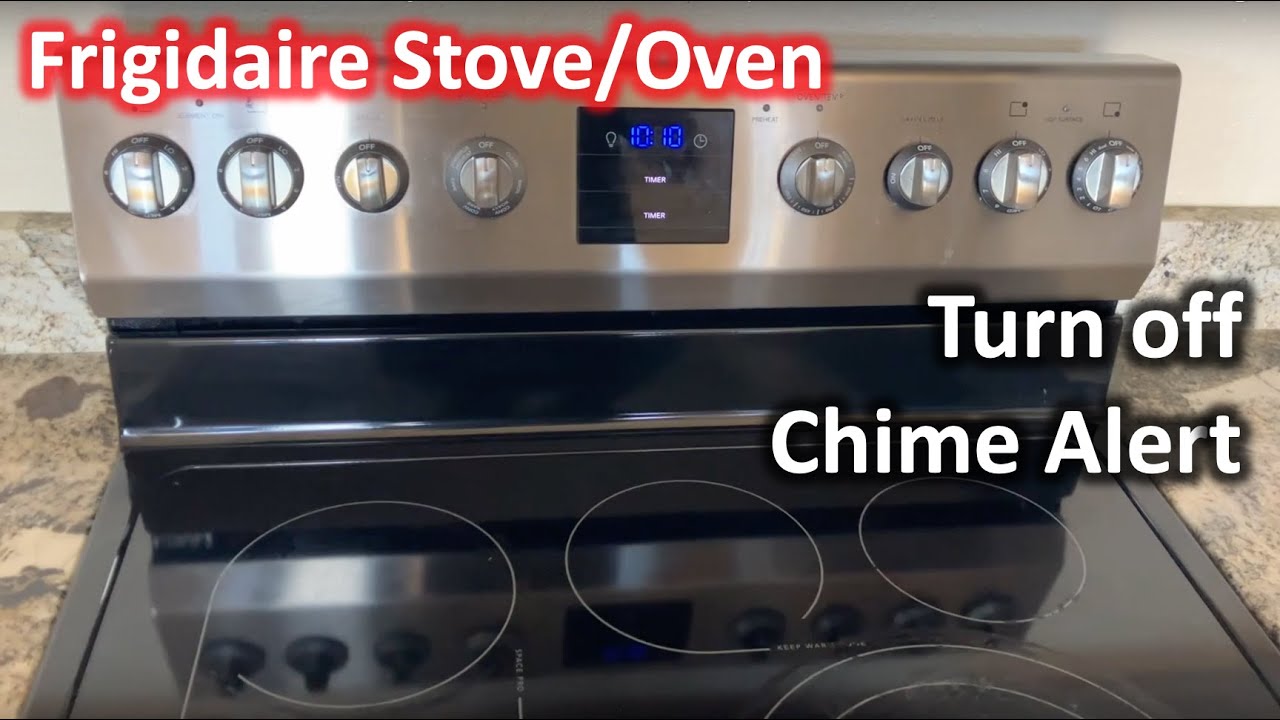
Frigidaire Ovens
- Press and hold “Bake” for six seconds.
- Use the arrows to set “Snd” to “Off”.
- Press “Start” to finish.
Bosch Ovens
- Press “Menu” or “Settings”.
- Go to “Buzzer” or “Tone”.
- Choose the lowest volume or “Off”.
- Confirm changes.
Kitchenaid Ovens
- Press “Tools” or “Settings”.
- Select “Volume” or “Sound”.
- Adjust to “Off” or desired level.
- Confirm.
Important: Some KitchenAid models use a combination of buttons—check your manual.
Maytag Ovens
- Press and hold “Cancel” for five seconds.
- Listen for a confirmation beep (ironic, but true! ).
- Beeping should stop.
Electrolux Ovens
- Press “Menu” or “Settings”.
- Find “Sound”.
- Select “Mute” or “Off”.
Other Brands
If your oven isn’t listed, look for “Sound”, “Tone”, or “Volume” in the settings. If you can’t find it, unplug the oven for one minute, then plug it back in. This resets most electronics and may stop beeping caused by glitches.
Caution: Never open the oven’s control panel or attempt to cut wires unless you are a qualified technician.
General Methods To Silence Oven Beeping
Not all ovens have the same controls. If your oven’s menu is confusing, try these practical steps:
1. Use The Cancel Or Clear Button
Most ovens stop beeping when you press “Cancel” or “Clear”. This is especially true for timer beeps.
2. Power Cycle The Oven
Unplug the oven or switch off the circuit breaker for one minute. This resets the electronics and can clear errors.
3. Check For Error Codes
If the beep won’t stop, look for a code on the display, such as F7, E1, or ERR. Check your user manual or search online for the meaning. Fixing the problem will usually end the beep.
4. Use The Settings Menu
Explore your oven’s menu for “Sound”, “Volume”, or “Beep” options. If available, mute or lower the sound.
5. Check The Door
A loose or open door can trigger warning beeps. Ensure the oven door is fully closed and latched.
6. Reset The Timer
Sometimes, the timer is still running, even if you think it’s not. Cancel all timers to see if the beep stops.
7. Remove Power For Advanced Models
For modern ovens with digital displays, a full power reset (unplug for 2-3 minutes) can often clear stuck alerts.
Non-obvious insight: If your oven is hardwired (no plug), you can turn off the circuit breaker in your home’s electrical panel.
Credit: www.youtube.com
Comparing Oven Sound Control Features
If you’re shopping for a new oven or considering an upgrade, sound control features might be important. Here’s a comparison of popular brands:
| Brand | Can Mute Beep? | Volume Control? | Smartphone App? |
|---|---|---|---|
| GE | Yes | Yes | Some models |
| Whirlpool | Yes | Yes | Few models |
| Samsung | Yes (partial) | Yes | Many models |
| LG | Yes | Yes | Most models |
| Bosch | Yes | Yes | Some models |
As you can see, most modern ovens allow you to control or mute sounds, but some only let you adjust the volume or mute certain alerts.
When Should You Not Turn Off Oven Beeping?
Sometimes, it’s best to leave the beep on:
- Safety warnings: If the beep is a warning, disabling it could hide a real danger (like overheating or gas leaks).
- Timer reminders: Beeping helps prevent burnt food or kitchen accidents.
- Shared kitchens: If others use the oven, turning off alerts might confuse them.
Before muting, make sure you understand what the beep means. If you’re not sure, check the manual or call customer service.
Handling Error Beeps
Error beeps are different from regular alerts. If your oven shows an error code, silencing the beep does not solve the underlying problem. Here’s what to do:
- Note the error code: Write down the code shown.
- Check the manual: Find the code’s meaning.
- Solve the cause: Fix the door, sensor, or other problem.
- Reset the oven: Unplug or use the breaker.
- Call a technician: If you can’t solve it, ask for help.
Important: Ignoring error beeps can lead to bigger problems or unsafe cooking.
How To Turn Off Beeping On Smart Ovens
Smart ovens often connect to Wi-Fi and apps. Many let you control sound from your smartphone. Here’s how:
- Open the oven’s official app (like SmartThings for Samsung, ThinQ for LG).
- Go to Settings.
- Find Sound or Beep options.
- Adjust or mute as desired.
Some smart ovens also send alerts to your phone instead of beeping. This is helpful if you want a quiet kitchen but still need notifications.
Non-obvious insight: Some smart ovens let you schedule times when the beep is off—for example, during the night.
Troubleshooting Stubborn Oven Beeps
What if your oven keeps beeping and nothing stops it? Here’s a troubleshooting checklist:
- Unplug and wait: Disconnect for 2-3 minutes.
- Check for stuck buttons: Press all buttons firmly; sometimes a button is jammed.
- Inspect for moisture: Moisture in the control panel can trigger beeps. Dry with a hairdryer on cool, or leave the oven open to air out.
- Reset circuit breaker: Turn off at the breaker for five minutes.
- Check for error messages: See if a code is showing.
- Contact support: If none of these work, your oven may need repair.
How To Reduce Oven Beep Volume (if Mute Is Not Possible)
Some ovens don’t let you turn off the beep completely but do allow volume control. Here’s how to lower the sound:
- Find “Sound”, “Tone”, or “Volume” in the menu.
- Reduce to the lowest level.
- Confirm your choice.
If the oven doesn’t have this option, and the beep is too loud, you can try placing a small piece of tape over the speaker hole (usually behind the control panel). This muffles the sound but does not block it completely.
Be careful not to cover any vents or buttons.
Caution: Never open the oven’s main panel unless you are trained to do so.
Comparing Types Of Oven Beeps
Here’s a summary of different beep types and what they mean:
| Beep Type | Common Cause | How to Silence |
|---|---|---|
| Timer End | Cooking time finished | Press “Cancel” or “Clear” |
| Preheat Complete | Oven reached set temperature | Usually stops on its own |
| Error Code | Fault detected | Fix problem, then reset |
| Button Beep | Button pressed | Mute in settings (if available) |
| Reminder Beep | Food left inside | Open door or press a button |
Understanding the type of beep helps you fix the issue more quickly.
Risks Of Disabling Oven Beeps
Turning off all sounds might seem like a relief, but there are risks:
- Missed safety warnings: You might not notice a problem, such as overheating.
- Burnt food: Without a timer alert, you could forget food in the oven.
- Voided warranty: Some brands warn against disabling alarms.
If you live in a home with children, elderly, or people with special needs, consider leaving at least some alerts active. Balance quiet with safety.
When To Call A Professional
Most oven beeps are easy to silence, but some require expert help:
- Error codes won’t clear
- Beep is constant and loud
- Display is blank, but beeping continues
- You smell burning or see smoke
- Electrical issues after a storm
Do not try to open the oven’s main panel or cut any wires yourself. This is dangerous and can damage your oven. Always contact an authorized technician for repairs.
How To Find Your Oven’s Manual
If you lost your manual, you can usually find a copy online. Search for your oven’s brand and model number plus “manual. ” For example, “GE JBS60DKWW manual. ” Most official brand websites offer free downloads.
If you can’t find it, try ManualsLib, which has a huge collection of appliance manuals.
Tip: Always use the exact model number (found on a sticker inside the oven door) for best results.
What To Do If Beeping Returns
Sometimes, the beep comes back days or weeks later. Here’s what you can do:
- Repeat the mute steps.
- Check for new software updates (for smart ovens).
- Clean the control panel—grease or dirt can cause false signals.
- Watch for changes in power supply (brownouts or surges can reset settings).
- If the problem repeats, contact customer support.
Oven Beep Settings: Myths Vs. Facts
Let’s clear up some common misunderstandings:
- Myth: Unplugging always fixes beeping.
Fact: This works for glitches but not for hardware faults.
- Myth: All ovens can be muted.
Fact: Some have permanent safety alerts that cannot be disabled.
- Myth: Beeping means your oven is broken.
Fact: Most beeps are normal and safe.
Always read your manual or check the manufacturer’s website for accurate information.

Credit: www.youtube.com
Oven Beeping And Power Surges
After a power outage or surge, your oven may beep or show error codes. Here’s what you should do:
- Turn off the oven and unplug it (or switch off at the breaker).
- Wait two minutes.
- Plug back in or restore power.
- If beeping continues, check for error codes.
- If the problem persists, call a professional.
Power surges can damage digital ovens, causing false beeps or unresponsive controls.
Special Cases: Gas Ovens And Beeping
Most modern gas ovens have electronic controls and can beep like electric models. The steps above still apply, but with one key difference: if your gas oven beeps and you smell gas, do not try to silence the beep. Leave the area and call the gas company immediately.
Safety always comes first with gas appliances.
Can You Disconnect The Oven Buzzer Physically?
Some advanced users look for the oven’s speaker and try to disconnect it. This is not recommended:
- It may void your warranty.
- It can cause electrical hazards.
- You may disable important safety features.
Always try software or button solutions first. Physical changes should be left to professionals.
Tips For A Quieter Kitchen
If beeping drives you crazy, here’s how to keep your kitchen peaceful:
- Choose ovens with adjustable sound.
- Use smartphone apps for alerts.
- Keep your oven clean to avoid error beeps.
- Set timers on your phone instead of the oven.
- Place your oven away from living spaces if possible.
Frequently Asked Questions
Why Does My Oven Beep Randomly, Even When Not In Use?
Random beeping usually means a minor error, a stuck button, or a power issue. Try unplugging the oven for two minutes. If the beep continues, check for error codes or contact support.
Can I Permanently Disable All Sounds On My Oven?
On most ovens, you can only mute non-safety beeps. Error or warning sounds usually cannot be fully disabled for safety reasons. Check your manual for the exact options.
Is It Safe To Cover The Oven’s Speaker To Reduce Sound?
Placing tape over the speaker can lower volume, but it’s not recommended for a long-term solution. Do not block any vents or open the control panel. This can create safety issues or void your warranty.
What Should I Do If My Oven Beeps After A Power Outage?
Reset the oven by unplugging or using the breaker for two minutes. If error codes appear, consult your manual. Persistent beeping may need a technician’s help.
Where Can I Find The Model Number To Look Up My Oven’s Manual?
The model number is usually on a sticker inside the oven door frame or near the control panel. Use this number to search for your manual online or on the manufacturer’s website.
Turning off your oven’s beeping sound can make your kitchen more peaceful, but always remember to balance quiet with safety. With the right steps, you can control annoying alerts without missing important warnings. If problems continue, never hesitate to call a professional or reach out to your oven’s customer service for help.