
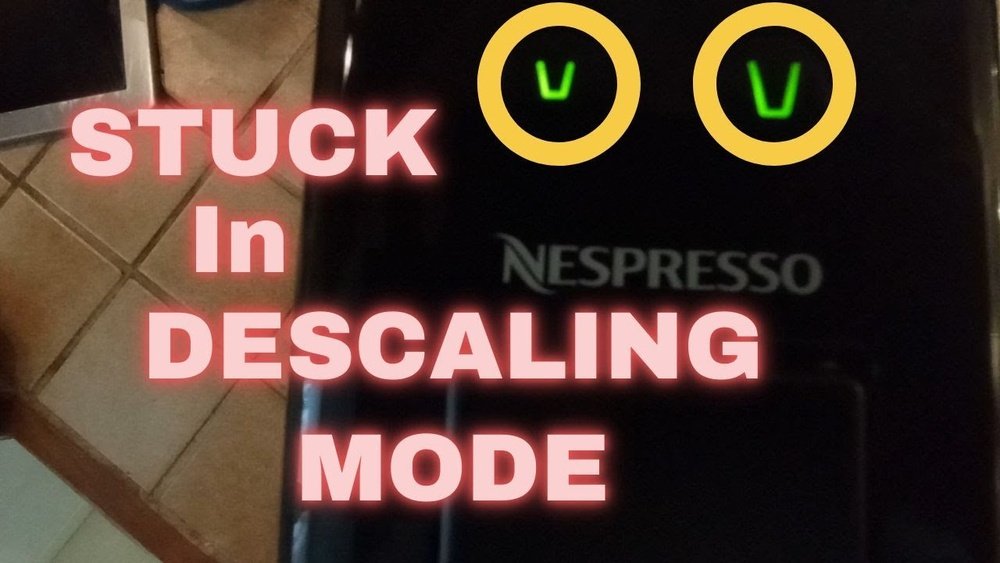
If you own a Nespresso machine, you know how much easier it makes your morning coffee routine. But like all coffee makers, Nespresso machines need regular cleaning to keep working well. One important cleaning process is descaling. Sometimes, though, people get stuck when the machine won’t exit descaling mode, leaving them frustrated and without coffee. If that’s happened to you, don’t worry. This guide will walk you through how to exit descaling mode on a Nespresso machine, explain why descaling is important, and provide extra tips so you never get stuck again.
Why Descaling Mode Matters
Descaling removes mineral buildup inside your coffee machine. Over time, water leaves behind limescale—white, chalky deposits that can block your machine’s pipes and damage it. If you don’t descale, your coffee may taste bad, the machine may run slow, or even stop working.
Nespresso machines have a special descaling mode. This mode helps the machine run a cleaning solution through its system. It also protects the internal parts while cleaning. But after descaling, you must exit this mode correctly. If you don’t, the machine may not brew coffee, flash warning lights, or seem “stuck.”
Understanding Descaling Mode On Nespresso Machines
Different Nespresso models have different ways to start and exit descaling mode. Most models use a combination of button presses to begin and end the process. It’s important to know that not all Nespresso machines work exactly the same way.
Popular Nespresso Models And Their Descaling Modes
Here’s a quick look at common Nespresso machines and how their descaling modes work:
| Model | Descaling Mode Activation | Exiting Descaling Mode |
|---|---|---|
| Essenza Mini | Hold both buttons for 5 seconds | Hold both buttons for 5 seconds |
| VertuoPlus | Hold lever and button for 3 seconds | Hold lever and button for 3 seconds |
| Pixie | Hold both buttons for 3 seconds | Hold both buttons for 3 seconds |
| Lattissima | Press descaling button for 3 seconds | Press descaling button for 3 seconds |
| Inissia | Hold both buttons for 3 seconds | Hold both buttons for 3 seconds |
Each machine has its own steps, but the basic idea is the same: use a button or lever combination to enter and exit descaling mode.
How To Exit Descaling Mode: Step-by-step Instructions
Leaving descaling mode is simple once you know the right steps. Here’s a complete guide for exiting descaling mode on most Nespresso machines. If you don’t know your exact model, check the user manual or Nespresso’s website.
1. Finish The Descaling Process
Before you can exit descaling mode, you must complete the entire descaling cycle. Skipping steps can leave the machine stuck in cleaning mode.
- Make sure you’ve run the descaling solution through the machine as the instructions say.
- Rinse the water tank and fill it with fresh water.
- Run the rinse cycle fully. Some machines require two rinses.
Common mistake: Many people try to exit descaling mode before finishing the rinse cycle. The machine will not let you exit until this is complete.
2. Perform The Exit Button Combination
After rinsing, you need to press a special combination of buttons (or buttons and levers) to tell the machine you want to leave descaling mode.
For Most Originalline Models (essenza Mini, Pixie, Inissia)
- Wait until the machine is ready (lights stop blinking or show a steady pattern).
- Press and hold both the Espresso and Lungo buttons for 5 seconds.
- The lights should change, usually returning to normal mode (steady or slow blink).
For Vertuoline Models (vertuo, Vertuoplus, Vertuo Next)
- Close the machine head and leave the lever in the “locked” position.
- Press and hold the main button and the lever at the same time for 3 seconds.
- The light ring should go back to steady or normal blinking.
For Lattissima Models
- Press and hold the Descale button for 3 seconds.
- Wait for the indicator light to return to normal.
If you’re unsure: Always check the user manual. Nespresso provides free PDF manuals for all models on their website.
3. Check The Lights
Once you exit descaling mode, your machine’s lights should return to their usual pattern. For most machines, the lights will be steady or blink slowly. If the lights still blink fast or in a strange way, the machine might still be in descaling mode or need more rinsing.
4. Test The Machine
- Place a cup under the spout.
- Press the brew button to make sure the machine works.
- If it brews normally, you have exited descaling mode.
If it doesn’t brew or the lights keep blinking, repeat the exit combination or check the manual again.
Troubleshooting: What If Descaling Mode Won’t Exit?
Sometimes, even after following the steps, the machine seems stuck in descaling mode. Here’s what you can do:
1. Double-check The Rinse Cycle
Most Nespresso machines require you to run at least one full rinse cycle with fresh water. If you skipped this, the machine will not exit descaling mode.
- Fill the water tank with clean water.
- Run at least one full rinse (sometimes two).
- Try the exit combination again.
2. Power Cycle The Machine
- Turn off the machine and unplug it for 10-20 seconds.
- Plug it back in and turn it on.
- Try exiting descaling mode again.
3. Make Sure The Machine Is Closed And Locked
Some models (like VertuoPlus) require the head to be fully closed and locked before you can exit descaling mode.
- Check that the machine is closed tightly.
- Try the exit combination while the machine is locked.
4. Try The Exit Combination Again
Sometimes the first attempt doesn’t register. Press and hold the required buttons again for the full time (at least 3-5 seconds).
5. Factory Reset (if Needed)
If all else fails, you can try a factory reset. This puts your machine back to its original settings, which can clear stuck modes. Warning: A reset may erase saved cup sizes or other personal settings.
Here’s how to reset popular models:
| Model | Reset Steps |
|---|---|
| Essenza Mini | Turn off. Hold Lungo button for 5 seconds while turning on. |
| VertuoPlus | Open head, leave unlocked. Press button 5 times quickly. |
| Pixie | Turn off. Hold both buttons for 5 seconds while turning on. |
| Lattissima | Hold Milk and Espresso buttons for 5 seconds. |
Always check your manual before resetting.
6. Contact Nespresso Support
If you still can’t exit descaling mode, contact Nespresso customer support. They can help you with advanced troubleshooting or repair.
Why Descaling Mode Gets Stuck
Knowing why descaling mode gets stuck can help you avoid problems next time. Here are some reasons:
- Incomplete rinsing: The most common cause. Always run the full rinse cycle.
- Wrong button sequence: Pressing the wrong buttons or holding for too short a time can stop the machine from exiting.
- Sensor problems: Some machines have sensors to detect water levels or open/closed positions. If these are dirty or blocked, the machine may not exit descaling mode.
- Power interruptions: Unplugging the machine in the middle of descaling can confuse its software.
How To Prevent Descaling Mode Problems
A few simple habits can keep your Nespresso machine working smoothly:
1. Always Follow The Manual
Every model has its own steps. Keep your manual handy or download it from the Nespresso website.
2. Use The Right Descaling Solution
Nespresso recommends its own descaling kit, which is safe for the machine. Some people use vinegar, but this can damage parts or leave smells.
3. Don’t Rush The Process
Take your time with each step. If you skip rinsing or button presses, you’re more likely to get stuck.
4. Clean Sensors And Water Tank Regularly
Wipe down the water tank and check for limescale on sensors. Clean parts with a soft cloth. Avoid harsh chemicals.
5. Keep Track Of Descaling Frequency
Descale as often as the manual suggests—usually every 3 months or after 300 capsules. Water hardness in your area can affect how often you need to descale.
Model-specific Exit Steps: A Closer Look
Since different models have their own quirks, here’s a breakdown of how to exit descaling mode for the most popular Nespresso machines:
Nespresso Essenza Mini
- Complete the full descaling and rinse cycles.
- Press and hold both Espresso and Lungo buttons together for 5 seconds.
- Lights will stop blinking.
Nespresso Vertuoplus
- Finish the entire descaling and rinse steps.
- Close and lock the machine head.
- Press and hold the lever and the main button together for 3 seconds.
- Light ring returns to normal.
Nespresso Pixie
- After rinsing, press and hold both buttons for 3 seconds.
- Wait for the lights to return to normal.
Nespresso Lattissima
- Complete the process and rinse.
- Hold the Descale button for 3 seconds.
- Indicator light will stop blinking.
Nespresso Inissia
- Once the rinse is done, hold both Espresso and Lungo buttons for 3 seconds.
- Lights go back to steady.
If you have a less common model, check the manual or visit the Nespresso support page for exact instructions.
Common Mistakes To Avoid
Many Nespresso users make the same errors when exiting descaling mode. Avoid these to save time and stress:
- Not finishing the rinse cycle: The most frequent mistake.
- Wrong button timing: Not holding buttons long enough.
- Unplugging too soon: Interrupting power during descaling can confuse the machine.
- Using the wrong descaler: Non-recommended solutions may not trigger the sensors correctly.
- Ignoring error lights: Blinking or colored lights mean the process isn’t finished.

Credit: polopalestrantes.com.br
Real-world Example: Fixing A Stuck Nespresso
Maria owns a Nespresso Pixie. She ran the descaling solution, then filled the tank with water for rinsing. She pressed both buttons to exit descaling mode, but the lights kept blinking. What went wrong?
She realized she hadn’t run a full rinse cycle. After running water through twice, she held both buttons again. The lights stopped blinking, and the machine brewed coffee normally. The key insight: finishing the rinse cycle is essential.
Descaling Mode Exit: Tips Only Experienced Users Know
While the basic exit steps are simple, experienced users know these extra tips:
- If lights keep blinking after exit, remove the water tank and reinstall it. This can reset internal sensors.
- Sometimes, running one extra rinse cycle (even if you’ve already done the minimum) helps clear the mode.
- Always start the exit combination right after the machine is ready—not during blinking.
- If the machine seems unresponsive, unplug it for 30 seconds and try again.
How Often Should You Descale And Exit Descaling Mode?
You should descale every 3 months or after 300 capsules, whichever comes first. If your water is hard (high in minerals), you may need to descale more often. Your machine might show a warning light or message when it’s time to descale.
Exiting descaling mode is only needed after you run the descaling process. If you do it right, it takes less than a minute.
The Science Behind Descaling Mode
Nespresso machines use sensors to track the steps of the descaling process. These sensors can detect water levels, temperature, and button inputs. Descaling mode is a safety feature, making sure the machine is clean before going back to regular use.
Skipping steps or using the wrong solution can confuse these sensors.
Expert Advice: When To Seek Help
Most descaling mode issues are easy to fix at home. But if you try all the steps and nothing works, your machine might have a hardware problem. Issues like broken sensors, leaks, or software errors need professional repair. Nespresso offers support through their website and stores.
They may even offer a replacement if your machine is under warranty.
Quick Comparison: Exiting Descaling Mode Vs. Exiting Other Modes
Nespresso machines have several special modes, like factory reset, cleaning, and descaling. Here’s how exiting descaling mode compares to other modes:
| Mode | How to Exit | Common Problems |
|---|---|---|
| Descaling | Button combination after rinse | Incomplete rinse, wrong button press |
| Factory Reset | Special button sequence on power-up | Erases cup size memory |
| Cleaning Mode | Runs automatically, exits after cycle | Stuck if power interrupted |
| Emptying for Storage | Manual process, no button sequence | Forgetting to dry tank |
Knowing the difference helps you troubleshoot faster.
Credit: www.youtube.com
Where To Find Official Help
Nespresso has a great support section on their website. They offer downloadable manuals, troubleshooting guides, and customer service. For step-by-step videos and official advice, visit the Nespresso Support page.
Frequently Asked Questions
How Do I Know If My Nespresso Machine Is In Descaling Mode?
Your machine will show specific light patterns when in descaling mode. Usually, both buttons blink together or in a special pattern. Some models have a dedicated light or color to show this mode.
What If My Machine Still Won’t Brew After Exiting Descaling Mode?
If the machine doesn’t brew, it may still be in descaling mode or need more rinsing. Try repeating the rinse and exit steps. If that fails, unplug the machine and try again. If problems continue, contact support.
Can I Use Vinegar Instead Of Nespresso Descaling Solution?
Nespresso does not recommend vinegar. Vinegar can damage internal parts and leave a strong taste. Always use Nespresso’s official descaling kit or an approved alternative. For more, see this Wikipedia article on descaling agents.
How Often Should I Descale My Nespresso Machine?
Descale every 3 months or after about 300 capsules. If your water is hard, descale more often. Some machines will alert you when it’s time.
What If I Lost My Nespresso Manual?
You can download a free PDF manual from the Nespresso website. Just search for your machine model and look for the support section.
Exiting descaling mode on your Nespresso machine doesn’t have to be stressful. With careful steps and a little patience, you’ll have your machine back to brewing coffee in no time. Remember, regular descaling keeps your coffee tasting great and your machine running for years.
Enjoy your next cup, knowing you’ve mastered one of the most important parts of Nespresso care.

Credit: www.wikihow.com