
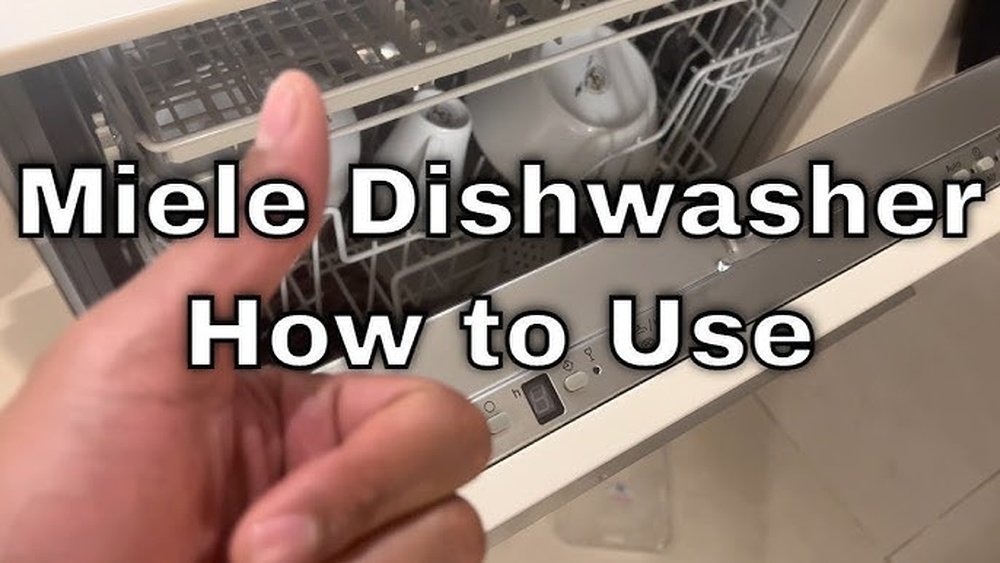
Starting a new appliance can sometimes feel confusing, especially if you’re not used to the controls or instructions. The Miele dishwasher is known for its high quality, smart features, and ability to make life easier. But to get the best results, you need to know exactly how to start it, what settings to choose, and what common mistakes to avoid. Many people miss small but important steps, which can lead to dishes not being cleaned properly or even small malfunctions over time. This guide explains everything you need to know about starting your Miele dishwasher, from loading dishes to choosing the right cycle and maintenance tips. Whether you’re a first-time user or upgrading to a new model, you’ll find clear, step-by-step instructions and practical advice here.
Understanding Your Miele Dishwasher
Before you start using your Miele dishwasher, it’s helpful to understand what makes it different from other brands. Miele dishwashers are designed with advanced technology, energy efficiency, and a variety of programs to suit different needs. The controls may look simple at first, but they actually offer a lot of options for washing, drying, and sanitizing your dishes.
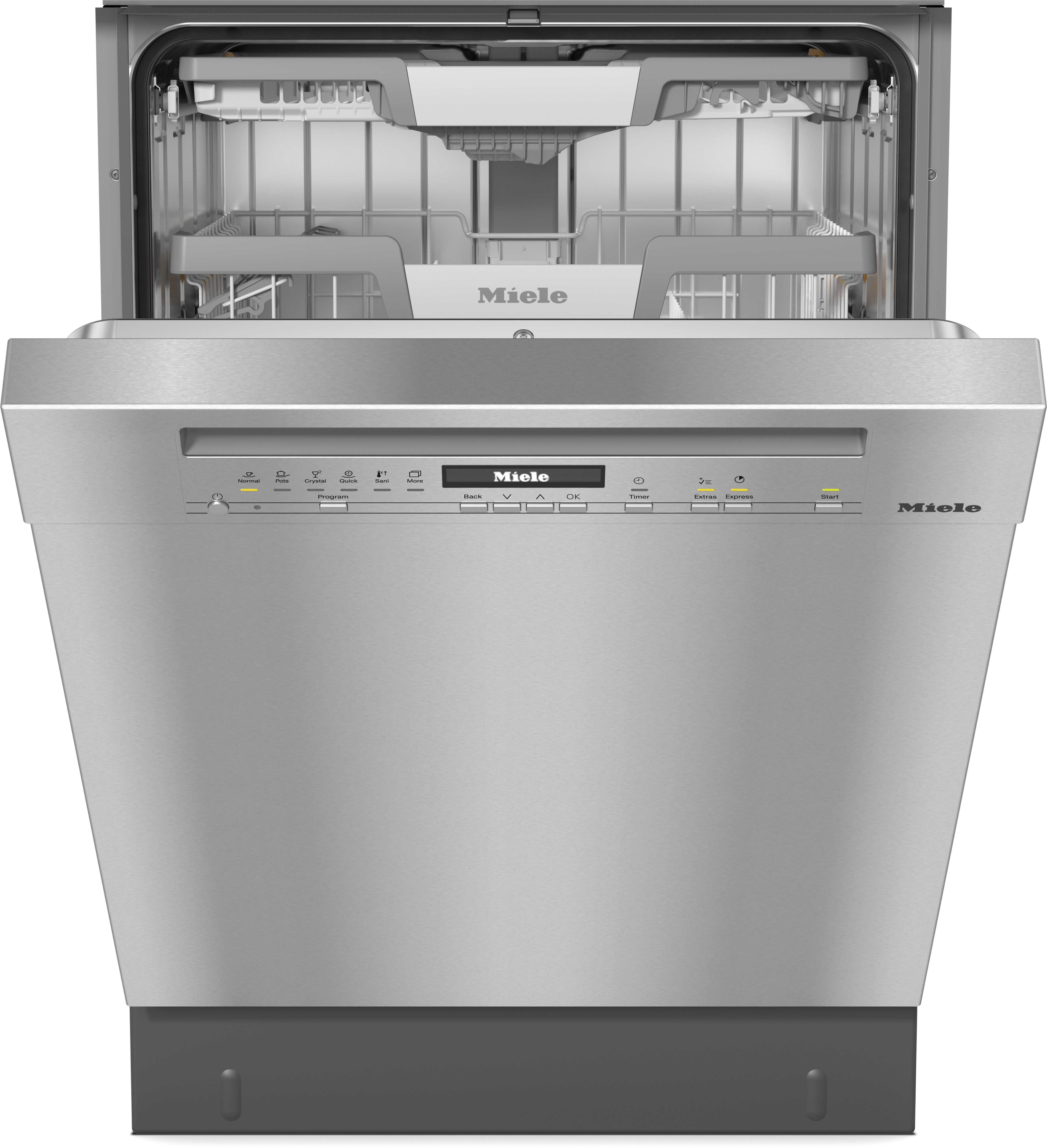
Most Miele models have a digital display, program selector buttons, and sometimes a touch screen. There are usually several racks inside, including a cutlery tray or basket, and adjustable shelves for large pots and pans. Some newer models even connect to Wi-Fi, letting you control the dishwasher from your phone.
It’s important to read the user manual for your specific model, as there may be small differences in the controls or features. However, the basic steps for starting and running a Miele dishwasher are similar across most models.
Preparing To Start Your Miele Dishwasher
Getting the best cleaning results depends on proper preparation. Here’s what you need to do before pressing the start button.
1. Check Water And Power Connections
Make sure your dishwasher is correctly connected to both water and power. The water tap should be open, and the appliance should be plugged in. If your area has hard water, using a water softener is a good idea to prevent limescale build-up.
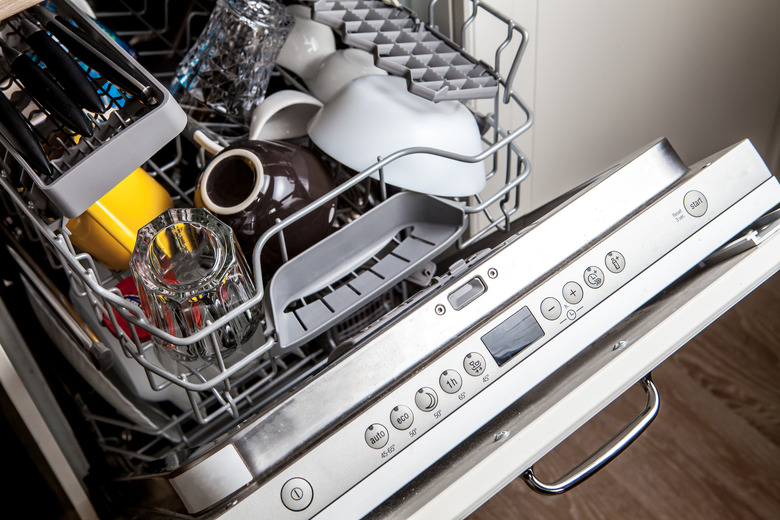
2. Load Dishes Properly
How you load the dishwasher affects how clean your dishes get. Here’s a simple guide:
- Place heavily soiled items (pots, pans) on the lower rack.
- Put glasses, cups, and small plates on the upper rack.
- Use the cutlery tray or basket for forks, knives, and spoons. Mix up the cutlery to avoid nesting.
- Do not overcrowd the racks; water needs to reach every surface.
- Make sure nothing blocks the spray arms from spinning.
Non-obvious Tip: Angle Bowls And Cups So Water Can Run Off Easily. This Improves Drying And Reduces Water Spots.
3. Add Detergent, Rinse Aid, And Salt
Miele dishwashers need three cleaning agents:
- Detergent: Use a quality dishwasher tablet or powder. Place it in the detergent compartment on the door.
- Rinse aid: This helps prevent streaks and spots. Fill the rinse aid compartment when the indicator light comes on.
- Dishwasher salt: Only needed if your model has a built-in water softener. Fill the salt compartment as directed.
Non-obvious Tip: Never Use Regular Table Salt; Always Use Special Dishwasher Salt To Avoid Damaging The Machine.
Credit: www.mieleusa.com
Step-by-step: How To Start Miele Dishwasher
Now that your dishwasher is loaded and ready, follow these steps to start it:
1. Close The Door Properly
Firmly close the door until you hear a click. The dishwasher won’t start if the door isn’t shut completely.
2. Turn On The Power
Press the On/Off button. The control panel will light up, showing that the machine is ready.
3. Select A Wash Program
Miele dishwashers offer many programs. Here’s a basic comparison of common cycles:
| Program | Best For | Duration (min) | Energy Use (kWh) |
|---|---|---|---|
| Normal | Everyday dishes | 120 | 0.95 |
| QuickPowerWash | Lightly soiled dishes | 58 | 1.00 |
| Intensive | Pots, pans, baked-on food | 135 | 1.30 |
| Eco | Energy saving | 210 | 0.75 |
Select the program by pressing the button or turning the dial. The display will show the chosen cycle and how long it will take.
Practical Example: If You Need Clean Dishes Fast, Use Quickpowerwash. For Greasy Pots, Use Intensive.
4. Choose Extra Features (optional)
Some Miele models offer extra features, such as:
- Extra Dry: For plastic items that usually stay wet.
- Half Load: Saves water and energy if the dishwasher isn’t full.
- AutoDos: If your model supports it, this automatically adds detergent from a cartridge.
Press the button for any extra feature you want. Check the display to confirm your selection.
5. Start The Wash
Press the Start button. The dishwasher will lock the door and begin the washing process.
A progress bar or timer will show how much time is left. Some models project a small light on the floor to show the machine is running.
6. Wait For The Cycle To Finish
Don’t open the door during the cycle, as hot water and steam could escape. When the cycle is done, you’ll hear a beep or see a light.
Wait a few minutes before opening the door fully. This helps avoid steam burns and lets dishes dry better.
Using The Control Panel: Features And Tips
Miele dishwashers have user-friendly control panels, but each model is a little different. Here are some common controls:
- On/Off: Turns the machine on or off.
- Program Selector: Choose the cycle you want.
- Display Screen: Shows program, time left, and error messages.
- Start/Stop: Begins or cancels the cycle.
- Option Buttons: Select extra features like drying or delay start.
- Indicator Lights: Warn if you need salt or rinse aid.
Understanding Symbols
You may see symbols like a water drop (rinse aid), salt shaker (dishwasher salt), or a spray arm (washing in progress). Always check your manual if you’re not sure what a symbol means.
Adjusting Settings
You can change settings such as water hardness (for the softener), language, and sound volume through the display. Most settings are accessed by pressing and holding certain buttons as described in your manual.
Choosing The Right Dishwasher Program
Selecting the right program can save time, water, and energy. Here’s a deeper look at the main options:
Normal Program
The Normal cycle works for most daily dishes, glasses, and light pots. It uses a balanced amount of water and energy, and the temperature is high enough to remove grease.
Quickpowerwash
This program is great if you need dishes clean in under an hour. It works best with lightly soiled plates and glasses. For best results, use special QuickPowerWash detergent tablets.
Eco Program
The Eco program saves the most energy and water, but it takes longer. Use this for regular loads when you’re not in a hurry.
Intensive Program
For pots, pans, and casserole dishes with stuck-on food, use Intensive. It uses higher temperatures and more water.
Additional Programs
Some models have more options, like:
- Gentle: For delicate glassware
- China & Crystal: Extra care for fragile items
- Sanitize: Kills bacteria, good for baby bottles
Refer to your manual for a full list of programs.
Loading The Miele Dishwasher For Best Results
How you load your dishwasher can make a big difference. Here are detailed tips:
Lower Rack
- Place large plates, pots, and pans facing the center.
- Avoid stacking items; let water move freely.
- Place baking trays at the side, not blocking the spray arm.
Upper Rack
- Put cups, glasses, and small bowls upside down.
- Use the adjustable rack feature for taller items.
- Keep wine glasses apart to avoid chipping.
Cutlery Tray Or Basket
- Spread out utensils, handles down.
- Mix knives, forks, and spoons to prevent sticking.
- Keep sharp knives separate for safety.
What Not To Put In Your Miele Dishwasher
Not all items are dishwasher safe. Avoid:
- Wood (it can warp)
- Nonstick pans (coating may come off)
- Crystal or hand-painted dishes (they may crack or fade)
- Cast iron
Check labels before washing.
Detergent, Rinse Aid, And Salt: Dos And Don’ts
Using Dishwasher Detergent
Always use detergent made for dishwashers. Tablets, powder, or gel are all fine, but tablets are easiest. Place them in the detergent compartment, not loose in the machine.
Tip: If You Have Soft Water, Use Less Detergent To Avoid Streaks.
Adding Rinse Aid
Rinse aid helps water slide off dishes for better drying. Fill the compartment when the machine signals it’s empty. You can adjust the rinse aid dosage in the settings menu if you see streaks or spots.
Filling Dishwasher Salt
Salt is only needed if your dishwasher has a water softener. Open the salt compartment (usually at the bottom), fill with special salt, and wipe away any overflow.
Warning: Do Not Use Regular Salt; It Can Damage The Machine.
Starting A Miele Dishwasher With Delay Start
Sometimes you want your dishwasher to run later, for example, during off-peak electricity hours or while you’re out.
How To Set Delay Start
- Load your dishwasher and add detergent as normal.
- Select your wash program.
- Press the Delay Start button (may look like a clock).
- Use the arrows or dial to set the number of hours to delay.
- Press Start. The machine will wait, then begin at your chosen time.
This is especially useful for saving on electricity bills if your utility provider offers lower rates at night.
Dealing With Common Problems
Even the best machines sometimes have issues. Here’s how to fix common problems:
Dishwasher Won’t Start
- Check the door is fully closed.
- Make sure the power is on.
- Look for error messages on the display.
Dishes Not Getting Clean
- Don’t overload the racks.
- Make sure spray arms can spin.
- Check for blocked filters at the bottom.
Water Won’t Drain
- Clean the filter and drain pump area.
- Check the hose for kinks or clogs.
Error Messages
Miele dishwashers display codes for problems, like F11 (drain problem) or F13 (water intake issue). Look these up in your manual for solutions.
Advanced Features And Smart Options
Newer Miele dishwashers include smart technology and advanced functions. Here’s what you might find:
Autodos
Some models have an AutoDos system, which uses a detergent cartridge. The dishwasher automatically adds the right amount for each cycle. This saves time and ensures perfect cleaning.
Wi-fi Connectivity
You can connect your dishwasher to your smartphone using the Miele app. This lets you:
- Start or stop a cycle remotely
- Get alerts when a cycle finishes
- Order detergent or salt online
Autoopen Drying
Certain models open the door slightly at the end of the cycle, letting steam escape for faster, natural drying.
Sensor Wash
The dishwasher senses how dirty your dishes are and adjusts water, temperature, and time for the best results.
| Feature | How It Helps | Models |
|---|---|---|
| AutoDos | Automatic detergent dosing | G 7000 Series |
| Wi-Fi | Remote control and notifications | G 7000, G 6000 |
| AutoOpen | Faster drying, less energy | Most new models |
| Sensor Wash | Optimizes water and energy use | Premium models |
Credit: www.hunker.com
Maintenance Tips For Long Life
Regular maintenance keeps your Miele dishwasher working well for years. Here’s what to do:
Clean The Filter
The filter is at the bottom, under the lower rack. Unscrew and remove it every 1-2 weeks, rinse under water, and replace.
Check The Spray Arms
Remove and rinse the spray arms if you notice food bits or hard water buildup. Small holes can get clogged, reducing cleaning power.
Wipe The Door Seal
Use a damp cloth to clean around the door seal. This prevents odors and mold.
Refill Salt And Rinse Aid
Check the indicators and refill as needed. Keeping the water softener working will prevent scale and keep dishes shiny.
Run A Cleaning Cycle
Use a dishwasher cleaner once a month. Run it empty on the hottest cycle to remove grease and limescale.
| Task | How Often | Why It Matters |
|---|---|---|
| Clean Filter | Every 1-2 weeks | Prevents clogs, improves cleaning |
| Check Spray Arms | Monthly | Ensures water reaches all dishes |
| Refill Salt/Rinse Aid | As needed (check indicators) | Prevents scale, improves drying |
| Run Cleaner | Monthly | Removes grease and limescale |
Safety Advice When Using Your Miele Dishwasher
- Keep children away from the dishwasher when it is open. Sharp knives or detergent can be dangerous.
- Do not touch the heating element (bottom of the tub) just after the cycle; it may still be hot.
- Only use detergent, salt, and rinse aid designed for dishwashers.
- If the dishwasher leaks, turn off water and power, then call a technician.
Saving Energy And Water
Miele dishwashers are already efficient, but you can save even more:
- Run the dishwasher only when full, unless you use the Half Load setting.
- Use the Eco program for regular loads.
- Set delay start to wash during off-peak electricity hours.
- Scrape, but don’t rinse, dishes before loading. Modern dishwashers are designed to handle small amounts of food.
Mistakes To Avoid
Many users make common mistakes. Here’s what to watch out for:
- Using too much detergent: This can cause streaks and waste money.
- Placing plastic on the lower rack: It may melt near the heating element. Use the upper rack.
- Ignoring filters: Dirty filters mean dirty dishes and possible breakdowns.
- Overloading: Crowded racks block water and detergent.
- Not checking spray arms: If they can’t spin, dishes won’t get clean.
- Skipping salt and rinse aid: Leads to spots, scale, and poor results.
When To Call For Service
If your Miele dishwasher shows repeated error codes, leaks, or makes strange noises, it’s time to call for help. Do not try to fix electrical or plumbing problems yourself. Use Miele’s official service network for repairs, as using unapproved technicians can void your warranty.
You can find more details on maintenance and troubleshooting in the official Miele Home Appliances website.
Frequently Asked Questions
How Much Detergent Should I Use In My Miele Dishwasher?
For most loads, one standard dishwasher tablet is enough. If you use powder or gel, fill the compartment up to the line marked inside. Using too much detergent can cause streaks on dishes and glassware. If you have soft water, try using a bit less.
Can I Open The Door During A Wash Cycle?
You can open the door during a cycle, but the dishwasher will pause. Wait a few seconds for the spray arms to stop, then open carefully to avoid hot steam. After closing the door again, press Start to resume the cycle.
Why Do My Glasses Come Out Cloudy?
Cloudy glasses often mean you’re using too much detergent or the water is too hard. Make sure to use the correct amount of detergent and keep the salt compartment filled. Adjust the rinse aid setting if needed.
What Should I Do If The Dishwasher Smells Bad?
A bad smell usually means the filter or spray arms are dirty. Clean the filter and run a hot cleaning cycle with dishwasher cleaner. Leave the door open for a few minutes after each cycle to let steam escape.
Is It Safe To Wash Nonstick Pans In My Miele Dishwasher?
It’s best not to wash nonstick pans in the dishwasher. The high heat and strong detergent can damage the nonstick coating over time. Wash these items by hand to keep them in good condition.
Starting a Miele dishwasher is simple once you know the steps and what each button does. With the right preparation, detergent, and program, you can enjoy spotless, dry dishes every time. A little care in loading and regular maintenance will keep your machine working perfectly for many years.
If you ever have trouble, consult your manual or get help from Miele support. By following this guide, you can get the most out of your Miele dishwasher and make kitchen clean-up fast and easy.

Credit: www.youtube.com