
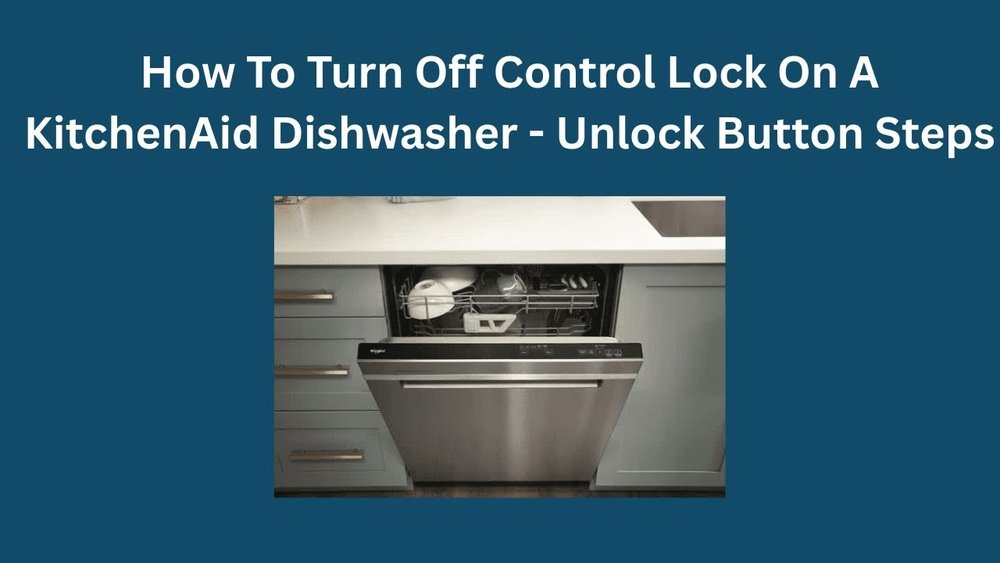
If your KitchenAid dishwasher suddenly won’t start, and you see a small padlock symbol or a flashing light, you’re not alone. Many people get confused by the Control Lock feature, especially when it activates by accident. You press buttons, but nothing works. This can be frustrating, especially if you need clean dishes quickly. But don’t worry—turning off Control Lock is simple once you know how, and you don’t need to call a technician. This guide will show you step by step how to turn off Control Lock on almost any KitchenAid dishwasher model, explain why it’s useful, and help you avoid common mistakes that can make the process harder than it should be.
You’ll also learn how to spot Control Lock problems, what to do if your dishwasher won’t unlock, and how to prevent this issue in the future. Whether you’ve just installed your dishwasher or have used it for years, this article will give you all the details you need in clear, simple English.
What Is Control Lock On A Kitchenaid Dishwasher?
The Control Lock is a safety feature found on most modern KitchenAid dishwashers. When activated, it locks all the buttons on the control panel. This means you can’t start, stop, or change any cycle until you unlock it. The main purpose is to stop children from changing settings or starting the dishwasher by accident, but it can also prevent unwanted changes if you brush against the panel while cleaning.
How Control Lock Works
When Control Lock is on, pressing any button usually does nothing or makes a small beep. On some models, a light or padlock symbol turns on. If you see this, you know the panel is locked.
Why Dishwashers Have Control Lock
- Child safety: Stops kids from opening or running the dishwasher by mistake.
- Accidental touches: Prevents you from changing cycles if you lean on the panel.
- Cleaning: Lets you wipe the panel without starting a wash.
Non-obvious insight: Some people think the dishwasher is broken when Control Lock is on, but it’s just a safety setting.
Common Signs That Control Lock Is Active
You might not always see the words “Control Lock” on the panel. Here are ways to know it’s on:
- Padlock symbol: A small padlock icon is lit or flashing.
- Button lights: Some or all button lights blink, usually in a pattern.
- Beeps: You hear a beep when you press any button, but nothing happens.
- No response: The dishwasher won’t start, pause, or change cycles.
- Message on display: Some newer models show “Control Locked” or “LOC.”
Table: Control Lock Signs By Model
| KitchenAid Model Series | Control Lock Symbol | Panel Behavior |
|---|---|---|
| KDTE/KDFE Series | Padlock icon | Blinking light, beeps |
| KDTM/KDTW Series | “Control Locked” text | Display message |
| KUDS/KUDE Series | Small lock symbol | No response to buttons |
Practical tip: If you see any of these, check your user manual for exact symbols and lights.
How To Turn Off Control Lock On Kitchenaid Dishwasher
The process to unlock your KitchenAid dishwasher depends on the model, but most use a similar method. Here’s how to do it step by step.
Step 1: Find The Control Lock Button
Most KitchenAid dishwashers have a button labeled Control Lock, Lock, or sometimes 4 Hour Delay. On some models, the Control Lock is a secondary function. You might see a small padlock icon above or below the button.
Where To Look:
- On the top edge of the door (for hidden controls)
- On the front panel (for visible controls)
- In the lower right or left corner (for older models)
Non-obvious insight: Some models combine Control Lock with another button, such as “Heated Dry” or “Delay.” You must hold this button, not just tap.
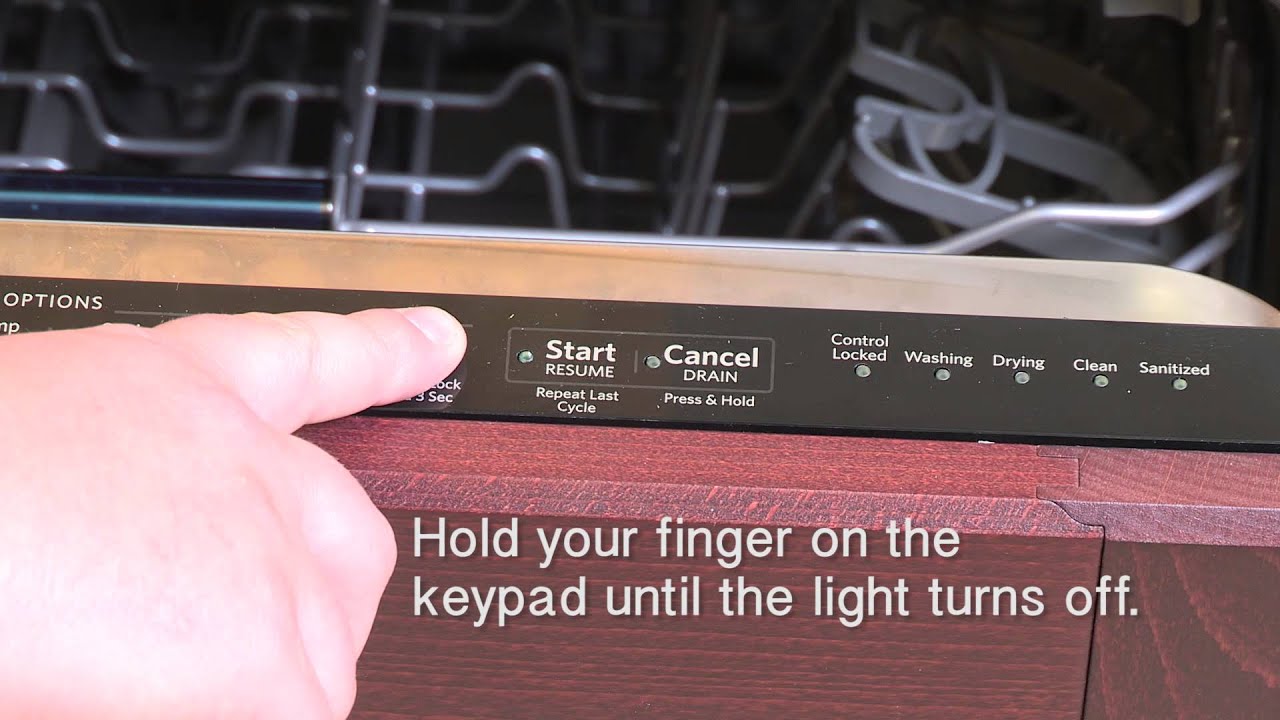
Step 2: Press And Hold The Control Lock Button
For most models, you need to press and hold the Control Lock or Lock button for 3 to 5 seconds. If you just tap it, nothing will happen.
What To Do:
- Close the dishwasher door completely.
- Find the button with the lock symbol or “Control Lock.”
- Press and hold it for 3 to 5 seconds.
- Wait for the light or symbol to turn off (or display to clear).
If you’re unsure, try holding for up to 10 seconds, but don’t press too hard.
Step 3: Confirm The Control Panel Is Unlocked
After releasing the button, try pressing other buttons or starting a cycle. If the dishwasher responds, you’ve turned off Control Lock. If not, repeat step 2 and make sure you have the right button.
Table: Common Unlock Buttons By Model
| Model Series | Control Lock Button | Hold Time |
|---|---|---|
| KDTE204/404 | Heated Dry | 3 seconds |
| KDFE204/304 | Control Lock | 3 seconds |
| KUDS30/35 | 4 Hour Delay | 4 seconds |
Pro tip: If you can’t find the right button, check the user manual or search for your exact model online.
Unlocking Control Lock On Different Kitchenaid Dishwasher Models
There are many KitchenAid dishwasher models, and each may have a slightly different way to unlock Control Lock. Here’s how to unlock it on the most common types.
Top-control Models
For models with controls on the top edge of the door (hidden when closed):
- Open the door to see the control panel.
- Look for the Control Lock or padlock symbol.
- Press and hold the button (usually “Heated Dry” or “Control Lock”) for 3 seconds.
- Close the door and check if the panel responds.
Front-control Models
For dishwashers with buttons on the front:
- Find the button with a lock icon or “Control Lock.”
- Press and hold for 3 to 5 seconds.
- If there’s no response, try “4 Hour Delay” or “Heated Dry” instead.
Older Models (pre-2010)
Some older KitchenAid dishwashers use different labels:
- “Lock On” or “4 Hour Delay” may double as the Control Lock.
- Hold for 4–5 seconds.
- If unsure, unplug the dishwasher for 1 minute, then plug back in and try again.
Newer Models With Digital Displays
- The display will show “Control Locked” or a padlock symbol.
- Hold the Control Lock or matching button for 3 seconds.
- Wait for the message to clear.
Experience-based insight: Sometimes the lock button wears out, and you need to press firmly in the center of the button.

Credit: www.wikihow.com
What If Control Lock Won’t Turn Off?
Most of the time, holding the right button solves the problem. But if Control Lock stays on, try these steps:
1. Check For Power Issues
If the dishwasher lost power (from a power outage or unplugging), the control panel might need to reset.
- Unplug the dishwasher or turn off the circuit breaker for 60 seconds.
- Plug it back in or turn the breaker on.
- Try unlocking again.
2. Try A Panel Reset
Some models need a panel reset:
- Open and close the door firmly.
- Press and hold the “Start” button for 5 seconds.
- Then try the Control Lock button again.
3. Inspect For Moisture Or Dirt
If the panel is wet or dirty, buttons may not work.
- Dry the control panel with a soft, dry cloth.
- Make sure your fingers are dry.
- Try again.
4. Look For Panel Damage
On very old dishwashers, the button may be broken.
- Check for cracks or stuck buttons.
- If damaged, you may need a replacement panel.
5. Control Board Problems
If none of these work, the control board could be faulty. This is rare but possible, especially if the panel acts strangely or random lights flash. In this case, contact KitchenAid support.
Non-obvious insight: Sometimes a tripped breaker or loose plug can make the dishwasher look locked, when it’s just not getting power.
Why Does Control Lock Turn On By Itself?
Some users notice Control Lock turns on without warning. This can happen for a few reasons:
- Power surge: After a storm or outage, the dishwasher may reset to a locked state.
- Panel cleaning: Wiping the panel can trigger the button if held too long.
- Leaning: Resting against the panel may hold the button by accident.
- Software glitch: Rare, but sometimes the control system glitches.
Practical tip: To avoid accidental locks, clean the panel with the dishwasher off or with a dry cloth.
How To Prevent Control Lock Issues
It’s easy to avoid Control Lock problems by following a few simple habits:
- Read the manual: Know your model’s Control Lock button location.
- Clean carefully: Wipe gently, and avoid pressing buttons while cleaning.
- Teach family members: Show everyone how to lock and unlock the panel.
- Check before calling for help: Try the unlock steps before thinking the dishwasher is broken.
- Keep panel dry: Moisture can make buttons act up.
Table: Control Lock Do’s And Don’ts
| Do | Don’t |
|---|---|
| Press and hold the correct button | Poke all buttons randomly |
| Keep the panel clean and dry | Use wet hands on the panel |
| Unplug if the panel freezes | Pry open the control panel |
Extra Tips For Kitchenaid Dishwasher Owners
Understanding how Control Lock works can make your life easier and keep your dishwasher running smoothly. Here are some advanced tips:
Keep Your User Manual
Most people lose their user manual soon after installation. But the manual has a clear diagram showing the location of the Control Lock button for your model. You can download most KitchenAid dishwasher manuals from the official KitchenAid website for free.
Use The Control Lock Feature Properly
- Turn it on when cleaning the front panel or if you have young children.
- Remember to turn it off before starting a wash cycle.
When To Call For Help
If the panel is unresponsive after trying all steps, it could be a hardware problem. In this case:
- Write down your model and serial number.
- Call KitchenAid support or your local appliance repair service.
- Don’t try to open the panel yourself if you’re not trained.
Control Lock And Other Dishwasher Problems
Sometimes, people confuse Control Lock with other issues, such as:
- Door not closing: Check for dishes blocking the latch.
- No power: Make sure the dishwasher is plugged in and the circuit breaker is on.
- Cycle won’t start: Confirm Control Lock is off and the door is closed tightly.
Practical tip: If your dishwasher won’t start, first check for Control Lock, then check the door and power.
Real-world Example: Unlocking A Kitchenaid Kdfe204kps Model
Let’s say you have a popular KitchenAid KDFE204KPS dishwasher, and you see a small padlock symbol lit up. Here’s how you’d unlock it:
- Make sure the door is fully closed.
- Find the “Heated Dry” button on the control panel.
- Press and hold “Heated Dry” for 3 seconds.
- The padlock symbol turns off, and the dishwasher beeps.
- The panel is now unlocked—start your wash cycle.
This method works for most KitchenAid KDFE/KDTE models.
Common Mistakes To Avoid
Many people get frustrated with Control Lock and make these mistakes:
- Pressing buttons too quickly: Control Lock needs you to hold the button, not tap.
- Using wet hands: Moisture can confuse the panel.
- Trying the wrong button: Always check the manual or look for the lock icon.
- Forcing the door: This won’t unlock the controls and can damage the latch.
- Ignoring beeps or lights: Pay attention to warning signals—they’re clues.
Expert tip: If you’re stuck, search for your model number and “Control Lock” online. Many official manuals and videos are available.

Credit: www.wikihow.com
What To Do If Control Lock Keeps Coming Back
If you keep finding Control Lock turned on, try these solutions:
- Check for stuck buttons: Food or dirt can jam a button. Clean gently with a dry toothbrush.
- Update your cleaning routine: Clean with the dishwasher off.
- Teach children not to play with the panel: Child curiosity is a common cause.
- Consider a panel cover: Some families use a thin adhesive cover to stop accidental touches.
Control Lock And Kitchenaid Dishwasher Warranty
If your dishwasher is new and Control Lock does not work as described, you may be covered by a warranty. KitchenAid’s standard warranty lasts one year for parts and labor, and up to five years for some parts.
- Keep your proof of purchase.
- Don’t open the control panel yourself—it may void the warranty.
- Call KitchenAid customer service if you think the lock function is broken.
For more details, see the official warranty on the KitchenAid website.
Troubleshooting Advanced Issues
If you’ve tried all steps and the panel is still locked, here are advanced troubleshooting ideas:
Try A Hard Reset
- Turn off the dishwasher at the circuit breaker for 5 minutes.
- Turn it back on and see if the lock clears.
Check For Error Codes
Some models display error codes if there’s a problem with the control panel. Check your user manual for code meanings.
Inspect The Touchpad
If the touchpad is cracked or worn, you may need a replacement. This is best done by a professional.
Power Surges And Static
After a lightning storm or static shock, electronic controls can freeze. Wait 15 minutes and try again.
How To Find Your Kitchenaid Dishwasher Model Number
You may need your model number to find the correct unlock method. The model number is usually located:
- On the inside edge of the door
- On a sticker or plate near the frame
- In your user manual
Write down the full number before searching for instructions.
How Control Lock Compares To Other Dishwasher Locks
Some dishwashers have a “child lock” that physically locks the door. KitchenAid’s Control Lock is electronic—it only locks the buttons, not the door.
Table: Control Lock Vs. Child Lock
| Feature | Control Lock | Child Lock (Physical) |
|---|---|---|
| Type | Electronic (button panel) | Mechanical (door latch) |
| Purpose | Block panel use | Block door opening |
| How to Unlock | Hold button 3–5 sec | Flip or slide latch |
Practical tip: Don’t confuse Control Lock with a broken latch. If the door opens but the panel doesn’t work, it’s the Control Lock.
Frequently Asked Questions
What Does The Padlock Symbol Mean On My Kitchenaid Dishwasher?
The padlock symbol means the Control Lock feature is on. This locks all buttons on the control panel so no settings can be changed, and the dishwasher won’t start. To turn it off, press and hold the Control Lock button (or the button with a lock symbol) for 3 to 5 seconds.
Can I Run My Dishwasher If Control Lock Is On?
No, you cannot start or change cycles while Control Lock is active. You must unlock the control panel first by holding the correct button. Once it’s off, you can run your desired cycle.
Why Does Control Lock Keep Activating On Its Own?
Control Lock can turn on by accident if you clean the panel, lean against the buttons, or after a power surge. Try to avoid pressing the lock button when cleaning, and teach family members about the feature.
Will Unplugging The Dishwasher Reset The Control Lock?
Unplugging or turning off the circuit breaker for 1 minute can sometimes reset the control panel, including Control Lock. However, you usually need to hold the unlock button after restoring power.
What Should I Do If Control Lock Still Won’t Turn Off?
If Control Lock stays on after all steps, check for stuck or damaged buttons, dry the panel, and try a hard reset. If nothing works, the control board may need service. Contact KitchenAid support for help.
—
Knowing how to turn off Control Lock on your KitchenAid dishwasher saves you time, money, and stress. With the right steps and a little patience, you can unlock your dishwasher in minutes—no tools or service calls needed. Stay informed, and you’ll avoid common pitfalls that make this simple problem seem bigger than it is.
Credit: www.youtube.com