
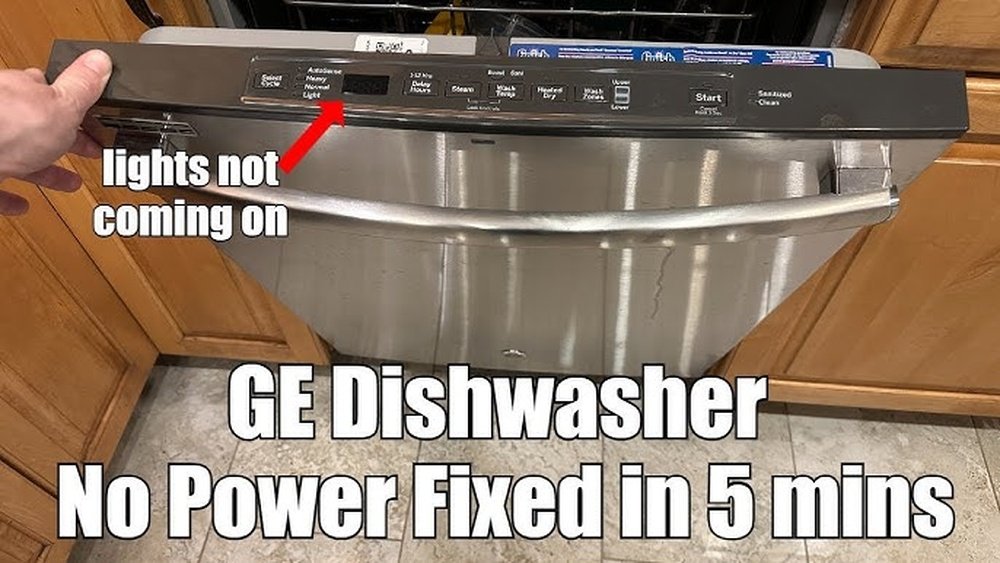
Every kitchen has its little secrets and features, and if you own a GE dishwasher, you might have noticed something surprising—sometimes the sounds are missing. Maybe you want the beeps to signal the end of a wash cycle, or perhaps you’re troubleshooting and can’t tell if a button press is working.
Whatever the reason, the sound on your GE dishwasher is more important than you might think. For many people, those beeps and chimes are a comforting sign that the machine is working as it should. But what if the sound is off?
How do you turn it back on, and what do you need to know to make sure it stays that way?
This guide will walk you through everything you need to know about how to turn sound on GE dishwasher models. Whether you’re dealing with a modern touch control panel, an older model with physical buttons, or you simply want to understand why the sound might be off, you’ll find all the answers here.
Along the way, you’ll learn about possible mistakes, hidden settings, and tips that even experienced users often overlook. Let’s make your kitchen routine simpler and more reliable—one beep at a time.
Understanding Ge Dishwasher Sound Features
Many people don’t realize that GE dishwashers come with several different sound options. Some models use a simple beep, while others have musical tones. These sounds serve different purposes:
- Button Press Confirmation: Lets you know a command was received.
- Cycle Start and End: Alerts you when washing begins or is complete.
- Error Codes: Different sounds for different problems.
On many GE models, you can adjust, mute, or reactivate these sounds. The actual process depends on your specific model and the type of control panel it uses.
Why Are Sounds Important?
The audio signals are not just for convenience. They help you:
- Confirm the dishwasher is running (especially important with quieter models).
- Know when dishes are clean and ready to unload.
- Notice if there’s an error or issue with the cycle.
- Avoid accidentally leaving the door open or cycle incomplete.
If your sound is off, you could miss these helpful signals.
How To Identify Your Ge Dishwasher Model
Before you can turn the sound on, you need to know which model you have. GE has released hundreds of dishwasher models over the years, and the steps to activate sounds can vary.
Finding The Model Number
Look for a small sticker or plate, usually found:
- On the left or right edge of the door when open
- On the inside rim of the dishwasher tub
The model number is a series of letters and numbers, like GDF520PGJ2BB or GDT665SSNSS.
Tip: Take a clear photo of the label for future reference. If you ever need support or parts, this number is essential.
Why Model Identification Matters
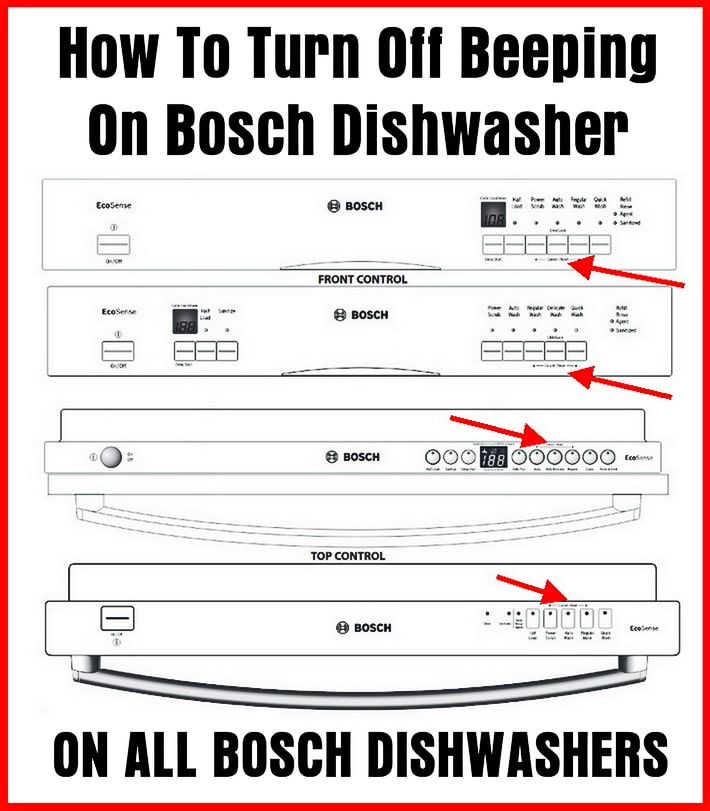
Newer dishwashers often have touch control panels. Older ones might use physical buttons. Some models use a combination. Knowing your model helps you follow the right steps and avoid confusion.
Credit: removeandreplace.com
Common Reasons Why The Sound Is Off
You might wonder why the sound is off in the first place. Here are some common causes:
- Sound Was Muted Accidentally: Many dishwashers allow you to mute sounds with a simple button combination.
- Previous User Preference: If you bought your home with the dishwasher installed, the last owner might have muted sounds.
- Power Outage or Reset: Sometimes, after a power failure, the dishwasher returns to default settings.
- Child Lock or Control Lock Activated: Some locks also mute the sounds as a safety feature.
- Control Panel Issues: In rare cases, a stuck button or software glitch can turn off the sound.
Understanding the reason helps you choose the right solution.
Step-by-step: How To Turn Sound On Ge Dishwasher
The exact process depends on your model. But most GE dishwashers follow one of a few standard methods. Let’s go through each, so you can try them in order.
Method 1: Using The Cycle Select Or Start Button
Many recent models use a Cycle Select or Start button to control sound.
- Open the dishwasher door so you can access the control panel.
- Find the Cycle Select or Start button.
- Press and hold the button for 3 seconds. On some models, it might be 5 seconds.
- Listen for a beep or look for a light flashing—this means the sound setting has changed.
- Close the door and start a short cycle to test if the sound is back.
Note: You may need to repeat this to toggle the sound back ON if it was already muted.
Method 2: Settings Or Options Button
Some GE models have a Settings or Options button to control audio.
- With the door open, locate the Settings or Options button.
- Press this button until you see “Snd” or hear a sound prompt.
- Use the arrow buttons (if available) to select “ON.”
- Press Start to confirm the setting.
- Run a quick cycle to check the sound.
Method 3: Cycle + Heated Dry Button Combination
For certain models, turning sound on requires pressing a combination:
- Open the dishwasher door.
- Press and hold both the Cycle and Heated Dry buttons at the same time for 3 seconds.
- The control panel should beep or a light will flash.
- Release the buttons and try starting a cycle.
This method is common for models without a dedicated sound button.
Method 4: Using The Lock Button
Some dishwashers link sound muting with the lock feature.
- Press and hold the Lock or Control Lock button for 3 to 5 seconds.
- Wait for the lock light to turn off.
- Test a button to see if sounds are restored.
Important: If the lock is on, not only the sound but also the controls may be unresponsive.
Method 5: Touch Control Panel Models
If your model has a flat, glass-like control panel:
- Touch and hold the Heated Dry or Dry Boost option for 3 seconds.
- Listen for a chime or beep. The display might show “Snd ON.”
- If nothing happens, check your owner’s manual for the exact sequence.
Pro tip: Touch panels can be sensitive to water or dirt. Make sure your fingers are clean and dry.
Table: Common Ge Dishwasher Sound Activation Sequences
Here is a comparison of typical sound activation methods for popular GE models:
| GE Model Series | Control Panel Type | Sound Activation Method | Typical Indicator |
|---|---|---|---|
| GDF/GDT (2016+) | Touch | Press and hold Cycle Select for 3 seconds | Beeps or display message |
| PDT Series | Touch | Settings button, select “Snd ON” | Chime or “Snd ON” on display |
| GSD/CDW (older) | Physical buttons | Cycle + Heated Dry (hold 3 sec) | Light flash/beep |
| GLD/Built-in | Physical buttons | Lock button (hold 3 sec) | Lock light off |
Always check your model’s manual for the exact sequence. If you’ve lost it, you can often download a copy from the official GE Appliances website.
Troubleshooting: When Sound Won’t Turn On
Sometimes, even when you follow the steps, the sound remains off. Let’s look at the most common problems and solutions.
Power Cycle The Dishwasher
A simple power reset can often solve mysterious issues.
- Turn off the dishwasher at the circuit breaker or unplug it.
- Wait 2-5 minutes.
- Restore power and try the sound activation steps again.
This clears minor glitches in the control board.
Check For Control Lock Or Child Lock
If the control lock is on, the dishwasher may ignore sound commands. Look for a small lock icon on the display or a lit “Lock” light. Hold the Lock button for several seconds to turn it off.
Inspect The Control Panel
Grease, grime, or even water on the control panel can prevent it from registering presses correctly. Wipe gently with a damp, soft cloth and dry thoroughly.
Update Or Reset The Firmware
Some new models can be updated via Wi-Fi. Check the GE SmartHQ app (if available for your model) for updates. Bugs in the software can sometimes mute sounds unexpectedly.
Confirm The Speaker Is Working
If your dishwasher makes no sounds at all (not even errors), the internal speaker might be faulty. Try triggering an error (like opening the door mid-cycle). If you still hear nothing, you may need professional repair.
Table: Troubleshooting Checklist For Ge Dishwasher Sound
Here is a quick reference for common issues and solutions:
| Issue | Possible Cause | Solution |
|---|---|---|
| No sounds at all | Speaker faulty or disconnected | Contact GE support for repair |
| Sound option not responding | Control panel dirty or wet | Clean and dry panel, retry |
| Settings not saved | Power loss resets to default | Re-enter sound settings after outage |
| Sound turns off randomly | Firmware bug | Check for software updates |

Credit: theappliancecarecompany.com
Hidden Tips And Advanced Insights
There are a few things even experienced users often miss when managing dishwasher sounds.
1. Some Sounds Are Not User-controlled
On most GE models, you can mute or unmute the end-of-cycle and button press sounds. However, error alarms (like for leaks or stuck pumps) usually cannot be turned off for safety. If you notice some sounds remain, this is by design.
2. Cycle Changes May Reset Sound Settings
Switching between certain wash cycles or modes (like “Sanitize” or “Express”) can sometimes reset user settings. If your sounds disappear after changing cycles, double-check the settings.
3. Not All Beeps Are The Same
The volume, tone, and pattern of beeps can differ by model and firmware version. Some models have a soft chime, while others use a sharp beep. This is normal and not a defect.
4. Mobile App Controls
If you have a Wi-Fi enabled GE dishwasher, you can adjust sound settings through the SmartHQ app. This is faster and sometimes offers more options (like volume control or different chime choices).
5. Local Regulations
In some regions, dishwashers are shipped with sounds muted to comply with local noise rules. If you live in an apartment or shared space, check if your building has specific requirements.
When To Call For Professional Help
If you’ve tried every step and your dishwasher’s sound still won’t activate, it might be time to seek expert support. You should contact GE customer service or a licensed repair technician if:
- All sounds are missing (including error alerts).
- The control panel is unresponsive or erratic.
- You hear distorted or static noises instead of beeps.
- The dishwasher resets itself frequently.
Most sound-related repairs are quick for a trained technician. Attempting repairs yourself can void your warranty or cause further damage.

Credit: www.youtube.com
Real-world Examples
Let’s look at a couple of scenarios to make the process clearer.
Example 1: New Home, Silent Dishwasher
Maria just moved into a new house. She noticed her GE GDF530PSMSS was silent. She tried the Cycle Select method (hold for 3 seconds) and heard a beep. Now, her dishwasher chimes at the end of every cycle. She had to repeat the process after a power outage, but now she knows what to do.
Example 2: Control Lock Confusion
James’s dishwasher stopped making sounds after his children played with the buttons. He saw a lock icon on the display. After holding the Lock button for 3 seconds, the lock turned off, and the sound returned.
Example 3: Mobile App Adjustment
Priya has a Wi-Fi enabled GE Profile dishwasher. She opened the SmartHQ app, went to Settings > Audio, and turned “End of Cycle Chime” to ON. This fixed the issue, and she could even adjust the volume.
How To Keep Your Dishwasher Sound Working
A few simple habits will help you avoid sound problems in the future.
- Clean the control panel regularly to avoid stuck or unresponsive buttons.
- Document your model number so you can always find the right manual.
- Check your settings after a power outage or service visit.
- Update your SmartHQ app if your dishwasher supports Wi-Fi.
- Teach everyone in the home how to use the sound features, so settings aren’t changed by accident.
These small steps will keep your dishwasher easy to use and prevent unnecessary confusion.
Table: Sound Feature Comparison Across Ge Dishwasher Series
Here’s how sound features compare among popular GE dishwasher series:
| Series | Sound Control Options | Mobile App Support | Volume Adjustment |
|---|---|---|---|
| GDF/GDT | Mute/Unmute | Yes (recent models) | No |
| PDT/Profile | Mute/Unmute, Chime Select | Yes | Yes |
| GLD/GSD (older) | Basic beep only | No | No |
Understanding these differences can help you decide if you want to upgrade or change your dishwasher in the future.
Frequently Asked Questions
How Do I Know If My Ge Dishwasher Sound Is Supposed To Be On?
Most GE dishwashers have sound enabled by default. If you hear no beeps when pressing buttons or at cycle end, it is likely muted. Check your model’s manual or try the sound activation steps above. End-of-cycle and error sounds are usually always enabled for safety.
Can I Adjust The Volume Of The Beeps On My Ge Dishwasher?
On most models, the volume cannot be adjusted. However, some higher-end models, especially those with SmartHQ app support, let you choose between “Low,” “Medium,” and “High” volume or select a different chime. If your model doesn’t offer this, you can only turn the sound on or off.
Why Does My Ge Dishwasher Lose Sound Settings After A Power Outage?
When the dishwasher loses power, some user settings (like sound and delay start) can reset to factory defaults. This is a common feature to protect against glitches. If you notice the sound is off after an outage, repeat the activation steps.
What Should I Do If The Sound Won’t Come Back After Trying All The Steps?
If none of the methods work, there may be a hardware problem with the speaker or control board. Try a full power reset. If you still have no sound, contact GE Appliances support or a professional technician. Avoid opening the dishwasher yourself, as this could void your warranty.
Where Can I Find The Official Manual For My Ge Dishwasher?
You can download the official manual by searching your model number on the GE Appliances literature site. This is the best way to get exact instructions for your specific model.
Turning the sound back on your GE dishwasher is usually quick and easy, but knowing the right method for your model makes all the difference. With these steps, tips, and troubleshooting strategies, you’ll never be left guessing when your dishes are done.
If you need more help, always refer to the official GE resources—they’re updated regularly and cover even the latest models. Happy dishwashing!