
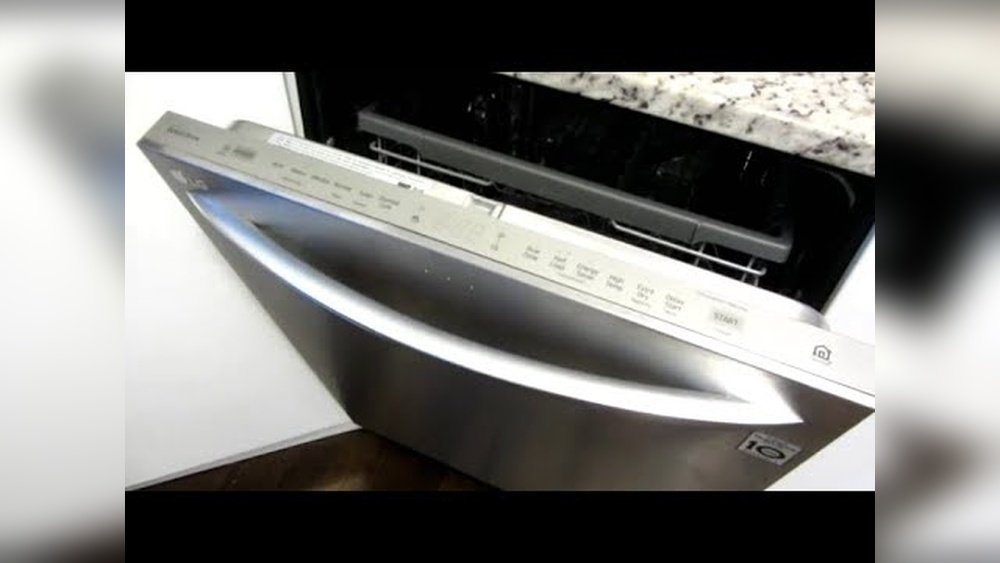
Starting an LG dishwasher may look simple, but for many people—especially those using it for the first time—it can be confusing. There are buttons, cycles, and features that can feel overwhelming. If you want spotless dishes and a trouble-free experience, you need to know more than just pressing “Start.” Small mistakes can lead to dirty plates, wasted energy, or even a broken machine. This guide will help you understand every part of starting your LG dishwasher. Whether you’re setting it up for the first time or just want to use it better, you’ll find clear steps, tips, and solutions to common problems. You’ll learn what really matters, avoid beginner errors, and get the most from your appliance. Let’s dive in so you can make your kitchen routine easier and more effective.
Understanding Your Lg Dishwasher
Before you start, it helps to know the basic parts and functions of your LG dishwasher. Most LG models are designed to be user-friendly, but the buttons and features can be different depending on the model.
Main Parts You’ll Use
- Control panel: Where you select wash cycles and options.
- Detergent dispenser: Where you put dishwasher soap and rinse aid.
- Racks: Usually two or three levels for dishes, glasses, and utensils.
- Spray arms: Spin and spray water during washing.
- Filter: Catches food particles to prevent clogs.
- Door latch: Must be closed properly for the dishwasher to start.
Key Features And Buttons
Common LG dishwasher features include:
- Power button
- Start/Pause
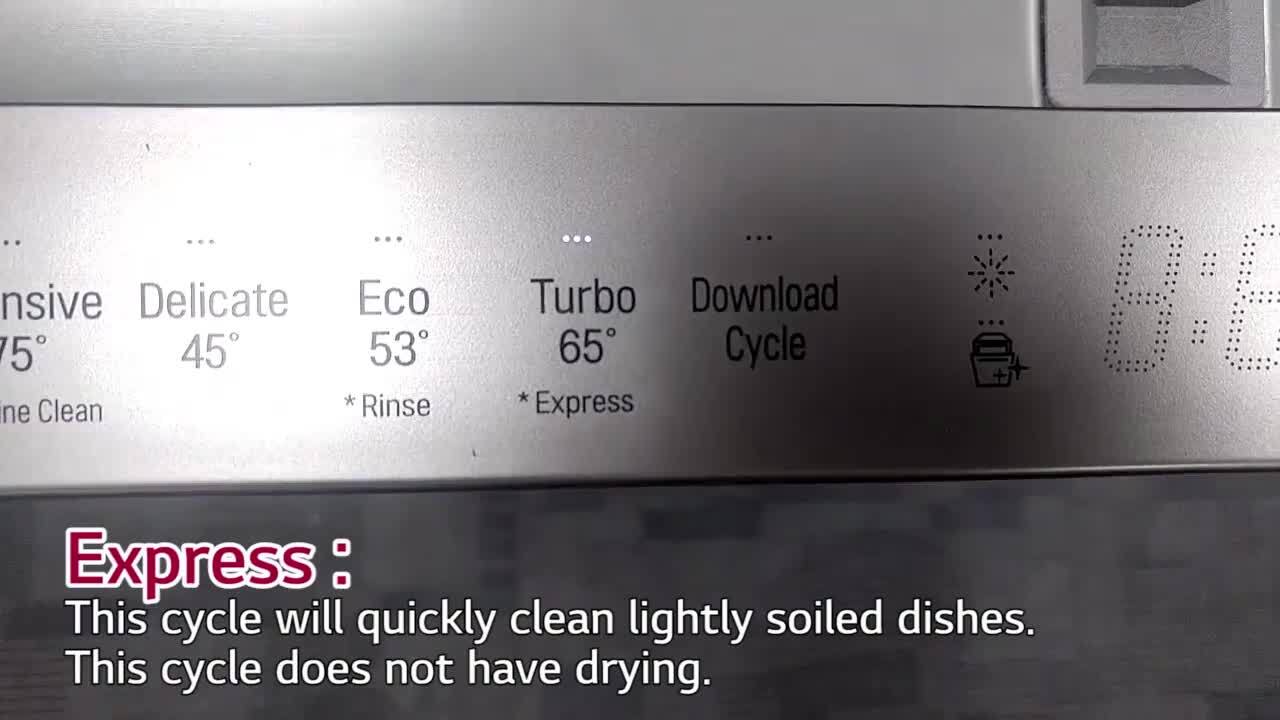
- Cycle selector (Normal, Heavy, Quick, Eco, etc.)
- Options (Extra Dry, Half Load, Delay Start)
- Display panel (shows time, errors, or cycle progress)
- Child Lock for safety
Some advanced models have smart features, touch controls, or Wi-Fi. Check your user manual for model-specific details.
Model Number Matters
Find your dishwasher’s model number. It’s often on the inside edge of the door. Knowing this helps you look up the right instructions, parts, or troubleshooting information.
Insight: Many users skip reading the manual and miss out on special features or make avoidable mistakes. Spend five minutes with your manual—it saves hours of frustration.
Preparing To Start Your Lg Dishwasher
Good results begin with proper preparation. Loading dishes and adding detergent the right way is as important as pressing the correct buttons.
Loading Dishes Properly
- Scrape off large food particles. No need to pre-rinse, but remove bones, seeds, and big chunks.
- Do not overload racks. Leave space for water to reach every surface.
- Face dirty sides toward spray arms. This ensures water jets clean effectively.
- Mix large and small items. Place larger items (pots, pans) at the sides or back so they don’t block spray.
- Avoid nesting. Don’t stack bowls or cups inside each other.
- Secure lightweight items. Plastic lids or small pieces may flip; put them in the top rack or utensil basket.
- Place utensils with handles up and down. Mix directions for best cleaning.
Example Loading Pattern
- Top rack: Glasses, cups, small bowls.
- Bottom rack: Plates, pans, large bowls.
- Utensil basket: Forks, spoons, knives.
Tip: Tilt items with deep bottoms (like cups) slightly for better drainage.
Adding Detergent And Rinse Aid
- Use only dishwasher detergent—not dish soap, which creates too many suds.
- Follow package instructions for the right amount.
- Fill the main detergent cup and close the lid.
- For hard water, use rinse aid. It helps prevent water spots and improves drying.
Detergent Dosage Table
| Water Hardness | Detergent Needed | Rinse Aid Needed? |
|---|---|---|
| Soft | 1 tablespoon | Optional |
| Medium | 1.5 tablespoons | Yes |
| Hard | 2 tablespoons | Yes |
Non-obvious insight: Using too much detergent can cause cloudy film on dishes. Start with less, add more if needed.
Checking The Filter And Spray Arms
- Make sure the filter is clean. Turn it counterclockwise to remove, rinse under water, and replace.
- Check that spray arms spin freely and are not blocked by tall dishes.
Selecting The Right Cycle
Each LG dishwasher offers different wash cycles. Picking the right one saves time, energy, and water, and gets your dishes cleaner.
Common Lg Dishwasher Cycles
- Normal: For everyday dish loads. Good balance of time and cleaning.
- Heavy: For pots, pans, and baked-on food.
- Quick: Fastest; use when dishes are only lightly soiled.
- Eco: Uses less water and energy; may take longer.
- Delicate: For glassware or fragile items.
Some models have extra cycles like Steam, Auto, or Turbo.
Cycle Comparison Table
| Cycle | Time (approx.) | Best For | Water/Energy Use |
|---|---|---|---|
| Normal | 2-3 hours | Mixed dishes | Standard |
| Heavy | 2.5-4 hours | Pots & pans | High |
| Quick | 30-60 min | Lightly soiled | Low |
| Eco | 2.5-4 hours | Normal loads | Low |
Tip: Use Eco mode during off-peak hours to save on electricity.
Choosing Extra Options
- Extra Dry: For improved drying, especially plastic items.
- Half Load: Runs only one rack, saving water and time.
- Sanitize: Heats water to kill more germs (great for baby bottles).
- Delay Start: Schedules the cycle to begin later (up to 12 hours).
Activate options by pressing the corresponding buttons before starting the cycle.
How To Start Your Lg Dishwasher: Step-by-step
Now that everything is prepared, here’s how to start your LG dishwasher correctly:
- Load dishes as described—don’t overfill.
- Add detergent and rinse aid if needed.
- Check filter and spray arms for blockages.
- Close the door firmly until it clicks.
- Press Power. The display should light up.
- Select your desired cycle. Use the cycle button or turn the selector.
- Choose extra options if you want (Extra Dry, Half Load, etc. ).
- Press Start. Most models require you to press Start again after closing the door.
- Wait a few seconds. You’ll hear water enter and the cycle will begin.
If The Dishwasher Does Not Start
- Make sure the door is fully closed and latched.
- Check that the child lock is not active (look for a lock symbol on the display).
- Confirm the dishwasher is plugged in and circuit breaker is on.
- For Wi-Fi models, ensure the app is not pausing or overriding the start.
Non-obvious insight: On some LG models, if you wait too long after choosing a cycle, the dishwasher may “time out.” Press Power and Start again if this happens.
Credit: www.lg.com
Understanding Cycle Progress And Display Messages
Most LG dishwashers have a digital display that shows the time left, cycle status, and any warning codes.
What You’ll See On The Display
- Time remaining: Usually in hours and minutes.
- Cycle indicators: Small lights or text for Wash, Rinse, Dry.
- Option indicators: Icons for Extra Dry, Delay Start, etc.
Common Messages And What They Mean
- OE: Drain error—check filter and drain hose.
- HE: Heater error—may need service.
- IE: Water inlet problem—check water supply.
If you see an error code, check your manual or search the LG website for solutions.
Tip: Some models beep or play a tune when finished. If you want to turn off sounds, hold the Extra Dry or Child Lock button for 3-5 seconds (model-dependent).
After The Cycle: Unloading And Care
When the cycle ends, there are a few important things to do.
Wait Before Opening
Let the dishwasher sit for 10-15 minutes after it finishes. Opening the door right away lets steam out, which can leave water drops on dishes.
Unload Bottom Rack First
Take out the bottom rack first. If you unload the top rack first, water from cups or bowls can drip onto the dry dishes below.
Check For Cleanliness
- If dishes are still dirty, check for blocked spray arms, overloading, or the wrong cycle.
- If you see spots or film, try more rinse aid or less detergent.
Clean The Filter Regularly
Rinse the filter under running water weekly or monthly, depending on use. This prevents odors and keeps your machine working well.
Common Problems And How To Fix Them
Even well-designed dishwashers can have issues. Here are solutions to the most frequent problems:
Dishes Not Getting Clean
- Too many dishes blocking spray arms.
- Wrong cycle for heavy soil.
- Filter is dirty.
- Not enough detergent.
Solution: Reduce load, clean filter, choose Heavy cycle, use correct detergent amount.
White Film On Glasses
- Hard water minerals or too much detergent.
Solution: Use rinse aid, decrease detergent, try a vinegar rinse once a month.
Dishwasher Won’t Start
- Door not closed.
- Delay Start is set.
- Child Lock is on.
Solution: Check door, cancel Delay Start, turn off Child Lock by holding the button for 3 seconds.
Machine Smells Bad
- Filter or spray arms dirty.
- Food trapped in corners.
Solution: Clean filter, run a hot cycle with dishwasher cleaner monthly.
Water Not Draining
- Clogged filter or drain hose.
Solution: Clean filter, check drain hose for kinks or food blockages.
Saving Energy And Water With Your Lg Dishwasher
Modern LG dishwashers are efficient, but your habits can help save even more.
- Run full loads. Running half-empty wastes water and energy.
- Use Eco or Auto cycles for regular cleaning.
- Air-dry dishes by opening the door after the cycle.
- Wash at night during off-peak energy hours.
- Keep the filter clean for better performance.
Fact: According to the US Department of Energy, a modern dishwasher uses less than 4 gallons of water per cycle, while hand washing can use up to 27 gallons.
Insight: If your local area has very hard water, consider a water softener to boost dishwasher performance and prolong its life.

Credit: www.warnersstellian.com
Using Smart Features On Lg Dishwashers
Some LG dishwashers have SmartThinQ or ThinQ technology. Here’s how to use these features for more convenience.
Connecting To Wi-fi
- Download the LG ThinQ app on your phone.
- Register your dishwasher using the model and serial number.
- Follow the app instructions to connect to your home Wi-Fi.
What You Can Do With The App
- Start, stop, or pause cycles remotely.
- Get notifications when cycles finish.
- Download new wash cycles.
- Run smart diagnostics if there’s a problem.
Tip: Smart features are handy if you forget to run the dishwasher before leaving home or want alerts about maintenance.
Maintenance Tips For Long-term Performance
A few simple habits will keep your LG dishwasher running smoothly for years.
Regular Cleaning
- Wipe the door seal and edges with a damp cloth weekly.
- Clean the filter and spray arms monthly.
- Run a cleaning cycle with dishwasher cleaner every 1-2 months.
Inspect Hoses And Connections
- Check for leaks or cracks in the water supply and drain hoses annually.
- Tighten fittings if you see drips.
Update Software (for Smart Models)
- Check the LG ThinQ app for available updates.
- Install updates to fix bugs or add features.
Insight: Neglecting maintenance is a top cause of poor cleaning and breakdowns—even if the dishwasher is new.
Safety Precautions
Dishwashers are safe, but keep these points in mind:
- Do not touch heating elements after a cycle—they may be hot.
- Always close detergent and rinse aid lids tightly.
- Store sharp knives blade-down in the utensil basket.
- Keep children away when loading or unloading.
- Unplug or turn off power before cleaning inside.
Note: For more on dishwasher safety, see the CDC’s home safety tips.
Upgrading Or Troubleshooting: When To Call A Professional
Sometimes, you may need expert help.
- If you see repeated error codes (like OE or HE).
- Water leaks from the door or under the machine.
- Dishwasher trips your circuit breaker.
- Unusual noises (grinding, banging) during cycles.
Tip: Always use LG-certified service for repairs. Unauthorized repairs may void your warranty.
Choosing The Right Detergent And Rinse Aid
Not all detergents and rinse aids work the same. Here’s how to pick:
Types Of Detergent
- Powder: Good for adjustable dosing.
- Gel: Easy to use but sometimes less effective on hard water.
- Tablets/Pacs: Convenient but may cost more.
Rinse Aid
Rinse aid helps water slide off dishes, preventing spots. All LG dishwashers have a dispenser—fill it monthly or when the indicator shows empty.
Comparison: Detergent Types
| Type | Pros | Cons |
|---|---|---|
| Powder | Cheap, adjustable | Messy, can clump |
| Gel | Easy, dissolves fast | Less effective on heavy soil |
| Tablets | Convenient, pre-measured | More expensive |
Tip: For best results, use detergents with a “recommended for LG” label.
Environmental Impact And Recycling
Dishwashers are more eco-friendly than washing by hand, but you can do more:
- Use phosphate-free detergents to reduce water pollution.
- Run full loads only.
- Recycle old dishwashers at designated centers.
Fact: The EPA rates modern dishwashers as using 12% less energy and 30% less water than models from 20 years ago.

Credit: www.youtube.com
Frequently Asked Questions
How Do I Reset My Lg Dishwasher?
Most models can be reset by holding the Start button for 3 seconds. If that doesn’t work, unplug the machine for 1-2 minutes, then plug it back in. This clears most errors and restarts the electronics.
Why Won’t My Lg Dishwasher Start?
Check that the door is closed and latched, power is on, and Child Lock is off. If Delay Start is active, cancel it. If there is an error code, look it up in your manual for the solution.
What Should I Do If My Lg Dishwasher Smells Bad?
Clean the filter and spray arms. Run a hot cycle with a dishwasher cleaner or 1 cup of white vinegar in the bottom of the tub. Clean the door seal and gaskets with a soft cloth.
Can I Open The Dishwasher During A Cycle?
Yes, you can open the door to add a dish. The cycle will pause when the door opens. Close the door and press Start to resume. Be careful of hot steam inside.
How Often Should I Clean The Filter?
Clean the filter at least once a month, or more often if you use the dishwasher daily or notice odors and poor cleaning. A clean filter improves performance and prevents breakdowns.
Starting your LG dishwasher doesn’t have to be complicated. With the right steps, a little maintenance, and smart choices, you’ll get sparkling clean dishes every time. If you follow these guidelines, you’ll not only avoid common mistakes but also get the most value from your LG appliance for years to come.