
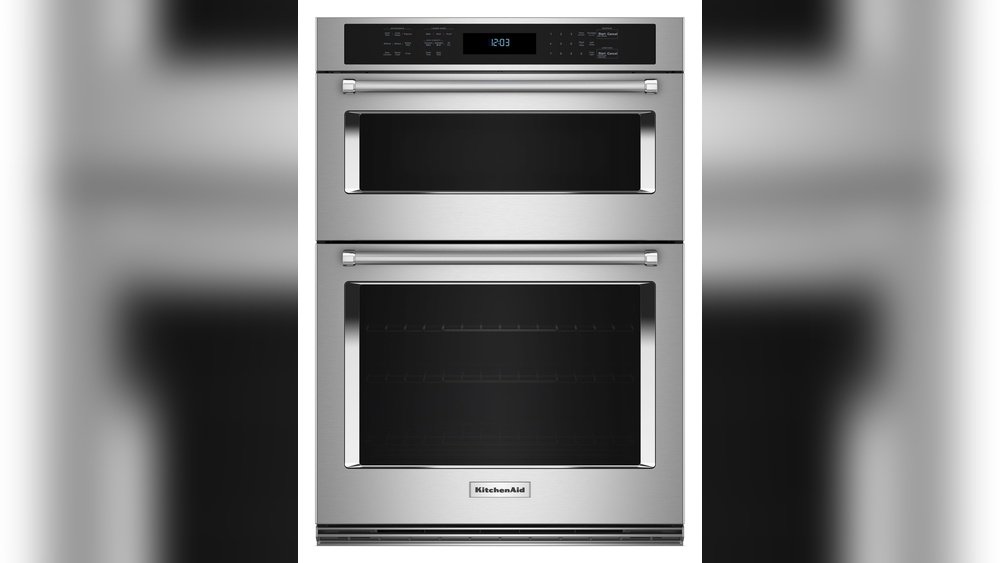
Microwave ovens have made our kitchens smarter and our lives easier. But when you add the power and flexibility of a KitchenAid microwave oven combo, you get a tool that can do much more than just heat leftovers. This appliance combines a microwave and an oven in one sleek unit, saving space and offering many cooking options. Still, to get the best results, you need to understand its functions, settings, and care instructions. Whether you’re new to KitchenAid or want to maximize your combo’s potential, this guide walks you through every step—from setting up, using key features, to cleaning and troubleshooting. Get ready to make your cooking routine simpler, smarter, and more delicious.
Understanding Your Kitchenaid Microwave Oven Combo
KitchenAid’s microwave oven combos stand out because they blend the speed of a microwave with the baking, broiling, and roasting power of a traditional oven. This means you can cook a lasagna, reheat soup, bake cookies, or even roast a chicken—all in the same appliance.
What makes these combos unique is their multi-functionality. Instead of just using microwave energy, some models include convection fans and grill elements. This lets you brown, crisp, and bake, not just reheat.
Key Features Overview
- Microwave Mode: For fast heating, defrosting, and simple cooking.
- Oven Mode: Offers baking, roasting, and broiling with adjustable temperatures.
- Convection Mode: Uses a fan to circulate hot air for even cooking and browning.
- Combination Cooking: Mixes microwave speed with oven or convection power.
- Sensor Cooking: Automatically adjusts time and power for certain foods.
- Preset Programs: One-touch settings for popcorn, pizza, vegetables, and more.
Many users miss out on the combination cooking feature, which can dramatically reduce cooking time while still giving food a crispy finish. Another overlooked feature is sensor cooking, which uses humidity sensors to perfectly cook or reheat food without guesswork.
Initial Setup And Safety
Before you cook your first meal, proper setup is vital for safety and performance.
Unboxing And Placement
- Remove all packaging material, tape, and labels from inside and outside.
- Choose a flat, stable surface with enough space for ventilation—at least 3 inches of space on each side and at the top.
- Avoid placing it near heat sources like stovetops or in direct sunlight.
Power Connection
Plug your KitchenAid combo into a grounded, dedicated outlet. Do not use extension cords, as these can cause power fluctuations or even fires.
First-time Cleaning
Wipe the inside with a damp, soft cloth before the first use. Clean the turntable, racks, and any accessories with warm soapy water and dry them thoroughly.
Safety Precautions
- Never operate the microwave oven combo when empty.
- Do not use metal containers unless the manual says it is safe for convection or oven mode.
- Do not block ventilation openings.
- Use only microwave-safe cookware and utensils.
Failure to follow these steps can result in uneven cooking or even damage your appliance.
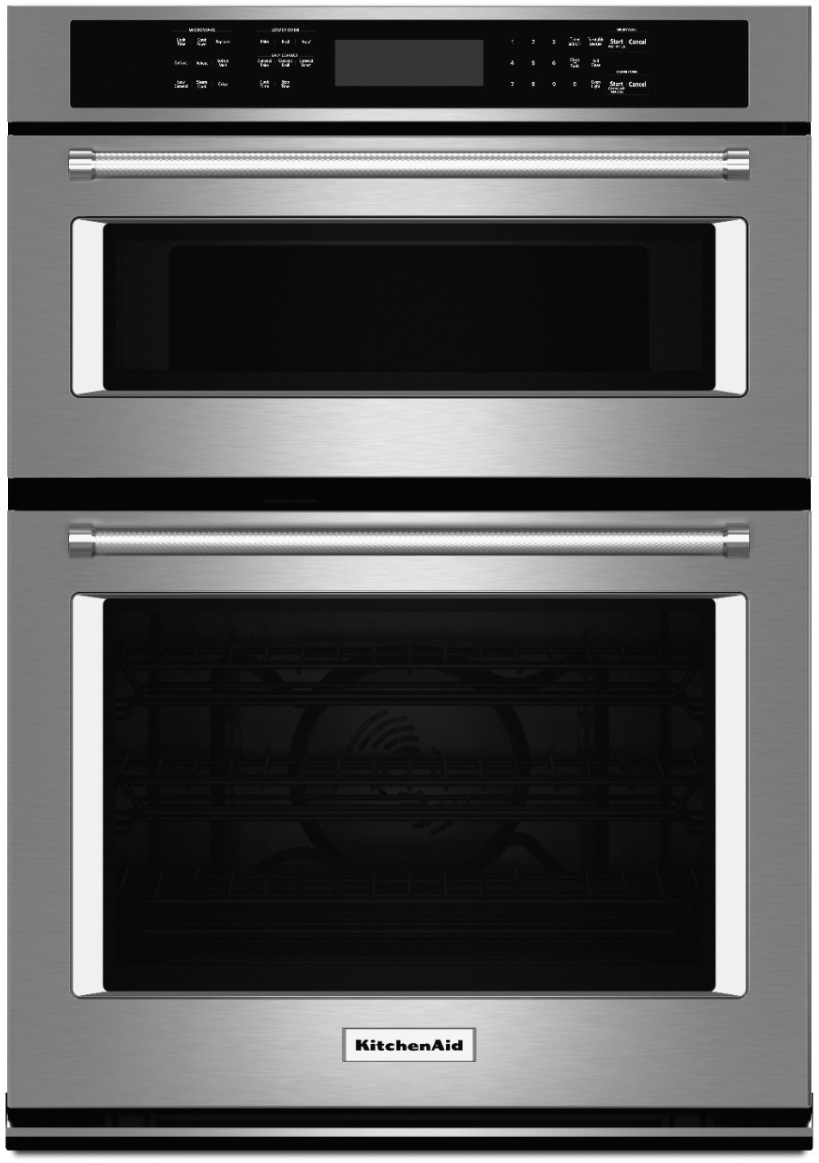
Credit: www.universityelectric.com
Getting To Know The Control Panel
The control panel is the “brain” of your KitchenAid microwave oven combo. It might look intimidating at first, but each button and display has a clear purpose.
Common Buttons And Displays
- Power Level: Set the microwave’s intensity (usually from 1 to 10).
- Time Cook/Express Cook: Start cooking for a set time with one touch.
- Convection: Activates convection heating.
- Bake/Broil/Roast: Traditional oven functions.
- Combi/Combination: Mixes microwave and convection power.
- Sensor Cook/Reheat: For foods that need automatic time adjustment.
- Defrost: Thaws food by time or weight.
- Preset Menus: One-touch options for common foods.
- Start/Pause/Stop: Begin, pause, or cancel cooking.
- Clock/Timer: Set the current time or a kitchen timer.
Take a few minutes to press each button, noting how your model responds. Some models have touchscreens with digital icons instead of physical buttons.
Reading The Display
The screen shows cooking mode, time left, power level, and sometimes prompts (like “Turn Food” or “Insert Tray”). Pay attention to error codes; these often point to common issues like door not closed or tray not in place.
How To Use Basic Microwave Functions
Your KitchenAid combo’s microwave function is perfect for quick cooking, reheating, and defrosting. Here’s how to use it step by step.
Cooking Or Reheating Food
- Place food in a microwave-safe container. Avoid metal or dishes with metallic trim.
- Open the door, center the dish on the turntable, and close the door securely.
- Press “Time Cook” or “Express Cook.”
- Enter the cooking time using the number pad.
- Adjust the power level if needed (default is usually 100%).
- Press “Start.”
For best results, stir or rotate food halfway through if your model does not have a turntable.
Defrosting
- Press the “Defrost” button.
- Enter the food’s weight (for weight-based defrost) or set the time.
- Place food in the center and start.
- Turn or break apart food as prompted to ensure even thawing.
A common mistake is to use high power for defrosting, which cooks edges while the center stays frozen. Always use the defrost mode for even results.
Sensor Cooking And Reheating
Many KitchenAid combos include sensor technology. Place food inside, press “Sensor Cook” or “Sensor Reheat,” and select the food type. The combo senses steam and adjusts cooking time automatically. This is especially useful for reheating plates of food or cooking vegetables.
Using Oven And Convection Modes
Oven modes bring traditional baking, roasting, and broiling to your microwave combo.
Baking
- Preheat the oven if your recipe requires it (some models prompt you to preheat).
- Use the metal rack provided, not the turntable, for even airflow.
- Place your dish on the rack, select “Bake,” and set the temperature.
- Press “Start.”
Tip: Avoid using plastic or paper containers in oven mode. Only use glass, ceramic, or metal cookware rated for oven use.
Roasting
- Insert food in a shallow roasting pan.
- Select “Roast” and set the temperature.
- For meats, use a meat thermometer to check doneness (insert into the thickest part).
- Let food rest after roasting for juicier results.
Broiling
- Use the broil rack and pan.
- Place food close to the upper heating element.
- Select “Broil” and set the time (and sometimes temperature).
- Watch closely to avoid burning.
Broiling in a combo is great for fish, steak, and vegetables. Never leave the appliance unattended during broiling, as food can burn quickly.
Convection Cooking
Convection uses a fan to circulate hot air, cooking food evenly and quickly. It’s perfect for cookies, pizza, and casseroles.
- Select “Convection.”
- Set temperature and time.
- Use the provided convection rack for best air circulation.
- For even browning, rotate the dish halfway through.
A common mistake is using the wrong rack or dish, which blocks airflow and leads to uneven results.
Combination Cooking: Speed And Quality Together
One of the most powerful features is combination cooking, where microwave and convection (or oven) modes work together. This lets you cook faster while keeping food crispy and browned.
How To Use Combination Mode
- Place food in an oven-safe, microwave-safe dish.
- Select “Combination” or “Combi” mode.
- Choose the type of food (like chicken, pizza, or casserole).
- Set weight or serving size if prompted.
- The combo will switch between microwave bursts and convection heat.
This is ideal for roast chicken, baked potatoes, or casseroles—dishes that need speed but also a browned or crispy finish.
Pro tip: Don’t cover food with foil in combination mode unless the manual says it’s safe, as foil can cause sparks.
Preset Programs And Sensor Menus
KitchenAid includes preset programs for popular foods. These are easy, but many people overlook their value.
Popular Preset Options
- Popcorn: Perfect for microwave popcorn bags—no guesswork.
- Pizza: Reheats or cooks frozen pizza with a crispy crust.
- Vegetables: Steams veggies using sensor cooking.
- Potatoes: Bakes or microwaves potatoes based on size.
- Beverages: Warms coffee, tea, or other drinks.
Just place the food inside, press the matching preset, and follow any screen prompts. For best results, use the recommended serving sizes and containers.
Choosing The Right Cookware
Selecting the correct cookware is crucial for safety and performance.
Microwave-safe Materials
- Glass (without metallic trim)
- Ceramic
- Certain plastics (labeled microwave-safe)
Oven/convection-safe Materials
- Metal (for oven/convection only, not microwave)
- Glass or ceramic (must be oven-safe)
- Silicone bakeware
What To Avoid
- Metal in microwave mode (unless your manual allows it)
- Styrofoam or thin plastic (can melt)
- Paper with colored print or metal
When in doubt, check if the dish says “microwave safe” or consult your KitchenAid manual.
Cleaning And Maintenance
A clean combo works better and lasts longer. Here’s how to care for each part.
Daily Cleaning
- Wipe spills and splatters inside with a damp cloth after each use.
- Clean the turntable and racks with warm, soapy water.
- Dry all parts before reassembling.
Deep Cleaning
- Remove racks and turntable.
- Clean the interior with a mixture of water and mild dish soap.
- For stubborn stains, microwave a bowl of water with lemon slices for 3–5 minutes. Steam loosens grime for easy wiping.
- Clean the door seals and edges carefully—they collect crumbs and grease.
- For the exterior, use a soft cloth and avoid abrasive cleaners.
Never spray cleaner directly into vents or onto electronic controls.
Filter Maintenance
Some KitchenAid combos have a grease filter (especially over-the-range models). Wash these monthly in warm soapy water. Replace charcoal filters as recommended in the manual.
Odor Removal
To remove odors, microwave a bowl of water with baking soda or lemon juice for 3–5 minutes. Leave the door open afterward to air out.
What Not To Do
- Don’t use metal scrapers or steel wool inside.
- Avoid harsh chemicals like bleach.
Regular maintenance prevents smells, smoke, and uneven cooking.
Troubleshooting Common Problems
Even reliable appliances can have issues. Here’s how to solve the most common problems.
Microwave Not Heating
- Make sure the door is fully closed.
- Check that the turntable is seated correctly.
- Try a different power outlet.
- If it still doesn’t work, contact KitchenAid support.
Uneven Cooking
- Use the correct rack or turntable.
- Stir or rotate food halfway through.
- Don’t overload the oven.
Error Codes On Display
- Look up the code in your manual.
- Most codes mean the door isn’t closed, or the wrong rack is in use.
- Reset by unplugging for one minute, then try again.
Sparks Or Arcing
- Remove any metal objects.
- Clean out any stuck food or grease.
- Don’t use foil unless the manual says it’s safe.
Excessive Smoke Or Odors
- Clean the interior and filters.
- Check for spilled food on heating elements.
- For new appliances, some smell is normal during first uses.
Most issues are easy to fix. If you see smoke, sparks, or smell burning, turn off and unplug the combo immediately.
Cooking Tips And Tricks For Better Results
Getting perfect results is easier with a few expert tips.
Speed Up Cooking
- Use combination mode for casseroles, meats, and baked goods.
- Cut food into smaller pieces for faster cooking.
Save Energy
- Cook multiple items at once using racks.
- Preheat only when necessary.
Improve Browning
- Use convection or broil modes.
- Brush food with oil or butter for a crisp finish.
Avoid Overcooking
- Use sensor cooking for reheating.
- Start with less time, add more if needed.
Better Defrosting
- Spread out frozen food for even thawing.
- Flip or stir halfway through.
Keep Food Moist
- Cover dishes with microwave-safe lids or wraps.
- Add a small cup of water inside during reheating to prevent drying out.
Example Recipes To Try
A KitchenAid microwave oven combo lets you cook almost anything. Here are three recipes to showcase its versatility.
1. Crispy Sheet Pan Pizza (combination Mode)
- Ingredients:
- 1 pizza dough ball
- 1 cup pizza sauce
- 2 cups shredded cheese
- Toppings of your choice (pepperoni, vegetables, etc.)
- Instructions:
- Roll dough onto a greased oven-safe tray.
- Spread sauce, add cheese and toppings.
- Select “Combination” or “Pizza” mode.
- Cook for 10–15 minutes until cheese is bubbly and edges are crispy.
2. Microwave Mug Omelet
- Ingredients:
- 2 eggs
- 2 tbsp milk
- Salt and pepper
- 2 tbsp shredded cheese
- 2 tbsp chopped vegetables
- Instructions:
- Beat eggs and milk in a microwave-safe mug.
- Add cheese, vegetables, salt, and pepper.
- Microwave on high for 1 minute. Stir.
- Continue microwaving in 30-second bursts until set.
3. Roasted Chicken Breast (convection Mode)
- Ingredients:
- 2 chicken breasts
- 1 tbsp olive oil
- Salt, pepper, and herbs
- Instructions:
- Rub chicken with oil and seasonings.
- Place on a convection rack.
- Select “Convection” at 400°F for 20–25 minutes.
- Check temperature (should reach 165°F).
- Rest 5 minutes before slicing.
Each recipe uses a different mode and highlights the combo’s versatility.
Credit: www.youtube.com
Comparing Kitchenaid Microwave Oven Combo Models
If you’re choosing or upgrading, it helps to compare popular KitchenAid models. Here’s a simple comparison:
| Model | Microwave Power (Watts) | Oven Capacity (cu. ft.) | Convection Mode | Sensor Cooking |
|---|---|---|---|---|
| KOCE500ESS | 900 | 1.4 (Microwave), 5.0 (Oven) | Yes | Yes |
| KMBP100ESS | 1000 | 1.4 | Yes | Yes |
| KEMS309BSS | 900 | 1.4 (Microwave), 4.3 (Oven) | Yes | No |
Choose a model based on your space, desired features, and cooking style.
When To Use Each Cooking Mode
Knowing which mode suits each dish can save time and improve results.
| Cooking Mode | Best For | Examples |
|---|---|---|
| Microwave | Quick reheating, defrosting | Soup, leftovers, frozen vegetables |
| Convection | Baking, roasting, crisping | Cookies, pizza, chicken |
| Oven | Traditional baking, broiling | Cakes, casseroles, steaks |
| Combination | Speed + browning | Potatoes, meats, pizza |
Switch modes based on texture and speed you want.
Mistakes To Avoid With Your Kitchenaid Microwave Oven Combo
Even experienced cooks can make mistakes with a new appliance. Avoid these pitfalls:
- Using the wrong cookware: Metal pans in microwave mode can cause sparks and damage.
- Ignoring preheat prompts: Some functions need preheating for best results.
- Overcrowding: Crowding the oven limits air flow, leading to uneven cooking.
- Skipping rack placement instructions: Each mode needs the correct rack or tray.
- Not cleaning regularly: Grease and food build-up affect taste and performance.
- Forgetting to check filters: Dirty filters lead to smoke and bad odors.
- Leaving food unattended in broil mode: Broil works fast and burns food quickly.
By avoiding these, you’ll get better, safer results and extend the life of your appliance.
Extra Features Worth Exploring
KitchenAid combos often include advanced features you might overlook:
- Keep Warm: Holds food at a safe serving temperature.
- Proofing: Creates the perfect environment for rising bread dough.
- Dehydrate: Dry fruits or vegetables for snacks.
- Crisper Pan: Some models include a special pan for extra-crispy results.
Try each feature at least once to see how it fits your cooking style.
Where To Find More Information
For detailed model manuals, recipes, and customer support, visit the official KitchenAid website. You’ll find up-to-date information and troubleshooting guides.
Frequently Asked Questions
How Do I Know If My Dish Is Microwave And Oven Safe?
Look for a symbol or label on the bottom of the dish. “Microwave safe” means it won’t heat up dangerously or release chemicals. “Oven safe” means it can handle higher temperatures. Most glass and ceramic are safe, but check your manual or the manufacturer’s website if you’re unsure.
Can I Use Metal Trays In My Kitchenaid Microwave Oven Combo?
Yes, but only in oven or convection modes. Never use metal in microwave mode unless your manual specifically allows it. Some special microwave/convection combos include metal racks designed for both functions.
What Should I Do If I See Sparks Inside The Microwave?
Stop the appliance immediately. Remove any metal objects or foil. Wipe out any spilled food or grease. If sparks continue, contact KitchenAid support, as there may be a problem with the turntable or electrical parts.
How Often Should I Clean The Filters And Interior?
Clean the interior and turntable after each use to prevent buildup. Wash grease filters (if your model has them) once a month. Replace charcoal filters every 6–12 months or as recommended in your manual.
Is It Normal For The Oven Combo To Make Noise During Convection Cooking?
Yes. The convection fan makes a gentle humming or whirring sound as it circulates air. This is normal and ensures even cooking. If you hear loud clanking or grinding, check for loose racks or contact support.
With the right knowledge and care, your KitchenAid microwave oven combo can transform how you cook—making meals faster, easier, and tastier than ever.
Credit: www.yudinsappliances.com