
If your KitchenAid oven cooling fan keeps running longer than expected, or you simply want to know how to turn it off, you’re not alone. Many homeowners find the cooling fan confusing, especially when it doesn’t stop immediately after cooking.
The cooling fan is an important part of modern ovens, but sometimes it may work louder or longer than you want. Turning off the KitchenAid oven cooling fan is not always as easy as pressing a button. This guide will explain everything you need to know about how the cooling fan works, why it stays on, and how to turn it off safely.
We’ll explore both simple steps and advanced troubleshooting, so you feel confident handling your oven.
Understanding The Kitchenaid Oven Cooling Fan
The cooling fan inside KitchenAid ovens is not just for show. It plays a key role in making the oven safe and efficient. When you bake, roast, or broil, the oven gets very hot. The cooling fan helps keep the electrical parts and control panel from overheating. It usually turns on during cooking and stays on after you finish, until the oven cools down.
In most KitchenAid models, the fan is automatic. This means you can’t always turn it off directly, like you do with the oven’s main functions. But don’t worry—there are smart ways to manage or reduce the fan’s operation.
Non-obvious insight: Many people believe the cooling fan is broken if it runs after the oven is off. In reality, this is a safety feature, not a sign of a problem.
Why The Cooling Fan Stays On
You might notice the fan keeps running even after your KitchenAid oven is off. Here are the main reasons:
- Heat Dissipation: The fan removes leftover heat from inside the oven.
- Component Protection: Sensitive parts like the control board need to stay cool to avoid damage.
- Automatic Programming: KitchenAid designs the fan to work based on internal sensors, not just the cooking cycle.
- Self-Cleaning Cycles: After using the self-clean feature, the fan can run much longer.
Practical example: If you cook a turkey at 450°F, the oven’s metal stays hot long after you finish. The fan might run for 15–30 minutes until it’s safe to touch the controls.
When Should You Try To Turn Off The Cooling Fan?
There are times when you may want to turn off the fan sooner, including:
- The fan is much louder than usual.
- The fan runs for an hour or more after cooking.
- The fan stays on when the oven is cold.
- You need to perform oven maintenance or cleaning.
However, you should never try to force the fan off if the oven is still hot. This can damage the oven or make it unsafe.
Safety First: What To Know Before You Begin
Before you try to turn off the KitchenAid oven cooling fan, remember these safety tips:
- Never unplug the oven while it’s hot just to stop the fan.
- Wait for the oven to cool if you plan to do any electrical work.
- Always follow the manufacturer’s instructions first.
Non-obvious insight: For some KitchenAid models, the fan is programmed to run until the oven’s sensor reads a safe temperature, and there is no manual override.
Quick Ways To Turn Off The Cooling Fan
Let’s look at the simplest steps first. These can help in many cases, especially if the fan is just taking too long to shut down.
1. Wait For The Oven To Cool Down Completely
Most fans will turn off by themselves when the oven is safe. This usually takes 15–45 minutes, depending on:
- Cooking temperature
- Oven size
- Kitchen temperature
You can speed this up:
- Open the oven door slightly (if the manual allows it)
- Use a fan in your kitchen to blow cool air near the oven
Warning: Never force the oven door open right after cooking, especially during a self-clean cycle.
2. Cancel All Oven Functions
Double-check that no features are active:
- Press Cancel/Off on the control panel
- Check for any timers, warming, or delayed start features still running
This ensures the fan is not running due to a forgotten oven function.
3. Confirm The Oven Is In Normal Mode
If you recently used self-clean, the fan will run much longer. Wait until the oven cools, as this is by design.
4. Power Cycle The Oven
If the fan doesn’t stop after a long time, try this:
- Turn off the oven using the control panel.
- Wait 5 minutes.
- If the fan is still running and the oven is cool, unplug the oven or turn off the circuit breaker for 1 minute.
- Plug the oven back in or turn the breaker on.
This resets the oven’s computer. Only do this if the oven is cool.
5. Check For Error Codes
Some KitchenAid ovens display error codes when there’s a problem. If you see a code, check your user manual or visit the KitchenAid support website.
Example: Error code F8E0 often means there’s a cooling fan issue.
Advanced Troubleshooting For Cooling Fan Issues
If you’ve tried the simple steps and the fan still won’t turn off, it’s time for deeper troubleshooting. Some issues are easy to check; others may need a technician.
1. Inspect The Oven’s Temperature Sensors
The cooling fan relies on temperature sensors inside the oven. If a sensor is faulty, the oven may “think” it’s still hot.
- Use a digital thermometer to check the oven’s inside temperature.
- If the oven is cool but the fan still runs, the sensor may need replacement.
2. Examine The Fan Motor And Relay
Sometimes, the fan relay (an electronic switch) gets stuck. This can keep the fan running even when it shouldn’t.
- Listen for clicking sounds near the control panel.
- If you’re comfortable, unplug the oven and remove the back panel to inspect the fan relay.
Tip: If you’re not sure, call a qualified appliance technician.
3. Check For Stuck Control Panel Buttons
Sticky or damaged buttons can confuse the oven’s computer, making the fan stay on.
- Press each button on the control panel firmly.
- Wipe away grease or food spills.
4. Test The Cooling Fan Directly
If you’re comfortable with basic electrical work:
- Unplug the oven.
- Locate the cooling fan (see your manual).
- Test with a multimeter to check for a stuck circuit.
If the fan has power even when the oven is cool and off, the relay may be faulty.
5. Update Or Reset Oven Software
Some newer KitchenAid ovens allow software updates or resets. Check the manual or the KitchenAid website for instructions.
Example: On smart models, you may be able to reset the oven by holding down certain buttons for 10 seconds.
How The Kitchenaid Cooling Fan Works: A Closer Look
To fully understand why the fan doesn’t always turn off right away, it’s helpful to know how it works inside your oven.
Cooling Fan Operation Compared To Other Brands
Here’s a comparison of cooling fan operation for KitchenAid and other popular oven brands:
| Brand | Fan Type | Manual Control? | Typical Run Time After Cooking |
|---|---|---|---|
| KitchenAid | Automatic Cooling | No | 15–45 minutes |
| GE | Automatic Cooling | No | 10–30 minutes |
| Samsung | Automatic/Manual | Some Models | 10–40 minutes |
| LG | Automatic Cooling | No | 15–35 minutes |
As you see, KitchenAid ovens do not usually allow manual control of the fan. This is not a design flaw; it’s for safety.
When The Fan Runs Longer Than Expected
Some situations can make the fan run longer:
- High-temperature baking or broiling
- Long cooking sessions
- Self-cleaning cycles (can last up to 2 hours)
If your oven’s kitchen area is warm, or the oven is built into a cabinet with little airflow, the fan may need more time.
Common Mistakes When Turning Off The Fan
Many homeowners make errors when trying to stop the fan. Avoid these common mistakes:
- Unplugging a hot oven: This stops the fan but can overheat the electronics.
- Blocking air vents: Covering vents to “quiet” the fan can damage the oven.
- Ignoring error codes: Don’t ignore blinking lights or error messages on the display.
- Forcing a manual switch: Some try to add a switch to the fan circuit. This is unsafe and voids warranties.
Pro tip: Always let the oven control the fan unless you are sure the oven is cool and the fan is stuck due to a fault.
When To Call A Professional
If you’ve tried all the steps above and the fan won’t turn off—or if you smell burning, hear loud noises, or see error codes—call a certified appliance technician. Oven repairs involve electricity and heat, so safety is key.
Warning signs to call for help:
- Fan runs for several hours, even when the oven is cool
- Display shows repeated error codes
- The oven is unusually hot to the touch after cooking
Regular Maintenance To Prevent Fan Problems
Proper care can keep your KitchenAid oven cooling fan working smoothly. Here’s what you can do:
- Clean air vents and filters monthly to prevent dust buildup.
- Wipe the control panel with a damp cloth—no harsh chemicals.
- Check for obstructions around the oven’s exterior.
- Listen for strange noises from the fan (squeaking, grinding, etc. ).
- Schedule professional service once a year if you use the oven often.
How To Make Your Kitchenaid Oven Cooling Fan Quieter
If your main concern isn’t just turning off the fan, but also reducing its noise, try these tips:
- Place sound-absorbing mats behind the oven if possible.
- Check for loose screws around the fan housing and tighten them.
- Make sure the oven is level; an uneven oven can vibrate more.
- Keep the oven clean; grease on the fan blades can create noise.
Kitchenaid Oven Cooling Fan: Technical Specifications
To understand your fan better, here are some technical details:
| Feature | KitchenAid Typical Value | Explanation |
|---|---|---|
| Fan Location | Rear or Top Panel | Depends on oven model |
| Fan Power | 20–30 Watts | Low energy usage |
| Noise Level | 40–55 dB | About as loud as a quiet conversation |
| Automatic Shutoff | Sensor-controlled | Turns off when oven is cool |
| Manual Control | None | For safety, no switch |
Step-by-step: How To Safely Turn Off The Cooling Fan
Here’s a simple process to try if you want the fan off as soon as possible:
- Finish Cooking: When your meal is done, turn off the oven using the Cancel/Off button.
- Open the Door Slightly: If your manual allows, crack the oven door open. This helps heat leave quickly.
- Wait 15 Minutes: Let the fan run as designed. Keep children and pets away.
- Check the Temperature: If you have a thermometer, check inside. Under 110°F is usually safe.
- Power Cycle if Needed: If the fan won’t stop after 45 minutes and the oven is cool, unplug the oven for 1 minute, then plug it back in.
- Listen for the Fan: If it turns off after this, you’re done. If not, check for error codes or call a technician.
Note: Never skip the cooling period. The fan protects your oven from overheating.
What If The Kitchenaid Oven Fan Is Always On?
A fan that runs all the time, even when cold, is not normal. Possible causes include:
- Stuck relay or control board: Needs repair or replacement.
- Faulty temperature sensor: Oven “thinks” it’s hot when it’s not.
- Control panel problem: Software or button issue.
- Internal wiring fault: Rare, but possible.
Solution: Try a power reset first. If the fan stays on, call for service.

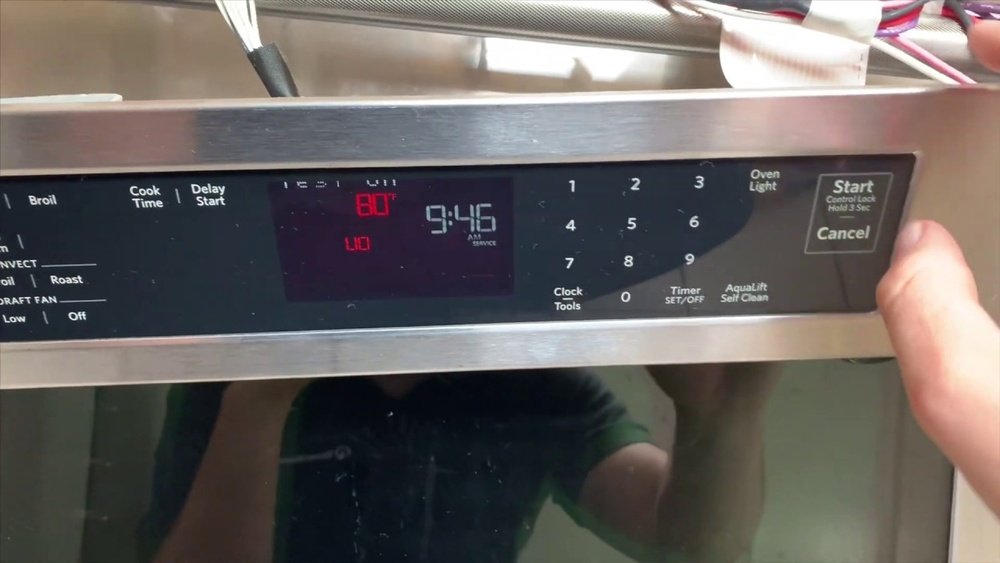
Credit: www.youtube.com
Real-world Example: Fixing A Stuck Cooling Fan
Imagine this scenario:
You bake cookies at 350°F. After you turn off your KitchenAid oven, the fan stays on for 40 minutes—normal. But the next week, you notice the fan stays on for 2 hours, and the oven is cool to the touch.
- You press Cancel/Off—nothing changes.
- You unplug the oven, wait 2 minutes, and plug it in—the fan starts again.
- You check the control panel and see error code F8E0.
At this point, it’s time to call a technician. In this example, the technician finds a faulty sensor and replaces it. The oven works normally again.
How To Find Your Kitchenaid Oven Model And Manual
Not all ovens are the same. To get the best instructions:
- Look for your model number on the oven frame (usually inside the door).
- Visit the official KitchenAid website and search for your model.
- Download the PDF manual for detailed guidance.
External resource: For more information about your specific oven, visit the KitchenAid Product Help page.

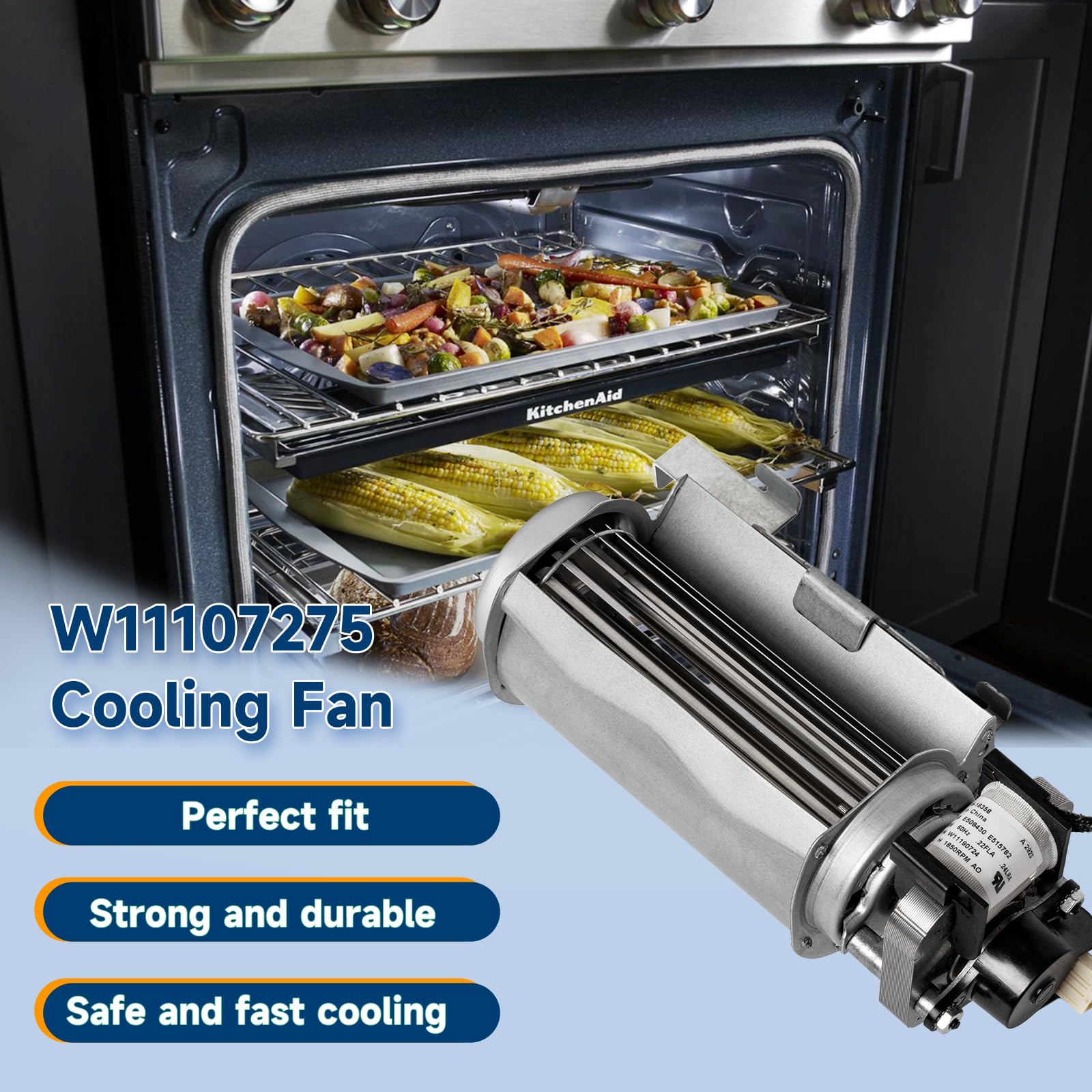
Credit: www.amazon.com
Kitchenaid Oven Cooling Fan: Myths And Facts
Let’s clear up some common misunderstandings:
- Myth: The fan should stop as soon as the oven turns off.
- Fact: It’s normal for the fan to run 15–45 minutes after cooking.
- Myth: The fan is wasting energy.
- Fact: The fan uses very little power (20–30 watts).
- Myth: You can add a manual switch to the fan.
- Fact: This is not safe and voids warranties.
- Myth: A noisy fan means your oven is broken.
- Fact: Sometimes, cleaning or tightening screws is enough.
When It’s Safe To Unplug Your Kitchenaid Oven
Unplugging the oven is only safe when:
- The oven has been off for at least 30 minutes.
- The oven is cool to the touch.
- There are no active self-clean or cooking cycles.
Unplugging during or soon after cooking can make things worse. Let the cooling fan finish its job.
Keeping Your Warranty Valid
Changing the way your oven cooling fan works—such as adding switches or opening panels—can void your KitchenAid warranty. Always follow the instructions in your manual. If your oven is under warranty, call for service before trying repairs.
Comparing Cooling Fan Run Times: High Vs. Low Temperature
How long the cooling fan runs depends on cooking temperature. Here’s a simple comparison:
| Cooking Mode | Typical Temperature | Average Fan Run Time |
|---|---|---|
| Baking | 325–375°F | 10–20 minutes |
| Broiling | 500°F+ | 30–45 minutes |
| Self-Cleaning | 800°F+ | 1–2 hours |
Summary: What You Should Remember
- The KitchenAid oven cooling fan is designed to protect your oven. It usually runs automatically and can’t be turned off manually.
- After cooking, the fan may run for up to 45 minutes, or longer after self-cleaning.
- If the fan stays on for much longer, check for error codes and try a power reset.
- Never block vents or unplug a hot oven just to stop the fan.
- For problems that don’t go away, call a technician or use the official KitchenAid support resources.
Frequently Asked Questions
Why Does My Kitchenaid Oven Fan Keep Running After I Turn It Off?
The cooling fan is designed to run until the oven is cool. This protects the electronics and control panel from heat damage. It’s normal for the fan to stay on for 15–45 minutes after cooking.
Can I Manually Turn Off The Kitchenaid Oven Cooling Fan?
No, most KitchenAid ovens do not have a manual switch for the cooling fan. The fan is sensor-controlled and turns off automatically when the oven is safe.
What Should I Do If My Oven Fan Never Turns Off?
First, try unplugging the oven for 1 minute (when it’s cool). If the fan still won’t stop, check for error codes or call a certified technician. There may be a stuck relay or faulty sensor.
Is It Safe To Unplug My Oven To Turn Off The Fan?
Only unplug the oven after it is completely cool and all cooking cycles are finished. Never unplug a hot oven just to stop the fan—this can damage electronic parts.
How Can I Reduce The Noise From My Kitchenaid Oven Fan?
Make sure the oven is level and clean. Tighten any loose screws around the fan area. If the fan is still noisy, ask a technician to check for worn bearings or dirt inside the fan housing.
If you want to keep your KitchenAid oven working its best, let the cooling fan do its job. With proper care and by following the steps above, you can manage the fan safely and avoid common mistakes. For more details or model-specific help, visit the official KitchenAid support page or your oven’s manual.
Credit: www.amazon.com