
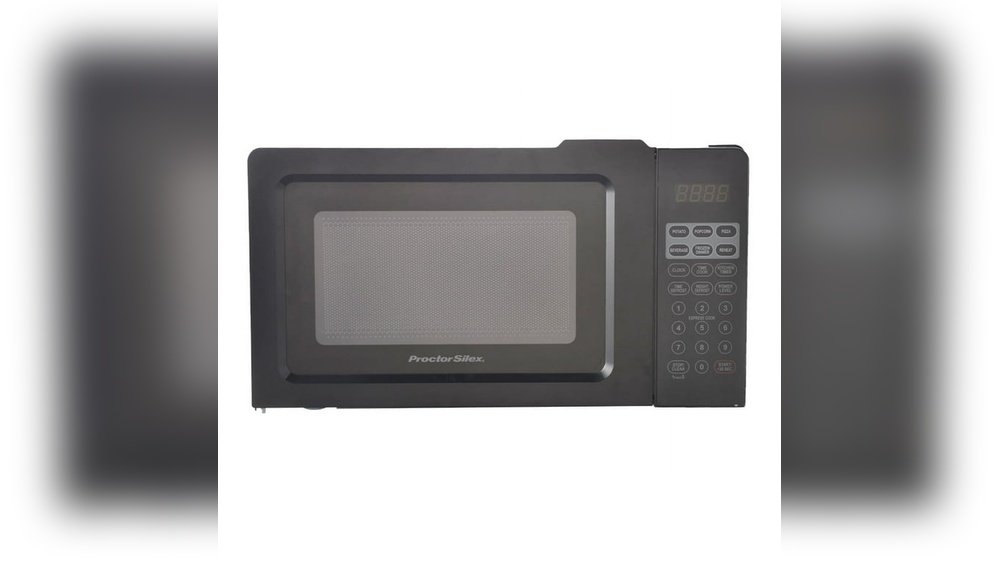
Setting the time on your Proctor Silex microwave might seem simple, but many users find themselves searching for clear guidance. If you just bought this microwave or need to reset the clock after a power outage, you’re not alone. A microwave’s clock does more than tell time—it helps with timed cooking, delayed starts, and sometimes even child lock features. Getting it right ensures your meals are cooked perfectly and your kitchen stays organized.
Let’s walk through everything you need to know about setting the time on a Proctor Silex microwave. We’ll cover step-by-step instructions, common issues, troubleshooting, and even how different Proctor Silex models might vary. You’ll also learn some practical tips, see helpful data comparisons, and get answers to the most common questions.
By the end of this guide, you’ll have the confidence to set and adjust your microwave clock like a pro.
Why Setting The Time Matters
Many people overlook the importance of setting the correct time on their microwave. But the clock is not just a display. It affects:
- Timed cooking: Some recipes or preset buttons depend on the right time.
- Kitchen routine: A correct clock helps you track meal prep and daily schedules.
- Power interruptions: After a power outage, the clock resets, so meals can get delayed if you forget to reset the time.
- Child safety features: Some models use the clock for locking or unlocking certain functions.
If you skip setting the clock, you might find your microwave doesn’t work as expected. Timed cooking programs could fail, and you may lose track of kitchen tasks.
Understanding Your Proctor Silex Microwave
Before you start, it’s important to know that Proctor Silex microwaves come in several models. Each model has slightly different buttons and displays, but most share similar time-setting methods.
Key Features And Controls
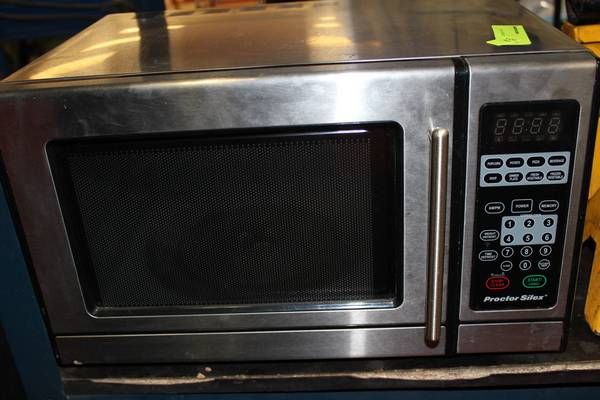
Most Proctor Silex microwaves include:
- Digital display: Shows time, cooking countdown, and error codes.
- Keypad or touchpad: For entering numbers and selecting modes.
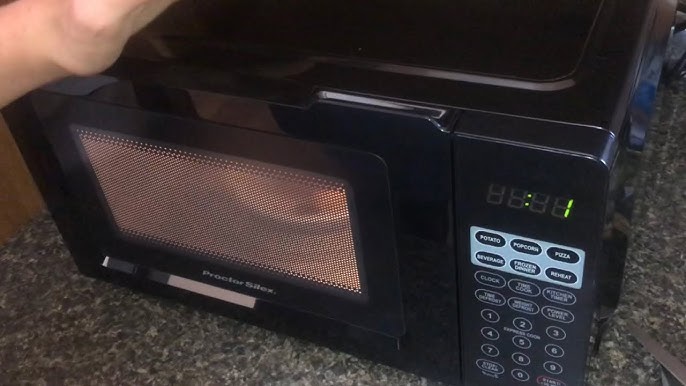
- Clock button: Used to enter clock-setting mode (sometimes labeled as “Clock,” “Time,” or a clock icon).
- Start/Stop button: Confirms changes or cancels actions.
Some older models use a rotary dial, but this is less common in recent years.
Model Variations
While the basic process is the same, some differences exist. Here’s a quick overview:
| Model Series | Clock Button Label | Display Type | Common Feature |
|---|---|---|---|
| PSM900 Series | Clock | LED | Child Lock |
| PSM1000 Series | Time | LCD | Auto Cook |
| Older Basic Models | No Clock Button | LED | Manual Timer Only |
Always check your user manual if you’re unsure. But don’t worry—this guide covers the main methods for most Proctor Silex microwaves.
Credit: www.liveauctionworld.com
Step-by-step Guide: Setting The Time
Let’s get practical. Setting the time usually takes less than a minute, but the process depends on your model. Here’s how to set the clock on most Proctor Silex microwaves.
For Most Modern Models (with “clock” Button)
- Plug in the microwave. If you just connected it to power, the display may show “0: 00” or “12:00.”
- Press the “Clock” button. This tells the microwave you want to change the time. The display may blink or show “–: –”.
- Enter the time using the number pad. For 6: 30 AM, press 6, 3, 0. If your microwave uses 24-hour time, press 0, 6, 3, 0.
- Confirm AM/PM if needed. Some models will ask for AM (press 1) or PM (press 2).
- Press “Clock” again or “Start” to confirm. The display should now show the current time.
For Models With “time” Or No Dedicated Clock Button
Some models use a “Time” button or require you to hold another button. Here’s what to try:
- Press and hold the “Time” or “Kitchen Timer” button for 3 seconds.
- Wait for the display to blink.
- Enter the current time using the number keys.
- Press “Start” or “Time” again to confirm.
For Models Without A Clock Button
A few older Proctor Silex microwaves don’t have a clock-setting function. These models only use a manual timer for cooking. If you don’t see a “Clock” or “Time” button, your model may not support setting the time.
Example: Setting The Time To 7:45 Pm
Suppose your display is blank after a power cut. Here’s how you’d set 7:45 PM:
- Press “Clock.”
- Enter 7, 4, 5.
- If prompted, press 2 for PM.
- Press “Clock” again or “Start.”
The display should show 7:45.
Troubleshooting Clock Setting Problems
Even with the steps above, you may run into issues. Here’s how to solve the most common problems.
The Clock Won’t Set
- Check the power cord. If the microwave isn’t plugged in fully, the display won’t work.
- Try resetting. Unplug the microwave for 30 seconds, then plug it back in and try again.
- Check the child lock. Some models lock the keypad. Hold “Stop/Cancel” for 3 seconds to unlock.
- Verify the buttons. Sticky or stuck buttons can block input. Wipe the keypad with a soft, damp cloth.
The Clock Resets Every Time
This usually means your kitchen outlet is losing power, or the plug is loose. Consider:
- Testing another appliance in the same outlet.
- Avoiding power strips. Plug the microwave directly into the wall.
- Calling an electrician if you suspect wiring issues.
Numbers Don’t Appear
If the display stays blank:
- The microwave fuse may be blown.
- The display could be faulty.
- If all other functions fail, contact customer support.
Useful Tips For Setting And Using The Clock
Setting the time is just the first step. Here are some practical tips most users don’t know:
- Daylight Saving Time: Remember to adjust your microwave twice a year. Most models do not update automatically.
- Power Outages: If you have frequent outages, consider keeping a note nearby with the correct setting steps.
- Silent Mode: Some Proctor Silex microwaves let you mute beeping. This can help if you set the clock late at night.
- Button Combinations: If you can’t find the “Clock” button, try holding “0” or “Stop” for 3 seconds. Manufacturers sometimes hide the clock function behind these.
- Accurate Setting: Use your phone or a reliable clock to set the exact minute. Many people set the wrong time by guessing.
Proctor Silex Vs. Other Brands: Clock Setting Comparison
Ever wondered if Proctor Silex makes it easier or harder to set the clock compared to other brands? Here’s a quick comparison:
| Brand | Clock Setting Steps | User Rating (Ease) | Special Features |
|---|---|---|---|
| Proctor Silex | 2-5 steps | 4.3/5 | Simple keypad |
| Panasonic | 4-6 steps | 4.0/5 | Child lock, auto daylight saving |
| Sharp | 3-5 steps | 4.1/5 | 12/24-hour toggle |
| Samsung | 3-6 steps | 4.2/5 | Sound off option |
Proctor Silex is known for simplicity, but not all models have advanced features like automatic daylight saving time. Still, the straightforward keypad usually makes setting the clock quick.
The Impact Of Not Setting The Time
Some users ignore the microwave clock if they have other clocks in the kitchen. But leaving your microwave clock unset can cause:
- Preset programs to fail. Some auto-cook or timed defrost programs won’t run without the correct time.
- Child lock confusion. On certain models, the child lock uses the clock. If unset, you might not be able to lock or unlock.
- Missed reminders. If you use your microwave for reminders (like “end of cooking” beeps), an unset clock may cause confusion.
- Power usage. The display uses minimal energy, but constantly resetting can cause extra wear.
What If The Clock Won’t Stay Set?
If you set the clock but it keeps resetting, try these steps:
- Check for power interruptions. Even a brief loss of power resets the clock.
- Inspect the power cord and outlet. Loose connections can cause resets.
- Avoid using extension cords. Plug directly into the wall.
- Contact customer support. If the problem continues, the microwave may need service.

Credit: www.youtube.com
Setting The Time: Advanced Models
Some high-end Proctor Silex microwaves have extra features. These may include 24-hour time, timer memory, or multi-stage cooking. Here’s how to handle them.
24-hour Vs. 12-hour Format
- If your display shows “00: 00,” it likely uses 24-hour time.
- Enter hours and minutes accordingly (e.g., 18: 30 for 6:30 PM).
- If unsure, check your manual or experiment by entering “13: 00” and seeing if it accepts it.
Timer Memory
Some models remember your last time setting. If you unplug the microwave, it may restore the clock automatically after being plugged in again, but this feature is rare.
Multi-stage Cooking
The clock setting can affect multi-stage programs. If your clock isn’t set, the microwave may skip steps or not start at the intended time.
Common Mistakes When Setting The Time
It’s easy to make small errors. Here are mistakes to avoid:
- Entering the wrong format: 12-hour vs. 24-hour can confuse users. Check what your model uses.
- Forgetting to confirm: Always press “Clock” or “Start” after entering the time.
- Not using leading zeros: Some models need “06:30” instead of “6:30.” If your time doesn’t set, try adding a zero.
- Ignoring AM/PM prompts: If asked, enter the correct value, or the time will be incorrect.
- Assuming all models are the same: Even within Proctor Silex, there are variations. Read the label on your microwave for the model number.
How To Find Your Model Number
If you’re having trouble, knowing your exact model helps. Here’s how to locate it:
- Look on the back or bottom of the microwave for a silver sticker.
- Check inside the door frame. Many models have the number here.
- Manual or packaging. If you kept your box or booklet, the model number is listed.
With the model number, you can search for the exact manual online. The official Proctor Silex site is a good place to start.
When To Reset The Clock
You’ll need to reset your microwave clock:
- After a power outage
- If you unplug the microwave
- During daylight saving time changes
- If the display flashes or shows “0: 00”
Some microwaves beep or flash to remind you, while others stay silent.
Practical Example: Family Kitchen Scenario
Imagine you’re making breakfast on a busy school morning. The power goes out briefly, and your microwave display flashes “0:00.” If you don’t reset the clock, your “One Minute Oatmeal” program won’t work right—your kids’ breakfast might be ruined. Setting the correct time ensures your preset programs run correctly and your morning stays on track.
Setting The Time For Seniors Or Kids
If you set up a microwave for a senior family member or a child, make the process even simpler:
- Write the steps on a sticky note and place it near the microwave.
- Use large, clear print for instructions.
- Demonstrate the process and let them try.
- Remind them about power outages so they know when to reset.
Some users even record a short video guide on their phone as a handy reminder.
Cleaning The Keypad For Accurate Setting
Sticky or dirty buttons can block clock setting. Here’s how to clean your keypad:
- Unplug the microwave before cleaning.
- Use a soft, damp cloth—avoid harsh cleaners.
- Gently wipe the keypad and around the buttons.
- Dry with a clean towel.
- Plug back in and reset the clock.
Regular cleaning helps keep the keypad responsive.
Safety Note: Electrical Issues
If your clock resets often and other appliances in your kitchen also lose power, you may have a bigger issue. Always:
- Avoid using extension cords with microwaves.
- Check for tripped breakers in your home.
- Call a qualified electrician if you notice frequent power loss.
Microwaves draw a lot of current, and a bad connection can be dangerous.
Proctor Silex Clock Setting In Different Countries
Proctor Silex microwaves sold in the US often use a 12-hour format, but international models might use 24-hour (military time). If your microwave is imported or bought abroad, check which format it uses.
- US models: Usually 12-hour, with AM/PM prompts.
- European/Asian models: Often 24-hour, no AM/PM choice.
If you’re moving or gifting a microwave, make sure the recipient understands the format.
How To Know If The Clock Is Set Correctly
After setting, double-check:
- The display matches your phone or wall clock.
- Preset cooking programs (like “Popcorn” or “Defrost”) start and finish at expected times.
- The display doesn’t blink or flash, which can signal an error.
If you see “0:00,” “–:–,” or a flashing display, the clock might not be set.
When To Call For Help
Most clock issues can be fixed at home, but seek help if:
- The display is dead, but the outlet has power.
- Buttons do not respond, even after cleaning.
- The microwave works, but the clock will not set or keeps resetting.
Contact Proctor Silex customer support or a qualified repair technician for help.
User Stories: Real Experiences
Some users share their experiences online:
- Maria, age 67: “I always forget how to set the clock after the power goes out. I keep a note on the fridge now.”
- James, busy parent: “I set the wrong time once, and my pizza got overcooked because the timer was off. Now I double-check every time.”
- Lily, college student: “My Proctor Silex microwave was easy to set, but I had to hold the ‘0’ key, which wasn’t in the manual.”
These real-life stories show why it’s worth learning your microwave’s clock-setting method.
Where To Find More Help
If you lose your manual or want official instructions, visit the Proctor Silex official website. You can search by model number and download manuals, troubleshooting tips, and contact support.
Frequently Asked Questions
How Do I Know If My Proctor Silex Microwave Supports A Clock?
Most modern Proctor Silex microwaves have a digital clock feature. Check for a “Clock” or “Time” button on your keypad. If your model only has a rotary dial or no digital display, it likely doesn’t support a clock.
Can I Switch My Microwave Clock Between 12-hour And 24-hour Formats?
Some Proctor Silex models support both formats, but most US models use 12-hour time by default. If your model supports switching, the process is usually in the manual or by holding the “Clock” button for a few seconds. If there is no option, you must use the default.
Why Does My Clock Reset After Every Power Outage?
Microwave clocks do not have a battery backup. Any loss of power—no matter how brief—will reset the clock. After an outage, set the time again using the steps provided.
My Display Stays Blank After Setting The Time. What Should I Do?
If the display doesn’t light up after setting the time, first check the power cord and wall outlet. If other functions work but the display does not, the display itself may be faulty. Contact customer support for repair or replacement.
Is There A Way To Make The Clock Display Brighter Or Dimmer?
Most Proctor Silex microwaves do not offer brightness control for the clock. The display uses a fixed brightness. If it’s hard to see, check for kitchen lighting issues or consider a different model with adjustable display.
Setting the time on your Proctor Silex microwave is a small but important task. It keeps your kitchen running smoothly and helps you get the most from your appliance. Whether you’re a new owner or just want to refresh your skills, following these steps ensures your microwave is always ready when you are.
Credit: www.youtube.com