
Setting Sabbath Mode on your GE oven can seem confusing, especially if you’re not familiar with the feature or your oven’s control panel. But for many households, especially those who observe Jewish Sabbath laws, understanding how to use this function is essential for both tradition and convenience.
Sabbath Mode allows you to keep your food warm or cook slowly over the Sabbath without violating any religious restrictions. In this guide, you’ll find everything you need to know about enabling and using Sabbath Mode on GE ovens—explained in simple, clear language.
You’ll learn why the feature exists, how to set it step by step for different GE models, what to watch out for, and practical troubleshooting tips. Whether you’re setting it for the first time or want to ensure you’re following best practices, this article will give you full confidence to use Sabbath Mode safely and correctly.
What Is Sabbath Mode And Why Use It?
Sabbath Mode is a special feature found in many modern ovens, including GE ovens. Its main purpose is to help people observe the rules of the Jewish Sabbath (Shabbat) and some Jewish holidays. According to tradition, certain activities are not allowed on the Sabbath, such as turning electrical devices on or off and adjusting temperatures. However, many families still want to enjoy hot meals during these times.
Sabbath Mode solves this problem by allowing the oven to operate in a way that follows these rules:
- The oven stays on at a set temperature for an extended period.
- All sounds, displays, and lights are turned off or kept unchanged.
- No immediate response happens when you press buttons.
- Timers and other automatic functions are disabled.
This means you can prepare food before the Sabbath begins, and the oven will keep it warm or continue cooking without you having to interact with the controls. For anyone who observes the Sabbath, this feature is both a convenience and a necessity.
One common mistake is thinking Sabbath Mode is the same on every oven. In reality, different models have unique ways to activate it, and the features may vary. Always check your manual, but this guide will cover the core instructions for most GE models.
Understanding Ge Ovens With Sabbath Mode
Not all ovens have Sabbath Mode, so it’s important to know if your GE oven supports it. Most GE Profile, Café, and some newer GE models include Sabbath Mode. Here’s how you can identify if your oven has this feature:
- Look for the Sabbath Mode option on your oven’s control panel.
- Check your oven’s user manual for “Sabbath Mode” or “Shabbos Mode.”
- Visit the manufacturer’s website and search for your oven’s model number.
If your oven is more than 10 years old, it may not support Sabbath Mode. However, some older models can still be used in a way that fits Sabbath rules, but you’ll need to follow extra steps (discussed later).
Here’s a quick comparison of common GE oven lines and their Sabbath Mode availability:
| GE Oven Series | Sabbath Mode | Activation Method |
|---|---|---|
| GE Profile | Yes | Control panel or app |
| GE Café | Yes | Control panel or app |
| GE (Basic) | Some models | Control panel |
| GE Monogram | Yes | Control panel |
| Older GE models | No | N/A |
Understanding your oven’s series and model will help you follow the correct steps for enabling Sabbath Mode.
Step-by-step Guide: How To Set Sabbath Mode On Ge Oven
Activating Sabbath Mode on a GE oven usually takes only a few steps, but details can vary by model. Below is a detailed process that covers the majority of GE ovens with this feature. Always check your specific manual for details, but these instructions will work for most users.
1. Prepare The Oven
Before the Sabbath begins, plan your meal and set up your oven:
- Place the food inside the oven.
- Decide on the temperature you’ll need for warming or slow cooking.
- Set any racks or pans in place, as you won’t move them during the Sabbath.
2. Turn On The Oven
- Press the Bake button.
- Enter your desired temperature using the number pad or up/down arrows.
- Press Start to begin preheating the oven.
3. Activate Sabbath Mode
The method to turn on Sabbath Mode depends on the control panel. The most common methods are:
For Most Ge Models
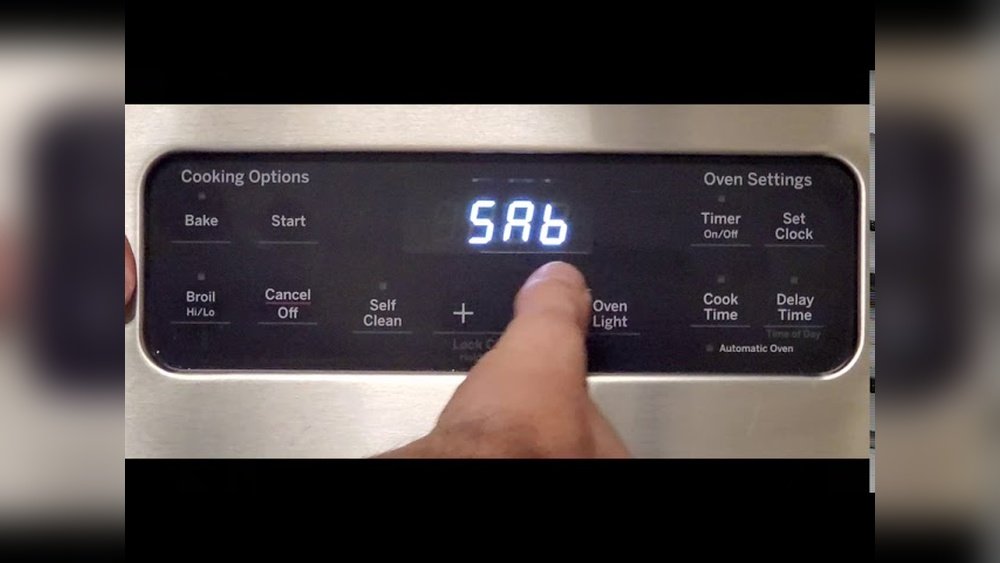
- Press and hold the Bake and Broil Hi/Lo buttons together for 3 seconds.
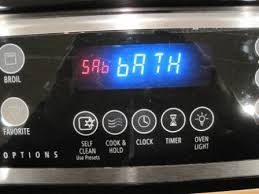
- The display will show “Sabbath” or “SabbATH ON.”
- Press Start if needed to confirm.
For Touchscreen/modern Models
- Press the Menu or Settings button.
- Use the arrows or touch screen to find “Sabbath Mode.”
- Select Sabbath Mode and press Start or OK.
Using The Smarthq App
Some newer GE ovens allow activation via the SmartHQ app:
- Open the SmartHQ app on your phone.
- Select your oven.
- Go to Settings > Sabbath Mode.
- Slide the toggle to “On.”
4. Confirm Sabbath Mode Is On
Your oven will usually show a message on the display or turn off the display and sounds. Some models keep a small indicator light on, while others go fully dark. The oven will keep working at the set temperature, with no changes until you turn Sabbath Mode off.
5. Leaving Sabbath Mode
After Sabbath or the holiday ends:
- Press and hold the same buttons you used to activate Sabbath Mode.
- Wait for the display to return to normal.
- Turn off the oven as usual.
Tip: If you’re unsure if Sabbath Mode is activated, try pressing other buttons. If there’s no beep, flash, or immediate action, Sabbath Mode is likely on.
Here’s a summary of the main steps for quick reference:
| Step | What to Do |
|---|---|
| 1 | Place food in oven and set racks |
| 2 | Set temperature and start oven |
| 3 | Activate Sabbath Mode (panel/app) |
| 4 | Check for Sabbath Mode confirmation |
| 5 | Deactivate Sabbath Mode after Sabbath |
How Sabbath Mode Changes Your Oven’s Behavior
It’s important to know what exactly happens when you activate Sabbath Mode. Here are the main changes:
- No beeps or tones: The oven will not make any sounds, so you won’t hear confirmation beeps.
- No display changes: The temperature and clock display are turned off or frozen.
- No oven light response: Opening or closing the door won’t turn the light on or off.
- No automatic shut-off: The oven will not turn off after 12 hours, as many models usually do.
- No timer functions: Delayed start or automatic shut-off is disabled.
Important insight: If you adjust the temperature or open the door during Sabbath Mode, the oven will not respond until Sabbath Mode is turned off. This prevents any accidental violation of Sabbath rules.
Credit: www.star-k.org
Setting Sabbath Mode On Different Ge Oven Types
Since GE offers many oven types and models, here’s how Sabbath Mode works for the most common categories:
Ge Profile And Café Series
These are high-end models with advanced features. Sabbath Mode is usually easy to access from the menu or control panel. Some models even let you set Sabbath Mode using your smartphone app.
- Follow the steps above for menu-based or app-based activation.
- These models may keep the display on, but it will not change during Sabbath Mode.
Slide-in And Free-standing Ge Ovens
Most modern slide-in and free-standing ovens have a dedicated sequence for Sabbath Mode:
- Press and hold the Bake and Broil Hi/Lo buttons.
- Watch for “Sabbath” to appear on the display.
Double Ovens
If you have a double oven, you may need to activate Sabbath Mode for each cavity separately. Always check your manual, as some models synchronize both ovens.
Wall Ovens
Wall ovens often have a Settings or Options menu. Use the arrow buttons to find Sabbath Mode, then select and activate.
Older Or Basic Models
If your oven does not have Sabbath Mode, you can still use it in a Sabbath-friendly way:
- Set the temperature before the Sabbath.
- Do not adjust the oven or open the door during the Sabbath.
- Use a mechanical timer or ask a rabbi for guidance.
Caution: These methods are not as safe or reliable as built-in Sabbath Mode. For strict observance, a model with certified Sabbath Mode is better.
Key Safety And Usage Tips For Sabbath Mode
Using Sabbath Mode safely requires some planning. Here are important tips to keep in mind:
- Test before the Sabbath: Try activating and deactivating Sabbath Mode during the week. Make sure you know how your oven responds.
- Plan your meals: Place all food, pans, and racks in the oven before the Sabbath starts.
- Check oven placement: Make sure nothing blocks vents or the oven door, as you won’t adjust it during the Sabbath.
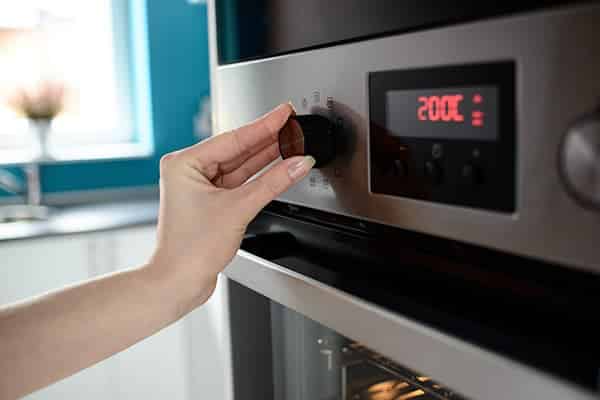
- Stay below maximum temperature: Most Sabbath observers use moderate temperatures (around 200–250°F) to avoid food burning.
- Avoid using the timer: Do not set delayed starts or timed cooking.
- Keep children and pets away: Since the oven stays on for a long time, ensure safety for everyone in the home.
- Do not use self-clean mode: Self-cleaning cycles are not Sabbath-friendly and can be dangerous if accidentally left on.
- Know your local fire codes: Some regions have restrictions on leaving ovens running for extended periods.
Insight: If you lose power during Sabbath Mode, most ovens will turn off. You may need to wait until after Sabbath to restart cooking. It’s rare, but good to know ahead of time.
Common Problems When Using Sabbath Mode (and How To Fix Them)
Even with a user-friendly feature, problems can happen. Here are issues users often face, and what you can do:
The Oven Doesn’t Enter Sabbath Mode.
- Make sure you’re pressing the right buttons in the correct order.
- Hold buttons for the full 3 seconds (or as instructed).
- Some models need the oven to be ON before activating Sabbath Mode.
The Oven Turns Off After A Few Hours.
- Check if automatic shut-off is enabled. Sabbath Mode should disable this, but not all models do.
- Look for a “12-Hour Energy Saving” setting in your oven menu and turn it OFF.
The Display Stays On.
- This is normal for some models. The key is that the display should not change or respond to buttons during Sabbath Mode.
The Oven Light Turns On When I Open The Door.
- For most GE ovens, Sabbath Mode disables the oven light switch. If the light still turns on, consult your manual or contact GE support.
I Can’t Adjust The Temperature.
- This is by design. Sabbath Mode “locks in” the settings until you exit the mode.
If you’ve checked your manual and still have issues, contact GE customer support or a qualified appliance technician.
When And Why To Use Sabbath Mode
You don’t need to use Sabbath Mode every time you bake or cook. It’s mainly for:
- Jewish Sabbath (Shabbat): From sunset Friday to sunset Saturday.
- Jewish holidays: Such as Passover, Sukkot, and others with similar restrictions.
For households that do not observe these traditions, Sabbath Mode can still be useful if you need the oven to stay on for long periods without interruptions or sounds.
An overlooked advantage: Sabbath Mode can prevent accidental oven shut-off during long parties or events. It’s a hidden feature that’s useful beyond religious observance.
Credit: www.handlerappliance.com
Practical Examples: Sabbath Mode In Action
Let’s see how Sabbath Mode works in real-life situations.
Example 1: Warming Challah Bread For Shabbat Dinner
You want warm bread for Friday night. At 4 PM, you place the challah in the oven, set it to 200°F, and activate Sabbath Mode. The oven stays on, with no beeps or light changes, until you turn it off after Shabbat.
Example 2: Slow-cooking Brisket Overnight
You prepare brisket and set your oven to 225°F before sunset. With Sabbath Mode on, the oven cooks overnight. In the morning, your meal is warm and ready for lunch—no need to touch the oven.
Example 3: Avoiding Accidental Oven Shut-off
You’re hosting a large family gathering. You use Sabbath Mode so the oven stays on, avoiding the automatic 12-hour shut-off. Your dishes stay hot, and you don’t have to monitor the oven constantly.
These examples show the flexibility and convenience Sabbath Mode offers.
Advanced Features And Variations In Sabbath Mode
Some newer GE ovens include extra features that make Sabbath Mode even more convenient:
- Wi-Fi control: Use your smartphone to activate or check Sabbath Mode.
- Adjustable display: Some ovens let you dim the display or choose which indicators are shown.
- Voice prompts: A few models have spoken instructions before entering Sabbath Mode.
- Multiple oven support: For double ovens, you can set Sabbath Mode on one or both cavities.
Non-obvious insight: Some ovens allow you to set Sabbath Mode for a specific number of days—helpful for multi-day holidays.
Before relying on advanced features, always check if they are allowed in your community or tradition. Some rabbinical authorities have specific recommendations.
Comparing Ge Sabbath Mode To Other Brands
If you’re shopping for a new oven, you might wonder how GE’s Sabbath Mode compares to other brands. Here’s a quick look at key differences:
| Brand | Sabbath Mode | Key Features |
|---|---|---|
| GE | Yes | Easy activation, app control, wide range |
| Whirlpool | Yes | Simpler display, fewer app features |
| Samsung | Yes | Touchscreen, Wi-Fi, advanced options |
| LG | Some models | Basic Sabbath Mode, less customization |
| Frigidaire | Some models | Manual process, less user-friendly |
GE stands out for its wide range of models with Sabbath Mode and strong support for app-based controls.
How To Find Sabbath Mode Instructions For Your Specific Ge Model
Every GE oven is a little different, so always check your user manual. If you can’t find your manual, here’s how to get instructions:
- Go to the GE Appliances website.
- Search for your oven’s model number.
- Download the manual as a PDF.
You can also call GE customer support or visit your local appliance store for help.
For more on the religious background of Sabbath Mode, see the Wikipedia entry on Sabbath Mode.

Credit: www.youtube.com
Frequently Asked Questions
What Happens If I Accidentally Turn Off Sabbath Mode During The Sabbath?
If you turn off Sabbath Mode by mistake, the oven will exit the special settings, and normal functions will return. Try not to use the oven again until after the Sabbath. For next time, practice activating and deactivating Sabbath Mode before the Sabbath starts, so you’re comfortable with the steps.
Can I Use The Oven Light During Sabbath Mode?
Most GE ovens disable the oven light switch in Sabbath Mode, so opening or closing the door does not affect the light. If your model does not do this, you can unscrew the oven light bulb before the Sabbath or cover the switch with tape.
Always check what works best for your oven and tradition.
Is Sabbath Mode Safe To Use For Long Periods?
Yes, Sabbath Mode is designed for extended use. However, always follow safety rules: keep flammable items away from the oven, check on children and pets, and do not use self-clean or high-heat settings. If you’re not sure, consult your oven manual or a professional.
Does Sabbath Mode Work With All Cooking Functions?
No, Sabbath Mode works mainly with Bake and Convection Bake functions. It does not support Broil, Self-Clean, or some specialty modes. Check your model’s manual to see which features are compatible.
My Oven Doesn’t Have Sabbath Mode. Can I Still Keep Food Warm On The Sabbath?
If your oven lacks Sabbath Mode, you can set it to the desired temperature before the Sabbath and leave it running. However, do not adjust the oven or open the door during the Sabbath. This method is less reliable and may not be accepted in all communities.
For best results, consider upgrading to a model with certified Sabbath Mode.
Using Sabbath Mode on a GE oven is straightforward once you know the steps and your model’s features. It brings peace of mind, safety, and respect for tradition. Whether you’re new to Sabbath observance or simply want to use your oven for long events, mastering this feature gives you more options and flexibility in the kitchen.
With the right planning, you can enjoy warm, delicious meals with confidence—no matter the occasion.